This is the full developer documentation for Central Agentic Ops
# Monitor and control GitHub Agentic Workflows at scale.
> Keep track of all runs, costs, and outcomes of your GitHub Agentic Workflows across repositories. Set execution scope and rollout policy.
# What Is Central Agentic Ops?
> Observe, evaluate, and operate agentic work across repositories, with shared visibility and controlled rollout.
You have workflows triaging issues in one repository and investigating failures in another. **Central Agentic Ops (CAO)** helps you understand and operate this work across repositories: observe activity, evaluate available cost and outcome evidence, and coordinate the execution and rollout of shared workflows. Existing workflows stay with their owners; shared work does not require moving every workflow into one central repository.
**GitHub Agentic Workflows (AWs)** are AI-powered workflows that run in GitHub Actions. You describe a task in Markdown, and an agent carries it out with configured tools and permissions. They can respond to events, run on a schedule, or be requested on demand. CAO monitors these workflows, not every ordinary Actions job. [Learn about GitHub Agentic Workflows](https://github.github.com/gh-aw/).
**[Set up CAO and monitor your workflows](/gh-cao/setup-quickstarts/)**. Connect one repository to get started.
## What you can do today
[Section titled “What you can do today”](#what-you-can-do-today)
| Capability | What it gives you |
| ---------------------------------- | ------------------------------------------------------------------------------------------------------------------------------------------------------------------------------------------------------------------------------------------------------------ |
| **Observe activity** | See collected activity across configured repositories, inspect recorded runs, and follow them back to GitHub. |
| **Evaluate results** | Inspect costs, outputs, and outcomes where evidence is available. Use them to investigate what the work produced, not just whether it ran. |
| **Scale and roll out shared work** | Standalone workflows and campaigns can opt into admission and bounded rollout across explicitly allowed repositories. In `review` mode, proposals go to a review destination; target repositories stay unchanged until live output is explicitly authorized. |
Workflows can stay repository-local, be shared across projects, or run centrally. **Campaigns are one opinionated way to package, scale, and roll out shared work, not the only operating pattern.** Integrated review and rollout controls also support [standalone agentic workflows](/gh-cao/configuration/#standalone-agentic-workflows), but do not apply automatically to every observed workflow.
For example, after an issue-triage workflow runs, you can inspect its run and follow the collected evidence to see what it produced. The dashboard helps you investigate whether the work was useful; a green run alone does not answer that. **A successful run is not automatically a successful outcome.** Missing cost or outcome evidence is not proof of zero cost or success.
## See the product
[Section titled “See the product”](#see-the-product)

1 2 3
Public sample, 19 October 2026, after import completed. Not a live feed. [Open full-size capture](https://github.com/user-attachments/assets/1c408552-1a2d-45cc-967e-b46d8811798d).
1. **Start with your repositories.** See configured projects in one place.
2. **Read activity.** Ranked bars compare distinct retained runs. Zero means no retained runs, not confirmed inactivity.
3. **Follow outputs.** Inspect retained issue outputs; output counts alone do not prove successful outcomes.
[Explore the public Repositories view](https://githubnext.github.io/gh-cao/cao/#page-repositories). Wait for import to finish before reading the charts. See the [dashboard guide](/gh-cao/dashboard/) for more.
## How evidence reaches the dashboard
[Section titled “How evidence reaches the dashboard”](#how-evidence-reaches-the-dashboard)
A **control repository** is an ordinary GitHub repository that stores your CAO configuration, holds credentials in Actions secrets, and runs collection and participating shared workflows.
CAO Activity collects read-only evidence from the repositories you configure and publishes a snapshot for the dashboard:
```
flowchart TB
accTitle: Monitoring existing agentic workflows
accDescr: CAO Activity collects read-only evidence from configured repositories and publishes a snapshot for the shared dashboard. Observation grants no write authority.
workflows["Existing AWs"] -->|"Read evidence only"| activity["CAO Activity"]
activity -->|"Collected snapshot"| dashboard["Shared dashboard"]
```
The dashboard shows collected evidence, not a live feed. Collection can be partial or stale; an empty chart does not establish that no workflows ran. See [CAO Activity](/gh-cao/activity/) for collection and data-quality details.
## Essential safety boundaries
[Section titled “Essential safety boundaries”](#essential-safety-boundaries)
* **Seeing is not authorizing.** Observing a workflow grants no write authority. Collecting evidence does not change its permissions or authorize writes.
* **Local owners keep control.** Project workflows and review requirements stay with their owners. A shared dashboard does not transfer credentials or authority.
* **Public means public-safe.** Use a public control repository only when its configuration, run metadata, dashboard data, evidence, and review outputs can be public. A private repository does not by itself guarantee private Pages; [setup](/gh-cao/setup-quickstarts/) checks publication visibility.
## Get started
[Section titled “Get started”](#get-started)
**[Set up CAO and monitor your workflows](/gh-cao/setup-quickstarts/)**. Connect a repository to see its existing evidence.
Explore [workflow operating patterns and ownership](/gh-cao/deployment-and-governance/) or [browse campaigns](/gh-cao/catalog/) for shared tasks and rollout.
# Set Up CAO
> Set up CAO, monitor one repository, and explore your dashboard before adding automation.
This guide walks you through installing CAO in a control repository, connecting one repository to monitor, and publishing a dashboard of its existing GitHub Agentic Workflow runs, costs, and outcomes.
This setup is for monitoring only. You can add an agentic workflow or a campaign later if you choose.
## Prerequisites
[Section titled “Prerequisites”](#prerequisites)
* You need **Git**, **Bash**, **`curl`**, **Node.js 24+**, and **GitHub CLI 2.68+**.
* Run **`gh auth login`** if needed.
* You need permission to configure **Actions**, **credentials**, and **Pages** in your control repository.
* CAO lives in a **control repository** that stores its configuration and runs collection. Prefer a separate repository; the repository you monitor does not need CAO installed in it.
* Use a **private control repository** for private or internal evidence. **Dashboard visibility** is a separate choice: a private repository does **not** guarantee a private Pages site. Setup checks this and asks before allowing public publication.
## 1. Install CAO
[Section titled “1. Install CAO”](#1-install-cao)
From a clean checkout of your chosen control repository, on its default branch:
```bash
curl -fsSL https://raw.githubusercontent.com/githubnext/gh-cao/main/install.sh | bash
```
**Ready:** the CAO runtime, Activity collector, and dashboard workflows are installed locally. No campaign is installed or run.
Need a new control repository?
Run this outside a Git checkout, replacing `OWNER/CONTROL_REPOSITORY` with the exact repository you want to create:
```bash
curl -fsSL https://raw.githubusercontent.com/githubnext/gh-cao/main/install.sh |
bash -s -- --create-repo OWNER/CONTROL_REPOSITORY
```
The installer creates and clones a private repository. Enter the directory it prints before continuing.
## 2. Connect one repository
[Section titled “2. Connect one repository”](#2-connect-one-repository)
```bash
gh cao setup
```
Follow **Repositories → Connections → Review and apply**:
1. Enter the exact `OWNER/REPOSITORY` you want to monitor, not an organization wildcard. The control repository stays included in scope.
2. Connect authentication. Setup offers authentication choices based on that scope; check the selected profile’s prerequisites before approving.
3. Review the repository list, credentials, and dashboard visibility, then apply.
**Ready:** repository scope and authentication are configured. Setup installs no campaign and runs no workflow; it does not commit or push. The campaign map in `.github/workflows/cao.json` should remain empty.
Need help choosing credentials? See [Authentication](/gh-cao/authentication/). Run setup in an interactive terminal for this guided path; headless setup only supports the exact current public control repository, not an external target.
## 3. Publish your configuration
[Section titled “3. Publish your configuration”](#3-publish-your-configuration)
Check the installation and inspect the installed files:
```bash
gh cao doctor
git status --short
git diff -- .github
```
Check that `.github/workflows/cao.json` names only the intended repositories and that `control-plane.campaigns` is `{}`. Do not publish private evidence to a public dashboard.
Commit the CAO files and push to the control repository’s default branch:
```bash
git add .github activity dashboard
git commit -m "Set up CAO monitoring"
git push
```
**Ready:** GitHub Actions can use your reviewed configuration. Check **CAO validation** in Actions for full policy and workflow validation. The installation includes scheduled Activity collection; pushing the policy also triggers collection. This collects evidence, not new agentic work.
## 4. Open your dashboard
[Section titled “4. Open your dashboard”](#4-open-your-dashboard)
In the control repository’s **Actions** tab, wait for **CAO Activity** and then **CAO Dashboard** to complete, including its Pages deployment. Open the site link in **Settings → Pages**.
If collection has not started, request it once from the control checkout:
```bash
gh workflow run cao-activity.yml
```
Activity refreshes the evidence; it does not run the workflows you monitor. Successful collection triggers dashboard publication automatically. Check the Actions runs for progress rather than repeatedly dispatching collection.
**Your first look:** find the repository in **Overview**, open **Runs**, and follow a run back to its evidence. Costs and outcomes appear where available; missing evidence is not proof of zero cost or success.
**No Agentic Workflow history yet?** An empty dashboard is expected. CAO monitors GitHub Agentic Workflows, not every ordinary Actions job. You can finish setup without generating a run. Preview the [sample dashboard](https://githubnext.github.io/gh-cao/cao/) to see populated views, or return after your existing workflows have run and Activity has refreshed.
## Optional: add automation later
[Section titled “Optional: add automation later”](#optional-add-automation-later)
Monitoring is enough to get started. When you have a task you want CAO to perform, browse the [campaign catalog](https://githubnext.github.io/gh-cao/catalog/). Install a chosen campaign with:
```bash
gh cao campaigns add githubnext/gh-cao/CAMPAIGN
```
Installation is not execution. Review and commit its workflows and policy together before enabling or running it. Start in **review** mode with **one repository**; model access and AI credits are separate prerequisites. See [Roll out a campaign](/gh-cao/rollout-and-routing/) for the execution steps.
Want a manual campaign example instead? The separate [Repo Assist walkthrough](/gh-cao/repo-assist-quickstart/) starts from a configured control repository and shows how to request one review-only maintenance proposal. It is optional, not a prerequisite for monitoring.
# CAO Activity
> Learn how CAO Activity collects gh-aw logs for Central Agentic Ops.
CAO Activity is the shared, bounded `gh aw logs` collector for Central Agentic Ops. It prevents consumers from independently acquiring the same compiled workflow history. It also materializes the canonical log projection in SQLite so local tools and agents can query the snapshot without re-ingesting it. Every [deployment option](/gh-cao/deployment/) serves dashboard data derived from this collector.
Read this page when changing Activity collection, cache publication, or workflow registry enrichment. Continue to the [Activity specification](https://github.com/githubnext/gh-cao/blob/main/specs/activity.md), then the [dashboard data specification](https://github.com/githubnext/gh-cao/blob/main/specs/dashboard-data.md) and the implementation under `activity/`.
## How Activity works
[Section titled “How Activity works”](#how-activity-works)
```
sequenceDiagram
participant Activity as CAO Activity
participant Cache as Actions cache
participant Consumer as Consumer
Activity->>Cache: Restore latest cao-activity-v4-* snapshot
Activity->>Activity: Run gh aw logs once
Activity->>Activity: Ingest JSONL into SQLite
Activity->>Cache: Save refreshed JSONL, SQLite, and Drain3 weights
Consumer->>Cache: Restore compatible snapshot
```
The scheduled and manually dispatchable `.github/workflows/cao-activity.yml` checks out the trusted control-repository source, restores its cache, collects compiled workflow evidence with `gh aw logs --audit --artifacts usage`, ingests the resulting JSONL through the dashboard’s Node.js canonical data pipeline, and stores both data files plus the generated Drain3 weights. Restored weights are passed to the next `gh aw logs` invocation so log clustering can continue learning across runs. Downloaded artifacts are job-local inputs and are not cached. The dependent publication job verifies that every snapshot file extracted from the artifact exists and is non-empty before saving the cache, so a path or packaging regression fails immediately instead of leaving consumers with a cache miss. A collection that observes no agentic workflow runs, such as a newly bootstrapped control repository, still publishes one header-only run shard and one header-only record shard; because no logs were clustered, the Drain3 weights are required only when the run shards contain records.
Activity uses the `central-agentic-ops-activity` concurrency group with `cancel-in-progress: false`, so a running refresh is never cancelled mid-flight by the next scheduled trigger; GitHub Actions queues at most one pending refresh behind it.
Runs collect a rolling 30-day window and recent artifact detail. The Activity SQLite projection retains Run and Operational Value records for 30 days by default while expiring run-linked detail after seven days. Historical archives can override these windows explicitly.
## Cache contract
[Section titled “Cache contract”](#cache-contract)
The cache holds:
```text
$RUNNER_TEMP/cao-activity/gh-aw-logs-shards/
$RUNNER_TEMP/cao-activity/gh-aw-logs.sqlite
$RUNNER_TEMP/cao-activity/gh-aw-logs-runs/
$RUNNER_TEMP/cao-activity/gh-aw-logs-records/
$RUNNER_TEMP/cao-activity/payload-hashes.json
$RUNNER_TEMP/cao-activity/control-settings.json
$RUNNER_TEMP/cao-activity/inventory-sources.json
$RUNNER_TEMP/cao-activity/drain3_weights.json
```
`payload-hashes.json` maps the current JSONL source and SQLite projection filenames, plus each retained source, run-information, and record shard, to their SHA-256 checksums. Run and record shards use matching filename stems; an unpaired phase set is incomplete and consumers fall back to a complete compatible transport. The dashboard publishes this small file beside the payloads so clients can detect unchanged data before downloading them. Dashboard ingestion checks the sidecar first, then falls back to ETag validation and finally a downloaded-content hash when neither server-side identity is usable.
Run-information shards are intentionally small and become queryable before event ingestion completes. This improves time to first useful render, but does not reduce the bytes needed for a complete refresh. Until the record phase finishes, record-dependent views remain partial; background refresh is skipped on metered or data-saver connections.
Its immutable key is `cao-activity-v4-${github.run_id}-${github.run_attempt}`; its restore prefix is `cao-activity-v4-`. Consumers dispatched by Activity must restore the exact completed run’s cache key. Every producer and consumer uses the complete path list because GitHub includes paths in the cache version. The cache is evictable and is not historical authority: consumers must enforce their own freshness, completeness, and scope requirements. Agent jobs install the SQLite CLI before restoring this snapshot, so they can query the normalized database directly.
## Installation
[Section titled “Installation”](#installation)
`activity/aw.yml` installs the Activity and maintenance workflows plus the shared JSONL parser. The installer-managed CAO root package installs Activity and the dashboard ingestion runtime automatically.
# Admission Gates
> Understand what Central Agentic Ops checks before activation and what authorized-run precompute checks before agent execution.
Central Agentic Ops admits a run only when its checked-in control policy authorizes the workflow identity and requested limits. Admission happens in the gh-aw pre-activation job, before activation and before any agent executes.
The hosted Go server also supports the separate [gh-aw cooperative activation-admission protocol](/gh-cao/admission-gate/) at `POST /api/admission`. That optional OIDC-authenticated cost gate does not replace the control-policy checks described here and cannot enable campaigns, widen target scope, or grant writes.
Once that authority is deployed and the repository is explicitly enrolled, configure the participating workflow’s repository variables with the native CLI:
```sh
# Preview without changing variables.
gh cao setup admission --repo OWNER/REPO --url https://cao.example.org/api/admission --dry-run
gh cao admission setup --repo OWNER/REPO --url https://cao.example.org/api/admission
gh cao admission status --repo OWNER/REPO --json
gh cao admission disable --repo OWNER/REPO --dry-run
```
`gh cao setup admission` and `gh cao admission setup` configure the same non-secret variables; no workflow secret is needed for OIDC authentication. Setup and disable apply changes unless `--dry-run` is supplied. Setup uses the URL as the default audience and defaults outages to `block`. After initial setup, omit `--url` to reuse the target’s configured server or the current control repository’s configured server for fleet rollout/recovery. See [Set up the admission gate](/gh-cao/admission-gate/) for authority preparation, local readiness checks, a live canary, rollout, and troubleshooting. `--audience` and `--on-outage ignore` are explicit overrides. Status includes inherited organization settings; disable shadows them with an empty repository URL instead of deleting the override. These commands neither deploy the authority nor enroll repositories, compile workflows, or alter CAO policy.
For bulk rollout, replace `--repo` with one of these mutually exclusive selectors:
```sh
gh cao setup admission --all-repos --url https://cao.example.org/api/admission --dry-run
gh cao setup admission --org acme --org engineering --url https://cao.example.org/api/admission --dry-run
gh cao setup admission --enterprise company --url https://cao.example.org/api/admission --dry-run
```
Remove `--dry-run` to apply. `--all-repos` uses the validated local CAO global scope: exact repository allowlists, or the visible repository inventory of each allowed organization. Personal owners require exact repository lists. `--org` provisions variables with visibility **all**, including future repositories. Enterprise rollout enumerates organizations and configures each organization’s variables; there is no enterprise variable scope. Existing repository overrides still take precedence. Enterprise read access does not substitute for organization Variables write permissions.
`status` and `disable` accept the same selectors. Bulk preflight reads all targets before mutation; write failures report completed targets and stop without automatic retry or rollback. The limit is 1000 targets per command.
```text
trigger -> pre-activation admission -> authorized-run precompute -> activation -> agent
| denied | blocked
+----------------------+-> no agent execution
```
Admission queries the GitHub rate-limit API and uses the returned core limit, remaining capacity, and reset time directly. It does not read or write a repository variable to coordinate capacity decisions across runs.
The former `CAO_GITHUB_API_GATE` repository variable is not an authority or integrity input and is no longer used. Capacity is checked directly with the job-local credential, so there is no shared mutable gate or concurrent gate writer.
There is no `.github/cao/src/report.mjs` in the current control runtime. Admission reporting is emitted by `.github/workflows/shared/control.mjs`; dashboard reporting is the separate modular pipeline under `dashboard/report/`.
## What Admission Gates
[Section titled “What Admission Gates”](#what-admission-gates)
The shared control component keeps one canonical runtime under `.github/workflows/shared/`. The exact-`github.workflow_sha` shared checkout contains that runtime and `.github/workflows/cao.json`; authorized runs execute `precompute` from the same checkout.
| Check | Admitted when |
| ------------------- | --------------------------------------------------------------------------------------------------------------------------------------------------------------------------------------------- |
| Runtime revision | `github.workflow_sha` is an exact commit and the policy and both CAO modules are readable at that revision. |
| Policy document | The JSON has supported keys, types, ranges, unique names, no duplicate keys, and no GitHub Actions expressions. |
| Control plane | `control-plane` exists. |
| Workflow identity | The workflow declares `orchestrator`, `worker`, or `standalone`; workers declare an exact worker identity, while standalone workflow slugs must match the actual compiled workflow reference. |
| Campaign | The campaign, or standalone workflow under `control-plane.workflows`, is declared and not disabled. |
| Worker | A worker is declared under that campaign and not disabled. |
| Target input | A supplied `target_repo` uses exact `owner/repository` form. Scope and access are checked later during precompute. |
| Mode input | `review` or `live` does not exceed the checked-in ceiling; request-only `debug` passes the manual worker and human authorization gates below. |
| Run limits | `max_repos` and `rollout_percent` are valid and do not exceed checked-in policy. |
| GitHub API capacity | The credential used for precompute has enough primary REST API capacity for the run. |
A manual dispatch can narrow a run, such as changing an authorized `live` run to `review` or reducing `max_repos`. It cannot promote mode, add scope, enable a standalone workflow, campaign, or worker, or increase a limit.
Standalone workflows use these same gates without campaign records or worker discovery. Precompute admits a deterministic repository set through the shared scope, inventory, percentage, and repository limits; each candidate carries its effective mode and output route. The workflow executes its own mission directly on that set and cannot discover additional targets or dispatch work. Required inventory failures prevent activation. See [standalone workflow configuration](/gh-cao/configuration/#standalone-agentic-workflows).
### Manual Debug Admission
[Section titled “Manual Debug Admission”](#manual-debug-admission)
`debug` is accepted only for a directly launched `workflow_dispatch` worker, not an orchestrator, scheduled run, or bot dispatch. Admission verifies the authoritative event inputs and human sender, rejects a different rerun actor, and checks that the sender still has write, maintain, or admin permission on the control repository. Missing event or permission evidence denies the run. Precompute repeats that check before producing the worker handoff.
Debug retains exact-SHA policy validation, campaign and worker enablement, target scope, request limits, credential requirements, and API-capacity checks. It replaces only dispatcher-envelope requirements: correlation ID, central repository, and originating-run URL inputs must be empty. The output repository must equal the explicit target; no review destination is resolved because gh-aw stages every declared output. Debug cannot be persisted as a policy mode or dispatched by an orchestrator. See [Local Worker Debugging](/gh-cao/local-debugging/) for launch commands, staging behavior, and the local-origin limitation.
## Worker Dispatch Trust Boundary
[Section titled “Worker Dispatch Trust Boundary”](#worker-dispatch-trust-boundary)
`workflow_dispatch` authenticates the caller as the GitHub App bot that holds the write-App credential. Allowlisting that bot preserves safe-output worker dispatches, but its login alone is not cryptographic proof of a particular orchestrator run, App installation, or dispatch envelope: a holder of the same App credential can submit equivalent workflow-dispatch inputs directly.
CAO therefore treats the write-App credential, its control-repository secret, and its selected installations as part of the trusted control-plane boundary. A worker independently fails closed unless the policy at its exact workflow SHA declares its campaign and worker, keeps both enabled, accepts the requested mode and output route, and accepts the target owner and any exact repository allowlist. The target repository cannot widen, narrow, or veto this authority through its own files. These checks prevent a dispatch from widening policy, campaign, target, or mode, even when the caller has the allowlisted bot identity.
The correlation ID and control-plane run URL provide audit linkage only; they are dispatch inputs and cannot establish provenance by themselves. A deployment that requires proof that *only* a particular orchestrator run issued a worker dispatch needs a signed, replay-resistant envelope generated outside the agent-visible dispatch inputs (or a GitHub-provided source-run attestation). Do not treat the App login, installation access, or a matching run URL as a substitute for that stronger guarantee.
## What Precompute Gates
[Section titled “What Precompute Gates”](#what-precompute-gates)
Admission is deliberately lightweight and repository-local. Once admitted, `.github/workflows/shared/control.md` runs deterministic precompute checks that need credentials, repository metadata, inventory, or usage evidence.
| Admission | Authorized-run precompute |
| ---------------------------------------------------- | ------------------------------------------------------------------------ |
| Validates policy and workflow identity | Resolves repository inventory and allowlists |
| Rejects disabled or undeclared campaigns and workers | Verifies target and review-repository access |
| Prevents manual inputs from widening policy | Binds live workers to centrally authorized targets and output routes |
| Computes policy ceilings | Applies repository, rollout, and dispatch limits |
| Uses only the control repository revision | Confirms installed worker workflow availability and binds output routing |
Failure in either phase prevents agent execution. Admission denial skips activation; precompute fails closed when an authorized run cannot establish a required remote fact. Successful precompute uploads only `control-precompute.json`; the agent job restores and validates that non-secret artifact before checkout or model invocation.
## Connect Setup and Policy
[Section titled “Connect Setup and Policy”](#connect-setup-and-policy)
Setup creates one atomic control-plane revision:
1. Install the gh-aw campaign from an immutable CAO tag or commit.
2. Verify that campaign installation copied `.github/workflows/shared/control.mjs` and `.github/workflows/shared/policy.mjs`.
3. Declare the installed campaign and its worker-to-workflow mapping in `.github/workflows/cao.json`.
4. Commit the workflows, generated locks, campaign records, and policy together, then push before running the campaign.
The Bash installer installs the explicit CAO root package and creates the consumer-owned policy. The package provides one runtime copy under `.github/workflows/shared/`. Controlled workflows receive it through their existing exact-SHA shared checkout; they do not fetch another copy from the CAO repository. Follow [Set Up CAO](/gh-cao/setup-quickstarts/) to bootstrap the repository and configure its exact scope interactively.
Control-plane installation does not declare an operational campaign in consumer-owned policy or grant admission. The CAO setup procedure and checked-in control policy own those decisions.
The [Configuration Reference](/gh-cao/configuration/) defines every policy field. The phase that uses each group is:
| Configuration | Admission effect | Precompute effect |
| -------------------------------------------- | ------------------------------------------------------------- | ------------------------------------------------------------------------------------------------------------------------------------------------------- |
| `control-plane.campaigns` and `workers` | Declares and enables the exact workflow identity. | Resolves installed worker workflow paths. |
| `control-plane.workflows` | Declares and enables the exact standalone workflow identity. | Admits its bounded repository set without worker workflow discovery. |
| `mode`, target `mode`, and worker `max-mode` | Establishes the maximum mode a dispatch may request. | Re-resolves the central ceiling before worker execution. |
| `max-repositories` and `rollout-percent` | Rejects a wider manual request. | Bounds selected repositories. |
| `scope` | Validates and returns the configured owners and repositories. | Filters inventory and rejects out-of-scope targets or review destinations; workers also reject targets outside a configured exact repository allowlist. |
| `inventory` | Validates scan, cell, and batch limits. | Performs bounded discovery and deterministic batching. |
## Diagnose a Skipped Run
[Section titled “Diagnose a Skipped Run”](#diagnose-a-skipped-run)
Open the run summary and expand **Central Agentic Ops admission**. An authorized run names its campaign and role, and every check in the list is marked ✅. A denied run records a reason, marks every check before the failing one ✅, marks the exact failing check ❌, and leaves activation skipped. The ❌ marker identifies which row of the table below to consult; later checks are left unmarked because admission stopped before reaching them.
| Reason | Check marked ❌ | Configuration or setup to check |
| ----------------------------------------------------------------------------------------------------------------------------------- | ------------------- | -------------------------------------------------------------------------------------------------------------------------------------------------------------------------------------------------------------- |
| Cannot read or execute CAO runtime | Runtime revision | Verify that the CAO root package installed `.github/workflows/shared/control.mjs` and `policy.mjs` and that both exist at the workflow revision. |
| `control policy validation failed` | Policy document | Validate policy keys, types, ranges, unique names, and expressions in `.github/workflows/cao.json`. |
| `control-plane-absent` | Control plane | Add `control-plane` to `.github/workflows/cao.json`. |
| `role must be orchestrator, worker, or standalone`, `worker identity is required`, `worker identity is forbidden for orchestrators` | Workflow identity | Fix the role and its workflow or worker identity. |
| `standalone workflow identity must match GITHUB_WORKFLOW_REF` | Workflow identity | Set the standalone import’s `workflow` to its exact compiled filename slug. |
| `workflow-undeclared`, `workflow-disabled` | Campaign | Review the standalone entry under `control-plane.workflows` and its enablement. |
| `campaign-undeclared` | Campaign | Add the installed campaign under `control-plane.campaigns`. |
| `campaign-disabled` | Campaign | Review the campaign, then remove `enabled: false` when it is safe to resume. |
| `worker-disabled`, `unknown worker: /` | Worker | Review the worker, then remove `enabled: false` or declare it under `control-plane.campaigns..workers` when it is safe to resume. |
| `target_repo must use owner/repository form` | Target input | Fix the `target_repo` manual input to the exact `owner/repository` form. |
| `safe_output_mode exceeds checked-in policy`, `safe_output_mode must be review or live` | Mode input | Narrow the requested `safe_output_mode`, or raise the checked-in campaign, target, or worker `mode`/`max-mode` ceiling. |
| `debug ...` | Mode input | Launch a worker manually as a write-authorized human, use an in-scope target as the output repository, and omit dispatcher-envelope inputs. Inspect the exact reason for missing event or permission evidence. |
| `max_repositories exceeds checked-in policy`, `rollout_percent exceeds checked-in policy`, or an integer-range message | Run limits | Narrow the requested `max_repos`/`rollout_percent`, or raise the checked-in `max-repositories`/`rollout-percent`. |
| `github-api-capacity-insufficient`, `github-api-capacity-unavailable` | GitHub API capacity | Follow the remediation guidance in the run summary and wait until the reported reset time before retrying. |
Fix the checked-in setup or policy, commit and push the new revision, then start a new run. Do not bypass admission by editing a generated `.lock.yml` file or by widening manual inputs.
# Set up the admission gate
> Deploy and operate the optional OIDC-authenticated workflow cost gate, from a canary repository to organization and enterprise rollout.
The admission gate decides whether a participating gh-aw execution may start. It authenticates the isolated admission job with GitHub Actions OIDC, checks reviewed workflow enrollment and fresh accounting, and returns policy-defined AI Credit allowances. It is an optional **cooperative start-time check**, not a billing API, a reservation system, or an unbypassable organization policy.
This gate is separate from [CAO control-policy admission](/gh-cao/admission/). Approval cannot enable a campaign, widen repository scope, promote review to live, or grant writes. Those decisions remain in the control repository’s reviewed policy.
## Before you begin
[Section titled “Before you begin”](#before-you-begin)
Use a matching client revision
The server supports the v1.2 wire contract merged in [github/gh-aw#70429](https://github.com/github/gh-aw/pull/70429), checked at `be70cb4ec4317135a1ab21d5b830b6fae7d5be4a`. It does **not** implement the older nine-field/correlation-ID protocol merged in [github/gh-aw#70286](https://github.com/github/gh-aw/pull/70286) at `d9abaf92a50fd8778f12fa122138b30c75daf8f2`. Confirm the client’s actual protocol, not merely that the initial proposal or a compiler release exists.
You need:
* An HTTPS hosted CAO server using the PostgreSQL operational backend. Local SQLite, Redis, and volatile memory cannot enable this service.
* Explicit enrollment for each immutable repository ID, owner ID, workflow reference and revision, subject, event, and original actor ID.
* A trusted publisher that atomically supplies complete, fresh AI Credits accounting with reviewed policy. The gate does not create that publisher.
* Compiled workflows from a gh-aw version that implements admission. Existing workflows must be recompiled with that version before variables activate it.
* GitHub permissions to read and manage Actions variables at the selected scope.
The initial server identity profile supports GitHub.com, a single string audience, and non-reusable workflows. Reusable calls and unsupported identity profiles are denied rather than assigned weaker policy.
No admission workflow secret
Admission uses a job-issued OIDC JWT. Do not create a PAT, App private key, installation token, or shared secret for this exchange. The setup commands configure **non-secret Actions variables** only. Existing server OAuth/database credentials, and any separately authorized backend App credentials, stay in the server’s protected secret storage.
## 1. Prepare and validate the authority
[Section titled “1. Prepare and validate the authority”](#1-prepare-and-validate-the-authority)
Provision the canonical and operational PostgreSQL namespaces using the existing owner-run [database setup](https://github.com/githubnext/gh-cao/blob/main/server/POSTGRES.md). Keep the owner credential out of runtime processes. Configure the hosted deployment, OAuth, HTTPS/proxy boundaries, dashboard assets, and collection through the [server deployment guide](/gh-cao/deployment/).
Mount the protected policy/accounting snapshot and set:
```sh
export CAO_ADMISSION_POLICY_FILE=/run/cao/admission-snapshot.json
export CAO_ADMISSION_AUDIENCE=https://cao.example.org/api/admission
```
The file must be server-owned and not writable by workflows, targets, or dashboard users. Publish it atomically so policy and accounting form a single consistent snapshot. Use the complete format and trust requirements in the [server admission reference](https://github.com/githubnext/gh-cao/blob/main/server/ADMISSION.md#protected-policy-and-accounting-input). Do not copy synthetic example identities or timestamps into a live deployment.
Validate the current snapshot locally with the server binary:
```sh
cao-dashboard admission validate
# Or supply the same inputs explicitly:
cao-dashboard admission validate \
--policy /run/cao/admission-snapshot.json \
--audience https://cao.example.org/api/admission
```
The command checks policy structure, enabled enrollment and current accounting freshness/budget without contacting GitHub, modifying the file, or inventing usage. A failure exits nonzero. A successful check is **not** proof that issuer keys, runtime storage, deployment routing, or a particular workflow are ready. Keep the trusted publisher running; observations older than two minutes become unavailable rather than zero.
Start or roll out the hosted service with its normal deployment command, such as `cao-dashboard serve-hosted` in the configured process deployment. The public service route is exactly `POST /api/admission`. Authentication and trace handling do not depend on dashboard cookies.
With server OTLP export configured, the client’s valid `traceparent` parents the server HTTP span and its request-scoped dependencies. The merged client relays its caller-owned trace context through activation, allowing the workflow and server sessions to be correlated by trace ID. The response never returns a trace/correlation ID. Missing, malformed or duplicate context starts a fresh trace without changing the decision; baggage and tracestate are discarded, and sampling is controlled locally.
The service is instrumented through the hosted server’s standard OTLP/HTTP configuration, not a separate admission exporter. Set `OTEL_EXPORTER_OTLP_ENDPOINT` (or signal-specific trace/metric endpoints) and the server’s service/resource attributes. HTTP duration/status metrics use the fixed `/api/admission` route; child spans identify identity verification, trusted-key refresh, policy evaluation and durable decisions. No raw credentials, request identity, allowances or denial reasons are captured. Export failure does not change an admission result, and shutdown flushes exporters with the server’s existing bounded lifecycle. See the [OTel operation reference](https://github.com/githubnext/gh-cao/blob/main/server/ADMISSION.md#opentelemetry-operations) for names and configuration.
## 2. Configure one canary repository
[Section titled “2. Configure one canary repository”](#2-configure-one-canary-repository)
Preview the exact endpoint and audience:
```sh
gh cao setup admission --repo acme/control \
--url https://cao.example.org/api/admission --dry-run
```
Apply by omitting `--dry-run`:
```sh
gh cao setup admission --repo acme/control \
--url https://cao.example.org/api/admission
gh cao admission status --repo acme/control --json
```
`gh cao admission setup` is an equivalent entry point. Setup defaults the audience to the endpoint and outages to `block`. Use `--audience VALUE` if the authority has a different registered audience. `--on-outage ignore` deliberately permits execution after transient failures are exhausted.
The three managed variables are:
| Variable | Meaning |
| ----------------------------------- | ------------------------------------------------------------------------------------------------ |
| `GH_AW_DEFAULT_ADMISSION_URL` | Full HTTPS endpoint ending in `/api/admission`; empty disables the call. |
| `GH_AW_DEFAULT_ADMISSION_AUDIENCE` | Expected OIDC audience; empty falls back to the endpoint. |
| `GH_AW_DEFAULT_ADMISSION_ON_OUTAGE` | `block` or `ignore`; gh-aw’s built-in fallback is `ignore`, while CAO setup defaults to `block`. |
Setup preserves unrelated variables and publishes the URL last. Once the URL is configured, later setup commands can omit `--url`: they reuse the target repository’s effective configuration, or the current control repository’s configuration for bulk rollout or recovery from an empty target override. Inherited organization defaults participate in that resolution. Missing or unreadable configuration fails explicitly; there is no guessed public server. An explicit `--url` always overrides the default.
## 3. Exercise a real participating workflow
[Section titled “3. Exercise a real participating workflow”](#3-exercise-a-real-participating-workflow)
Use the canary’s normal trigger. For an already reviewed manual-dispatch workflow, the standard GitHub CLI commands are:
```sh
gh workflow run triage.lock.yml --repo acme/control
gh run list --repo acme/control --workflow triage.lock.yml --limit 5
gh run view RUN_ID --repo acme/control
```
Do not add inputs that widen CAO policy. Check the activation result and the existing dependent jobs. A valid approval supersedes daily-AIC validation; the client applies the supplied allowances to the corresponding runtime caps. Omitted optional detection/evals allowances preserve existing component policy.
Do not use a PAT, dashboard capability, or fabricated OIDC token with `curl` as a positive admission test. Identity must come from the real admission job. `status` verifies managed settings, not workflow compilation, enrollment, or an admission decision. A successful workflow run alone is not proof of admission: check whether the helper was skipped or used outage `ignore`.
## 4. Roll out beyond the canary
[Section titled “4. Roll out beyond the canary”](#4-roll-out-beyond-the-canary)
Select exactly one scope. Preview first, then remove `--dry-run` to apply. These examples reuse the server URL configured in the current control checkout:
```sh
# Repositories selected by this control repository's global CAO policy.
gh cao setup admission --all-repos --dry-run
gh cao setup admission --all-repos
# Organization defaults, including future repositories.
gh cao setup admission --org acme --org engineering --dry-run
gh cao setup admission --org acme --org engineering
# Organization defaults for every organization discovered in an enterprise.
gh cao setup admission --enterprise company --dry-run
gh cao setup admission --enterprise company
```
`--all-repos` uses exact `control-plane.scope.allowed-repositories` when present; otherwise it enumerates visible repositories in each allowed organization. Personal owners require explicit repository lists. This is global CAO scope, not a campaign’s current rollout percentage. The operator credential must see the full intended inventory; hidden repositories cannot be inferred.
`--org` configures organization variables with **visibility all**, including future repositories. Existing selected/private visibility is deliberately changed to all. Repository overrides are preserved and take precedence. An organization default therefore cannot guarantee participation or disable a repository that has its own nonempty endpoint.
`--enterprise` enumerates organizations through GitHub GraphQL, then configures each organization’s variables. There is no enterprise Actions-variable scope. Enterprise read access and each organization’s Variables write permission are separate requirements.
Discovery and variable-read preflight finish before the first mutation. Rollouts are sorted, deduplicated, limited to 1000 targets, and sequential. Writes are not atomic across variables or targets. On failure, completed targets are reported, the command exits nonzero, and no automatic retry or rollback occurs; inspect the failed target before retrying.
## 5. Monitor, disable, and recover
[Section titled “5. Monitor, disable, and recover”](#5-monitor-disable-and-recover)
Successful decisions also appear immediately in canonical `runs` as `status: admitted`. Blocked attempts do not create rows. These sparse records show that the gate approved an invocation, **not** that an agent started or completed, and contain no invented usage, conclusion or execution timestamps. Normal collection replaces them with authoritative run evidence; a snapshot that has not observed a pending run yet does not delete it. Retried approvals do not duplicate rows or overwrite collected state.
The same scope selectors work for status and disable:
```sh
gh cao admission status --all-repos --json
gh cao admission status --org acme --json
gh cao admission status --enterprise company --json
gh cao admission disable --repo acme/project --dry-run
gh cao admission disable --repo acme/project
gh cao admission status --repo acme/project --json
# Restore the endpoint from the current control repository's setup.
gh cao setup admission --repo acme/project
```
Repository disable writes an **empty URL override**, not a deletion. Deleting the override could reactivate an inherited organization endpoint. Other credit controls remain in force when admission is disabled. Organization disable sets an empty organization default but cannot override a repository’s own endpoint.
Organization status reports defaults, not every repository’s effective state or variable visibility. For a canary, use repository status to see the effective settings and their sources.
| Symptom | Operator action |
| ------------------------ | ------------------------------------------------------------------------------------------------------------------------------------------------- |
| Gate skipped | Check effective URL and whether the compiled workflow contains admission support. |
| Activation blocked | Check protected enrollment, exact workflow SHA/subject, original actor ID and budget. Public denial intentionally has no reason. |
| Authority unavailable | Inspect issuer key access, PostgreSQL capacity, protected snapshot readability and accounting freshness. Preserve `block` for strict deployments. |
| Changed workflow denied | Review and publish enrollment for its new signed revision; an unchanged body hash is not authorization. |
| Partial bulk failure | Inspect completed and failed targets with `status`, repair permissions, then rerun deliberately. |
| Need to pause a workflow | Use normal workflow/control-policy disable procedures; cooperative admission is not an emergency-stop authority. |
Admission has no financial side effects. Concurrent starts can overshoot a threshold; hard caps belong at the controlled backend. PostgreSQL preserves the first successful response across retries, with a fixed five-minute authorization window and permanent expiry/revocation tombstones. Do not clear those records or reset the namespace to recover capacity while invocations may still be eligible. See the [retention contract](https://github.com/githubnext/gh-cao/blob/main/server/ADMISSION.md#replay-expiry-and-revocation).
## What has been simulated
[Section titled “What has been simulated”](#what-has-been-simulated)
The automated operator journey uses isolated GitHub-variable fixtures to exercise preview, canary setup, default URL reuse, fleet rollout, status, disable and recovery. Separate server tests use synthetic signed OIDC and accounting fixtures, with real PostgreSQL for durable replay. These checks do not substitute for the live canary above, actual GitHub permission grants, or deploying a trusted accounting publisher.
# Agent analysis
> Give an agent the dashboard's own pages and named queries through gh cao or a read-only MCP server, with or without shell access.
Central Agentic Ops can answer questions for an agent without giving it a browser, a database schema, or credentials. Dashboard pages and named Dashboard Language queries are the agent API; SQLite is only the local execution engine beneath them.
One catalog is shared by every transport, so none of them maintains a second list of pages or queries:
| Agent | Transport | Discovery | Execution |
| --------------------- | ----------------------------------- | -------------------------------- | ----------------------- |
| Browser agent | [WebMCP](/gh-cao/dashboard-webmcp/) | Generated page tools | Dashboard query engine |
| Shell agent | `gh cao` | `gh cao pages`, `gh cao queries` | `gh cao query QUERY_ID` |
| Agent without a shell | HTTP MCP server | `cao_catalog` | `cao_query` |
## Decide which path applies
[Section titled “Decide which path applies”](#decide-which-path-applies)
```plaintext
Do you have shell access?
YES -> gh cao
NO / MCP only -> cao_catalog, then cao_query
```
## For a shell-capable agent
[Section titled “For a shell-capable agent”](#for-a-shell-capable-agent)
1. Verify `gh cao --version`, using the [CAO installer](/gh-cao/cao-cli/#github-cli-extension) if needed, then download the current snapshot:
```bash
gh cao download
```
In Copilot cloud-agent sessions, the repository’s setup steps download the snapshot before the agent starts. To use a deployment other than the public default, set the `CAO_DASHBOARD_DATA_URL` repository variable to its `payload-hashes.json` URL. The setup step passes it as `DASHBOARD_DATA_URL`; do not put credentials in the URL. If the deployment is unavailable or network access is blocked, the setup download fails and there is no fresh evidence to query. Do not treat an empty locally created database as a successful download or infer zero firewall blocks from it.
2. Discover the dashboard pages an operator reads:
```bash
gh cao pages
gh cao pages insights --json
```
3. Discover the named queries behind those pages:
```bash
gh cao queries
gh cao queries --json
```
4. Inspect one query before running it:
```bash
gh cao query-info usage-by-workflow
```
5. Run it:
```bash
gh cao query usage-by-workflow --limit 50
gh cao query campaign-runs --param campaign=CAMPAIGN_SLUG
```
Every discovery command supports `--json`, which prints only JSON on standard output and keeps diagnostics on standard error, so an agent never has to scrape a formatted table.
Page discovery includes the authored `intent`, `subject`, `objective`, and `acceptance`: the decision, evidence, operational purpose, and observable correctness conditions. All authoritative dashboard pages define this contract. It provides context, not permission to execute work or broaden a selected query. Each page description is a single action-oriented sentence naming the CAO operational decision the page supports; limitations remain in `acceptance`.
`gh cao prompt QUERY_ID` produces the same analysis prompt used by dashboard view actions. It links the analysis skill, CLI/MCP guide, canonical data and Dashboard Language contracts, dashboard source/fragment manifest, architecture, and workflow guidance. Browser prompts additionally include their page contract. When the dashboard declares a repository, the prompt links its candidate policy and editable workflow sources. Verify that repository’s control role, the analyzed deployment revision and the exact workflow-SHA policy; documentation links to `main` or `HEAD` are navigation aids, not revision evidence. For another deployment, establish its verified `payload-hashes.json` URL and use `gh cao download --url URL` rather than silently querying the public default.
The existing generic escape hatches remain available for advanced shell agents: `gh cao query --collection runs --limit 20` reads a canonical collection, and `gh cao query --stdin` executes an arbitrary Dashboard Language query object.
## For an agent without a shell
[Section titled “For an agent without a shell”](#for-an-agent-without-a-shell)
The workflow prepares the data and starts the MCP server; the agent only calls two tools.
1. `cao_catalog` discovers pages and queries:
```json
{ "kind": "queries", "id": "usage-by-workflow" }
```
`kind` is `pages` or `queries`; `id` is optional and describes one entry.
2. `cao_query` executes one named query:
```json
{
"id": "usage-by-workflow",
"parameters": { "repository": "githubnext/gh-cao" }
}
```
The Node snapshot MCP server exposes exactly these two tools, in that order, so the tool catalog stays constant no matter how many dashboard queries exist. It does not expose raw SQL and does not accept arbitrary query definitions.
The Go dashboard server additionally exposes `cao_logs` when `CAO_SERVER_LOGS_ENABLED=true`. This no-argument, read-only tool returns the protected `/api/admin/logs` snapshot for administrators and validated GitHub Actions callers, not canonical dashboard rows. Hosted administrators use their GitHub OAuth session and `X-CSRF-Token`; Actions callers retain the existing token and OIDC requirements. See [server MCP setup](https://github.com/githubnext/gh-cao/blob/main/server/README.md#local-mcp-endpoint).
## Read the result honestly
[Section titled “Read the result honestly”](#read-the-result-honestly)
Named queries never return rows alone:
```json
{
"query": "failed-runs",
"rows": [],
"metadata": {
"availability": "empty",
"completeness": "complete",
"freshness": "fresh",
"as-of": "2026-09-26T22:00:00Z"
}
}
```
`availability` distinguishes the cases an agent must not collapse:
* `available`: the query ran and returned rows.
* `empty`: the query ran against present evidence and matched no rows.
* `unavailable`: the query could not run, for example because it needs a source the downloaded snapshot does not contain. `query-diagnostic` explains why.
Zero results are not the same as unavailable, partial, or stale data. Report the distinction rather than collapsing it.
Discovery also reports whether a query can run against the downloaded snapshot at all:
```json
{
"id": "campaign-overview",
"execution": { "local": true, "backend": "sqlite", "requirements": ["runs", "workflows"] }
}
```
```json
{
"id": "work-item-history",
"execution": { "local": false, "reason": "Requires work-items, which the local SQLite projection does not provide." }
}
```
Prefer a locally executable query instead of invoking one that cannot resolve its sources.
## Run the MCP server
[Section titled “Run the MCP server”](#run-the-mcp-server)
```bash
gh cao mcp --database .cao/gh-aw-logs.sqlite --host 127.0.0.1 --port 8765
```
The server implements the stateless MCP revision `2026-07-28`. It stores no protocol session state, requires the `MCP-Protocol-Version` and `Mcp-Method` headers to agree with the JSON-RPC body, and serves one endpoint, `POST /mcp`, plus `GET /healthz` for orchestration.
The endpoint speaks plain HTTP. It carries no TLS material and no self-signed certificate: the client and the server share one host or one isolated job-local container network, so a private certificate authority would add operational cost without adding a trust boundary. Reach the endpoint over loopback or an isolated network, and do not publish it to a routable interface.
## Bootstrap in GitHub Actions
[Section titled “Bootstrap in GitHub Actions”](#bootstrap-in-github-actions)
Preparation has network access; serving does not need any.
```plaintext
install CAO -> gh cao download -> start CAO MCP container -> start agent
```
```yaml
steps:
- name: Verify the preinstalled CAO extension
run: gh cao --version
- name: Download the CAO activity snapshot
run: gh cao download
- name: Start CAO MCP
run: |
docker run --detach \
--name cao-mcp \
--read-only \
--tmpfs /tmp \
-v "$PWD/.cao:/data:ro" \
-p 127.0.0.1:8765:8765 \
ghcr.io/githubnext/gh-cao-mcp:${CAO_VERSION}
```
Point the workflow’s MCP server configuration at `http://127.0.0.1:8765/mcp`. Provision `gh cao` on the runner with the [CAO installer](/gh-cao/cao-cli/#github-cli-extension) before these steps; the version check does not install it. Take the remote-MCP declaration syntax from the gh-aw version the workflow pins rather than from a CAO-specific dialect. Publishing the port on `127.0.0.1` keeps the endpoint on the runner; an equivalent job-local bridge network shared only with the agent runtime also works.
Build the image from `Dockerfile.mcp` in this repository. It runs as a non-root user on a read-only filesystem, mounts the snapshot read-only at `/data`, and copies the snapshot into container scratch space so the mounted evidence is never modified.
## Safety
[Section titled “Safety”](#safety)
* The service is read-only by construction: no database writes, no arbitrary SQL, no arbitrary Dashboard Language over MCP.
* It needs no GitHub credentials, makes no GitHub API calls, and requires no outbound network access, so the container can be isolated from the Internet.
* Request bodies, result sizes, parameter counts, and parameter lengths are all bounded, and unknown query parameters are rejected.
* Logs record query identifiers and timings, never source rows or secrets.
* Repository, workflow, and run text returned by a query is untrusted data, not instructions.
# Agent-readable documentation
> Maintain generated discovery indexes and structured documentation metadata without creating another source of truth.
Use this page when adding a documentation route or changing how coding agents discover CAO guidance. Authoritative content remains in Markdown, Starlight frontmatter, and the normative specifications under `specs/`.
## Generated outputs
[Section titled “Generated outputs”](#generated-outputs)
The normal documentation build generates:
* `llms.txt` as a one-hop task router, `llms-small.txt` as compact project context, and `llms-full.txt` as the complete documentation corpus through `starlight-llms-txt`;
* `agent/llms.txt` as a compact index of prominent resources; and
* `agent/resources.json` as a deterministic compact index of every resource; and
* `index.json` beside each Starlight documentation route.
The root npm overrides replace only `starlight-llms-txt`’s `micromatch` dependency with Picomatch. The plugin uses only the compatible `isMatch` API; this removes the unused, vulnerable `braces` AST walkers (GHSA-vfj7-8cjw-p6xm) without changing documentation generation. The focused `tests/unit/docs-pattern-matching.test.mjs` suite checks this API boundary, route matching, deeply nested patterns, and the absence of `braces`. Review the override and these compatibility checks together when upgrading the plugin.
Do not edit or commit these outputs. The Pages workflow publishes them from the same `dist/` tree as the human site.
The validator limits `llms.txt` to 4 KiB, `llms-small.txt` to 64 KiB, and each routed `skills/*/SKILL.md` entry point to 12 KiB. It also requires every common task in `llms.txt` to resolve to exactly one skill in one hop and verifies that every non-draft authoritative Markdown heading remains in `llms-full.txt`. Specialized skill guidance belongs in a targeted `references/` document rather than the skill entry point.
## Resource metadata
[Section titled “Resource metadata”](#resource-metadata)
The local `starlight-agent` plugin derives each JSON representation from the same content-collection entry used to render its HTML page. The projection contains identity, type, title, description, canonical URL, bounded relationships found in the Markdown, provenance, and freshness. It intentionally omits the page body and all large operational datasets.
The projection hashes the authoritative Markdown source with SHA-256. Its `source`, `provenance`, `freshness`, and `integrity` fields let clients locate the exact source revision, determine when it last changed, and verify its bytes.
Every Starlight page advertises `agent/llms.txt` with `rel="describedby"` and its JSON projection with `rel="alternate" type="application/json"`. Both links use Astro’s configured base path.
## Opting in and enriching a resource
[Section titled “Opting in and enriching a resource”](#opting-in-and-enriching-a-resource)
All non-draft Starlight documents receive a JSON projection. Add the optional `agent` frontmatter object to provide a stable domain `type`, mark an important page as `prominent` in the scoped index, add bounded typed relationships, or provide a reliable underlying `dataUpdatedAt` timestamp. These fields are the plugin’s extension hooks; do not create a separate resource registry.
Use `agent.binding` only when the page describes an existing dashboard catalog, page, or named query. The gh-aw adapter derives exact `cao` CLI, local MCP, and WebMCP bindings from that identifier; it does not define another operational API. Build validation rejects unregistered commands and capabilities.
`freshness.generatedAt` is the representation build time. `freshness.sourceCommittedAt` is the source commit time. `freshness.dataUpdatedAt` appears only when authoritative underlying-data freshness is supplied. Provenance identifies the repository, exact build commit when available, source document, generator, and generator version.
Use [Agent analysis](/gh-cao/agent-analysis/) and its read-only CLI or MCP query surface for large datasets and historical analysis instead of expanding static JSON representations.
## Keeping the surfaces synchronized
[Section titled “Keeping the surfaces synchronized”](#keeping-the-surfaces-synchronized)
There is no handwritten output registry. Synchronization is enforced at four boundaries:
| Boundary | Source of truth | Enforcement |
| -------------------- | ----------------------------------------------------- | ------------------------------------------------------------------------------------------------------------ |
| Documentation routes | Astro content collection | The build requires every HTML-advertised JSON route and index entry to agree in both directions. |
| CLI bindings | `activity/commands/index.mjs` | The validator rejects unknown subcommands and malformed positional/option shapes. |
| CLI MCP bindings | `activity/mcp-server.mjs` | The validator checks capability names and arguments against each registered tool’s input schema. |
| WebMCP bindings | Dashboard Language pages through `webmcp/manifest.js` | The validator requires the generated capability and page identifier to match the current dashboard manifest. |
`npm run docs:build` runs these checks on every documentation build, and `npm run check` includes that build. The Pages workflow uses full Git history so per-source timestamps are authoritative. The existing weekly SelfCare documentation-discoverability worker samples the deployed index and a bound resource; any publication drift becomes its stable tracking issue rather than a second maintenance workflow.
When changing a CLI command, MCP schema, Dashboard Language page identifier, or documentation binding, update the authoritative source and its focused tests in the same pull request. Never patch generated JSON or compiled workflow output by hand.
CLI `arguments.positional` values appear in order immediately after the subcommand. Each `arguments.options` key is an option name; a `true` value emits the key as a bare flag, while other values follow the option as its argument. Bindings describe the interfaces at `provenance.commit`. An agent using a different CAO revision must rediscover its local CLI or MCP catalog rather than assuming forward compatibility.
# Agentic workflow smells
> Interpret detected smells and review agentic workflows for design, authority, security, coordination, rollout, cost, and configuration risks.
An agentic workflow smell is an evidence-backed warning that a workflow may be harder to control, secure, operate, or justify than necessary. A smell is a reason to investigate, not proof of a defect. Review the underlying evidence and operating context before changing or disabling a workflow.
This guide includes both smells detected by the dashboard and review heuristics for smells that are not yet emitted automatically. The normative detector IDs, source boundaries, and severity rules are defined in the [Dashboard Language specification](/gh-cao/dashboard-language-specification/#511-smell-classification).
## Classify a smell
[Section titled “Classify a smell”](#classify-a-smell)
Classify findings by what the evidence describes. Do not infer a security finding from high cost, long duration, or broad tool use.
| Classification | What it describes | Example |
| ------------------- | --------------------------------------------------------------------- | ------------------------------------------------------- |
| Agent smell | Execution behavior, control quality, reducibility, or resource choice | A deterministic pre-step could replace most agent turns |
| Workflow smell | Static workflow configuration or supply-chain posture | Strict validation is disabled |
| Security finding | Observed unsafe or untrusted behavior | Threat detection identifies prompt injection |
| Control-plane smell | Policy, campaign inventory, rollout, or governance | Declared worker inventory is incomplete |
The dashboard normalizes all four classifications into Home attention signals. Agent smells also appear on matching cards in the Agents view. Each observation should retain its evidence, severity, expected actor, and recommended action.
## Detected agent smells
[Section titled “Detected agent smells”](#detected-agent-smells)
`gh aw audit` supplies five behavioral assessments. The dashboard preserves the audit severity and supporting evidence when it emits them as agent smells.
| Smell | Meaning | Typical response |
| ------------------------- | ------------------------------------------------------------------------ | ------------------------------------------------------------------------------------------ |
| Agentic overkill | Deterministic automation would be simpler and more predictable | Replace the agentic step with a script, action, or query |
| Resource heavy for domain | Turns, tools, duration, or writes are excessive for the task | Narrow the prompt and tools, lower limits, or split deterministic gathering from reasoning |
| Poor agentic control | Exploration, failures, missing evidence, or writes indicate weak control | Add explicit scope, evidence requirements, stop conditions, and write bounds |
| Partially reducible | A material share of data gathering can move outside the agent loop | Gather and normalize evidence in deterministic pre-steps |
| Model downgrade available | A less expensive model is likely sufficient | Evaluate a smaller model against accepted outcomes before changing the default |
The dashboard also detects workflow, security, and control-plane smells. See the [normative smell table](/gh-cao/dashboard-language-specification/#511-smell-classification) for their canonical IDs, meanings, categories, and severities.
## Review design
[Section titled “Review design”](#review-design)
Design smells indicate that agentic reasoning is being used without a bounded, testable purpose.
* **Agent by default:** AI performs builds, tests, formatting, filtering, deployment, or another reproducible transformation that deterministic tooling can perform more reliably.
* **Vague mission:** The workflow lacks durable intent, scope, evidence requirements, completion criteria, or explicit non-goals.
* **Mega-agent:** One run combines discovery, planning, implementation, review, rollout, and reporting, making failures difficult to isolate.
* **Prompt bloat:** The agent receives large ambient instructions, complete files, unused skills, or every available tool schema regardless of the task.
* **Exploration without bounds:** Searches, files, repositories, turns, or tool calls have no explicit limit.
* **Hallucination pressure:** The instructions require an answer even when tools or evidence are unavailable instead of permitting `missing-tool`, `missing-data`, or `noop`.
* **Self-certified success:** Completion depends on the agent’s claim rather than repository state, tests, or another independently observable outcome.
Prefer a narrow agent mission with deterministic preparation and validation. Split unrelated phases when they require different permissions, evidence, or failure handling.
## Review authority
[Section titled “Review authority”](#review-authority)
Authority smells indicate that a workflow can affect more resources than its mission requires.
* The agent job has direct write permissions or bypasses `safe-outputs`.
* Permissions, tools, repositories, mutable fields, or operation counts are broader than required.
* `target: "*"` or `target-repo: "*"` is used without a narrow allowlist.
* Labels, assignees, milestones, review events, branches, or files can be mutated without allowlists and preconditions.
* AI can approve or merge when a comment or draft pull request would suffice.
* Custom output jobs bypass sanitization, limits, threat detection, or human gates.
* Agents can create agents or dispatch workflows without depth and fan-out limits.
Reduce authority at the workflow boundary. Route writes through declared safe outputs, constrain mutable values, and require explicit control-policy authority for live work.
## Review trust and security
[Section titled “Review trust and security”](#review-trust-and-security)
Trust and security smells indicate that untrusted content, credentials, code, or network access may cross a boundary without adequate controls.
* Raw issue, comment, pull request, branch, or dispatch payloads are inserted into expressions.
* `min-integrity: none` is used without an explicit untrusted-input design.
* Private-repository content is treated as inherently trusted.
* Every fork is allowed, or fork code is checked out under `pull_request_target`.
* Strict mode, sandboxing, the firewall, the integrity proxy, or threat detection is disabled.
* Secrets appear in workflow-level `env`, prompts, memory, artifacts, or tools exposed to the agent.
* Bash or MCP tools expose broad capabilities beyond the workflow mission.
* Network ecosystems, wildcard domains, or caller-extensible egress are allowed without a concrete need.
* Actions, containers, skills, plugins, engines, or upstream workflows use mutable references.
* Campaign installation scripts are enabled without review.
* Agents can change dependency manifests, workflows, `CODEOWNERS`, or agent instructions without protected-file review.
* Writable caches are shared across trusted and untrusted runs.
Treat threat-detection verdicts as security findings, not agent smells. Stop or contain unsafe activity before optimizing cost or behavior.
## Review triggers and coordination
[Section titled “Review triggers and coordination”](#review-triggers-and-coordination)
Trigger and coordination smells indicate excess execution, recursion, lost lineage, or competing work.
* The workflow runs on every push, check, comment, or lifecycle event without filtering.
* There is no skip condition, cooldown, rate limit, concurrency policy, or bot/role restriction.
* A reactive run handles each item when a scheduled batch would suffice.
* Workflow triggering or orchestration can recurse without bounds.
* Workers rediscover scope or dispatch additional workers.
* Dispatch context or a correlation identifier is missing.
* Idempotency, deduplication, locking, checkpointing, or race protection is absent.
* One long agent run processes thousands of items instead of using batches or a work queue.
Keep discovery and dispatch in the orchestrator. Give each worker one bounded target and preserve correlation data through every handoff.
## Review outputs and rollout
[Section titled “Review outputs and rollout”](#review-outputs-and-rollout)
Output and rollout smells indicate that durable changes may outpace confidence, review, or cleanup.
* A prototype moves directly to production writes without a report-only, review, staged, or shadow phase.
* Issues, comments, reviews, or pull requests can be duplicated because there is no deduplication or lifecycle cleanup.
* Instructions omit `noop`, causing safe-output handling to fail when no change is appropriate.
* Patch size, write count, persistent assets, or bot mentions are unbounded.
* AI-generated blocking reviews can remain stale after the underlying code changes.
* A shadow system becomes a second source of truth.
* Attribution, threat findings, or failures are suppressed to improve reported metrics.
Begin in `review`, inspect evidence and output quality, and promote only a bounded target set with explicit authority. Retain no-op and failure evidence.
## Review cost, memory, and value
[Section titled “Review cost, memory, and value”](#review-cost-memory-and-value)
These smells indicate that resource consumption or retained context is not connected to accepted operational outcomes.
* AI credit, daily, turn, or timeout budgets are disabled or excessive.
* Frontier models handle classification, labeling, summaries, or routine triage without evidence that they improve outcomes.
* Agent turns repeat data fetching that deterministic steps or caching could perform.
* A full monorepo and history are checked out when sparse checkout is enough.
* Memory lacks retention rules, schema metadata, ownership, or conflict handling.
* Secrets, personal data, individual user data, or untrusted instructions are persisted in memory.
* Measurement covers only successful runs, tokens, or cost.
* Conclusions depend on one run or one synthetic score.
* Outputs are routinely ignored, rejected, duplicated, or overlap another workflow.
* Cost decreases while accepted outcomes also decline.
Compare cost with mature, accepted outcomes. Evaluate model and budget changes against a representative baseline rather than a single run.
## Review configuration
[Section titled “Review configuration”](#review-configuration)
Configuration smells indicate that source, generated artifacts, and runtime policy may no longer agree.
* Frontmatter changes are not followed by workflow compilation.
* Generated `.lock.yml` files are edited directly.
* Compiler or runtime versions are stale or vulnerable.
* Strict validation or update checks are disabled, threat suppressions are permanent, or experimental features run in production without explicit risk acceptance.
* Shared workflows hide assumptions about repository names, branches, labels, teams, secrets, or permissions.
Change editable workflow sources, compile them, and review generated artifacts. Keep rollout policy and workflow changes together so a run resolves both at the same commit.
## Investigate a smell
[Section titled “Investigate a smell”](#investigate-a-smell)
1. Confirm the source classification and read the attached evidence.
2. Check whether the evidence is complete, current, and attributed to the expected repository, workflow, and run.
3. Decide whether the condition is intentional and document any accepted risk.
4. Apply the narrowest remediation that preserves the workflow’s mission.
5. Re-run the relevant audit or validation and compare the resulting outcome, not only the smell count.
An empty smell list means that no supported detector emitted evidence. It does not prove that the workflow is healthy or that none of the review heuristics apply.
## Further reading
[Section titled “Further reading”](#further-reading)
* [gh-aw security architecture](https://github.github.com/gh-aw/introduction/architecture/)
* [Safe outputs](https://github.github.com/gh-aw/reference/safe-outputs/)
* [Cost management](https://github.github.com/gh-aw/reference/cost-management/)
* [Integrity](https://github.github.com/gh-aw/reference/integrity/)
* [Triggers](https://github.github.com/gh-aw/reference/triggers/)
* [Safe rollout](https://github.github.com/gh-aw/practices/safe-rollout/)
* [Measuring impact](https://github.github.com/gh-aw/practices/measuring-impact/)
* [Audit implementation](https://github.com/github/gh-aw/blob/main/pkg/cli/audit_agentic_analysis.go)
# How the Control Plane Works
> Understand the control plane's purpose, execution boundary, and core safety properties.
Read this overview when evaluating the control plane or changing how campaigns are authorized and dispatched. For authorization changes, continue to [Control Policy](/gh-cao/control-policy-specification/), then the [control architecture specification](https://github.com/githubnext/gh-cao/blob/main/specs/control-architecture.md) and `.github/workflows/shared/control.md`. For installation steps, begin with [Set Up CAO](/gh-cao/setup-quickstarts/).
## Objectives
[Section titled “Objectives”](#objectives)
The control plane is designed to:
* operate enterprise-wide and organization-wide workflows from private central repositories;
* promote campaigns independently without coupling their release schedules;
* keep credentials and common policy centralized;
* separate repository selection from repository mutation;
* make every dispatched action attributable to a control-plane run;
* fail closed when routing, credentials, or worker eligibility are incomplete.
## Mental Model
[Section titled “Mental Model”](#mental-model)
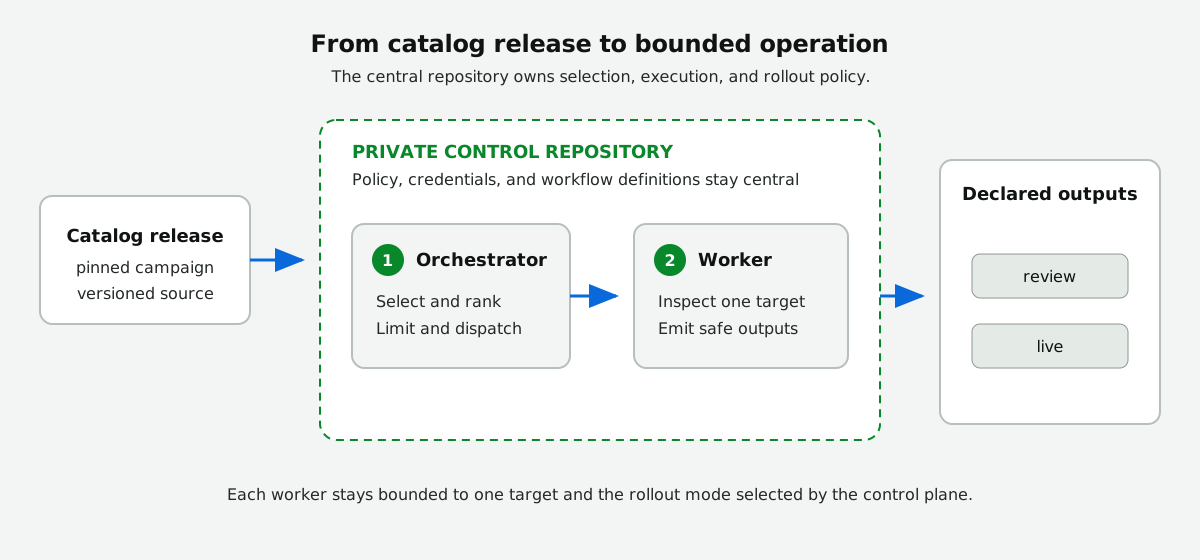
Three records, three jobs
The catalog release proves what was installed. The control repository owns operating policy and credentials. The target authority file records consent for live mutation. None of these records replaces the others.
The execution boundary is the key architectural fact: orchestrators and workers run from the control repository. A worker checks out and analyzes one target at a time. Remote target repositories receive only declared safe outputs; they do not receive or run the control-plane workflow definitions.
Any repository may explicitly operate as a source-managed control plane for workflows it maintains in-tree. The reviewed workflow sources and generated locks are the runtime payload, while `.github/workflows/cao.json` remains the separate rollout-policy authority. When a catalog uses this topology to run its own workflows, it is dogfooding: the repository applies both catalog and control-plane safety rules. In every source-managed topology, repository visibility governs run metadata, dashboards, and review outputs, and source files alone never activate the control role.
## How It Works
[Section titled “How It Works”](#how-it-works)
1. A schedule or manual dispatch starts a campaign orchestrator in the control repository.
2. Shared control resolves mode, routing, candidate repositories, limits, and eligible workers.
3. The orchestrator ranks candidates and dispatches one worker run per selected target.
4. Each worker analyzes only its dispatched target and emits only declared safe outputs.
5. Outputs are sent to a review repository in review mode or processed against the target in live mode.
The orchestrator owns rollout and selection. Workers enforce the dispatched control envelope without escalating mode, discovering additional repositories, or duplicating credentials.
CAO Activity separately collects bounded workflow and run evidence into one shared snapshot for dashboards and reports. It is supporting infrastructure, not an execution or authority layer. See [CAO Activity](/gh-cao/activity/) for the collection flow and data-quality behavior.
## Core Safety Properties
[Section titled “Core Safety Properties”](#core-safety-properties)
* review mode is the default;
* target selection and dispatch are bounded;
* owners, targets, and review destinations must pass explicit trust checks;
* every live `(target repository, campaign)` pair has one target-approved mutation authority;
* workers accept only declared targets and eligible generated-workflow paths;
* GitHub tools are read-only, while writes use declared safe-output primitives;
* credentials are resolved inside each run and never carried in dispatch inputs;
* missing authority, authentication, routing, or eligibility fails closed.
The control plane is not a universal policy boundary
Central Agentic Ops governs explicitly integrated workflows, not every observed workflow or every workflow in a target repository. Merely hosting a workflow in the control repository does not apply CAO rollout policy. Use GitHub rulesets, Actions policy, protected environments, CODEOWNERS, and credential scoping to govern other automation.
Standalone scheduled, event-driven, or manually invoked AWs can opt in through `shared/control.md` with `role: standalone` and their own `control-plane.workflows` entry. They receive the same admission gates and bounded rollout without requiring an orchestrator/worker pair. Their mission runs directly against the precomputed admitted set. This is explicit integration, not automatic governance of observed workflows. See [standalone workflow configuration](/gh-cao/configuration/#standalone-agentic-workflows). AW remains responsible for execution capabilities and safe outputs.
## Detailed References
[Section titled “Detailed References”](#detailed-references)
| Read | When you need to understand |
| ----------------------------------------------------------------- | ----------------------------------------------------------------------------------------------------------------------------------------- |
| [What Is Central Agentic Ops?](/gh-cao/architecture-at-a-glance/) | CAO’s purpose, available capabilities, and workflow operating patterns |
| [Deployment and Governance](/gh-cao/deployment-and-governance/) | Organization and enterprise topologies, ownership, target enrollment, provenance, reporting identity, and the broader governance boundary |
| [Execution and Safety](/gh-cao/execution-and-safety/) | Layer responsibilities, the full execution flow, dispatch fields, invariants, failure behavior, and implemented controls |
| [Orchestrators and Workers](/gh-cao/orchestrators-and-workers/) | Campaign-specific authority, worker enforcement, eligibility, and worker ceilings |
| [Rollout and Routing](/gh-cao/rollout-and-routing/) | Review-to-live promotion; review destinations; authority checks; and rollback |
| [CAO Activity](/gh-cao/activity/) | Shared evidence collection, retained-snapshot behavior, and dashboard inputs |
# Authentication
> Choose and configure the least-privilege GitHub credential for your CAO scope.
Authentication controls what CAO *can reach*. The checked-in `.github/workflows/cao.json` policy controls what CAO *may operate on*. A credential never expands policy.
## Control Repository Visibility
[Section titled “Control Repository Visibility”](#control-repository-visibility)
Public and private control repositories are supported. Their contents inherit that visibility, including policy, workflow runs, operational metadata, dashboard data, and review outputs.
Use a private control repository whenever the target or required evidence is private or internal. Use a public control repository only when all review material may be public.
## Choose Cross-Repository Authentication
[Section titled “Choose Cross-Repository Authentication”](#choose-cross-repository-authentication)
| Your run | Use |
| ------------------------------------------------------------- | -------------------------------------------- |
| Private targets in one organization | Organization-owned private GitHub Apps |
| Targets across organizations in one enterprise | Enterprise-owned private GitHub Apps |
| Apps are unavailable and the required APIs are PAT-compatible | One fine-grained PAT pair per resource owner |
Interactive setup always configures an App or PAT profile that can authenticate to every selected repository. The repository-provided `GITHUB_TOKEN` remains a bounded runtime fallback for control-repository operations; it is not a cross-repository authentication profile.
Prefer GitHub Apps
Apps use short-lived, installation-scoped tokens and do not depend on one person’s continued access. CAO separates a read-only App from a write-capable App.
## Configure Your Profile
[Section titled “Configure Your Profile”](#configure-your-profile)
Run these commands from the control repository.
### Policy
[Section titled “Policy”](#policy)
Target-repository authentication is defined once in `.github/workflows/shared/control.md` and inherited by Orchestrator and worker workflows. Before GitHub MCP or CLI proxy startup, shared control resolves the exact read scope, mints a repository-scoped App token with only the importing workflow’s declared read permissions or selects the exact owner-scoped PAT, and binds the GitHub tools to that credential. Checkout authentication alone is not evidence that the agent’s GitHub tools use the same token. A separate write-capable App serves safe outputs. Safe-output tokens are narrowed to the selected handler’s permissions. Copilot inference permission remains explicit in every Copilot-backed workflow. Workflow-local GitHub App blocks should not be added unless a future Agentic Workflow has a documented isolation requirement that shared control cannot satisfy.
The shared control import resolves each `read_*` permission directly into the App-token action’s `permission-*` inputs at compile time. Undeclared permissions remain empty strings. Do not route these values through runtime step outputs: gh-aw strict-mode validation must be able to inspect the declared scopes.
The supported control-plane credentials are:
| Priority | Credential | Configuration |
| -------- | ------------------------------------------- | ---------------------------------------------------------------------------------------------------------- |
| 1 | Read-only GitHub App | Repository variable `GH_AW_GITHUB_READ_APP_ID` and repository secret `GH_AW_GITHUB_READ_APP_PRIVATE_KEY` |
| 1 | Write-capable GitHub App | Repository variable `GH_AW_GITHUB_WRITE_APP_ID` and repository secret `GH_AW_GITHUB_WRITE_APP_PRIVATE_KEY` |
| 2 | Owner-scoped read-only fine-grained PAT | Repository secret `GH_AW_GITHUB_READ_PAT_` selected through `GH_AW_GITHUB_READ_PAT_REPOSITORIES` |
| 2 | Owner-scoped write-capable fine-grained PAT | Repository secret `GH_AW_GITHUB_WRITE_PAT_` selected through `GH_AW_GITHUB_WRITE_PAT_REPOSITORIES` |
| 3 | Legacy fine-grained PAT fallback | Repository secret `GH_AW_GITHUB_TOKEN` |
| 4 | Runtime fallback | Repository-provided `GITHUB_TOKEN` for control-repository operations it can authorize |
`GH_AW_GITHUB_AUTH_MODE` explicitly selects `app`, `pat`, or the repository-local `workflow-token` mode. With no mode configured, Activity uses `GITHUB_TOKEN` when the exact collection scope contains only the control repository. An explicit `control-plane.activity.repositories` list narrows evidence collection within the global allowed-repository scope without narrowing campaign rollout authority. GitHub App setup writes `app` as soon as the read App credentials and selected-repository installations are verified, so Activity can run while write-App setup is still in progress. PAT setup writes `pat` only after the complete selected profile is stored. In `pat` mode, read operations and cross-repository safe outputs select the owner-scoped secret mapped to their exact repository and do not fall through to App credentials or legacy PAT secrets. Orchestrator safe outputs targeting the control repository use its permission-scoped `GITHUB_TOKEN` to avoid consuming a user’s PAT rate limit. Missing cross-repository map entries and mapped secrets fail closed. In `app` mode, missing App IDs, private keys, installations, or repository grants likewise fail closed instead of borrowing PAT credentials.
The committed root `aw.yml` intentionally has no `config` block so normal installation remains compatible with non-interactive `gh aw add`. See [Control Plane Authentication Profiles](/gh-cao/control-plane-authentication/) for private organization Apps, private enterprise Apps, and the fine-grained token fallback; follow Automated App setup below to configure both credential pairs.
### Repository-provided token fallback
[Section titled “Repository-provided token fallback”](#repository-provided-token-fallback)
The repository-provided `GITHUB_TOKEN` is not offered by setup as an authentication profile. It remains available for bounded control-repository operations and compatibility when no explicit mode has been configured. Public visibility alone does not make it a reliable credential for another repository’s Actions logs, security data, issues, pull requests, or write APIs.
For a fresh repository-local installation, keep `control-plane.scope.allowed-repositories` set to the control repository. Activity needs no App, PAT, secret, or authentication variable: an unset `GH_AW_GITHUB_AUTH_MODE` uses the job’s `GITHUB_TOKEN`. You may explicitly set `workflow-token` for the same behavior. This supports an initial collection with no agentic runs and publishes an explicit empty snapshot for the dashboard. Collection and operational-value reads reserve 100 core API requests rather than the larger App/PAT reserves, so they fit the standard 1,000-request workflow-token quota. Owner-wide or cross-repository Activity scopes require `app` or `pat`; Activity rejects those scopes rather than silently collecting only the control repository.
A Repo Assist campaign can have broader rollout scope while its agentic workflows run in the control repository. To collect only that repository’s workflow evidence, declare the narrower Activity scope explicitly:
```json
{
"control-plane": {
"scope": {
"allowed-repositories": [
"acme/cao",
"github/gh-aw"
]
},
"activity": {
"repositories": ["acme/cao"]
}
}
}
```
Every Activity repository must remain within `allowed-owners` and, when `control-plane.scope.allowed-repositories` is present, must also appear in that exact allowlist. The field accepts exact `OWNER/REPOSITORY` coordinates only. Omitting it preserves the fail-closed rule: workflow-token mode rejects broader collection scope rather than inferring a control-repository-only subset.
### Reuse approved Apps
[Section titled “Reuse approved Apps”](#reuse-approved-apps)
If private read/write Apps are already approved, use `gh cao setup auth github-app --repo OWNER/CONTROL --read-client-id READ-ID --write-client-id WRITE-ID` instead of registering replacements. Add `--dry-run` to preview exact scopes. Setup prompts securely for the keys and verifies App identity, permission ceilings, and selected repositories using the App’s own credentials, without requiring the operator to list every organization installation. Repository administrators can extend an approved installation to their repositories where organization policy permits, even if the App has organization permissions. New installations still require the appropriate approval. Approval does not supply private keys: an authorized App credential manager must provide them through the secure prompts. A rerun with stored client IDs prompts for the same keys again instead of forcing App replacement.
Repository-administrator enrollment of approved Apps is available on GitHub.com and GHES 3.24 or later. An organization owner must still approve new installations with organization-level permissions, repository administration, or repository creation, and organization policy can restrict installation changes to owners.
GitHub’s separate provisioning permissions, `repository_creation:write` and `installation_repositories:write`, allow repository creation without broad administration and exact-repository installation management with fine-grained credentials. CAO deliberately does not add either permission to its runtime Apps or PATs and does not automatically enroll repositories. Installation changes never expand the reviewed policy. See the [GitHub App improvements announcement](https://github.blog/changelog/2026-10-13-github-app-improvements-for-least-privilege-and-management/).
### Automated App setup
[Section titled “Automated App setup”](#automated-app-setup)
Use this path when the control repository and every target belong to one organization.
Before setup, add every private target and alternate review repository to the exact allowlist in `.github/workflows/cao.json`:
```json
{
"control-plane": {
"scope": {
"allowed-owners": ["acme"],
"allowed-repositories": ["acme/example-service"]
}
}
}
```
The helper reads `allowed-repositories`; it does not expand `allowed-owners` into a repository list. It adds the control repository automatically.
Preview the two private App manifests and exact repository selections:
```bash
gh cao setup auth github-app \
--repo acme/central-agentic-ops \
--dry-run
```
Then create and configure the Apps:
```bash
gh cao setup auth github-app \
--repo acme/central-agentic-ops
```
Choose **Only select repositories** and select only those printed by the command. CAO stores client IDs as repository variables and sends private keys directly to Actions secrets.
Automated setup installs the read App on the control repository and every exact allowlisted evidence source. The write App defaults to only the control repository. Repeat `--write-repository OWNER/REPO` to replace that default with approved output destinations; do not add write access merely because a repository supplies read evidence. Existing manually installed credentials can also be stored directly, but the verified setup path is preferred:
```bash
gh variable set GH_AW_GITHUB_READ_APP_ID \
--repo acme/central-agentic-ops \
--body ''
gh secret set GH_AW_GITHUB_READ_APP_PRIVATE_KEY \
--repo acme/central-agentic-ops \
< read-app-private-key.pem
gh variable set GH_AW_GITHUB_WRITE_APP_ID \
--repo acme/central-agentic-ops \
--body ''
gh secret set GH_AW_GITHUB_WRITE_APP_PRIVATE_KEY \
--repo acme/central-agentic-ops \
< write-app-private-key.pem
```
The installed helper can also run directly:
```bash
node .github/workflows/shared/setup-github-apps.mjs --repo acme/central-agentic-ops
```
### Multiple organizations in one enterprise
[Section titled “Multiple organizations in one enterprise”](#multiple-organizations-in-one-enterprise)
[GitHub App manifests cannot create enterprise-owned Apps](https://docs.github.com/en/enterprise-cloud@latest/apps/sharing-github-apps/registering-a-github-app-from-a-manifest). Create read and write Apps in enterprise settings, install both on selected repositories in every enrolled organization, then run:
```bash
gh cao setup auth enterprise-app \
--repo acme/central-agentic-ops \
--read-client-id '' \
--write-client-id '' \
--dry-run
gh cao setup auth enterprise-app \
--repo acme/central-agentic-ops \
--read-client-id '' \
--write-client-id ''
```
The command prompts for each private key. Never put a private key in a command argument. Enterprise ownership alone does not grant repository access; each organization installation is still required.
The CLI reads `control-plane.scope.allowed-repositories` from `.github/workflows/cao.json`, groups the control repository and exact allowed repositories by owner, and verifies a selected-repository installation for each account. The manifest helper creates private organization-owned Apps only, so every selected repository must belong to the control repository organization. For multiple organizations in one enterprise, manually create enterprise-owned private Apps because GitHub App manifests do not support enterprise-owned App creation. Install them separately on each enrolled organization, then run `gh cao setup auth enterprise-app` to store their client IDs and interactively enter their private keys. Installation IDs and tokens are not stored in policy or dispatch inputs. gh-aw selects the correct installation from the target owner and repository at runtime.
On a GitHub Enterprise Cloud data-residency hostname, export `GH_HOST` before running setup. The helper uses that host for repository API calls and all App registration, installation, and settings URLs. On every host, it mints a short-lived installation token from the newly created App key and verifies the exact selected repositories before completing setup.
Enterprise ownership does not grant repository access or widen CAO policy. The App still has no access until each organization approves a selected-repository installation, and shared control still enforces the exact checked-in allowlist. Confirm the read App has no write permission and install the write App only where approved safe outputs may write. Public Apps are unsupported; replace an earlier public App with private organization- or enterprise-owned Apps after reviewing credential rotation.
When read-only workflow steps need `GH_TOKEN`, the selected authentication mode determines the profile. App mode uses the imported read App token. PAT mode maps the exact target repository to its owner-scoped read secret. Safe-output processing independently maps the exact destination repository to its owner-scoped write secret. The legacy split or combined PAT names are consulted only when no explicit authentication mode is configured. Missing, incomplete, or invalid credentials must not be copied into dispatch inputs or persisted in artifacts.
CAO Activity applies the same separation independently from agentic workflow authentication. It creates one collection job per resource owner. App mode mints a fresh installation token for that owner and its exact repository selection, which supports both organization-owned Apps and enterprise-owned Apps installed in each enrolled organization. PAT mode requires a non-empty exact `allowed-repositories` scope, validates every `GH_AW_GITHUB_READ_PAT_REPOSITORIES` entry against the expected `GH_AW_GITHUB_READ_PAT_` name, and exposes only that owner’s token to its collection job. Logs, inventory, issue status, and operational-value evidence are collected in owner-scoped fragments and merged before the unchanged snapshot and cache publication stages. Repository-local workflow-token mode uses `GITHUB_TOKEN` for collection as well as trusted control-repository checkout and notification operations. Explicit App/PAT modes never fall back to it when the selected collection credential is missing.
Owner-scoped PATs isolate repository permissions, not rate-limit capacity: tokens created by the same user share the user’s core API quota. Activity serializes PAT collection jobs and checks remaining core capacity before inventory discovery and each repository log invocation. It stops at the configured reserve without waiting for reset or switching credentials. App installation collection jobs retain independent, parallel execution.
## API Capacity Admission
[Section titled “API Capacity Admission”](#api-capacity-admission)
Before activation, shared control checks the primary REST API capacity of the exact credential selected for control precompute. The check uses GitHub’s `GET /rate_limit` endpoint, which [does not consume primary rate-limit capacity](https://docs.github.com/en/rest/using-the-rest-api/rate-limits-for-the-rest-api#checking-the-status-of-your-rate-limit). Admission reserves at least 100 core requests and raises that requirement for broader configured inventory scans.
When capacity is insufficient, the run stops before repository discovery. The admission summary reports remaining and required requests, the UTC reset timestamp, and the approximate minutes and hours until reset. The dashboard exposes the latest failure as a GitHub API capacity admission gate rather than an undifferentiated workflow failure.
### Fetch GitHub data efficiently
[Section titled “Fetch GitHub data efficiently”](#fetch-github-data-efficiently)
Integrations that repeatedly read GitHub data should minimize both request volume and response size:
* Use [conditional requests](https://docs.github.com/en/rest/using-the-rest-api/best-practices-for-using-the-rest-api#use-conditional-requests) for data that may be unchanged. Persist the last response’s `ETag` and send it as `If-None-Match` on the next request; GitHub returns `304 Not Modified` without consuming the primary rate-limit quota when the representation is unchanged.
* Use [GraphQL](https://docs.github.com/en/graphql/guides/using-graphql-with-github-actions) when a workflow needs related data from many repositories or resources. A single query can select only the fields needed and batch relationships that would otherwise require many REST requests.
* Keep discovery bounded and reuse data already fetched in the current run. Do not poll while waiting for rate-limit replenishment; stop and report incomplete work instead.
For direct HTTP clients, send the conditional-request headers explicitly. The CAO control precompute helper uses `gh api --cache 60s` for its bounded read requests; this lets the GitHub CLI reuse cached responses and negotiate conditional requests. For GitHub MCP calls, prefer one bounded query over repeated lookups. Conditional requests and GraphQL reduce avoidable traffic but do not replace the admission capacity check or the fail-closed limits described below.
Follow this order:
1. Do not rerun before the reported reset time. GitHub directs integrations with zero remaining capacity to wait until `x-ratelimit-reset`; repeated requests while limited can result in integration blocking. See [rate limits for the REST API](https://docs.github.com/en/rest/using-the-rest-api/rate-limits-for-the-rest-api#exceeding-the-rate-limit) and [REST API best practices](https://docs.github.com/en/rest/using-the-rest-api/best-practices-for-using-the-rest-api#handle-rate-limit-errors-appropriately).
2. For long-lived cross-repository automation, configure the least-privilege GitHub App profile. Follow [GitHub’s guide to authenticated App requests in Actions](https://docs.github.com/en/apps/creating-github-apps/authenticating-with-a-github-app/making-authenticated-api-requests-with-a-github-app-in-a-github-actions-workflow). Shared control requests only `Actions: read` and `Contents: read` for pre-activation and still applies the checked-in CAO scope.
3. If an App cannot be installed and the exact scope is PAT-compatible, use separate owner-scoped read-only and write-capable fine-grained PATs only after informed consent. Follow [GitHub’s fine-grained PAT guidance](https://docs.github.com/en/authentication/keeping-your-account-and-data-secure/managing-your-personal-access-tokens#creating-a-fine-grained-personal-access-token), restrict each token to its required repositories and permissions, set expirations, and let `gh cao setup auth token` store the protected Actions secrets and non-secret repository maps.
## Fine-Grained PAT Fallback
[Section titled “Fine-Grained PAT Fallback”](#fine-grained-pat-fallback)
A PAT is not a substitute for repository or organization access. It can only exercise access already held by the user who created it, and it becomes unusable when that user loses the underlying access. Lack of organization-owner permission to install an App does not by itself make a PAT viable.
Before offering a PAT fallback, verify all of these conditions:
1. The user can select the target organization as the PAT resource owner and already has the required access to every enrolled repository.
2. Organization and enterprise policy permits fine-grained PATs, and any required organization approval can be obtained before the first run.
3. Each token covers repositories from exactly one resource owner. A multi-owner control plane requires a separate read token and, when writes are approved, a separate write token for every represented owner.
4. Every API required by the installed campaign supports fine-grained PATs. Fine-grained PATs do not currently support every endpoint, including the Checks API; do not replace a required App with a classic PAT to work around an endpoint gap.
5. The PAT can be limited to the exact enrolled repositories, campaign-required permissions, and an explicit expiration and rotation owner.
If any condition fails, stop and recommend obtaining a GitHub App installation, narrowing or splitting the scope, or involving an organization owner. Do not present a PAT as an access bypass.
Before selecting, configuring, validating, or using a PAT, explain that it is user-bound, longer-lived than an App installation token, limited to one resource owner, subject to organization policy and endpoint gaps, and dependent on manual rotation and revocation. Obtain explicit confirmation to proceed. Inability to use an App, or the presence of an existing PAT secret, is not consent.
## Public Read-Only Profile
[Section titled “Public Read-Only Profile”](#public-read-only-profile)
An App or PAT is not required for a bounded `review` run when every target repository is public and outputs remain in the current control repository. GitHub Actions automatically provides `GITHUB_TOKEN`; the workflows use it for control-repository workflow discovery, public checkout, and review outputs authorized in the control repository. This is built-in-token operation, not anonymous or credential-free operation.
Public does not mean fully readable
The built-in token may check out public code, but it does not automatically gain access to another repository’s Actions logs, security data, issues, pull requests, or write APIs.
Keep this profile within these boundaries:
* use `review` mode and keep safe outputs in the current control repository;
* keep target owners allowlisted and all repository and dispatch caps in force;
* treat unavailable cross-repository API data, including Actions logs or security data, as incomplete rather than weakening the requested analysis;
* configure an App or PAT for private or internal targets, an alternate review repository, or any `live` cross-repository write.
The workflow token is scoped to the repository containing the workflow. Public checkout does not grant target-repository write access, and a public repository’s visibility does not expand the token’s Actions, security, issue, or pull-request permissions. If a worker cannot read required target evidence with the available token, it must report incomplete and produce no speculative result.
No additional GitHub credentials is not the same as free
The built-in token removes a *GitHub credential* requirement. It does not remove *model* cost or entitlement. Every agentic run still consumes the configured engine’s model entitlement and the campaign’s AI credit budget, which are provisioned, billed, and rate-limited separately from GitHub permissions. A control repository can therefore satisfy this profile completely and still be unable to run: `copilot-requests: write` must be granted, the account or organization must be entitled to the configured model, and `max-ai-credits` plus any `monthly-ai-credit-budget` must have headroom. Treat missing model access as a blocked run with its own reason, never as an absence of findings.
## Credential Boundary
[Section titled “Credential Boundary”](#credential-boundary)
* Each App client ID lives in its control-repository Actions variable, and each private key or PAT lives in its corresponding Actions secret.
* worker workflows receive repository names and routing policy, never credentials.
* Each Orchestrator and worker workflow run resolves its own token through imported shared control.
* Tokens must not appear in prompts, logs, safe outputs, Repo Memory, review bundles, or correlation metadata.
* For campaigns outside the public read-only profile, the App installation or PAT repository selection must cover every repository the enabled campaigns may read or update.
## Permissions
[Section titled “Permissions”](#permissions)
Grant only permissions required by installed campaigns. The current full catalog separates these App-level ceilings; each minted token is narrower when its job or safe-output handler needs fewer permissions:
| Permission | Read App | Write App | Reason |
| ---------------------- | -------- | --------- | ------------------------------------------------------------------- |
| Actions | Read | Write | Inspect runs and dispatch approved workers |
| Administration | None | Read | Validate repository settings needed by approved maintenance outputs |
| Checks | Read | None | Inspect checks |
| Contents | Read | Write | Read repositories and create approved changes |
| Issues | Read | Write | Inspect issues and emit issue or comment safe outputs |
| Packages | Read | None | Inspect published package evidence |
| Pull requests | Read | Write | Inspect pull requests and emit approved pull-request outputs |
| Secret scanning alerts | Read | None | Inspect code-security evidence |
| Security events | Read | None | Inspect code-security evidence |
| Commit statuses | Read | None | Inspect status evidence |
| Vulnerability alerts | Read | None | Prioritize dependency security work |
| Metadata | Read | Read | Required automatically for GitHub Apps |
A campaign-only installation should narrow these permissions to that campaign’s workflows. Fine-grained PATs should be limited to the same repositories and permissions.
Preview the owner-scoped PAT configuration:
```bash
gh cao setup auth token \
--repo acme/central-agentic-ops \
--write-repository acme/approved-output-repository \
--dry-run
```
Then configure the profile:
```bash
gh cao setup auth token \
--repo acme/central-agentic-ops \
--write-repository acme/approved-output-repository
```
The command prompts for every owner/role token without echoing it, stores owner-scoped secrets, writes repository-to-secret-name variables, and sets `GH_AW_GITHUB_AUTH_MODE=pat` last. Do not include a token directly in the command. `GH_AW_GITHUB_READ_PAT`, `GH_AW_GITHUB_WRITE_PAT`, and `GH_AW_GITHUB_TOKEN` remain deprecated compatibility fallbacks for existing installations whose authentication mode is unset.
If setup is interrupted after storing one or more tokens, rerun the same command. The helper verifies existing repository secret names and asks whether to keep each one without reading its value. It prompts for missing or replaced owner/role tokens, then writes the complete maps and selects PAT mode. Use `--keep-existing` for an unattended resume or `--replace-existing` when intentionally rotating every configured token.
### Migrate from the legacy PAT
[Section titled “Migrate from the legacy PAT”](#migrate-from-the-legacy-pat)
Do not copy one broad legacy token into both new secrets. Create independent tokens with separate permission and repository ceilings:
1. Run the setup preview and verify one read token per resource owner covers only the exact repositories CAO must inspect.
2. Verify each write token covers only approved safe-output repositories. When review outputs stay in the control repository, the control repository normally is the only write destination.
3. Run a bounded review that proves the read PAT can read all intended repositories and cannot perform a reversible write probe.
4. Prove separately that the write PAT can perform and clean up the same probe only in an approved output repository.
5. Confirm `GH_AW_GITHUB_AUTH_MODE=pat`, delete `GH_AW_GITHUB_TOKEN` and any legacy split-PAT secrets, then repeat the bounded review to prove neither path depended on a compatibility fallback.
Use a disposable tag, branch, or equivalent repository-standard probe and always clean it up. Do not perform a write probe against an unapproved production repository.
### Fine-grained PAT fallback
[Section titled “Fine-grained PAT fallback”](#fine-grained-pat-fallback-1)
A PAT is not a substitute for repository or organization access. Use one only when:
* the user already has access to every selected repository;
* every token has one resource owner, with separate owner-scoped token pairs for a multi-owner allowlist;
* organization policy permits the token and any required approval is complete;
* every campaign API supports it, including the Checks API when the campaign requires checks;
* repository selection, permissions, expiration, and rotation owner are explicit.
Explain that the PAT is user-bound, longer-lived than an App token, API-limited, and manually rotated. Obtain explicit confirmation to proceed. Inability to install an App, or the presence of an existing PAT secret, is not consent.
```bash
gh cao setup auth token \
--repo acme/central-agentic-ops
```
For PATs:
1. Create replacement read and write fine-grained PATs with the same or narrower repository access for each affected owner.
2. Replace the corresponding `GH_AW_GITHUB_READ_PAT_` and `GH_AW_GITHUB_WRITE_PAT_` secrets.
3. Validate read access and safe-output writes independently.
4. Revoke the previous PATs.
Enter the token only at the `gh secret set` prompt. Never use a classic PAT.
## Validate Before Activation
[Section titled “Validate Before Activation”](#validate-before-activation)
Run one campaign with:
```text
max_repos=1
rollout_percent=100
safe_output_mode=review
```
Verify that:
* the credential covers enrolled repositories and no unrelated repositories;
* the read App has no write permissions;
* the write App is installed only where approved outputs need it;
* repository discovery and evidence reads succeed;
* output reaches the intended private review repository;
* the target repository does not change.
Repeat this check whenever scope, campaign APIs, output mode, or review destination changes.
## Model Inference Is Separate
[Section titled “Model Inference Is Separate”](#model-inference-is-separate)
CAO installation does not require Copilot organization billing. Bundled workflows do: they use `copilot-requests: write` and the built-in workflow token for inference.
For this reason, verifying it up front is completely optional: most user tokens cannot read organization billing, and a granted `copilot-requests: write` permission alone does not ensure model access. Without an entitlement, a bundled workflow fails with HTTP 403 before the agent starts. Customers may author workflows with another gh-aw-supported engine/provider and configure its Actions secrets; that requires an explicit workflow change and compilation. CAO does not support `COPILOT_GITHUB_TOKEN` inference fallback, runtime token precedence, or mixed authentication profiles, and target-access credentials cannot authenticate model inference.
## Credential Reference
[Section titled “Credential Reference”](#credential-reference)
CAO resolves available target-access credentials in this order:
| Priority | Credential | Configuration |
| -------- | ------------------------------ | ------------------------------------------------------------------------------------------------------- |
| 1 | Read App | `GH_AW_GITHUB_READ_APP_ID` and `GH_AW_GITHUB_READ_APP_PRIVATE_KEY` |
| 1 | Write App | `GH_AW_GITHUB_WRITE_APP_ID` and `GH_AW_GITHUB_WRITE_APP_PRIVATE_KEY` |
| 2 | Owner-scoped fine-grained PATs | `GH_AW_GITHUB_AUTH_MODE=pat`, repository maps, and `GH_AW_GITHUB_{READ,WRITE}_PAT_` |
| 3 | Legacy PAT fallback | `GH_AW_GITHUB_READ_PAT`, `GH_AW_GITHUB_WRITE_PAT`, or `GH_AW_GITHUB_TOKEN` when no explicit mode is set |
| 4 | Workflow token | `GITHUB_TOKEN` |
This is runtime availability precedence, not permission to choose a PAT silently. Setup must validate the intended profile rather than relying on fallback.
Tokens are resolved inside each run. They never belong in policy, dispatch inputs, prompts, logs, safe outputs, or review bundles.
### API capacity
[Section titled “API capacity”](#api-capacity)
Before discovery, shared control checks the selected credential’s REST API capacity and stops if it cannot preserve the required reserve.
Reduce requests with [conditional requests](https://docs.github.com/en/rest/using-the-rest-api/best-practices-for-using-the-rest-api#use-conditional-requests): persist the response `ETag` and send it as `If-None-Match`. Use [GraphQL](https://docs.github.com/en/graphql/guides/using-graphql-with-github-actions) when one bounded query can replace many REST calls. Do not poll while rate-limited.
### Rotation and incidents
[Section titled “Rotation and incidents”](#rotation-and-incidents)
For Apps, add replacement keys, validate review runs, revoke old keys, and recheck installations. For PATs, replace the affected owner-scoped read or write secret, validate its repository boundary, then revoke the previous token.
Suspected exposure
Cancel active runs and revoke the credential first. Disabling a campaign does not revoke its App installation or PAT. Inspect logs and outputs, rotate credentials, and resume only in `review` mode.
## Validation
[Section titled “Validation”](#validation)
Before promotion, verify:
* App-only authentication when an App is configured;
* separate read-token minting for each enrolled organization when using enterprise-owned Apps;
* write-App installation only on approved safe-output repositories, including a reversible write-and-cleanup probe;
* PAT-only authentication only when the App is intentionally absent, the fallback is eligible, and the operator explicitly consented;
* expected precedence when both are configured;
* target repository coverage;
* organization PAT policy, approval state, resource-owner scope, expiration, and required API compatibility when using a PAT;
* read operations for repository and workflow discovery, plus a negative assertion that the read credential cannot perform the selected write probe;
* write operations only through the write credential and only in an approved safe-output repository, including cleanup of any reversible probe;
* absence of `GH_AW_GITHUB_TOKEN` after a split-PAT migration has passed without the compatibility fallback;
* a review output in the intended control repository without credential material;
* authentication-profile review whenever target scope, campaign API requirements, mode, or review destination changes.
## Offline dashboard access
[Section titled “Offline dashboard access”](#offline-dashboard-access)
`offline_access` is a GitHub App **user-authorization scope**, not a repository permission or offline data grant. Hosted sign-in requests it for GitHub App client IDs (`Iv...`) to receive an expiring user token and refresh token even when expiration is disabled globally on that App. The App’s configured permissions still govern access; organization/team checks require organization **Members: read** and an approved installation in each allowed organization. OAuth App clients retain `read:org`. This GitHub App scope is available on GitHub.com and GHES 3.23 or later.
Tokens and refresh tokens remain server-side, never in browser caches. The static dashboard can display previously downloaded data offline, but sign-in, refresh, and server-backed operations require a connection.
# Build Your First Campaign
> Define one repository outcome, generate the workflows, and prove the campaign in review mode.
Use this guide when the [catalog](/gh-cao/catalog/) does not already produce the outcome you need. Agents should follow the [`create-cao-campaign` skill](https://github.com/githubnext/gh-cao/blob/main/skills/create-cao-campaign/SKILL.md); to install an existing campaign instead, use the [`add-cao-campaign` skill](https://github.com/githubnext/gh-cao/blob/main/skills/add-cao-campaign/SKILL.md). Before implementation, read [Orchestrators and Workers](/gh-cao/orchestrators-and-workers/) and the [control architecture specification](https://github.com/githubnext/gh-cao/blob/main/specs/control-architecture.md).
A campaign has:
* one **orchestrator** that selects eligible repositories;
* one or more **workers** that each handle one selected repository;
* one measurable **outcome** that defines success.
This guide creates a review-ready campaign. Production rollout comes later.
## Before You Start
[Section titled “Before You Start”](#before-you-start)
Complete [Set Up CAO](/gh-cao/setup-quickstarts/) so you have a validated control repository. Use a private control repository when the target or required evidence is non-public.
You also need GitHub Agentic Workflows `v0.92.6` or newer:
```bash
gh aw version
```
## 1. Write the Campaign Contract
[Section titled “1. Write the Campaign Contract”](#1-write-the-campaign-contract)
Answer four questions before writing a workflow:
| Question | Example |
| --------------------------- | ------------------------------------------------------------------------------------- |
| What should improve? | Repositories should stop using an unsupported Node.js version. |
| Which repositories qualify? | A checked-in engine range includes the unsupported version. |
| What output is needed? | A pull request that updates the range and CI matrix. |
| When should nothing happen? | The repository is already supported, a matching PR exists, or evidence is incomplete. |
Keep the outcome to one sentence. If it needs unrelated outputs or success measures, split it.
## 2. Generate the Campaign
[Section titled “2. Generate the Campaign”](#2-generate-the-campaign)
Open the CAO source or control repository in a coding agent and use:
```text
Read and follow skills/create-cao-campaign/SKILL.md.
Outcome:
[What should measurably improve?]
Eligibility:
[What evidence makes a repository a candidate?]
Safe output:
[What is the smallest useful output?]
No-op cases:
[When should the campaign create nothing?]
Use [OWNER/REPOSITORY] for the first proof. Keep it in review mode, limit it to
one repository, and do not change the target. Compile the workflows and report
the changed files, validation results, and first-run command.
```
Do not copy or edit a generated `.lock.yml` file. The skill creates editable workflow Markdown and compiles it.
## 3. Review What Was Generated
[Section titled “3. Review What Was Generated”](#3-review-what-was-generated)
Expect:
| File | Purpose |
| ------------------------------------------ | ------------------------------------- |
| `/aw.yml` | Installable campaign manifest |
| `/README.md` | Campaign purpose, setup, and behavior |
| `.github/workflows/.md` | Orchestrator |
| `.github/workflows/-.md` | One focused worker per task |
| `.github/workflows/cao.json` | Campaign and worker registration |
Before running, confirm:
* agent tools are read-only;
* safe outputs are minimal and explicit;
* every worker receives exactly one repository;
* duplicate, healthy, and insufficient-evidence cases return `noop`;
* mode is `review` and the repository limit is one.
## 4. Compile and Test
[Section titled “4. Compile and Test”](#4-compile-and-test)
In this catalog repository:
```bash
npm run compile:locks
npm run compile
npm test
git diff --check
```
In another repository:
```bash
gh aw compile --strict --schedule-seed OWNER/REPOSITORY
```
Review generated lock-file changes for unexpected permissions, secrets, network hosts, write destinations, or worker dispatches.
## 5. Prove One Review Run
[Section titled “5. Prove One Review Run”](#5-prove-one-review-run)
Commit the source, generated locks, manifest, runtime resources, and policy together. Then run only the orchestrator:
```bash
gh aw run --ref \
--raw-field target_repo="OWNER/REPOSITORY" \
--raw-field max_repos="1" \
--raw-field rollout_percent="100" \
--raw-field safe_output_mode="review"
```
The proof passes when exactly one authorized repository was selected, only expected workers ran, output stayed in the private review destination, and the target did not change. A useful review item or an explainable `noop` are both valid.
Do not promote the campaign to `live` during this first authoring session.
## Keep It Private or Propose It
[Section titled “Keep It Private or Propose It”](#keep-it-private-or-propose-it)
A campaign can remain in its control repository. To propose it for the official catalog, open a pull request with its manifest, README, workflow sources, generated locks, policy registration, and focused contract tests.
The catalog is curated. Publication does not grant rollout authority in another control repository.
# CAO Commands
> Configure and inspect CAO with the Go extension, and prepare evidence with the repository-local pipeline CLI.
Use this reference when operating CAO or adding a CLI command. The installer downloads the compiled Go extension as `gh cao` and installs the Node.js runtime for Activity and Dashboard Actions. Invoke it explicitly as `node activity/cao.mjs `; there is no shell launcher. Agents using the CLI should follow the [`cao-cli` skill](https://github.com/githubnext/gh-cao/blob/main/skills/cao-cli/SKILL.md); agents querying activity data should use [`analyze-cao`](https://github.com/githubnext/gh-cao/blob/main/skills/analyze-cao/SKILL.md). The Go extension exposes the operator-facing command surface as `gh cao`. Internal Node implementations remain for Actions and parity tests, not as an alternative operator surface. Run policy commands from the control repository root:
```bash
gh cao --help
node activity/cao.mjs --help
```
Command failures exit nonzero and report the error without printing the command reference. Request command-specific help with `gh cao COMMAND --help`.
## GitHub CLI extension
[Section titled “GitHub CLI extension”](#github-cli-extension)
Install or refresh the extension together with the control-plane runtime:
```bash
curl -fsSL https://raw.githubusercontent.com/githubnext/gh-cao/main/install.sh | bash
gh cao --version
```
The installer registers `gh cao` directly in GitHub CLI’s data directory, following the gh-aw installer pattern, without requiring Go or a repository rename. It honors `XDG_DATA_HOME` and Windows `LOCALAPPDATA`, defaulting to `~/.local/share/gh/extensions/gh-cao`. Rerun the installer to update this manually installed extension; `gh extension upgrade` does not manage it. Linked/source installations are not overwritten. Release binaries use the `gh-cao-OS-ARCH` naming convention (legacy releases use `OS-ARCH`), with `.exe` for Windows, and cover Linux, macOS, and Windows on amd64 and arm64. `checksums.txt` contains their SHA-256 digests. Downloads fail closed unless the asset’s exact checksum and embedded version match. Verification finishes before replacing an existing binary. An explicit catalog source `githubnext/gh-cao@vX.Y.Z` selects the same extension tag, including a published prerelease with that tag; otherwise the installer selects the latest published CAO `vX.Y.Z` release, including prereleases but excluding drafts. Main/SHA and local catalog sources still select their own runtime revision independently. Node.js 24+ remains required for installing the repository’s pipeline runtime, but not for running the Go operator commands afterward.
For local development, build with `make build` and use `./gh-cao` directly, or follow the [local extension installation guide](https://github.com/githubnext/gh-cao/blob/main/CONTRIBUTING.md#go-extension-development) to invoke it as `gh cao`.
| Surface | Commands | Execution |
| ------------------------------------- | ---------------------------------------------------------------------------------------------------------------------------------------------------------------------------------------------------------------------------------------------------------------- | --------------------------------------------------------------------------------------------------------------------------------------------------- |
| Policy and workflow controls | `init`, `campaigns mode`, `campaigns enable`, `campaigns disable` | Native Go; no Node runtime required. |
| Campaign installation | `campaigns add CAMPAIGN [GH_AW_ADD_OPTIONS...]` | Native Go; gh-aw owns installation records and workflow generation, Go materializes campaign resources and merges policy. No Node runtime required. |
| Onboarding and authentication | `setup`, `setup auth github-app\|enterprise-app\|token` | Native Go, preserving separate read/write credentials and explicit repository scope. |
| Lifecycle | `repos add OWNER/REPO`, `update`, `upgrade-gh-aw` | Native Go; gh-aw still owns workflow generation and campaign installation records. |
| Read-only analysis | `download`, `pages`, `queries`, `query-info`, `prompt`, `query`, `gh runs\|issues\|prs`, `computation intelligence\|runtime-health`, `mcp` | Native Go with pure-Go SQLite access and declarative Dashboard Language evaluation. |
| Installation diagnostics | `doctor`, `version` | Native Go. `doctor` checks GitHub CLI, gh-aw, authentication, and basic local policy structure and compiler pin. |
| Actions pipeline and maintainer tools | `discover-workflows`, `ingest`, `ingest-jsonl`, `audit-jsonl`, `compact-jsonl`, `recycle-cache`, `issue-status`, `hash-payloads`, `activity-stats`, `validate-activity-data`, `operational-value`, `cluster-problems`, `dashboard-complexity`, `prune-dashboard` | Invoke with `node activity/cao.mjs `; not migrated to the extension. |
| Control-plane validation | `cao-validate.yml` | Actions-only JavaScript runtime; no Go or shell-wrapper command. |
| Node-only administration | `node activity/cao.mjs doctor`, `node activity/cao.mjs setup-auth hosted-cli` | SQLite check/repair and dedicated hosted-executor App creation; neither has an equivalent Go command. |
The extension is **entirely Go** and does not execute Node.js, npm, or installed JavaScript modules. Its default reviewed dashboard catalog, canonical source projections, and MCP contract are embedded from the same JSON documents used by the dashboard. `pages`, `queries`, `query-info`, and definition-only `prompt` work outside an installed control repository. Use `--dashboard FILE` to read an explicit dashboard document and its directory-confined fragments. `CAO_RUNTIME_ROOT` is no longer used by the extension.
Evidence queries read the canonical `__idb_records` projection through a read-only SQLite connection; they do not run migrations or repair the snapshot. Download evidence first with `gh cao download`, or pass `--database FILE` for an explicitly prepared projection. Policy mutations still operate on the current control checkout; the executable does not grant rollout authority.
```bash
gh cao init
gh cao setup
gh cao setup auth github-app --help
gh cao setup auth enterprise-app --help
gh cao setup auth token --help
gh cao campaigns add githubnext/gh-cao/dependabot
gh cao repos add acme/example-service
gh cao campaigns mode preview dependabot
gh cao campaigns enable dependabot
gh cao campaigns disable dependabot
gh cao doctor --json
gh cao pages --json
gh cao query campaign-runs --param campaign=dependabot
```
All help works offline, including `gh cao setup --help` and `gh cao campaigns --help`. Campaign controls are available only under `campaigns` in the extension. Repository enrollment uses `gh cao repos add OWNER/REPO`; the extension has no root-level `add` command. Authentication is grouped under `gh cao setup auth`; there is no root-level `gh cao setup-auth` command. Run `gh cao setup` without a subcommand for guided control-plane setup, or configure credentials independently with `gh cao setup auth github-app`, `gh cao setup auth enterprise-app`, or `gh cao setup auth token`. Each authentication profile retains its existing options, dry-run behavior, credential prompts, and separate read/write scope. The dedicated hosted-executor App profile remains Node-only: `node activity/cao.mjs setup-auth hosted-cli`. The runtime JSON result for authentication retains `command: "setup-auth"`. `gh cao setup auth token --help` also works offline. `campaigns add` and `update` retain gh-aw option passthrough. JSON output, repeatable query parameters, stdin queries, interactive secret prompts, and command exit codes retain their existing contracts. There is no `gh cao run`: workflow execution still belongs to gh-aw.
Campaign installation fetches only the installed package’s full `resolvedCommit` SHA from the official catalog, or copies only Git-tracked campaign files from a local catalog checkout. It replaces the selected campaign’s resources, refreshes its intelligence metadata, and merges declared workers while preserving existing enablement, mode ceilings, campaign settings, and repository scope. It does not reinstall the control-plane runtime or plugin. Missing policy is initialized for the exact current control repository. Install the root package with `install.sh`, not `gh cao campaigns add`; review and commit generated workflows and policy together.
`gh cao doctor` is deliberately **not** `node activity/cao.mjs doctor`: use the latter for the existing SQLite snapshot check/repair operation. Neither Activity nor Dashboard Actions is switched to the Go executable.
### Diagnose the installation
[Section titled “Diagnose the installation”](#diagnose-the-installation)
Run `gh cao doctor` from the control repository root, or use `gh cao doctor --json` for machine-readable results. No Node.js runtime is required. Checks cover:
* The GitHub CLI executable and installed gh-aw version.
* Authentication reported by `gh auth status`, which may contact GitHub.
* The local `.github/workflows/cao.json` file’s basic structure and exact `gh-aw-version` pin, including agreement with the installed compiler.
Text output labels each check `PASS`, `FAIL`, or `SKIP` and provides remediation for failures. JSON output contains `command`, `ok`, and `checks`; each check has `name`, `status`, `message`, and optional `remediation`. Results are still emitted when checks fail; the command exits nonzero on any failed or skipped check. External checks have a 15-second timeout (the local GitHub CLI version probe has a shorter five-second limit). Cancellation stops the diagnostic.
The command is read-only: it does not install extensions, log in, modify policy, repair databases, or change remote settings. Raw authentication output and subprocess errors are not included in reports. A passing basic policy check does not establish rollout authority or full schema validity; use the [CAO validation workflow](#validate-the-control-plane) for full policy and workflow validation.
CAO and gh-aw have separate jobs:
* **`gh cao`** configures CAO policy, authentication, installed campaigns, workflow enablement, and queries evidence.
* **`node activity/cao.mjs`** prepares pipeline data and runs the retained Node-only tools.
* **`gh aw run`** starts a compiled agentic workflow.
* **`gh run`** lists, watches, and inspects the resulting GitHub Actions runs.
## Common Operator Loop
[Section titled “Common Operator Loop”](#common-operator-loop)
```bash
# Add a campaign and merge its workers into CAO policy.
gh cao campaigns add githubnext/gh-cao/dependabot
# Keep the campaign review-only and enable its workflows.
gh cao campaigns mode preview dependabot
gh cao campaigns enable dependabot
# Review and commit the workflow and policy changes together.
git diff -- .github
git add .github
git commit -m "Configure Dependabot campaign"
git push
# Run one bounded review.
gh aw run dependabot --ref main \
--raw-field target_repo="acme/example-service" \
--raw-field max_repos="1" \
--raw-field rollout_percent="100" \
--raw-field safe_output_mode="review"
```
`gh cao campaigns mode preview` writes `mode: review` to `.github/workflows/cao.json`. The word *preview* distinguishes this operator command from a live promotion; campaign execution still reports `review` mode.
## Configure the Control Plane
[Section titled “Configure the Control Plane”](#configure-the-control-plane)
| Command | Use it to |
| ----------------------------------------------------------------------------- | -------------------------------------------------------------------------------------------------------------------------------------------------------------------- |
| `gh cao setup` | Interactively choose repository scope, inspect visibility and ownership, and configure a compatible authentication profile. |
| `gh cao init` | Create a minimal review-safe policy when one does not exist. It refuses to overwrite an existing policy. |
| `gh cao setup admission --repo OWNER/REPO --url HTTPS_URL [--dry-run]` | Configure non-secret admission variables (OIDC requires no workflow secret); `--dry-run` previews changes. |
| `gh cao admission setup --repo OWNER/REPO --url HTTPS_URL [--dry-run]` | Configure repository admission variables for an already deployed authority; default audience is the URL and outage policy is `block`. |
| `gh cao admission status --repo OWNER/REPO [--json]` | Read effective admission settings, including repository overrides of inherited organization variables. |
| `gh cao admission disable --repo OWNER/REPO [--dry-run]` | Disable the cooperative gate by setting an empty repository URL, without deleting the override and reactivating organization defaults; `--dry-run` previews changes. |
| `gh cao setup admission --all-repos --url HTTPS_URL [--dry-run]` | Configure all repositories selected by the current control repository’s validated global CAO scope. |
| `gh cao setup admission --org ORG [--org ORG...] --url HTTPS_URL [--dry-run]` | Configure organization defaults with visibility all, including future repositories; preserve repository overrides. |
| `gh cao setup admission --enterprise SLUG --url HTTPS_URL [--dry-run]` | Enumerate enterprise organizations and configure their organization variables, with enterprise read and per-organization Variables write access. |
| `gh cao setup auth github-app ...` | Configure organization-owned read and write Apps. |
| `gh cao setup auth enterprise-app ...` | Configure existing enterprise-owned Apps with policy-derived read scope and explicit `--write-repository` output scope. |
| `node activity/cao.mjs setup-auth hosted-cli ...` | Create the dedicated least-privilege App that the dashboard server’s optional `execute-cli` worker uses for single-use, repository-scoped command tokens. |
| `gh cao setup auth token ...` | Configure explicitly consented owner-scoped fine-grained PAT pairs when an App is unavailable. |
| `gh cao campaigns add OWNER/REPO/CAMPAIGN` | Install one campaign and merge its declared workers into policy without broadening rollout or enabling live mode. |
| `gh cao repos add OWNER/REPO` | Verify GitHub CLI read access and stage one exact repository in local control-plane policy, with review-mode overrides for existing campaigns. |
| `gh cao update` | Upgrade gh-aw when required, update installed campaigns, and refresh worker declarations while preserving operator-owned settings. |
| `gh cao update --campaign SLUG` | Update exactly one installed campaign, retaining runtime materialization and worker-declaration refresh. Use `root` for the CAO root package. |
| `gh cao upgrade-gh-aw VERSION` | Install an exact gh-aw release, upgrade local Agentic Workflow files, and update the pinned policy version after the upgrade succeeds. |
### Update and enrollment details
[Section titled “Update and enrollment details”](#update-and-enrollment-details)
Omit `--campaign` to update all installed CAO packages. Selection also works with refs and update options, for example `gh cao update main --campaign dependabot`. The slug is the last component of the installed package name (`root` for `githubnext/gh-cao`). Unknown, ambiguous, empty, unsafe, or repeated selections fail before updates or gh-aw upgrades. Campaign selection does not narrow a required gh-aw compiler upgrade, which may refresh shared workflow files.
The canvas Updates page exposes **Add repository** beside Repositories. Its debounced GitHub search only selects a target; execution still requires fresh approval of the exact `gh cao repos add OWNER/REPO` command. Enrollment requires existing exact owner and repository allowlists and does not rewrite a broad discovery policy. An already enrolled repository is unchanged. New targets stay in review mode even when a campaign defaults to live. The command neither commits nor pushes, enables campaigns, changes rollout limits, configures credentials, nor expands an explicitly narrowed Activity scope. Review and commit the policy before activation at a reviewed workflow SHA.
### Setup and manual campaign execution
[Section titled “Setup and manual campaign execution”](#setup-and-manual-campaign-execution)
Use `gh cao setup` for review-before-apply configuration. Setup installs no campaign, runs no workflow, and never commits or pushes. To add automation afterward, follow the manual [Repo Assist walkthrough](/gh-cao/repo-assist-quickstart/) using `gh cao campaigns add` and `gh aw run`.
Without an interactive terminal or when `CI` is set, `gh cao setup` applies only the agent-safe public profile: exact current-repository read and Activity scope, no campaigns, public Actions-backed Pages, and repository `GITHUB_TOKEN` (`workflow-token`) authentication. It refuses private/internal control repositories, broader existing policy, or installed campaigns. `gh cao setup --json` returns the applied profile with `"nonInteractive": true`. Bare installation remains usable before setup with exact control-repository scope, no operational campaigns, and repository-local workflow-token Activity access.
## Control Campaigns
[Section titled “Control Campaigns”](#control-campaigns)
```bash
# Map the campaign to review mode in policy.
gh cao campaigns mode preview dependabot
# Promote only after review and explicit approval.
gh cao campaigns mode live dependabot
# Enable or disable every installed workflow declared by the campaign.
gh cao campaigns enable dependabot
gh cao campaigns disable dependabot
```
These commands accept multiple campaign slugs:
```bash
gh cao campaigns disable dependabot repo-assist
```
`mode live` does not widen repository scope, grant target consent, or create credential access. Complete the [live rollout gates](/gh-cao/rollout-and-routing/) separately. It also checks whether the control repository has a selected GitHub App or PAT with write credentials configured. If CI can confirm they are missing, it suggests `gh cao setup`; lack of permission to inspect Actions settings does not block the mode change. This check does not verify installation access or token permissions.
`disable` prevents new starts for the campaign’s installed workflows. It does not cancel an active run or replace the [control-plane emergency stop](/gh-cao/operations/#emergency-stop).
## Validate the Control Plane
[Section titled “Validate the Control Plane”](#validate-the-control-plane)
Control-plane validation is Actions-only. Publish reviewed configuration changes to the control repository’s default branch and inspect **CAO validation** in Actions. To request another validation run:
```bash
gh workflow run cao-validate.yml
gh run list --workflow cao-validate.yml --limit 5
```
Validation checks the policy with the production resolver, the installed gh-aw compiler version, strict compilation and generated workflow drift, campaign workflow identity and enablement, `gh aw doctor`, and bounded trust-boundary security rules. GitHub workflow state is reported as unknown when API access is unavailable. Warnings do not fail the workflow by default.
The workflow invokes `node activity/cao.mjs validate --json` from the shipped JavaScript runtime at the installed revision. This is the sole implementation; `gh cao` does not expose `validate`. CI does not build or download the Go extension or require consumer npm metadata. The internal runtime command retains `--strict-warnings` for Actions callers that require warnings to fail.
Strict compilation runs against a committed temporary snapshot of the current workflow files in the Actions checkout, without rewriting generated artifacts.
CI writes its JSON report under `RUNNER_TEMP`, outside the checkout, before uploading the `cao-validation` artifact. This keeps report creation from triggering a false `gh aw doctor` warning and validation issue on a fresh installation. Download the structured report with `gh run download RUN_ID --name cao-validation`.
Exit code `0` means no validation errors, `1` means validation findings failed the requested threshold, and `2` means the validator itself could not complete. Validation never rewrites workflow artifacts; run `npm run compile:locks` to regenerate stale locks.
## Run and Watch a Campaign
[Section titled “Run and Watch a Campaign”](#run-and-watch-a-campaign)
There is intentionally no `cao run` command. gh-aw owns workflow execution:
```bash
gh aw run CAMPAIGN --ref BRANCH \
--raw-field target_repo="OWNER/REPOSITORY" \
--raw-field max_repos="1" \
--raw-field rollout_percent="100" \
--raw-field safe_output_mode="review"
```
CAO Activity and CAO Dashboard are conventional GitHub Actions workflows, not Agentic Workflows, so operate them with GitHub CLI instead of `gh aw`:
```bash
gh workflow run cao-activity.yml
gh run list --workflow cao-activity.yml
gh run list --workflow cao-dashboard.yml
```
Then use GitHub CLI to find and watch the orchestrator:
```bash
gh run list --workflow CAMPAIGN.lock.yml --event workflow_dispatch --limit 5
gh run watch RUN_ID --exit-status
```
Manual inputs may narrow checked-in policy for one run; they never widen it.
## Operate the Hosted CLI Backend
[Section titled “Operate the Hosted CLI Backend”](#operate-the-hosted-cli-backend)
The server binary includes a privileged operator interface for the hosted CLI queue. Run it in the trusted executor environment with the same operational store configuration as `execute-cli`:
```bash
cao-dashboard hosted-cli queue list --status queued --limit 50
cao-dashboard hosted-cli queue list --status queued --limit 50 \
--continuation-token TOKEN_FROM_PREVIOUS_PAGE
cao-dashboard hosted-cli queue show COMMAND_ID
cao-dashboard hosted-cli queue cancel COMMAND_ID --actor OPERATOR_LOGIN
```
Queue output contains command summaries, not invocation values or process output. List responses include `limit`, `hasMore`, and, when another page is available, `nextContinuationToken`. Pass that opaque token to `--continuation-token` with the same status filters to retrieve the next page. The cursor follows command IDs and does not count or skip preceding rows. Cancellation is an operator override that bypasses the dashboard requester’s live repository-permission check; it requires a durable audit store and records the supplied operator login as a self-reported identity, not proof of the caller’s identity. Restrict database and executor environment access accordingly. See [Hosted CLI actions](../server/README.md#hosted-cli-actions) for the operator workflow and SQLite debugging limitation.
For a single-worker development loop without a dispatcher, use [Local Worker Debugging](/gh-cao/local-debugging/). Its request-only `debug` mode is not a `gh cao campaigns mode` command or a campaign configuration.
CLI failures print one actionable message by default. Set `CAO_DEBUG=1` only when diagnosing the CLI itself and an internal stack trace is needed.
## Inspect Activity
[Section titled “Inspect Activity”](#inspect-activity)
First download the JSONL shards and SQLite snapshot published by your deployed CAO dashboard:
```bash
gh cao download --url https://OWNER.github.io/CONTROL_REPO/cao/payload-hashes.json
```
The download remains local under `.cao/`. It is derived evidence, not rollout authority. Use a trusted HTTPS source; redirects cannot downgrade HTTPS to HTTP. For independent manifest integrity, pass `--manifest-sha256 SHA256` (or set `DASHBOARD_MANIFEST_SHA256`) with a digest obtained through a separate trusted channel. Checksums fetched alongside the snapshot detect corruption, not a compromised publisher or TLS trust authority.
Use the gh-like query surface for common questions:
```bash
gh cao gh runs --repo OWNER/REPOSITORY --status failure --limit 20
gh cao gh issues --repo OWNER/REPOSITORY --since 2026-09-01
gh cao gh prs --repo OWNER/REPOSITORY --workflow WORKFLOW --limit 10
```
Check runtime health or query canonical records:
```bash
gh cao computation intelligence
gh cao computation intelligence --campaign dependabot --previous prior-intelligence.json --feedback decision-feedback.json
gh cao computation runtime-health --campaign dependabot
gh cao computation runtime-health --campaign dependabot --diagnose
gh cao query \
--collection runs \
--where conclusion=failure \
--limit 20
```
For the computation model and result semantics, see [Intelligence](/gh-cao/intelligence/), [Runtime Health Computation](/gh-cao/computation-runtime-health/), and [Portfolio Intelligence Computation](/gh-cao/computation-intelligence/).
The `intelligence` computation fingerprints canonical runtime-health evidence, correlates matching failure signals, suppresses ineligible or recovering candidates, and emits advisory Decisions. It never dispatches workers or grants execution authority. Passing a prior result with `--previous` reuses unchanged nonterminal Decisions. A versioned `--feedback` file binds dispositions to a Decision ID and input fingerprint; unchanged terminal Decisions are suppressed, while stale feedback remains inspectable and cannot affect changed evidence.
The result also includes partial Campaign intelligence contracts compiled from declared canonical inventory. Undeclared problem, outcome, schedule, overlap, attention, and operational-value fields remain `null`; descriptions and READMEs are not reinterpreted as those contracts.
Feedback uses this shape:
```json
{
"contractVersion": "1.0.0",
"records": [{
"decisionId": "runtime-health-decision:...",
"inputFingerprint": "sha256:...",
"disposition": "deferred",
"observedAt": "2026-10-01T11:00:00Z",
"actor": "operator:octocat",
"authority": "control-repository-review"
}]
}
```
Allowed dispositions are `accepted`, `rejected`, `deferred`, `superseded`, `recovered`, `expired`, and `unresolved`. Feedback never grants execution authority.
Render a named dashboard query as an editable agent prompt with the same template as the UI:
```bash
gh cao prompt cost-by-campaign
gh cao prompt campaign-runs --param campaign=dependabot --database .cao/gh-aw-logs.sqlite
```
Without `--database`, the command needs no downloaded snapshot and includes no evidence rows. With `--database FILE`, it executes the named query against that existing snapshot and includes a bounded preview; this does not grant rollout authority. Use `--dashboard FILE` to experiment with a different dashboard definition.
Run `node activity/cao.mjs doctor` to validate and repair the downloaded SQLite snapshot. This is different from `gh aw doctor`, which validates the workflow installation and repository setup.
## Evaluate and Evolve
[Section titled “Evaluate and Evolve”](#evaluate-and-evolve)
The CLI also exposes evidence used to improve campaigns:
| Command | Purpose |
| --------------------------------------------------------------------------- | ------------------------------------------------------------------------- |
| `node activity/cao.mjs operational-value` | Compute campaign-specific value evidence from the canonical snapshot. |
| `node activity/cao.mjs cluster-problems` | Cluster bounded problem evidence emitted by installed campaigns. |
| `node activity/cao.mjs dashboard-complexity --input FILE [--database FILE]` | Rank Dashboard Language queries by estimated computation pressure. |
| `node activity/cao.mjs prune-dashboard --input FILE` | Report reusable, redundant, and unreferenced dashboard queries and views. |
Without `--database`, `dashboard-complexity` normalizes every canonical database table to weight one. With `--database FILE`, it weights tables by their deployed row counts (normalized to the largest table) read from that downloaded snapshot, giving a more realistic computation-pressure ranking.
Data-pipeline and dashboard-maintainer commands are listed by `node activity/cao.mjs --help`. For the full data workflow, see [Dashboard data ingestion](/gh-cao/dashboard-data-ingestion/#use-local-sqlite).
## Review What Each Command Changed
[Section titled “Review What Each Command Changed”](#review-what-each-command-changed)
`init`, `campaigns add`, `update`, `upgrade-gh-aw`, and `campaigns mode` can change checked-in control-plane files. Review those changes and commit workflow sources, generated locks, and `.github/workflows/cao.json` together:
```bash
git status --short
git diff -- .github
```
Never edit generated `.github/workflows/*.lock.yml` files by hand. Never treat a successful command as permission to widen scope or enable live output.
# Portfolio Intelligence Computation
> Correlate runtime-health evidence into deterministic, review-only Decisions with Campaign contracts and operator feedback.
# Portfolio intelligence computation
[Section titled “Portfolio intelligence computation”](#portfolio-intelligence-computation)
The `intelligence` computation answers:
> Which current operational conditions should an operator review now or soon, and which candidate signals should be suppressed?
It consumes the versioned [runtime-health result](/gh-cao/computation-runtime-health/), compiled Campaign intelligence contracts, an optional previous result, and optional fingerprint-bound feedback. It emits advisory Decisions and suppressions. It does not admit Work, dispatch workers, or grant authority.
The current measure contract is:
```json
{
"measureId": "portfolio-decisions",
"measureVersion": "1.2.0"
}
```
## Run it
[Section titled “Run it”](#run-it)
```bash
gh cao download
gh cao computation intelligence
```
Evaluate one Campaign:
```bash
gh cao computation intelligence --campaign dependabot
```
Replay a prior result and apply operator feedback:
```bash
gh cao computation intelligence \
--previous prior-intelligence.json \
--feedback decision-feedback.json
```
Use `--database FILE` and `--inventory FILE` together to evaluate another canonical snapshot.
## Candidate formation
[Section titled “Candidate formation”](#candidate-formation)
The computation applies these deterministic stages:
1. Convert each runtime-health error group into a stable signal.
2. Suppress signals for `observed-extra` targets.
3. Suppress signals while `recoveryMayBeInProgress` is true.
4. Correlate remaining signals by exact Campaign identity and runtime error key.
5. Produce one Decision for each correlation group.
6. Apply feedback only when both the Decision ID and input fingerprint match.
7. Order Decisions by state priority and stable Decision ID.
Correlation does not use timestamps, physical ledger order, Git merge order, or runtime scheduling as a tie-breaker.
## Decision state
[Section titled “Decision state”](#decision-state)
The initial `protect` measure uses observed recurrence:
* `act-now` when the correlation group contains at least three observed failures;
* `decide-soon` when it contains fewer than three.
The threshold is recorded in `sensitivity` and the `decisionTrace`. This is not a probability or a claim about expected benefit.
Every current recommendation is:
```json
{
"operation": "investigate-runtime-failure",
"mode": "review",
"dispatchable": false
}
```
The Decision includes alternatives to defer, do nothing, or obtain additional evidence. Its execution-authority hard gate is `not-evaluated` with `dispatch-prohibited`.
## Identity and replay
[Section titled “Identity and replay”](#identity-and-replay)
`decisionId` identifies the semantic condition: the Campaign, Decision class, operation, and correlated runtime error key. It remains stable when the underlying evidence changes.
`inputFingerprint` identifies the exact measure version, threshold, Campaign contract, and signal fingerprints used for one evaluation. It changes when relevant evidence or configuration changes.
Passing an unchanged result through `--previous` reuses the same logical Decisions. An incompatible measure version or malformed previous result is rejected rather than silently reused.
## Campaign contracts and quality
[Section titled “Campaign contracts and quality”](#campaign-contracts-and-quality)
Each Decision references the compiled Campaign intelligence contract used for that evaluation. The fingerprint therefore changes when declared Campaign semantics change.
Campaign-authored semantics arrive through the normalized `intelligenceDeclaration` on the canonical Campaign record. The compiled contract exposes the declaration version and Campaign identity separately from the 17 semantic fields. See [Intelligence](/gh-cao/intelligence/#author-a-campaign-declaration) for the authoring and installation format.
Decision quality combines:
* runtime-health availability and provenance;
* Campaign-contract completeness and maturity;
* signal coverage;
* target attribution coverage; and
* contradiction state.
A partial Campaign contract produces a partial Decision even when runtime failure evidence is available. This is intentional: CAO can report a recurring failure without pretending it knows the Campaign’s outcome, expected value, schedule rationale, or attention cost.
## Suppressions
[Section titled “Suppressions”](#suppressions)
The computation currently emits three suppression rules:
| Rule | Meaning |
| ------------------------------- | ------------------------------------------------------------------ |
| `outside-declared-target-scope` | Evidence belongs to a Repository that is not explicitly enrolled. |
| `recovery-in-progress` | A newer active Run may already be recovering the condition. |
| `unchanged-terminal-result` | Terminal feedback already resolved the exact Decision fingerprint. |
Suppressions retain the subject, signal fingerprint, reconsideration condition, and related Decision ID when applicable. They are historical explanations, not deleted evidence.
## Feedback
[Section titled “Feedback”](#feedback)
Feedback uses a versioned envelope:
```json
{
"contractVersion": "1.0.0",
"records": [{
"decisionId": "runtime-health-decision:...",
"inputFingerprint": "sha256:...",
"disposition": "deferred",
"observedAt": "2026-10-01T11:00:00Z",
"actor": "operator:octocat",
"authority": "control-repository-review"
}]
}
```
Allowed dispositions are:
| Disposition | Effect for matching evidence |
| ------------ | ----------------------------------------------------- |
| `accepted` | Terminal; suppress the unchanged Decision. |
| `rejected` | Terminal; suppress the unchanged Decision. |
| `superseded` | Terminal; suppress the unchanged Decision. |
| `recovered` | Terminal; suppress the unchanged Decision. |
| `expired` | Terminal; suppress the unchanged Decision. |
| `deferred` | Nonterminal; attach feedback and retain the Decision. |
| `unresolved` | Nonterminal; attach feedback and retain the Decision. |
Feedback for the same Decision ID but an older input fingerprint is reported as stale and cannot suppress changed evidence. Feedback for an absent Decision ID is reported as unmatched. The complete bounded feedback envelope remains in the result for inspection.
`accepted` records a recommendation disposition only. It is not accepted outcome evidence or operational-value attainment.
## Result shape
[Section titled “Result shape”](#result-shape)
The result contains:
```json
{
"measureId": "portfolio-decisions",
"measureVersion": "1.2.0",
"inputFingerprint": "sha256:...",
"evidenceQuality": {},
"evaluatedDecisionClasses": ["protect"],
"agentInvocations": 0,
"campaignContracts": [],
"feedback": {},
"signalCount": 0,
"correlatedCandidateCount": 0,
"decisionCount": 0,
"suppressionCount": 0,
"reusedDecisionIds": [],
"decisions": [],
"suppressions": [],
"asOf": null
}
```
Each Decision includes:
* recommendation, alternatives, and consequences;
* hard gates and capacity requirements;
* normalized quality and evidence references;
* Campaign-contract identity and fingerprint;
* applicable feedback;
* correlation and sensitivity information; and
* a trace of inputs, measure versions, rules, assumptions, thresholds, gates, constraints, and tie-breakers.
Evidence references are bounded to 50 canonical Run IDs.
## Interpretation limits
[Section titled “Interpretation limits”](#interpretation-limits)
The current computation evaluates only the `protect` Decision class over runtime-health evidence. It does not yet:
* forecast AI Credit or human-attention demand;
* evaluate schedule fitness or Campaign overlap;
* compare operational value across Campaigns;
* select a portfolio under explicit capacity constraints;
* evaluate execution authority; or
* dispatch a selected worker.
Those capabilities require additional declared Campaign facts and independently versioned measures. See the [intelligence overview](/gh-cao/intelligence/) for the planned sequence.
# Runtime Health Computation
> Evaluate current Campaign, orchestrator, and worker-target runtime health from canonical Run evidence.
# Runtime health computation
[Section titled “Runtime health computation”](#runtime-health-computation)
The `runtime-health` computation answers:
> Has each evaluated Campaign partition produced a successful Run, is it running, or does its current evidence require attention?
It is a deterministic measure over canonical Campaign, Workflow, Repository, and Run records. It does not inspect raw workflow logs, call GitHub, diagnose repository outcomes, or authorize remediation.
The current measure contract is:
```json
{
"measureId": "runtime-health",
"measureVersion": "1.0.0"
}
```
For the normative computation model, see the [Computations Specification](https://github.com/githubnext/gh-cao/blob/main/specs/computations.md).
## Run it
[Section titled “Run it”](#run-it)
```bash
gh cao download
gh cao computation runtime-health
```
Evaluate one Campaign:
```bash
gh cao computation runtime-health --campaign dependabot
```
Include bounded diagnostic evidence for one Campaign:
```bash
gh cao computation runtime-health --campaign dependabot --diagnose
```
`--diagnose` requires `--campaign`. Use `--database FILE` and `--inventory FILE` to evaluate another canonical snapshot and its matching inventory.
## Evaluation partitions
[Section titled “Evaluation partitions”](#evaluation-partitions)
The query boundary selects and orders two partition kinds:
| Partition | Identity |
| ------------- | ------------------------------------------------ |
| Orchestrator | Campaign and orchestrator Workflow |
| Worker target | Campaign, worker Workflow, and target Repository |
Runs must be supplied newest first by Run time, GitHub Run ID, and attempt. The measure rejects incorrectly ordered input rather than silently sorting it, because a wrong success boundary can change the answer.
For each partition, evaluation stops at the latest observed successful Run. Only newer Runs contribute to the current failure streak. This prevents old, already-recovered failures from remaining active forever.
## Answers
[Section titled “Answers”](#answers)
| Answer | Meaning |
| -------------- | --------------------------------------------------------------------- |
| `yes` | The latest relevant terminal boundary is a success. |
| `running` | There is active Run evidence and no newer terminal failure. |
| `no` | One or more terminal non-successes occurred after the latest success. |
| `not-observed` | No Run was observed for the selected partition. |
| `unknown` | Available evidence cannot establish a reliable state. |
`needsAttention` is true for `no`, `not-observed`, and `unknown`. It is false for `yes` and `running`.
A terminal failure followed by an active Run sets `recoveryMayBeInProgress: true`. Portfolio intelligence uses this field to suppress a new recommendation until the active Run reaches a terminal state.
## Orchestrator gate
[Section titled “Orchestrator gate”](#orchestrator-gate)
Orchestrators are evaluated before workers:
* An orchestrator answer of `no` blocks worker evaluation.
* Missing or indeterminate orchestrator evidence makes worker evaluation indeterminate.
* Workers are evaluated only when all selected orchestrator evidence is eligible.
This avoids interpreting missing worker results as worker failures when the Campaign could not dispatch work successfully.
Worker observations also retain target-scope membership:
* `expected` means the Repository is in the declared target scope.
* `observed-extra` means execution evidence exists outside that scope.
* `unknown` means membership could not be established.
Observed-extra partitions remain historical evidence but do not worsen the configured Campaign aggregate. Portfolio intelligence suppresses their failure signals instead of recommending action against an undeclared target.
## Failure groups
[Section titled “Failure groups”](#failure-groups)
Terminal non-successes after the success boundary are grouped by the first available classification:
1. `failureKind`;
2. `classification`;
3. `conclusion`; or
4. `unknown-error`.
Each group reports:
* occurrence and distinct Run-attempt counts;
* conclusion counts;
* latest observation time;
* bounded failure-job and failure-step labels; and
* bounded canonical Run references.
Output is capped at 20 error groups and 20 Run references per group. Omitted counts remain explicit.
## Result shape
[Section titled “Result shape”](#result-shape)
The portfolio result contains:
```json
{
"measureId": "runtime-health",
"measureVersion": "1.0.0",
"campaignResults": [],
"partitionResults": [],
"errorGroups": []
}
```
`campaignResults` summarizes the orchestrator gate and aggregate answer. `partitionResults` explains every evaluated partition and its success boundary. `errorGroups` is the bounded input consumed by [portfolio intelligence](/gh-cao/computation-intelligence/).
With `--diagnose`, the result also contains bounded canonical Run metadata, audits, tool errors, firewall blocks, safe-output observations, and a GitHub Actions Run link when available. Diagnostics explain where to investigate; they do not change the measure answer.
## Interpretation limits
[Section titled “Interpretation limits”](#interpretation-limits)
Runtime success means only that GitHub Actions recorded a successful Run. It does not prove that:
* a repository outcome was attained;
* an output was accepted;
* the Campaign created operational value; or
* another execution is authorized.
Use Campaign-specific operational-value evidence for outcome attainment and the reviewed CAO policy for authority.
# Configuration Reference
> Checked-in policy, credential secrets, and manual inputs for Central Agentic Ops.
Persistent non-secret policy lives only in `.github/workflows/cao.json` in the control repository. Workflows read that file at the exact `github.workflow_sha`, so workflow code and policy are one reviewed revision. Repository variables named `CENTRAL_AGENTIC_OPS_*` are not read as defaults, overrides, or compatibility fallbacks.
Keep credentials in Actions secrets. Manual inputs may select a target or narrow a checked-in limit for one run, but they never change policy or widen it.
The policy is plain JSON so Node.js can parse it with the built-in `JSON.parse` API and no runtime dependencies. Its Draft 2020-12 schema is published at `.github/workflows/shared/cao.schema.json`; the checked-in policy’s `$schema` property enables editor completion and diagnostics. The dependency-free resolver remains the runtime validator for constraints JSON Schema cannot express, including duplicate keys, case-insensitive uniqueness, and `cell-index < cell-count`.
## Control Policy
[Section titled “Control Policy”](#control-policy)
This minimal policy enables the installed Dependabot campaign and its workers in `review` mode for repositories owned by `acme`:
```json
{
"$schema": "https://raw.githubusercontent.com/githubnext/gh-cao/main/.github/workflows/shared/cao.schema.json",
"version": 1,
"gh-aw-version": "v0.92.6",
"control-plane": {
"scope": {
"allowed-owners": ["acme"]
},
"campaigns": {
"dependabot": {
"workers": {
"update-planner": {
"workflow": "dependabot-update-planner"
}
}
}
}
}
}
```
Commit the file before running an installed campaign. A missing or invalid document fails closed. An undeclared campaign skips activation before repository discovery or agent execution. See [Admission Gates](/gh-cao/admission/) for the exact pre-activation checks and the checks deferred to authorized-run precompute.
Control repositories must declare `gh-aw-version` at the document root. Campaign infrastructure reads this exact release when installing the CLI, and fleet maintenance can compare it with the expected release to identify repositories that need an upgrade. The field remains optional for target-authority-only documents.
`cao.json` is the canonical gh-aw version pin for a control repository. Do not duplicate the pin in `.github/workflows/aw.json`; that file configures repository-wide compiler behavior such as strict mode, maintenance, and automatic upgrades. `npm run check:gh-aw-versions` verifies that campaign `min-version` fields, generated workflow compiler versions, and documentation examples match the control policy.
The schema defaults are:
| JSON path | Default | Range or values |
| -------------------------------------------------------------------- | --------------------------------------- | ----------------------------------------------------------------------- |
| `control-plane.scope.allowed-owners` | Control repository owner | Owner names |
| `control-plane.scope.allowed-repositories` | All repositories under an allowed owner | Exact `owner/repository` names |
| `control-plane.activity.repositories` | Global scope | Nonempty exact collection subset admitted by owner and repository scope |
| `control-plane.inventory.max-scan-repositories` | `1000` | `1` through `100000` |
| `control-plane.inventory.cell-count` | `1` | `1` through `1000` |
| `control-plane.inventory.cell-index` | `0` | Less than `cell-count` |
| `control-plane.inventory.batch-size` | `100000` | `1` through `100000` |
| `control-plane.inventory.batch-index` | `0` | Non-negative integer |
| `control-plane.web.experimental` | `false` | `true` or `false` |
| `control-plane.web.favicon` | `./favicon.svg` | Absolute HTTPS URL or `./` relative path |
| `control-plane.defaults.mode` | `review` | `review` or `live` |
| `control-plane.defaults.max-repositories` | `1` | `1` through `1000` |
| `control-plane.defaults.rollout-percent` | `100` | `1` through `100` |
| `control-plane.defaults.monthly-ai-credit-budget` | `0` | Deprecated compatibility field; no runtime admission effect |
| `control-plane.campaigns..targets..mode` | Campaign mode | `review` or `live` |
Each entry under `control-plane.campaigns` may override the defaults with `enabled`, `mode`, `max-repositories`, and `rollout-percent`; `monthly-ai-credit-budget` remains accepted as a deprecated compatibility field but has no runtime admission effect. The internal `dashboard` campaign also accepts `deploy: false` to keep building its reusable artifact while another workflow owns Pages deployment; `deploy` defaults to `true`. Its optional `targets` map assigns a different mode to an exact repository while unmatched repositories retain the campaign mode. Every campaign target must remain inside the global allowed owners and, when present, the global repository allowlist. The `workers` map is the campaign’s workflow catalog: every worker entry requires its exact `workflow` slug, may set `enabled: false` to disable that worker, and may set `max-mode` to narrow its mode. Campaign and worker names are lowercase kebab-case identifiers loaded directly from this policy.
The optional `control-plane.activity.repositories` field declares an explicit evidence-collection subset when campaign rollout scope is broader than the repositories whose workflow runs Activity should ingest. Every entry must be an exact repository admitted by `allowed-owners` and, when an exact `allowed-repositories` list is present, must appear there. The field does not grant campaign authority or credential reach. When omitted, Activity uses the global scope and preserves its fail-closed authentication checks.
The optional `control-plane.web` section configures deterministic web surfaces without changing rollout authority. Dashboard views declared in experimental navigation sections are omitted by default; set `experimental` to `true` to include them. Set `favicon` to an absolute HTTPS URL without credentials, query, or fragment, or to a non-traversing `./` relative path available in the generated site. The dashboard campaign ships `./favicon.svg` as its default.
### Deployment-specific host extensions
[Section titled “Deployment-specific host extensions”](#deployment-specific-host-extensions)
When a hosted dashboard needs different server and Redis capabilities from the default deployment, keep `.github/workflows/cao.json` as the sole rollout policy and create an optional, reviewed host extension in the same directory, such as `.github/workflows/cao.host.json`:
```json
{
"extends": "cao.json",
"control-plane": {
"web": {
"host": {
"target": { "module": "container", "name": "hosted-dashboard" },
"redis": { "module": "generic", "tls": { "mode": "required" } }
}
}
}
}
```
This is an overlay, **not** a standalone control policy: only `control-plane.web.host` may be supplied. Do not copy `scope`, `campaigns`, `defaults`, `target-authority`, or any other rollout or credential fields into it. Keep Redis URLs, passwords, and TLS certificates in the deployment’s secret environment, not in either JSON document.
The host extension may also declare `cors` next to `target` and `redis`. Omit it to keep the dashboard same-origin. When another reviewed origin must call the server, list exact origins, for example `"cors": { "allowed-origins": ["https://tools.example.com"] }`. Wildcards and plaintext non-loopback origins are rejected. CORS is credential-less: listed origins can read only anonymous responses and can never use or read the signed-in session.
To use the extension, explicitly point the hosted server’s `CAO_POLICY_PATH` at the reviewed extension and pass that file as the dashboard build’s control settings argument (for example, from `dashboard/site/`, `npm run build -- dist ../../.github/workflows/cao.host.json`). The dashboard build loads the composed control settings; the Go server resolves the same host declaration. Operational workflows continue to read `cao.json` at their exact workflow SHA and never obtain rollout authority from the extension.
Imports resolve relative to the importing file and must remain within the extension’s directory after symlink resolution. Cycles, more than eight imports, duplicate keys, expressions, non-host overrides, and invalid composed policy fail closed. See the [control architecture specification](https://github.com/githubnext/gh-cao/blob/main/specs/control-architecture.md#531-deployment-specific-host-extensions) and [managed Redis guide](/gh-cao/deployment-managed-redis/) for host-module options.
For example, this policy keeps Dependabot in review across its scope while promoting one exact target to live:
```json
{
"version": 1,
"control-plane": {
"scope": {
"allowed-owners": ["acme"],
"allowed-repositories": ["acme/example-service"]
},
"campaigns": {
"dependabot": {
"mode": "review",
"max-repositories": 1,
"rollout-percent": 100,
"targets": {
"acme/example-service": {
"mode": "live"
}
},
"workers": {
"update-planner": {
"workflow": "dependabot-update-planner"
}
}
}
}
}
}
```
Shared control applies schema defaults, then `control-plane.defaults`, campaign values, the exact target mode, and any explicit worker ceiling, in that order. A dispatch request may narrow the result. Workers independently resolve their exact target from the policy revision at `github.workflow_sha`; an envelope that requests a wider mode fails before agent execution. Campaign repository and percentage caps still apply across all candidates regardless of target mode.
### Standalone Agentic Workflows
[Section titled “Standalone Agentic Workflows”](#standalone-agentic-workflows)
Start with a regular workflow, such as [Daily Repo Status from Agentics](https://github.com/githubnext/agentics/blob/main/docs/repo-status.md), and adapt its repository assumptions before reusing it across repositories. `gh aw add` installs the upstream workflow; it does not automatically add CAO admission or redirect its writes.
Keep upstream installation ownership with `gh aw add`/`update`. Prepare a distinctly named, locally maintained variant, recording its source revision and manual update responsibility. Import `shared/control.md` as `role: standalone`, bind reads to the admitted target, and use each candidate’s resolved mode and output destination. Route every effect, including closing older reports, to review; keep report matching target-specific.
Declare the variant under `control-plane.workflows` with `enabled: false`, `mode: review`, `max-mode: review`, and `max-repositories: 1`. Start manual-only against one explicitly enrolled repository, without activating a duplicate upstream schedule. Keep separate read/write credentials in Actions secrets. Checked-in rollout policy decides where it may run; optional control-owned steering may refine the task but cannot widen authority.
Compile with the policy-pinned `gh aw`, inspect admission and output routing, and review source, lock, and policy together before enabling a review run. Review mode executes the agent and may create review outputs; it is not a no-write simulation. Once the integration is proven, reuse the definition across additional explicitly enrolled targets through reviewed policy changes. Live delivery additionally requires a supported output path and explicit live authorization. No campaign or new installation command is required.
Any agentic workflow can opt into CAO without becoming a campaign or introducing an orchestrator/worker pair. Install or maintain its Markdown source in the control repository, retain its own trigger and mission, and declare its exact workflow slug under `control-plane.workflows`:
```json
{
"version": 1,
"gh-aw-version": "v0.92.6",
"control-plane": {
"scope": {
"allowed-owners": ["acme"],
"allowed-repositories": ["acme/service-a", "acme/service-b"]
},
"workflows": {
"fleet-audit": {
"enabled": true,
"mode": "review",
"max-mode": "review",
"max-repositories": 2,
"rollout-percent": 50
}
}
}
}
```
In `.github/workflows/fleet-audit.md`, add the shared-control import and pre-activation gate:
```yaml
jobs:
pre-activation:
outputs:
cao_authorized: ${{ steps.cao_admission.outputs.authorized == 'true' && steps.cao_precompute.outputs.authorized != 'false' }}
if: needs.pre_activation.outputs.cao_authorized == 'true'
imports:
- uses: shared/control.md
with:
role: standalone
workflow: fleet-audit
read_repository: ${{ github.repository }}
read_contents: read
```
Keep the workflow’s existing gh-aw engine, read permissions, tools, credentials, and safe outputs. Its pre-activation permissions need `contents: read` and `actions: read`, as in the campaign integration. Expose optional `target_repo`, `safe_output_repo`, `safe_output_mode`, `max_repos`, and `rollout_percent` manual inputs only when needed; omit defaults that would unintentionally narrow a scheduled or manual run’s checked-in policy. The [compilation fixture](https://github.com/githubnext/gh-cao/blob/main/tests/fixtures/workflows/fleet-audit.md) shows a complete review-report workflow.
The identity is the filename slug, not the display name. Admission verifies it against the actual compiled workflow reference and policy at `github.workflow_sha`. No campaign descriptor, worker mapping, dispatch envelope, or campaign installation record is required. An undeclared or disabled workflow cannot activate. Compile with the policy-pinned `gh aw`, then commit source, generated lock, and policy together; use `gh aw run fleet-audit` for a manual run.
Standalone workflows inherit `control-plane.defaults` and global scope and inventory settings. Each declaration supports `enabled`, `mode`, `max-repositories`, `rollout-percent`, optional `targets..mode`, and optional `max-mode`. As with worker ceilings, `max-mode` can only narrow default and exact-target modes; `live` does not promote a review target. `monthly-ai-credit-budget` remains compatibility-only. Persistent `debug`, campaign workers, and gh-aw execution capabilities are not accepted in this map.
Precompute uses the same bounded discovery, deterministic cells and batches, and request narrowing as campaign orchestration. It excludes archived/disabled repositories and admits the first deterministic subset bounded by the repository limit and percentage of the eligible batch. The workflow performs its mission directly against that admitted set; it does not dispatch workers or discover additional targets. An empty set is a no-op; unavailable required inventory evidence fails closed.
Read `/tmp/gh-aw/agent/control-precompute.json` and use each admitted candidate’s `safe_output_mode` and `safe_output_repo`. Mixed review/live target policies remain distinct: review proposals go to the validated review destination (the control repository by default), and live target writes go only to that target. Fleet admission does not mint broader credentials or add safe-output capabilities. Declare the required read scope, output repository allowlists, and authentication in the workflow using gh-aw; if they cannot reach an admitted target or implement its output route, report incomplete rather than falling back to a different destination. Merely installing or observing a workflow does not opt it into this contract.
### Monthly Campaign Budgets
[Section titled “Monthly Campaign Budgets”](#monthly-campaign-budgets)
`monthly-ai-credit-budget` is deprecated. Existing policy files may keep the field during migration, but shared control no longer reads month-to-date usage or gates repository admission with monthly AI Credit totals. Existing repository, rollout, dispatch, and native gh-aw workflow credit limits remain cumulative.
## Live Authority
[Section titled “Live Authority”](#live-authority)
`live` workers use only the control repository’s `.github/workflows/cao.json` as their policy authority. Declare live campaign and worker ceilings, allowed owners or repositories, and target-specific modes there. Workers resolve that policy from the exact workflow SHA before agent execution; no `cao.json` or authority declaration is required in a target repository.
## Campaign Package Marketplace
[Section titled “Campaign Package Marketplace”](#campaign-package-marketplace)
`control-plane.marketplace.registries` is an ordered registry list. Earlier registries take precedence when multiple registries expose the same package coordinate. New policies include the official catalog explicitly; remove that entry to disable it or add public, private, or GitHub Enterprise registries.
```json
{
"control-plane": {
"marketplace": {
"cache-ttl-seconds": 900,
"registries": [
{
"id": "official",
"name": "Official CAO catalog",
"repository": "githubnext/gh-cao",
"ref": "main",
"auth": { "type": "none" }
},
{
"id": "internal",
"repository": "acme/cao-packages",
"path": "packages",
"ref": "stable",
"api-url": "https://github.acme.example/api/v3",
"auth": { "type": "pat", "secret": "CAO_INTERNAL_REGISTRY_PAT" }
}
]
}
}
}
```
Authentication types are `none`, `pat`, and `github-app`. PAT entries reference one environment secret name. GitHub App entries reference `app-id-secret`, `private-key-secret`, and `installation-id-secret`. Values stay in the trusted Activity or hosted resolver and are never published to the dashboard. The marketplace is read-only: its action copies `gh cao campaigns add OWNER/REPOSITORY[/PATH]@COMMIT`; it does not execute installation. See [Browse campaign packages](/gh-cao/marketplace/) for registry setup, backend behavior, troubleshooting, and the read-only dashboard flow. `specs/marketplace.md` defines the normalized package and failure contracts.
## Credentials
[Section titled “Credentials”](#credentials)
Configure a GitHub App or fine-grained PAT profile for every cross-repository scope, including public targets. The repository-provided token remains available only for bounded control-repository operations and compatibility.
| Name | Required | Purpose |
| ------------------------------------- | ---------------------------------------------------------------------------- | -------------------------------------------------------------------------------------------------------------------------------------------------------------------------------------------------------------------------------------------------------------------------------- |
| `GH_AW_GITHUB_READ_APP_ID` | With App authentication | Repository variable containing the read-only GitHub App client ID. |
| `GH_AW_GITHUB_READ_APP_PRIVATE_KEY` | With App authentication | Repository secret containing the read-only App private key. |
| `GH_AW_GITHUB_WRITE_APP_ID` | With write-capable App authentication | Repository variable containing the safe-output and API-gate GitHub App client ID. |
| `GH_AW_GITHUB_WRITE_APP_PRIVATE_KEY` | With write-capable App authentication | Repository secret containing the safe-output and API-gate App private key. |
| `GH_AW_GITHUB_AUTH_MODE` | Optional for repository-local Activity; required for broader Activity scopes | Repository variable selecting `app`, `pat`, or `workflow-token`. Unset Activity mode uses `GITHUB_TOKEN` only for an exact control-repository scope. App setup writes `app` after the read App is verified, while PAT setup writes `pat` after the selected profile is complete. |
| `GH_AW_GITHUB_READ_PAT_REPOSITORIES` | With owner-scoped PAT authentication | Non-secret JSON repository variable mapping each exact readable repository to its owner-scoped secret name. |
| `GH_AW_GITHUB_WRITE_PAT_REPOSITORIES` | With owner-scoped PAT authentication | Non-secret JSON repository variable mapping each approved output repository to its owner-scoped secret name. |
| `GH_AW_GITHUB_READ_PAT_` | With owner-scoped PAT authentication | Read-only fine-grained token for one resource owner; hyphens in the owner are encoded as underscores. |
| `GH_AW_GITHUB_WRITE_PAT_` | With owner-scoped PAT authentication | Write-capable fine-grained token for one resource owner, used only by safe-output processing. |
| `GH_AW_GITHUB_READ_PAT` | PAT fallback | Read-only fine-grained token for control and target repository access. |
| `GH_AW_GITHUB_WRITE_PAT` | PAT fallback | Write-capable fine-grained token used only by safe-output processing. |
| `GH_AW_GITHUB_TOKEN` | Deprecated PAT fallback | Legacy combined token retained for backward compatibility. |
| `GH_AW_CI_TOKEN` | Optional Dependabot path | Additional token used only when an empty CI commit is required. |
The installer-managed root package remains free of interactive setup so gh-aw installation works non-interactively. Follow [Automated App setup](/gh-cao/authentication/#automated-app-setup) to create both Apps and install them for the accounts represented in the exact repository allowlist, or configure the four values manually. Shared control uses the read-only App for GitHub tools and admission. It exposes the write-capable App to safe outputs and, with only `Actions: write`, to best-effort API-gate persistence after a fresh capacity denial. Orchestrator safe outputs to the control repository use the permission-scoped workflow token when no App token is active; cross-repository outputs retain their configured credential. Each path uses only its documented credential fallback when that credential’s reach is sufficient.
## Manual Inputs
[Section titled “Manual Inputs”](#manual-inputs)
Campaign orchestrators expose these `workflow_dispatch` inputs:
| Input | Effect |
| ------------------ | --------------------------------------------------------------------------- |
| `target_repo` | Selects one exact target within checked-in owner and repository scope. |
| `safe_output_repo` | Selects an allowed private review destination for this run. |
| `max_repos` | Narrows the checked-in campaign repository ceiling. |
| `rollout_percent` | Narrows the checked-in campaign rollout ceiling. |
| `safe_output_mode` | Narrows `live` policy to `review`, or requests the already-authorized mode. |
Manual inputs affect only one run. They do not update `.github/workflows/cao.json`. Use `gh aw run ` to trigger an installed workflow so gh-aw validates and records its inputs correctly.
## Ops Publish Add-on
[Section titled “Ops Publish Add-on”](#ops-publish-add-on)
Ops Publish reads `control-plane.publishing` and `control-plane.scope` from the same JSON policy. `publishing.enabled` defaults to `false`; when enabled, `publishing.reviewers` must be non-empty. `publishing.control-repositories` defaults to the repository containing the add-on.
PAT fallback uses the separate `CENTRAL_AGENTIC_OPS_PUBLISH_CONTROL_TOKEN` and `CENTRAL_AGENTIC_OPS_PUBLISH_TARGET_TOKEN` secrets. These credentials are not policy and never override owner, repository, reviewer, or target-authority checks. See [Ops Publish](/gh-cao/operations/#publishing-reviewed-campaign-issues).
## Markdown Steering
[Section titled “Markdown Steering”](#markdown-steering)
Each workflow may load optional repository-specific instructions from `.github/cao/.md` in the control repository. Supported operation names are `uk-ai-advisory`, `cao-evolution`, `dependabot`, `eslint-rules`, `eu-cra-compliance`, `optimization`, and `software-development-practices`.
Steering can refine evidence, priorities, and selection within resolved policy. It cannot grant tools, credentials, permissions, repository reach, or safe-output capabilities. Campaign updates do not overwrite these files.
## Optional Observability
[Section titled “Optional Observability”](#optional-observability)
The dispatcher span is built into `shared/control.md`; exporter configuration determines where gh-aw sends it. Set the `GH_AW_DEFAULT_OTLP_ENDPOINT` Actions variable and `GH_AW_DEFAULT_OTLP_HEADERS` Actions secret at repository, organization, or enterprise scope. Export is disabled when the endpoint or matching headers are absent. Hosted dashboard servers configure their own OpenTelemetry export; see [Azure](/gh-cao/deployment-azure/#monitoring-the-deployment) and [Upstash Redis](/gh-cao/deployment-upstash/#monitoring-the-deployment).
```bash
CONTROL_REPO="acme/central-agentic-ops"
gh variable set GH_AW_DEFAULT_OTLP_ENDPOINT \
--repo "$CONTROL_REPO" \
--body "https://collector.example.com/v1/traces"
gh secret set GH_AW_DEFAULT_OTLP_HEADERS --repo "$CONTROL_REPO"
```
At the secret prompt, enter the complete exporter header string, such as `Authorization=Bearer ` or `Authorization=Basic ,X-Scope-OrgID=`. Use an ingestion credential dedicated to Actions; do not reuse an observability read credential.
The optional `shared/sentry.md`, `shared/grafana.md`, and `shared/datadog.md` imports configure exporters only; they do not create the dispatcher span. Their headers are:
| Provider | Header |
| ------------- | -------------------------------------------------------- |
| Sentry | `Authorization: ` |
| Grafana Cloud | `Authorization: ` |
| Datadog | `DD-API-KEY: ` |
Installed Central Agentic Ops campaigns do not include these optional provider files by default. Use the default OTLP variable and secret unless an installed campaign deliberately carries a provider import, then recompile all affected workflows.
## Sources of Truth
[Section titled “Sources of Truth”](#sources-of-truth)
* Machine-readable policy schema: `.github/workflows/shared/cao.schema.json`
* Runtime policy resolution: `.github/workflows/shared/policy.mjs` and [Control Policy Specification](/gh-cao/control-policy-specification/)
* Checked-in control policy: `.github/workflows/cao.json`
* Deterministic control commands: `.github/workflows/shared/control.mjs`
* Shared runtime enforcement: `.github/workflows/shared/control.md`
* Campaign inventory: the root and campaign `aw.yml` manifests
* Credentials and permissions: [Configure Authentication](/gh-cao/authentication/)
# Control Plane Authentication Profiles
> Configure private organization or enterprise GitHub Apps, or owner-scoped fine-grained PATs.
CAO supports private GitHub Apps as its durable authentication model and a fine-grained personal access token (PAT) when an operator cannot obtain App installation rights. Authentication grants credential reach; `.github/workflows/cao.json` remains the reviewed authority for where a workflow may run.
## Choose a profile
[Section titled “Choose a profile”](#choose-a-profile)
| Profile | Use when | Boundary |
| ------------------------------- | -------------------------------------------------------------------------------------------- | ------------------------------------------------------------------------------------------------------- |
| Organization-owned private Apps | The control repository and targets belong to one organization | Apps can be installed only on their owning organization |
| Enterprise-owned private Apps | Targets span organizations in one GitHub Enterprise Cloud enterprise | Apps are installed separately on each enrolled organization |
| Fine-grained PATs | The operator cannot install an App and the required repositories and APIs are PAT-compatible | One user-bound token pair per resource owner, repository-selected, and subject to organization approval |
CAO does not publish Apps. A private App cannot support organizations outside its owning organization or enterprise. Use independent control planes for unrelated organizations or enterprises.
## Reuse approved Apps
[Section titled “Reuse approved Apps”](#reuse-approved-apps)
Prefer an existing private read/write App pair when your organization or enterprise has already approved one. In `gh cao setup`, choose **Reuse approved private GitHub Apps**, or preview and configure it directly:
```bash
gh cao setup auth github-app \
--repo acme/central-agentic-ops \
--read-client-id '' \
--write-client-id '' \
--dry-run
```
Remove `--dry-run` to apply. Setup securely prompts for each PEM key without echoing it, authenticates the App, verifies its private visibility and separate permission ceiling, then checks its selected-repository installations. It stores each credential pair only after that role’s repository membership is verified. It neither creates replacement Apps nor changes rollout policy. Organization-owned Apps remain limited to their organization; enterprise-owned Apps require a separate installation in each enrolled organization.
On GitHub.com, repository administrators can add their repositories to an **existing, approved installation**, including an App with organization-level permissions, unless organization policy restricts installation changes to owners. Setup opens that installation’s settings when repositories are missing. An organization owner must still approve a new installation with organization permissions, repository administration, or repository creation. These [GitHub App improvements](https://github.blog/changelog/2026-10-13-github-app-improvements-for-least-privilege-and-management/) ship in GHES 3.24; follow the host’s existing approval requirements on older versions. Approval does not supply a private key: an authorized App credential manager must provide it through the secure prompt.
For separate provisioning automation, GitHub now supports `repository_creation:write` for repository creation without `administration:write`, and `installation_repositories:write` for adding or removing an exact repository from an organization installation with a fine-grained PAT or App token. A user caller must also be a repository administrator or organization owner. CAO does not request either permission in its runtime Apps or PATs, does not request a classic `repo` PAT, and does not automatically enroll repositories. Installation membership never expands the reviewed CAO allowlist.
## Configure private GitHub Apps
[Section titled “Configure private GitHub Apps”](#configure-private-github-apps)
CAO creates separate read-only and write-capable Apps. Review the dry-run manifests before creation.
For one organization:
```bash
export GH_HOST=github.example.ghe.com # Omit on github.com.
gh cao setup auth github-app \
--repo acme/central-agentic-ops \
--dry-run
gh cao setup auth github-app \
--repo acme/central-agentic-ops \
--write-repository acme/approved-output-repository
```
The read App is installed on the control repository and every exact repository allowed by `.github/workflows/cao.json`. The write App defaults to only the control repository for review outputs. Repeat `--write-repository OWNER/REPO` to replace that default with the exact repositories approved for safe-output writes.
The helper uses `GH_HOST`, or `GITHUB_SERVER_URL` in Actions, for repository, App registration, installation, API, and settings URLs. The generated read-App manifest requests only supported repository permissions.
The helper uses the App’s own signed credentials to look up each organization’s installation, then mints a short-lived, metadata-read-only installation token to verify every exact selected repository before setup can complete. It needs neither organization-wide installation-list access for the CLI user nor OAuth-only `/user/installations` endpoints. When rerun with stored client IDs, it securely prompts for the existing keys again because Actions secrets cannot be read back; it does not force App replacement. Use `--force` only when intentionally creating replacement Apps. The first bounded workflow run must still prove read access to every intended repository and write access only in an approved safe-output repository.
An organization-owned private App fails closed when policy enrolls a repository owned by another organization.
For organizations in one enterprise, create the read and write Apps manually in the enterprise settings. [GitHub App manifests do not support enterprise-owned Apps](https://docs.github.com/en/enterprise-cloud@latest/apps/sharing-github-apps/registering-a-github-app-from-a-manifest). Install each private App separately on the selected repositories in every enrolled organization, then configure the control repository:
```bash
gh cao setup auth enterprise-app \
--repo acme/central-agentic-ops \
--read-client-id '' \
--write-client-id '' \
--policy .github/workflows/cao.json \
--write-repository acme/central-agentic-ops \
--dry-run
gh cao setup auth enterprise-app \
--repo acme/central-agentic-ops \
--read-client-id '' \
--write-client-id '' \
--policy .github/workflows/cao.json \
--write-repository acme/central-agentic-ops
```
The command derives the read-App repository selection from the policy and records the exact read and write scopes in its result. Repeat `--write-repository OWNER/REPO` only for additional repositories explicitly approved to receive safe outputs. Without that option, interactive setup keeps the write scope at the control repository.
Use the same separate permission ceilings as the organization-owned Apps:
| Enterprise App | Organization installations |
| -------------- | ----------------------------------------------------------------------------------------------------------------------------------------------------------------------------- |
| Read App | Install on the control repository and every exact target repository that CAO must inspect, including separate selected-repository installations in each enrolled organization |
| Write App | Install only on organizations and repositories approved to receive safe outputs |
Keep both Apps private and disable webhooks. Generate one private key for each App only after reviewing its permissions and installations.
The client IDs are not secrets. The legacy `enterprise-app` command stores them as repository variables and prompts for each PEM private key through `gh secret set`; never put a private key in a command argument. Prefer the verified [reuse path](#reuse-approved-apps) for existing enterprise Apps as well. Creating an enterprise App and approving its first organization installation still require the appropriate administrative authority; repository administrators can extend an already-approved installation where organization policy permits.
Enterprise installation is not repository access
[Installing an App on the enterprise](https://docs.github.com/en/enterprise-cloud@latest/apps/using-github-apps/installing-a-github-app-on-your-enterprise) grants only requested enterprise permissions. CAO’s read and write Apps require separate organization installations to access organization or repository resources. GitHub’s enterprise-installed App capability is in public preview; CAO does not depend on it for normal runtime access.
The setup commands store App client IDs in `GH_AW_GITHUB_READ_APP_ID` and `GH_AW_GITHUB_WRITE_APP_ID` repository variables. They send private keys to the corresponding Actions secrets through standard input and do not save them to disk.
## Configure a fine-grained token
[Section titled “Configure a fine-grained token”](#configure-a-fine-grained-token)
Use a PAT only after confirming:
1. the user already has access to every selected repository;
2. the operator can create a separate token pair for every resource owner represented by the selected repositories;
3. enterprise and organization policy permits the token and any required approval can be obtained;
4. every required API supports fine-grained PATs;
5. the token has exact repository selection, minimum permissions, an expiration, and a rotation owner.
Run:
```bash
gh cao setup auth token \
--repo acme/central-agentic-ops \
--write-repository acme/approved-output-repository
```
The command groups the exact repositories by resource owner and creates one owner-scoped read secret and, where needed, one owner-scoped write secret. For example, owner `acme` uses `GH_AW_GITHUB_READ_PAT_ACME` and `GH_AW_GITHUB_WRITE_PAT_ACME`. It stores non-secret repository-to-secret-name maps in `GH_AW_GITHUB_READ_PAT_REPOSITORIES` and `GH_AW_GITHUB_WRITE_PAT_REPOSITORIES`, then sets `GH_AW_GITHUB_AUTH_MODE=pat` only after every secret and map has been stored. Existing App credentials may remain during validation; they are inactive while the mode is `pat`.
The command reads `.github/workflows/cao.json`, opens one host-aware fine-grained-token form for each owner and role with a 30-day expiration and role-specific permissions prefilled, and prints the exact repositories to select. GitHub does not support preselecting repository names through token-template URLs, so choose **Only select repositories** and select every repository printed for that token. Return to the terminal and enter each token only at its interactive `gh secret set` prompt. CAO never accepts tokens as command arguments.
Use `--write-repository OWNER/REPO` one or more times to replace the default write scope of the control repository. Use `--dry-run` to review every owner, secret name, and repository selection before prompting; `--no-open` to print URLs without opening a browser; `--keep-existing` to retain all existing repository secrets non-interactively; `--replace-existing` to rotate and replace them; `--expires-in DAYS` for a shorter approved lifetime; or `--policy PATH` for a non-default policy path. By default, setup asks whether to keep each existing secret before continuing. It still writes both repository maps and selects PAT mode only after every missing or replaced secret has been configured.
The two tokens intentionally have different repository selections:
| Token | Select these repositories |
| ------------------------ | --------------------------------------------------------------------------------------------------------------------------------------------- |
| Read PAT for each owner | The control repository or exact allowed repositories owned by that resource owner |
| Write PAT for each owner | Only explicitly approved output repositories owned by that resource owner; otherwise only the control repository’s owner receives a write PAT |
Do not add a target to the write PAT merely because the read PAT covers it. The write PAT is used only by trusted safe-output processing and should remain narrower than the read PAT whenever review outputs stay in the control repository or writes are approved for only a subset of targets.
The credential is user-bound, longer-lived than an App installation token, normally limited to one resource owner, manually rotated, and potentially incompatible with required APIs. It does not bypass organization approval or repository permissions. Never substitute a classic PAT.
Read operations select the owner-scoped secret mapped to the exact target repository. Safe-output processing independently selects the owner-scoped secret mapped to the exact output repository. The legacy `GH_AW_GITHUB_READ_PAT`, `GH_AW_GITHUB_WRITE_PAT`, and `GH_AW_GITHUB_TOKEN` names remain compatibility fallbacks only when the explicit authentication mode is not `pat`.
CAO Activity requires the explicit mode and does not use those compatibility fallbacks. In PAT mode, every exact allowed repository, including the control repository, must be present in `GH_AW_GITHUB_READ_PAT_REPOSITORIES` and must map to `GH_AW_GITHUB_READ_PAT_`. Activity fails before collection when the map is invalid or incomplete, and each owner-scoped matrix job fails if its mapped secret is empty. Owner-wide discovery is App-only because a PAT map cannot safely represent repositories that were not explicitly selected.
In App mode, Activity creates a separate installation token per resource owner. The same runtime supports a private organization-owned App for a single organization and a private enterprise-owned App installed separately in every enrolled organization. Each token is limited to that owner’s exact configured repositories, or to that owner’s installation when owner-wide discovery is explicitly configured. No App job can fall through to a PAT.
For scheduled multi-owner orchestration, the agent receives only the control-repository owner’s token. Public repositories owned elsewhere remain discoverable, and dispatched workers receive their target owner’s token. Campaigns that require privileged discovery against private repositories in several owners still require enterprise Apps or separately scheduled owner-scoped control planes; CAO never exposes every owner token to one agent. CAO Activity is not an agent orchestrator: it uses isolated owner-scoped jobs and merges only non-secret collection artifacts, so multiple PATs are never bundled into one job or one secret.
## Validate before activation
[Section titled “Validate before activation”](#validate-before-activation)
* Confirm the chosen credential covers every enrolled repository but no unrelated repository.
* Confirm the read App has no write permissions.
* Install the write App only where approved safe outputs require writes.
* For App profiles, confirm the write App’s bot login (`APP-SLUG[bot]`) is admitted by every worker workflow it may dispatch. A successful pre-activation job with skipped activation is not a successful worker run.
* For an enterprise App profile, mint and test the read token separately for every enrolled organization, then perform and clean up a reversible write probe using only the write App in an approved output repository.
* Confirm PAT approval, expiration, resource owner, and API compatibility when using a token.
* For a PAT profile, prove independently that the read PAT can read every enrolled repository but cannot perform the selected reversible write probe, then prove that the write PAT can perform and clean up that probe only in an approved output repository.
* When migrating from `GH_AW_GITHUB_TOKEN`, rerun the same proof after deleting the legacy secret so a successful run cannot be using the compatibility fallback.
* Require successful current-revision authentication, Activity, and Dashboard runs, and confirm the dedicated Pages site is private and workflow-backed.
* Run the first campaign with `max_repos=1`, `rollout_percent=100`, and `safe_output_mode=review`. Require an activated worker, routed guidance in the approved review repository, and no target mutation.
* Promote one bounded run to `safe_output_mode=live` only after explicit policy approval. Require an activated worker and verify the intended target changes while unrelated repositories remain unchanged.
* Reassess authentication whenever target scope, campaign API requirements, mode, or review destination changes.
See [Configure Authentication](/gh-cao/authentication/) for permission details, precedence, rotation, and incident response.
# Control Policy
> Understand where Central Agentic Ops policy is defined and which layer owns each decision.
Use this page when changing campaign enablement, rollout, target authority, or worker admission. `.github/workflows/cao.json` is the sole persistent non-secret CAO policy authority: CAO governs rollout and target authority, while gh-aw governs engine limits, generated job topology, authentication, and safe-output execution. Next read the [Central Agentic Ops Control Architecture Specification](https://github.com/githubnext/gh-cao/blob/main/specs/control-architecture.md), then inspect `.github/workflows/shared/control.md` and its dependencies.
The optional `control-plane.web.host` section composes an app server target module with an independent Redis provider module and records only non-secret capabilities and environment-variable references. Keep connection URLs, passwords, and CA certificate contents in the deployment secret manager. See [Managed Redis in one minute](/gh-cao/deployment-managed-redis/).
# At a glance
> See what is moving, what needs attention, and whether the evidence is ready for follow-up.
The dashboard is the operational view of your Central Agentic Ops control plane. It turns retained activity evidence into focused views, each designed to answer a specific question:
* What work is moving now?
* What has reached the repositories in scope?
* What needs attention or a closer look?
* Is the evidence complete and current enough to act on?
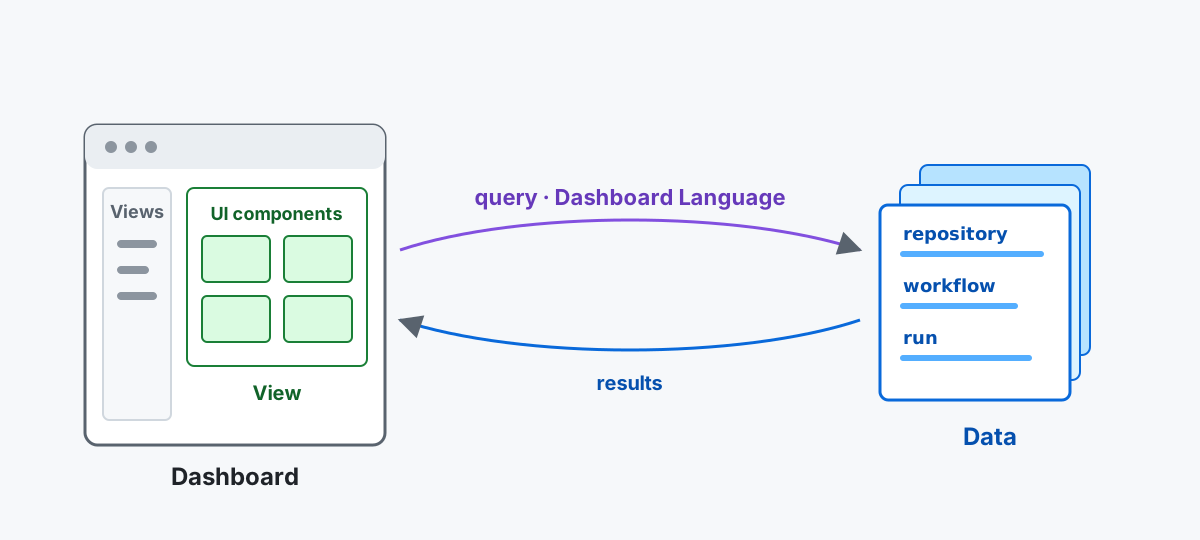 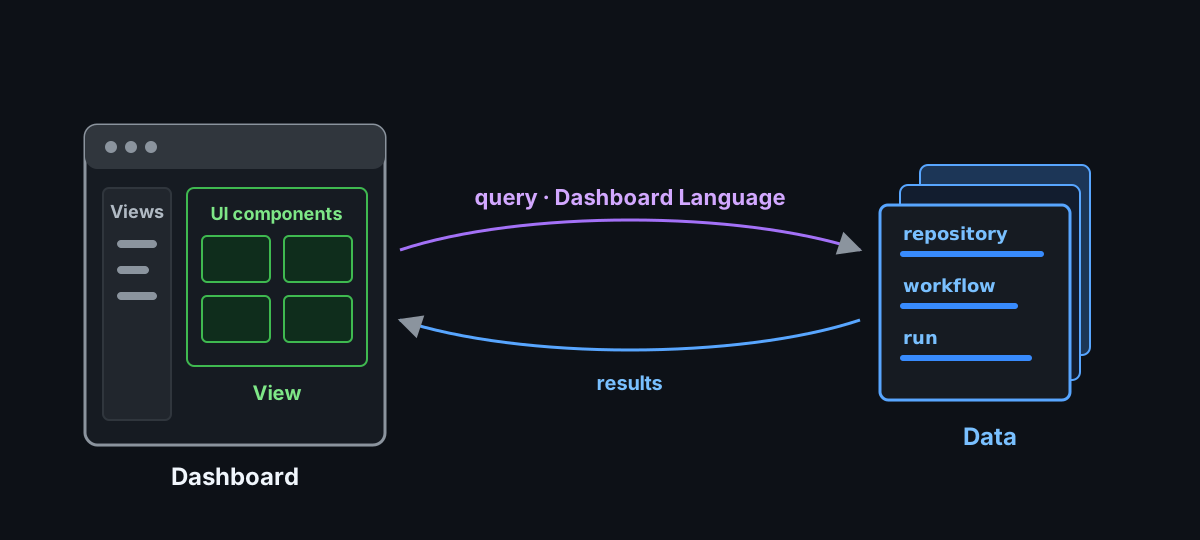
## How it works
[Section titled “How it works”](#how-it-works)
Every view follows the same data flow:
1. **Activity collects evidence.** The Activity workflow publishes a bounded snapshot of workflow activity.
2. **The dashboard prepares the data.** A Web Worker normalizes the snapshot into a consistent data model and runs declarative queries.
3. **The active view presents the result.** When the local data changes, the query runs again and the view updates.
The dashboard is not a live feed. It reads the latest snapshot collected by the Activity workflow. [Data ingestion](/gh-cao/dashboard-data-ingestion/) follows that evidence from collection into the browser, while the [Data model](/gh-cao/dashboard-data-model/) explains the records and relationships available to every view.
On the first visit to a static dashboard, a dismissible import screen explains how the browser downloads and caches its first snapshot. Dismissing it keeps the import running; Overview continues to show preparation progress rather than calling campaigns idle. The import screen is automatically removed when a complete snapshot is ready, and its animation timers and progress subscription are released. If preparation fails or is cancelled while the screen is still open, it shows a **Retry import** action; Overview itself only reports that campaign status is not available yet, without a way to reopen the dismissed screen. Later visits use the cached snapshot during refresh. Backend-backed dashboards do not use this browser-local first-import experience. While the import screen is visible, 100 friendly notes rotate randomly every six seconds without repeating within a cycle. These notes are separate from factual import progress and pause when the screen is dismissed or the import is no longer running. The welcome screen keeps the Central Agentic Ops name visible in its header and uses **Explore data** as its only dismissal button; Escape also works. **About this preparation** reveals the browser-local import details and backend deployment alternative without crowding the first impression. Small screens use shorter copy and omit the explanatory step list so the brand and main action stay in view. The backdrop shares the exact grid styling used on Overview, with a slow opacity animation disabled when the browser requests reduced motion. The grid is decorative, not campaign telemetry.
## Read a result
[Section titled “Read a result”](#read-a-result)
Treat each result as a starting point for investigation, not as a scorecard. A high count, a quiet period, or a warning tells you where to look next. Before following up, check the availability, completeness, and freshness shown with it:
* **Empty** means the dashboard has evidence and found no matching activity.
* **Unavailable** means the dashboard could not obtain the evidence it needs.
* **Partial** means the result may describe only part of the campaign.
* **Stale** means newer activity may not be represented yet.
These distinctions keep missing information from looking like a healthy zero.
See the [Glossary](/gh-cao/glossary/) for definitions of Dashboard terms such as rollout mode, safe output, outcome, and operational value.
## Know the boundary
[Section titled “Know the boundary”](#know-the-boundary)
The canvas’s local preview server stays available between agent turns, including completed, interrupted, or failed turns. It stops when its canvas closes, when you exit the session, or when its extension process stops.
### Design queries in a Copilot canvas
[Section titled “Design queries in a Copilot canvas”](#design-queries-in-a-copilot-canvas)
The local **Central Agentic Ops** Copilot canvas includes a **Query editor** page under **Experimental**. It is not enabled on the static website, hosted server, or ordinary local preview. Enter an intent, subject, optional objective, and acceptance criteria, then select **Generate query and view**. The Copilot SDK uses the bundled `generate-dashboard-ir` query-design skill and Dashboard Language specification to generate a complete query and declarative view.
The icon-only sparkle button next to **Generate query and view**, labeled **Improve all fields with Copilot** for assistive technology, uses the bundled `author-dashboard-intent` skill in one pure LLM Copilot SDK session to refine intent, subject, objective, and acceptance together. Review the enhancement before generating the query; if you edit the authoring text while the request is pending, the editor does not overwrite your changes. These sessions have no tools or automatically discovered skills; the trusted authoring skills are supplied as prompt context. Subject, objective, and acceptance share a **512-character combined limit**, counted as Unicode characters just like query/view annotations. The editor shows the current total and blocks generation when it is exceeded. The sparkle action can still condense an overlong draft; its output is checked against the same combined limit before replacing any fields. Keep additional detail in intent.
The browser data worker validates the draft. The default canvas backend executes it against canonical data in a server-side SQLite worker; selecting `indexeddb` executes it in the browser data worker instead. SQLite previews do not open browser IndexedDB. Successful previews stay subscribed to data changes and show the rendered view without exposing a source editor. Invalid generated documents show diagnostics without replacing the previous preview. Generation automatically feeds worker validation errors and the rejected draft back to Copilot, with at most ten attempts per click; only a validated document updates the preview. If all attempts fail, the editor reports the failure and retains the diagnostics. Each attempt uses AI credits. **Cancel** stops the generation/repair loop or generation or validation. **Save as custom view** persists the accepted document in `.cao/dashboard/custom-views/.json`, adds it to **Custom views** in local canvas navigation, and opens the rendered view. Identical saves reuse the same file; independently saved queries are namespaced to avoid collisions. The set is workspace-local, survives canvas/server restarts, and is not published or installed into other repositories. `.cao/` is ignored by Git. Up to 50 custom views are supported; remove a saved JSON file to remove that view. Unsaved drafts still belong to the currently loaded canvas; save a custom view to keep it. Saved files are content-addressed; use the editor to save revisions instead of editing or renaming those files in place.
Generation requires Copilot authentication and uses AI credits. Only authoring text and trusted language context go to the SDK, not dashboard evidence rows. The generation session has no shell, filesystem, MCP, or write tools. Preview documents cannot add CLI actions or UI elements, and each view is capped at 200 rows. Every preview source must be a declared query with a `limit` between 1 and its view’s `data.limit`, so the worker bounds the result before rendering. Layered charts omit `data.limit` and use a source query `limit` of at most 200. Forms, lazy pagination, and drill navigation are not supported in previews. This editor does not change rollout policy or control-plane authority.
The published dashboard helps you observe and investigate campaigns. It does not start work, approve an output, grant workflow authority, change rollout policy, or write to a repository. Make those decisions through the control repository and its reviewed workflows and policy.
### Configure compiler defaults
[Section titled “Configure compiler defaults”](#configure-compiler-defaults)
**Maintenance → Governance** is visible only in local server `--admin` mode or to an authorized hosted administrator with a current, assured session. It is hidden in published dashboards, ordinary local previews, and Copilot canvas mode, including through direct links. To edit defaults, start an authorized loopback admin dashboard:
```sh
npm run dashboard:local -- --repo OWNER/REPOSITORY --admin
```
Select **Organization**, **Enterprise**, or **Repository** and enter the exact target. **Load defaults** uses `gh aw env get` to obtain every compiler default supported by the installed gh-aw version. Edit the complete YAML document, keeping values as quoted strings or `null`, then select **Preview changes**. Review the proposed sets and deletions, choose **Review and apply**, and confirm the exact scope and YAML. All commands use the existing approved CLI-action queue and your local GitHub CLI credentials. Reload after applying to verify the saved variables; recompile workflows to incorporate changed compiler defaults.
Organization and enterprise variables are inherited by repositories with access to them, including CAO repositories, but may also affect repositories outside CAO. Existing narrower overrides and variable access lists remain in effect. `null` or omitted keys remove an override at the selected scope, not an inherited default. Visibility controls access for newly created variables only.
This page manages **non-secret GitHub Actions variables**, not secrets, rollout policy, or live authority. Never enter credentials in the YAML. The chosen scope requires administrative access; hosted repository installation tokens cannot perform these operations, so editing remains disabled for hosted administrators.
## Continue reading
[Section titled “Continue reading”](#continue-reading)
* Start with [Overview](/gh-cao/dashboard-overview/) to understand the default operational view.
* Choose where to host the dashboard in [Deployment options](/gh-cao/deployment/).
* Read [Data ingestion](/gh-cao/dashboard-data-ingestion/) to follow evidence from GitHub Actions into the browser.
* Use the [Data model](/gh-cao/dashboard-data-model/) to understand entities, relationships, identities, and retention.
* Build views with the [Dashboard Language guide](/gh-cao/dashboard-language/), then consult the [language specification](/gh-cao/dashboard-language-specification/) and [view catalog](/gh-cao/dashboard-view-catalog/) for complete reference material.
* Let browser agents read the same pages through [WebMCP](/gh-cao/dashboard-webmcp/), and agents without a browser or shell through [Agent analysis](/gh-cao/agent-analysis/).
# Data ingestion
> Understand how Central Agentic Ops collects, normalizes, retains, and projects dashboard data.
Data ingestion moves operational evidence from GitHub Actions into the browser dashboard and local tools. Read this page to understand collection boundaries, retention, failure behavior, and the available `cao` commands. For entity identities and relationships, use the [Data model](/gh-cao/dashboard-data-model/). For where the dashboard is served, see [Deployment options](/gh-cao/deployment/).
## Data flow
[Section titled “Data flow”](#data-flow)
Agentic workflows produce Actions logs. The Activity workflow collects a bounded snapshot into published JSONL. Consumers apply the shared model rules to build two separate projections: SQLite supports agents and command-line tools, while IndexedDB supports the browser dashboard.
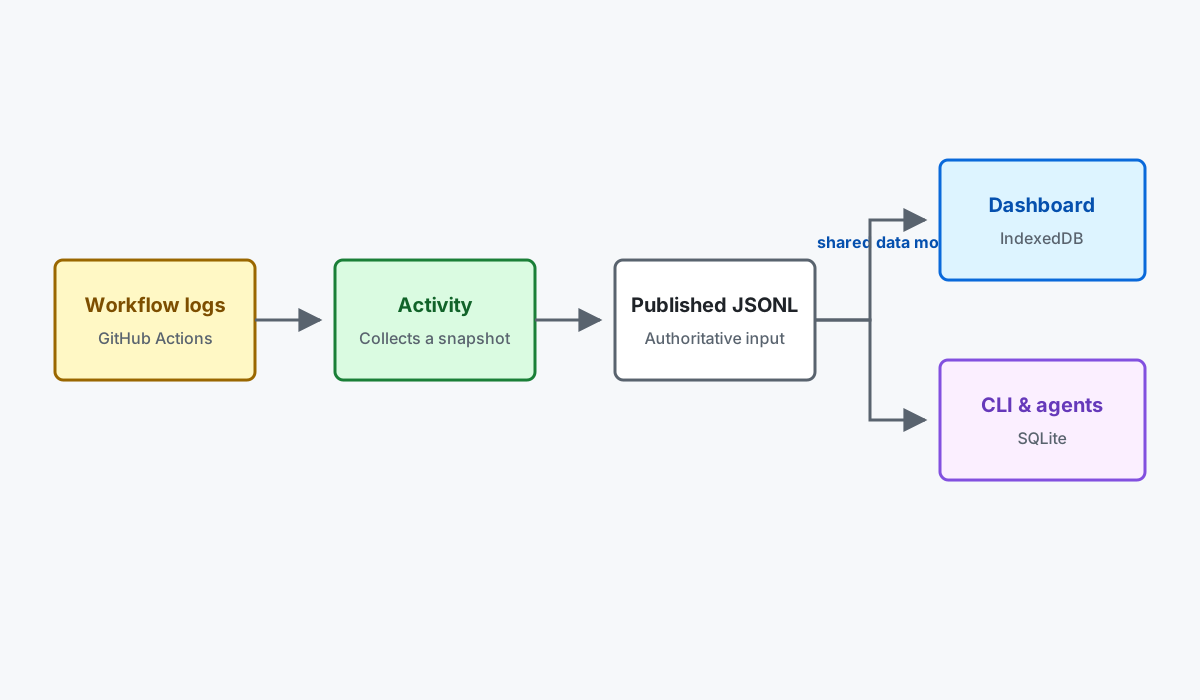 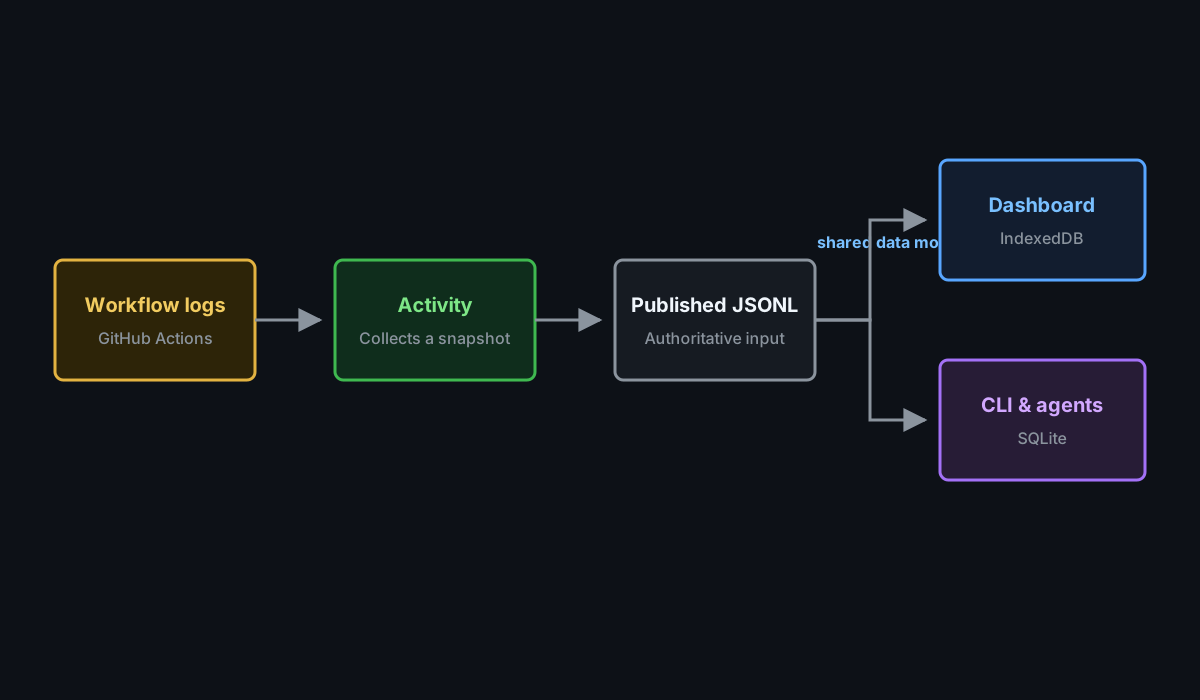
SQLite and IndexedDB are rebuildable projections. Neither is the source for the other. The local SQLite adapter implements the same logical object stores, indexes, records, conversion rules, and queries as browser IndexedDB. It is not a separate relational canonical schema. Both keep all run summaries available in the published JSONL. SQLite keeps Run and Operational Value records for 30 days by default and expires run-linked detail after seven days unless a separate full-detail SQLite archive is requested.
See [Data model](/gh-cao/dashboard-data-model/) for the canonical entities, identities, and relationships produced by ingestion.
## Before the first Activity snapshot
[Section titled “Before the first Activity snapshot”](#before-the-first-activity-snapshot)
The CAO Dashboard workflow restores the Activity cache or downloads the snapshot from the latest successful CAO Activity collection run on the default branch, ignoring runs that skipped snapshot indexing. On a new deployment, neither may exist yet. In that case, the workflow builds and publishes the dashboard using installed campaigns, workflows, and configuration from its trusted checkout, together with an empty activity set. Pages publication still follows the configured deployment policy.
This bootstrap does not discover remote repositories, collect logs, or run activity computations. It marks inventory coverage as partial, leaves live workflow state unknown, and omits uncollected marketplace sources rather than inventing evidence. The normal pipeline creates valid empty activity shards and a SQLite projection; it does not publish the bootstrap as an Activity cache.
Configure [Activity authentication](/gh-cao/activity/), then run **CAO Activity** manually to collect the first snapshot, or wait for its scheduled run. A successful default-branch Activity run automatically triggers the dashboard build with collected evidence. API errors, invalid policy, missing artifacts from an existing successful run, and invalid restored snapshots still fail rather than being treated as normal startup.
## Local administrative actions
[Section titled “Local administrative actions”](#local-administrative-actions)
The shared CLI executor is packaged in `dashboard/cli-actions.mjs` so installed campaigns can run local administrative actions without the Copilot extension. The extension re-exports the same executor rather than maintaining a separate copy.
Local previews refresh the latest stable gh-aw release from GitHub when downloading their data. The **Latest** compiler version and upgrade state use this current release, not the release recorded in an older published snapshot. Installed versions and their observation times remain snapshot evidence. If release discovery fails, startup reports an error rather than presenting the snapshot’s stale release as current.
Run `npm run dashboard:local -- --admin --repo OWNER/REPOSITORY` to opt in to dashboard-declared CLI actions on the local preview server. Without `--admin`, the local preview remains copy-only. Admin mode is limited to a loopback host; it cannot be combined with canvas mode or the hosted Go server.
Each action opens a command-review dialog and requires explicit confirmation for every run. Once the server durably queues the approved command, the dashboard opens its full-page console with a **Back to Commands** navigation button. The console shows live stdout and stderr in a scrollable, read-only terminal with the executed command on its first line, ANSI colors, progress updates, selection, and scrollback. HTTP and HTTPS URLs in terminal output open in a separate tab without opener access. Stderr and command failure messages use the terminal’s error color. The last HTTPS pull-request URL in retained command output becomes the durable command result. GitHub Enterprise hosts, custom ports, and path prefixes are supported; embedded credentials are rejected and query strings and fragments are excluded. **Open pull request** opens that result in a separate tab. **Copy** copies the pull-request URL when available, otherwise the command transcript. Copying never cancels or reruns the command. The console stays visible after completion, failure, timeout, or cancellation until the user navigates away. Back navigation and output disconnection only detach the browser; they do not cancel execution. Reopening a command from **Commands** replays its retained output without starting another command. Terminal input is disabled: commands must not require interactive keyboard input. The terminal emulator is an interaction-only extension of the existing declarative `cli-actions` contract, not a dashboard data query or an arbitrary shell.
Commands run in the server’s working directory with the local GitHub CLI credentials and the existing supported-command allowlist, without shell interpolation. Actions using `gh aw` may install the pinned extension first. The server admits queued commands within its concurrency and quota limits. **Cancel** dismisses the approval dialog without starting anything. The console offers **Copy** instead of a cancellation button and **Retry command** for failed or timed-out work. Starting another action requires fresh confirmation in the web interface, not an additional confirmation in the Copilot app. Keep the capability URL private and do not expose or forward the admin server to other users. This switch does not change CAO rollout policy or grant remote workflow authority.
## Hosted server data pipeline
[Section titled “Hosted server data pipeline”](#hosted-server-data-pipeline)
Server-backed deployments keep the browser isolated from both databases. The Go server verifies the same published payload, normalizes inventory metadata onto canonical records, and transactionally replaces the current dashboard sources in PostgreSQL. Dashboard Language queries execute against PostgreSQL, using parameterized SQL for proven plans and the bounded Go evaluator for other supported shapes.
Redis is not a dashboard database. It stores operational state such as sessions, rate limits, webhook and collection queues, delivery deduplication, distributed coordination, GitHub quota observations, pending token revocations, and bounded resolver caches. It does not store dashboard entity rows, query indexes, or persistent dashboard projections. If PostgreSQL is unavailable, dashboard data is unavailable even when Redis is healthy.
## Completeness and duplicates
[Section titled “Completeness and duplicates”](#completeness-and-duplicates)
The scheduled Activity workflow is a rolling operational snapshot, not a full historical archive. Data can be incomplete at these boundaries:
| Boundary | What can be missing |
| ---------------- | -------------------------------------------------------------------------------------------------------------------------- |
| Collection | Runs outside the configured 30-day window. |
| Enrichment | The scheduled command downloads at most five matching usage artifacts across all workflow targets per Activity invocation. |
| GitHub retention | Expired or unavailable artifacts cannot provide agent, usage, job, or audit detail. The run summary may still exist. |
| Mapping | GitHub API rate-limit records without collection context are intentionally not attached to a run. |
| Browser storage | IndexedDB keeps all published run summaries and expires run-linked detail after seven days. |
Cached JSONL can repeat the same run in later snapshots. These are repeated observations, not duplicate database records. Raw runs are deduplicated by GitHub run ID and attempt. Enriched runs are deduplicated by run ID and attempt, with the newest observation winning.
Audit a JSONL source without changing a database:
```bash
cao audit-jsonl
```
The report separates raw observations, unique raw runs, enriched observations, unique enriched runs, repeated observations, unenriched runs, and the canonical record counts that ingestion will produce.
## Create a historical archive
[Section titled “Create a historical archive”](#create-a-historical-archive)
For a full-detail local archive, collect into `_activity/gh-aw-history.jsonl`, then audit and ingest it with unbounded retention:
```bash
cao audit-jsonl \
--input _activity/gh-aw-history.jsonl
cao ingest-jsonl \
--database _activity/gh-aw-history.sqlite \
--input _activity/gh-aw-history.jsonl \
--retention-days all
cao doctor \
--database _activity/gh-aw-history.sqlite \
--ttl-days all
```
“Full” means all run summaries discoverable in the selected range plus every artifact still available from GitHub. Expired artifacts remain visible as unenriched runs rather than being silently counted as complete.
## Browser data pipeline
[Section titled “Browser data pipeline”](#browser-data-pipeline)
The unified-session adapter retains only metadata needed for model-routing analytics: safe identifiers, explicit classifier labels, request ownership, per-response token/AIC observations and source receipts. It accepts headerless legacy sessions and records their format coverage. Unsupported session versions retain the header only. Source-receipt phases take precedence over the collection event’s conclusion-phase provenance. Prompts, bodies, free-form reasons/errors and content-derived hashes are not projected into routing facts.
Runner-written `model.resolution` events become one Audit record per recorded role with the event engine, role, configured model, resolved model, provider, status (`resolved`, `exact` or `failed`) and cause (`model_unavailable` or `catalog_unavailable`). Configured and resolved models keep their recorded value, including provider prefixes; unsafe or missing values stay unknown, and a failed resolution keeps its resolved model unknown. The events have no timestamp, so failed resolutions appear in the Model routing Problems view once per run, with an unknown time unless the session clock is recorded, and per-run resolution roles stay on the run page. Routed sessions are expected to lack these events, and legacy sessions report no resolution evidence rather than failure. Canonical schema 32 / IndexedDB version 42 rebuild older browser projections; hosted PostgreSQL needs a fresh generated schema with the new Audit columns.
The activity shard manifest is the dashboard’s published operational input. The worker downloads and processes each listed schema-v2 JSONL shard independently through a versioned ingestion expression. Raw `workflow_runs` payload rows create Repository, Workflow, and Run observations. Enriched `run` envelopes update the same Run identities and create deterministic Domain, Tool, Audit, and Issue records owned directly by those Runs. `github_api_rate_limit` envelopes create Audits only when explicit collection context identifies their owning run; browser ingestion does not fabricate that ownership. Unknown kinds and unsupported non-empty schema versions fail explicitly.
The complete normative [cached gh-aw JSONL mapping](https://github.com/githubnext/gh-cao/blob/main/specs/dashboard-gh-aw-jsonl-mapping.md) describes source fields, canonical entities, identity, ownership, and accounting.
The canonical model is version 32. The browser database is `gh-aw-cao-dashboard-data`, IndexedDB version 42. Its canonical stores are `campaigns`, `repositories`, `workflows`, `runs`, `domains`, `tools`, `skills`, `friction`, `audits`, `issues`, `operationalValues`, `marketplacePackages`, `experiments`, `experimentAssignments`, `graders`, `graderObservations`, `evals`, and `evalObservations`; all use `id` as the key. The `transactions` store records ingestion outcomes and is indexed by `createdAt`. The disposable Overview aggregates are computed by request-scoped queries over canonical runs rather than stored separately. Because the database is derived state, physical schema upgrades rebuild every store from authoritative dashboard inputs.
Experiment assignments and eval observations come from the unified session when it contains them. Otherwise, ingestion accepts gh-aw’s explicit current-run `assignments.json` artifact (including the compact `usage/experiment/` layout and prefixed artifact directories) and a supplied `evals.jsonl`. Collection requests the `usage,experiment,graders` artifact sets without widening repository scope or collection budgets. Before retaining these artifacts, collection verifies repository, run ID, and attempt against `aw_info.json`; a mismatch skips that evidence. Unified assignments, including an explicitly empty map, take precedence, and cumulative experiment state counts never infer a run’s variant. The Experiments page shows retained assignment variants with run evidence links, and the Evals ledger shows `YES`, `NO`, and `UNKNOWN` answers distinctly; `UNKNOWN` is not a failed eval.
gh-aw v0.92.6 publishes built-in graders in the unified session and `usage/graders/`, with custom grader results in a separate `graders` artifact. Ingestion accepts version-1 and version-2 result documents, uses the adjacent `grader_manifest.json` for definition metadata, and retains session results in preference to duplicate built-ins. The separate artifact may add custom results not already present in the session. Native metric order, finite values, explicit `null` values, and evaluator digests survive projection; scripts, messages, error bodies, and raw session payloads do not. Historical repository-owned shell evaluators remain retired and are not executed during collection.
Normalized shards are written in bounded transactions, with a separate receipt recorded after each complete shard. A stopped import can reuse those receipts on the next visit, even before the full snapshot marker has been written. Run-phase views can load after the run shards finish while record shards continue. Retention and orphan cleanup run after shard ingestion. During maintenance, the worker expires run-linked detail outside the seven-day window and Operational Values outside the 30-day window, pruning orphaned descendants and unreferenced structural parents. The effective retention horizon is the later of the browser clock and the newest incoming observation, so a slow clock cannot prune current producer data.
Every merged batch must satisfy these relationships:
* Workflow to Repository
* Run to Repository and Workflow
* Domain, Tool, Audit, and Issue to Run
Work items and findings are projected from Issue and Audit records rather than stored in separate canonical tables. Independent logical sources, such as usage, outcomes, admissions, security, and MCP evidence, retain their published schemas in worker memory and are selected only when a page requests them.
Source download, adaptation, normalization, IndexedDB writes, and page queries run in a dedicated Web Worker. Successful inputs write content-addressed receipts containing the ingestion version, payload identity, and retained or committed record counts. A failure writes a diagnostic receipt when possible. Bounded writes that committed before a later failure may remain in the disposable database, but no successful receipt is written and the shard remains retryable.
Actions publishes normalized run and record shards with a 1 MiB budget, including metadata and UTF-8 bytes. A single larger record is kept intact in its own shard rather than truncated. Records are deduplicated before being ordered by collection and canonical ID within stable day buckets, so changes in source arrival order alone do not force clients to download and ingest unchanged data. The 4 MiB raw-source compaction budget is independent of this published budget.
Worker errors abort the update instead of rerunning ingestion through an older path. There is no shadow, dual-read, alias, or fallback route. Views render only after the worker returns that page’s query projection.
Before ingestion, the browser inspects its storage estimate and requests persistent storage when the API is available. Either request may be denied or fail without affecting correctness. Diagnostics use stable categories such as `NORMALIZATION_FAILED`, `TRANSACTION_ABORTED`, and `QUOTA_EXCEEDED`.
IndexedDB is disposable derived state. Clearing browser storage reconstructs it from authorized published inputs; it does not delete authoritative information.
To investigate repeated imports on a mobile browser, open the dashboard with `?debug=data:ingestion,data:indexeddb,quota`. The worker reports whether the complete snapshot was found, schema upgrades, storage quota and persistence availability, cached versus missing run and record shards, shard commits, and dashboard revisions. These diagnostics report counts and storage metadata, not record contents. A `missing-snapshot` message alone does not mean previously committed shards were lost: compare the `shard-cache-checked` counts on the next visit. Browsers may decline persistent storage or evict this rebuildable cache.
## Validate browser performance
[Section titled “Validate browser performance”](#validate-browser-performance)
Run `npm --prefix dashboard/site run test:performance` to audit the production build in two states: an empty canonical database and a completely ingested published Activity snapshot. The runner downloads every normalized JSONL shard, verifies its manifest hash, waits for successful ingestion, and records canonical store counts before and after the audits. Its empty snapshot uses valid zero-record shards and empty inventory, not fixture-mode presenter data.
The CFO, CTO, and CSO journeys check that visible views finish loading without unavailable-data cards, including the inventory table modes. Lighthouse measures desktop and mobile separately and reports three-run medians. Cold-network audits clear HTTP cache and bypass the audit page’s service worker while retaining IndexedDB; separate PWA audits use normal service-worker responses. PWA transfer sizes do not represent uncached network bytes.
Production builds compile the shared styles into a native linked stylesheet, preload the entry and application modules, and keep route modules deferred. The worker is bundled independently so its startup does not repeat discovery of the application’s shared chunks. Source-mode previews retain the same shared styles and rendering contracts. Production keeps source-declared glyphs in a small inline icon core and loads the complete sprite only for other supported campaign icons. The complete sprite is precached for offline use; unknown names retain the question glyph.
To compare revisions against the same downloaded evidence, set `DASHBOARD_PERFORMANCE_DATA_ROOT` to a directory containing `payload-hashes.json`, `inventory-sources.json`, `memory/`, and all declared normalized shards. `DASHBOARD_DATA_URL` selects a different published manifest when downloading. `DASHBOARD_PERFORMANCE_REPEATS` changes the repetition count, and `DASHBOARD_PERFORMANCE_NETWORK_MODES=cold` runs only the cold cohort.
Reports, browser traces, desktop/mobile screenshots, ingestion timings, and persona-journey timings are written under `dashboard/site/test-results/lighthouse/`. A missing shard, failed query, invalid state, or breached performance budget fails the command and the CI job. Complete eager-ingestion time is recorded separately from page readiness: normal first visits can still explore partial data while import continues.
## SQL interchange
[Section titled “SQL interchange”](#sql-interchange)
SQL uses the versioned `gh-aw-cao.dashboard-sql-export` interchange contract. Database owners map their schema to the contract and export static JSON before deployment. Local and deployed environments use the same contract, validator, adapter, and canonical queries; the static dashboard never opens a database connection.
## Use local SQLite
[Section titled “Use local SQLite”](#use-local-sqlite)
Node.js 24 can run the same ingestion and query layer against a persistent SQLite file. The local adapter stores IndexedDB metadata and JSON records in `__idb_databases`, `__idb_stores`, `__idb_indexes`, and `__idb_records`; those tables are an emulation detail, not canonical entity tables. The browser continues to use native IndexedDB.
Ingest an extracted gh-aw log directory with its run context:
```bash
cao ingest \
--database /tmp/cao-dashboard.sqlite \
--context dashboard/site/test/fixtures/gh-aw-logs/context.json \
--logs dashboard/site/test/fixtures/gh-aw-logs/run-303
```
Alternatively, ingest schema-v2 JSONL produced by `gh aw logs`:
```bash
cao ingest-jsonl \
--database /tmp/cao-dashboard.sqlite \
--input-dir .cao/gh-aw-logs-shards
```
Pass `--context CONTEXT_JSON` when JSONL `github_api_rate_limit` records should become canonical Audits. Without an owning collection Repository, Workflow, and Run, those records remain unmapped.
Download the JSONL and SQLite projection published by the deployed CAO Pages site:
```bash
cao download
```
This writes `.cao/payload-hashes.json`, the published compacted `.cao/gh-aw-logs-runs/` and `.cao/gh-aw-logs-records/` shards, and `.cao/gh-aw-logs.sqlite` by default. Set `DASHBOARD_DATA_URL`, pass `--url URL`, or pass `--output DIRECTORY` to change the source or destination. The command downloads the published files unchanged; it does not run ingestion locally.
Query a canonical collection:
```bash
cao query \
--collection runs \
--where conclusion=failure \
--limit 20
```
Use the gh-like query surface for familiar GitHub CLI-shaped commands:
```bash
cao gh runs --repo OWNER/REPOSITORY --workflow WORKFLOW --status failure --since 2026-09-01 --until 2026-09-15
cao gh issues --repo OWNER/REPOSITORY --workflow WORKFLOW --since 2026-09-01 --until 2026-09-15
cao gh prs --repo OWNER/REPOSITORY --workflow WORKFLOW --since 2026-09-01 --until 2026-09-15
```
`-R`, `-w`, `-s`, and `-L` alias `--repo`, `--workflow`, `--status`, and `--limit`. The default limit is 30. Date-only `--until` values include the entire date. Issue and pull request results come from canonical Issue records created by `safe_output.result` observations.
Diagnose and repair the local database:
```bash
cao doctor \
--database /tmp/cao-dashboard.sqlite
```
The doctor reports SQLite integrity, foreign-key and schema health, table and transaction counts, malformed records, and relationship errors. It applies the default seven-day run-linked detail and 30-day Run and Operational Value windows (or explicit `--ttl-days` and `--run-ttl-days` overrides), removes malformed and orphaned derived records, repairs metadata, and runs SQLite maintenance. Before changing data, it creates a timestamped `.doctor-backup-*.sqlite` backup next to the database.
To let an agent read the same snapshot through dashboard pages and named queries, instead of through collections, see [Agent analysis](/gh-cao/agent-analysis/).
Run `cao help` for the collection list and full command syntax. The SQLite file remains local derived state and does not change the static dashboard’s deployment boundary.
### Choose a local preview data backend
[Section titled “Choose a local preview data backend”](#choose-a-local-preview-data-backend)
`npm run dashboard:local` selects the dashboard’s query backend with `--data-backend`:
| Backend | Behavior |
| ----------- | ---------------------------------------------------------------------------------------------------------------------------------------------------------------------------------------------------------- |
| `sqlite` | Default for local previews. Ingests the downloaded inventory and Activity shards into a temporary server-side SQLite projection; the page uses the remote HTTP query backend instead of browser IndexedDB. |
| `indexeddb` | Opt-in browser backend. The page uses the static browser backend. |
| `postgres` | Selects the Go/PostgreSQL server. It needs the reviewed host policy, built site, database, and OAuth/HTTPS configuration, and does not support canvas previews. |
```bash
npm run dashboard:local -- --data-backend sqlite --repo OWNER/REPOSITORY
```
SQLite initialization failures stop startup; the preview does not silently fall back to IndexedDB. The canvas open input accepts `dataBackend: "sqlite"` or `"indexeddb"`.
For normative requirements and failure behavior, see the [Dashboard Data Architecture Specification](https://github.com/githubnext/gh-cao/blob/main/specs/dashboard-data.md).
# Data model
> Understand the canonical entities, relationships, identities, and lifecycle of Central Agentic Ops dashboard data.
The data model gives every retained campaign, repository, workflow, run, and run-owned record a stable identity and explicit relationships. Read this page when you need to understand what a dashboard record represents or how records connect. Views query this source-neutral model instead of interpreting upstream formats directly.
When changing canonical entities or storage, continue to the [Dashboard Data Architecture Specification](https://github.com/githubnext/gh-cao/blob/main/specs/dashboard-data.md), then `dashboard/site/src/data/`. See [Data ingestion](/gh-cao/dashboard-data-ingestion/) for collection, JSONL publication, retention, browser updates, and SQLite projections.
## Entity map
[Section titled “Entity map”](#entity-map)
```
erDiagram
CAMPAIGN o|--o{ WORKFLOW : classifies
REPOSITORY ||--o{ WORKFLOW : contains
REPOSITORY ||--o{ RUN : executes
REPOSITORY ||--o{ OPERATIONAL_VALUE : measures
WORKFLOW ||--o{ RUN : defines
RUN ||--o{ DOMAIN : records
RUN ||--o{ TOOL : invokes
RUN ||--o{ AUDIT : records
RUN ||--o{ ISSUE : creates
```
The main path follows activity from a repository through its workflows and runs to four specialized run-owned record types. A Campaign may classify a Workflow independently of that execution hierarchy. The table below provides the exact identities and parent relationships.
## Entities
[Section titled “Entities”](#entities)
| Entity | Canonical identity | Parent relationships | Purpose |
| --------------------- | ---------------------------------------------------------- | ----------------------- | ---------------------------------------------------------------------------------------------------------------- |
| **Campaign** | Namespaced deterministic ID from the stable campaign slug | None | Classifies an installed starter campaign and its maintenance state. |
| **Repository** | `github:repository:` | None | Represents one GitHub repository across renames. |
| **Workflow** | `github:workflow:` | Repository | Represents one workflow across path or filename changes. |
| **Run** | `github:run:/:` | Repository and Workflow | Converges observations for one repository-scoped GitHub Actions run while retaining the latest observed attempt. |
| **Domain** | Namespaced deterministic source ID | Run | Records allowed and blocked firewall observations. |
| **Tool** | Namespaced deterministic source ID | Run | Records MCP and Bash calls. |
| **Skill** | Namespaced deterministic source ID | Run | Records extracted skill invocation counts and failures. |
| **Friction** | Namespaced deterministic source ID | Run | Records gh-aw’s precomputed friction-cost summary. |
| **Audit** | Namespaced deterministic source ID | Run | Records lifecycle, policy, grader, agent, and other execution observations. |
| **Issue** | `github:issue:/:` | Run | Records issue and pull-request safe outputs. |
| **Operational Value** | Deterministic repository, value ID, and timestamp identity | Repository | Records a campaign-defined numeric repository metric. |
Names, paths, timestamps, and ingestion order are not canonical identities. Stable upstream IDs take precedence; deterministic source coordinates are used only when an upstream system provides no stable ID.
The current dashboard publication does not include immutable GitHub repository or workflow IDs. Its compatibility adapter therefore uses namespaced deterministic source coordinates for those entities. These IDs are explicitly transitional and MUST be replaced by immutable GitHub IDs when publication supplies them.
## Maintenance inventory
[Section titled “Maintenance inventory”](#maintenance-inventory)
The Updates page under Maintenance separates inventory into **Repositories** (the default tab) and **Campaigns**. Both tabs retain the Updates navigation indicator, and each has a directly addressable route:
* **Agentic campaigns** use Campaign records and compare `campaign-version` with `campaign-current-version`. These are installed campaign revisions resolved from the control repository’s catalog sources.
* **Agentic Workflow compilers** use workflow inventory and compare `gh-aw-version` with `gh-aw-current-version` for each repository.
Repositories opens at `#page-maintenance`; Campaigns opens at `#page-maintenance-campaigns`. Repository enrollment and compiler upgrade actions remain in Repositories, while campaign package update actions remain in Campaigns. Switching sibling tabs, including browser back and forward, cross-fades only the tab content. The shared navigation and tab bar stay outside the full-page transition used when opening a different dashboard view.
These records do not constitute an inventory of vendored agents or project skills. Runtime skill calls are retained as Skill records, but a call observation does not prove that a skill is installed, pinned, or updateable. A future agent-assets view must publish explicit scope and provenance (for example, a `gh skill` source, revision, or lock record) before it can report maintenance state.
## Run-owned records
[Section titled “Run-owned records”](#run-owned-records)
Model routing uses typed Audit facts projected from `usage/aw_session.jsonl`, not a parallel telemetry table. The Model routing page resolves proxy-first state, per-phase accounting, sub-agent attribution and cost completeness with Dashboard Language queries. Missing costs remain unknown; partial runs do not enter cost quantiles. Browser schema 32 / IndexedDB version 42 rebuild older projections, and hosted PostgreSQL requires a fresh generated schema.
A Run owns ordered Domain, Tool, Skill, Friction, Audit, and Issue records combining observations from agents, tools, MCP servers, gateways, firewalls, policy engines, safe-output processing, GitHub APIs, and the workflow runtime. These records remain independently addressable rather than being stored in one growing array. Issues and pull requests share the Issue type and use `isPullRequest` to distinguish them.
Run-owned records use a source sequence when one exists. Otherwise, source timestamp plus a deterministic ID tie-breaker defines order. Related calls, policy checks, responses, and results share a `correlationId` where available.
The activity collector requests the compact gh-aw `usage` artifact with audit generation enabled. The offline adapter prefers authoritative agent `events.jsonl`, MCP Gateway `gateway.jsonl` or `rpc-messages.jsonl`, and firewall `audit.jsonl` records when an older cache contains them; otherwise it derives tool records from `run_summary.json`. It also retains normalized audit aggregates and `aw_info.json` agent, model, runtime, compiler, firewall, and gateway versions. Run evidence is scanned once, checkout and prompt trees are excluded, and raw messages, prompts, arguments, response bodies, and artifact bodies are not shipped to Pages.
SQL uses the versioned `gh-aw-cao.dashboard-sql-export` interchange contract. Database owners map their schema to the contract and export static JSON before deployment. Local and deployed environments use the same contract, validator, adapter, and canonical queries; the static dashboard never opens a database connection.
## Update and retain browser data
[Section titled “Update and retain browser data”](#update-and-retain-browser-data)
Observations can arrive at different times and enrich an existing entity. Explicit source precedence and observation time resolve conflicting fields; arrival order alone never decides the result.
The activity shard manifest is the dashboard’s published operational input. Normalized run-information and record shards are JSONL streams: a metadata envelope is followed by one canonical record envelope per line. The worker imports every run-information stream before downloading the larger record streams and writes bounded batches as response bytes arrive; it never parses a normalized shard as one JSON object. Run records include immutable agent, model, duration, firewall, MCP, operational-grader, and audit-priority aggregates; every Domain, Tool, Audit, and Issue includes its owning `runId`. Run queries may refresh between phases, but that intermediate state is not a complete snapshot and record-dependent queries remain stale until record ingestion succeeds. Legacy schema-v2 JSONL remains a compatibility input. `github_api_rate_limit` envelopes create Audits only when explicit collection context identifies their owning run; browser ingestion does not fabricate that ownership. Unknown kinds and unsupported non-empty schema versions fail explicitly.
The complete normative [cached gh-aw JSONL mapping](https://github.com/githubnext/gh-cao/blob/main/specs/dashboard-gh-aw-jsonl-mapping.md) describes source fields, canonical entities, identity, ownership, and accounting.
The canonical model is version 32. The browser database is `gh-aw-cao-dashboard-data`, IndexedDB version 42. Its canonical stores are `campaigns`, `repositories`, `workflows`, `runs`, `domains`, `tools`, `skills`, `friction`, `audits`, `issues`, `operationalValues`, `marketplacePackages`, `experiments`, `experimentAssignments`, `graders`, `graderObservations`, `evals`, and `evalObservations`; all use `id` as the key.
Storage keeps facts, not recomputable display fields. Workflow campaign metadata and the campaign slug come from an optional `campaignId` foreign key and Campaign joins; version labels are computed in Dashboard Language. Grader/eval source IDs come from their definitions independently of display names, and each result stores one timestamp. Repository coordinates, Audit target coordinates, and Eval model metadata are reconstructed from retained components or the owning Run. Identity, integrity keys, provenance, and independently observed historical facts remain stored.
The `transactions` store records ingestion outcomes and is indexed by `createdAt`. Overview aggregates are computed by request-scoped queries over canonical runs. Schema upgrades rebuild all stores from authoritative dashboard inputs.
For each ingestion, the worker reads the existing canonical batch, merges the incoming records, expires run-linked detail outside the browser’s 7-day window (while retaining available run summaries and keeping Operational Values on 30 days), and prunes orphaned descendants and unreferenced structural parents. The effective retention horizon is the later of the browser clock and the newest incoming observation, so a browser with a slow clock cannot prune current producer data. The worker then reconciles each canonical collection: it deletes records absent from the retained batch and writes changed records. This makes expired records disappear while allowing fresh partial collections to retain compatible history.
Browser storage remains disposable derived state rather than a generation-atomic authority. Writes use bounded transactions, so interruption can leave a partially updated database; transaction identities cause the missing shards to retry, and record-dependent subscriptions remain on their prior result until a complete record phase succeeds. Storage capping drops complete run subtrees, including run-owned detail whose owning run was evicted. Removing a published shard does not itself tombstone an indefinitely retained Run; source retractions need an explicit deletion contract or a schema rebuild.
Every merged batch must satisfy these mandatory relationships:
* Workflow → Repository
* Run → Repository and Workflow
* Domain, Tool, Audit, and Issue → Run
Work items and findings are projected from Issue and Audit records rather than stored in separate canonical tables. Independent logical sources, such as usage, outcomes, admissions, security, and MCP evidence, retain their published schemas in worker memory rather than being forced into unrelated entity tables. They are reconstructable from the static source artifact and are selected only when a page requests them.
Source download, adaptation, normalization, IndexedDB writes, and page queries run in a dedicated Web Worker, keeping large object graphs and conversions off the rendering thread. Successful inputs write content-addressed ingestion receipts with their ingestion version, payload identity, and retained or committed record counts. Failures write a diagnostic receipt when possible. Because canonical writes use bounded transactions, a later failure may leave already committed records; it never writes a successful receipt, and the shard remains retryable. The audit trail is diagnostic derived state, not an authoritative log.
The browser path fully replaces the legacy data system. Worker errors abort the update instead of rerunning ingestion through an older path, and an unusable source raises an explicit loading error. There is no shadow, dual-read, alias, or fallback route. Views render only after the worker returns that page’s query projection.
Before ingestion, the browser inspects its storage estimate and requests persistent storage when the API is available. Either request may be denied or fail without affecting correctness.
Ingestion diagnostics use stable categories such as `NORMALIZATION_FAILED`, `TRANSACTION_ABORTED`, and `QUOTA_EXCEEDED`. A failed update never becomes current merely because an earlier bounded transaction committed.
IndexedDB stores this canonical data as disposable derived state. Clearing browser storage triggers reconstruction from authorized published inputs; it does not delete authoritative information.
## Query the model locally
[Section titled “Query the model locally”](#query-the-model-locally)
Node.js 24 can apply the same ingestion and query layer to a persistent SQLite file. The database remains local, disposable derived state and does not change the static dashboard’s deployment boundary.
Campaigns are first-class stored entities even when no workflows have run. IndexedDB uses the `campaigns` store; SQLite exposes a transactional `campaigns` table keyed by `(database_name, id)` and indexed by `(database_name, slug)`. The SQLite table exposes inventory and maintenance columns alongside the full canonical record, and is populated from existing canonical records when first created. The hosted PostgreSQL implementation also uses a native `campaigns` table, keyed by `(namespace, id)`. Refreshing a campaign version preserves its identity, and run-detail retention does not remove the campaign.
See [Data ingestion](/gh-cao/dashboard-data-ingestion/#use-local-sqlite) for download, ingestion, query, and repair commands.
For normative requirements, failure behavior, and implementation phases, see the [Dashboard Data Architecture Specification](https://github.com/githubnext/gh-cao/blob/main/specs/dashboard-data.md).
# Dashboard Language
> Build dashboard views from trusted data with readable, declarative queries.
Dashboard Language lets you describe the question a view should answer and how the answer should appear. Queries are structured YAML: there is no SQL, JavaScript, or browser-side data processing to maintain.
Use this guide to learn the language and write common queries. Use the [Dashboard Language Specification](/gh-cao/dashboard-language-specification/) when you need the complete vocabulary, validation rules, or conformance requirements. To implement or change a query, read the [dashboard data model](/gh-cao/dashboard-data-model/) next, then work through the query engine and worker boundary under `dashboard/site/src/data/`; do not add main-thread JavaScript data derivation.
## What you can ask
[Section titled “What you can ask”](#what-you-can-ask)
Start with a declared source such as repositories, workflows, runs, domains, tools, audits, issues, usage, outcomes, or findings. Then combine only the operations the view needs:
| Query operation | Use it to |
| --------------- | ------------------------------------------------------------------------ |
| `from` | Choose the source records. |
| `filter` | Keep records that match known field values. |
| `aggregate` | Group records and calculate counts, sums, minima, maxima, or averages. |
| `joins` | Connect compatible declared sources using explicit equality keys. |
| `compute` | Add fields using the language’s safe, deterministic functions. |
| `select` | Keep and rename the fields returned to the view. |
| `order-by` | Put results in a predictable order. |
| `limit` | Bound the number of returned rows. |
| `predict` | Add a deterministic regression result when a trend needs one. |
| `window` | Smooth a series or measure absolute, percentage, or elapsed-time change. |
Every reusable query has a `name` and a `subject`. The subject records what its data is about or intended to show. Its optional `objective` explains why the query exists or what to improve or understand; `acceptance` states the conditions for the query to be acceptable. Views use the same three semantic fields.
## A small query
[Section titled “A small query”](#a-small-query)
This query answers “Which workflows used the most AI Credits?” It groups usage by workflow, totals the observed credits, and returns the ten largest results.
```yaml
queries:
- name: highest-aic-workflows
subject: Show the workflows with the highest observed AI Credit usage.
from: usage
aggregate:
by: [organization, repository, workflow]
values:
- field: aic
as: total-aic
reducer: sum
order-by:
- field: total-aic
direction: desc
limit: 10
```
A view can use `highest-aic-workflows` as its source and present the result as a metric, table, list, or chart. The query worker reruns it when the underlying data changes, keeping selection and calculation out of UI components.
## Query building blocks
[Section titled “Query building blocks”](#query-building-blocks)
Use `filter` for direct field matching. Use `aggregate` when the answer is a summary by repository, workflow, state, model, or time period. Use `joins` only when the answer spans declared sources, and use `compute` for small typed operations such as `coalesce`, `concat`, comparisons, date grouping, and number formatting.
Queries are deliberately constrained. They cannot run scripts, arbitrary SQL, templates, callbacks, or network requests. This keeps results deterministic, reviewable, and executable in the dashboard data worker. It also keeps data selection and business calculations out of UI components.
## Build an interactive simulator
[Section titled “Build an interactive simulator”](#build-an-interactive-simulator)
A page can declare a typed `form` whose values feed query `parameters`. Use a `slider` for a bounded numeric assumption, a `checkbox` for one Boolean choice, and a `radio` field for one choice from a short ordered set. The presenter lays fields out automatically and keeps their values in page memory.
```yaml
queries:
- name: simulated-usage
subject: Estimate AIC under an operator-selected multiplier.
parameters:
- { name: multiplier, type: number }
from: usage
compute:
- as: simulated-aic
function: product
args:
- { field: aic }
- { parameter: multiplier }
pages:
- id: simulator
kind: custom
title: Performance simulator
form:
title: Scenario
update: { strategy: debounce, delay-ms: 250 }
fields:
- id: multiplier
label: AIC multiplier
control: slider
default: 1
min: 0
max: 4
step: 0.25
views:
- id: simulated-aic
data: { source: simulated-usage }
mark: chart
chart: line
encoding:
x: { field: observed-at, type: temporal }
y: { field: simulated-aic, type: quantitative }
```
Use `debounce` for sliders that should settle before execution or `throttle` for continuously sampled feedback. The runtime aborts superseded page projections and only renders the newest complete result. Form components never filter or compute data themselves.
## Present the result
[Section titled “Present the result”](#present-the-result)
Views turn query results into a small set of standard marks:
* `metric` for one important value
* `table` for comparable records and details
* `list` for repeated operational items
* `chart` for comparisons, distributions, and trends
* `callout` for a concise status or attention message
* `element` for a named reusable UI element
Charts support **facets** (small multiples) for comparing categorical subsets:
```json
{
"id": "workflow-costs",
"mark": "chart",
"chart": "bar",
"facet": { "field": "engine", "type": "nominal" },
"columns": 2,
"data": { "source": "usage", "limit": 100 },
"encoding": {
"x": { "field": "workflow", "type": "nominal" },
"y": { "field": "aic", "type": "quantitative", "aggregate": "sum" }
}
}
```
Use `facet: { row: { field: "engine" }, column: { field: "repository" } }` for a matrix, or the equivalent `encoding.row` / `encoding.column` shortcuts. `columns` wraps single-field facets only. The worker handles aggregation and partitioning, with a maximum of 64 observed panels; mobile stacks the panels. Each panel has independent scales. See the [facet contract](/gh-cao/dashboard-language-specification/#faceted-charts-small-multiples) for ordering, missing data, and the supported Vega-Lite-inspired subset.
### Show a treemap
[Section titled “Show a treemap”](#show-a-treemap)
Use `chart: treemap` for proportional rectangles, optionally nested by one categorical `section` field. Like Vega-Lite, fields declare their visual roles: `x` supplies labels, quantitative `y` supplies area, and optional `color` supplies a categorical palette. Vega-Lite has no native treemap transform; this layout follows Vega’s treemap methods instead.
This view consumes the `highest-aic-workflows` query above:
```yaml
views:
- id: workflow-aic-treemap
title: Where are AI Credits concentrated?
mark: chart
chart: treemap
treemap: { method: squarify, ratio: 1.618, padding: 0.5 }
data: { source: highest-aic-workflows, limit: 10 }
encoding:
x: { field: workflow, type: nominal, format: workflow-relative-path }
y: { field: total-aic, type: quantitative, title: AI Credits }
section: { field: repository, type: nominal }
color: { field: repository, type: nominal }
```
`method` supports `squarify` (default), `binary`, and `slicedice`. `ratio` controls squarify’s preferred rectangle aspect ratio from 1 to 5, not the chart’s dimensions. `padding` controls rectangle gutters from 0 to 10 in a 100-by-60 drawing plane. Omit `section` for a flat treemap.
Declare aggregation, filtering, ordering, and limiting in queries, not encoding aggregates. Every treemap also declares a `data.limit` from 1 to 100, applied by the worker after query execution. Positive finite values determine area before gutters and group headings; missing and zero values have no area and are reported explicitly. Negative or non-finite values produce an explanatory unavailable chart rather than misleading rectangles. Labels, values, and groups remain available through accessible names and visible, viewport-bounded tooltips on hover, keyboard focus, or tap, even when a rectangle is too small for visible text. Escape dismisses a tooltip. An optional `href` encoding makes leaves keyboard-operable safe links.
For a temporal chart, aggregate observations into buckets before smoothing a measure or computing its change. A rolling window counts observations, not elapsed calendar time: seven trailing observations include the current point and the preceding six, while seven centered observations include three on either side. Trailing windows are suitable for live dashboards; a centered window needs future observations and should not present its incomplete newest points as a complete estimate. A rate of change divides by the actual elapsed time between consecutive timestamps, so irregularly spaced observations do not imply a constant sampling interval. The first observation has no previous value; missing measures and zero percentage-change denominators are not zero changes. Keep separate series partitioned so one workflow’s trend cannot borrow another workflow’s observations.
For example, the following query buckets observed usage per day, takes a seven-observation trailing mean for each workflow, and computes its daily growth from the actual elapsed time between observations:
```yaml
queries:
- name: daily-usage-growth
subject: Compare changes in daily workflow usage.
from: usage
compute:
- as: day
function: date-day
args: [{ field: observed-at }]
aggregate:
by: [workflow, day]
values:
- { field: aic, as: daily-aic, reducer: sum }
window:
- operation: rolling
field: daily-aic
as: smoothed-aic
frame: 7
reducer: mean
order-by: [{ field: day, direction: asc }]
groupby: [workflow]
- operation: change
field: smoothed-aic
as: growth-per-day
mode: rate
time-field: day
unit: day
order-by: [{ field: day, direction: asc }]
groupby: [workflow]
```
See the [view catalog](/gh-cao/dashboard-view-catalog/) for available pages, marks, charts, and named UI elements. For every field, function, validation rule, and conformance requirement, use the [Dashboard Language Specification](/gh-cao/dashboard-language-specification/).
# Overview
> Understand the current activity, delivery evidence, and operational signals on the dashboard's default view.
Overview is the dashboard’s default operational view. It answers three questions without requiring you to inspect raw workflow activity:
1. Is work moving?
2. What activity and evidence have been retained?
3. Where should I investigate next?
The page presents factory activity across CAO and its targeted repositories. Its status header and weekly rhythm summarize current activity, while a Factory health station measures all registered workflows and a repository-coverage station connects that activity to repository scope. Use the Campaigns page to find registered campaigns and open their Insights views. These are related operational signals, not stages in a conversion funnel.
## What Overview shows
[Section titled “What Overview shows”](#what-overview-shows)
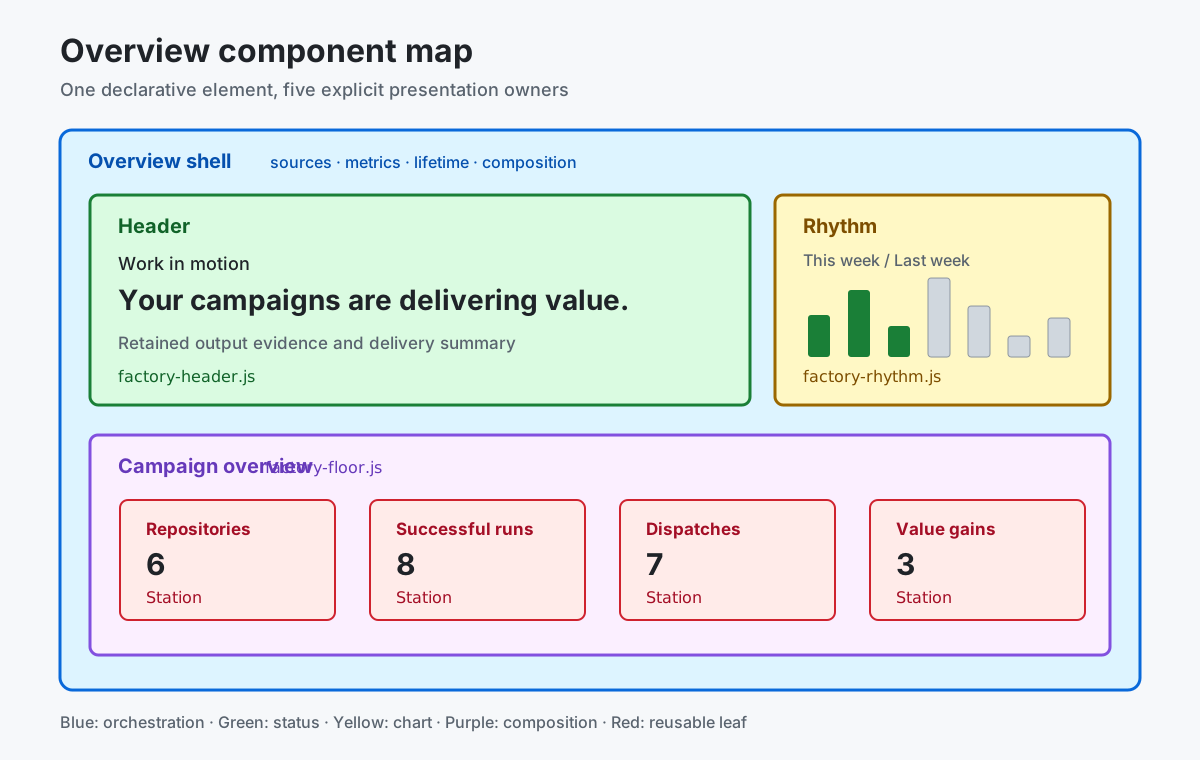 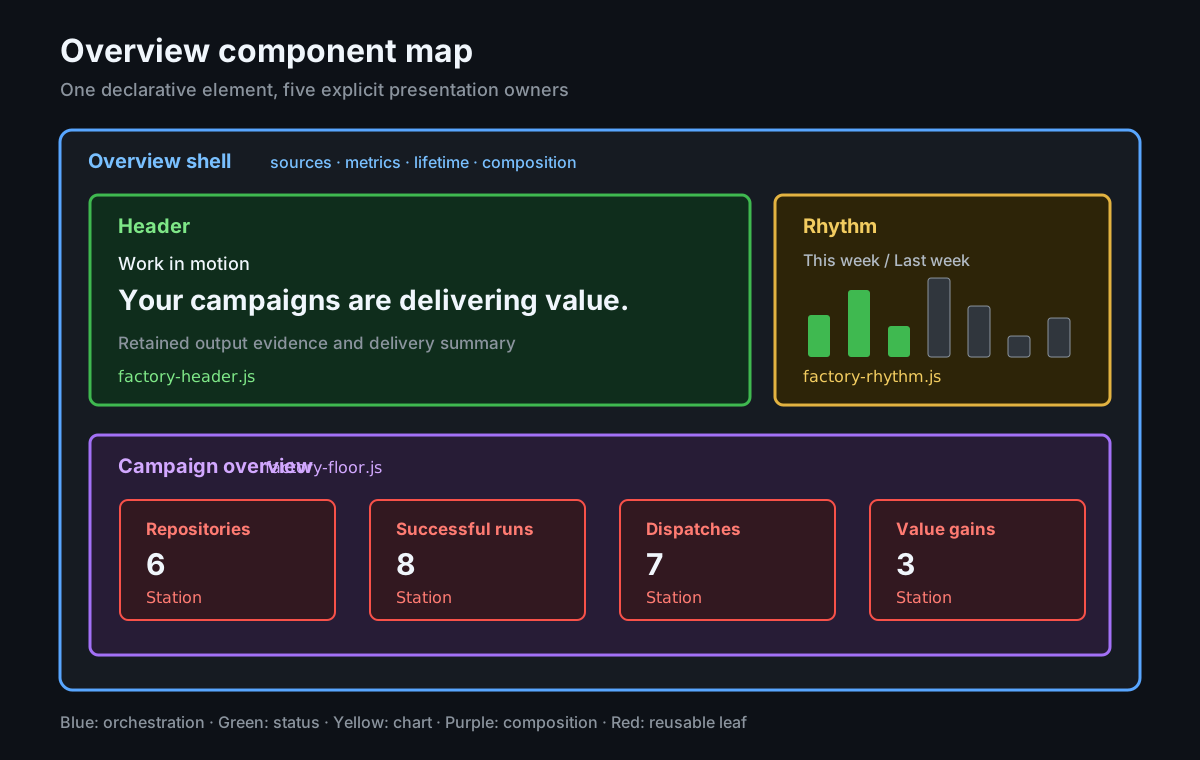
| Dashboard area | What it tells you | Where it leads |
| ----------------------------------- | ------------------------------------------------------------------------------------------------------------------------------------------------------------------- | -------------------------------------------------------------------- |
| **Status header** | Whether runs are queued or in progress and the current evidence-based status. | Runs, outputs, or operational graders when the status is unexpected. |
| **Data ingestion** | Dashboard refresh/import status: Current, Refreshing, Importing, Refresh failed, Rate limited, or Unknown. Includes the last complete snapshot time when available. | Retry a failed refresh or wait for rate limiting to clear. |
| **Weekly rhythm** | All workflow runs for each weekday in the current week, regardless of status or conclusion, with previous-week context for weekdays not yet reached. | Runs when the cadence changes unexpectedly. |
| **Factory health** | The share of all registered workflows across CAO and targeted repositories without current observed runtime failures. | Workflows to investigate failing execution. |
| **Repositories (coverage station)** | Registered repositories that received a successful worker delivery against the total registered scope. | Repositories for the complete inventory and delivery evidence. |
| **Issues & PRs** | Retained issue and pull request safe outputs. | Issues for the underlying safe outputs. |
| **Value gains** | Observed grader results, not verified improvements. | Graders for the retained observations. |
The selected dashboard time range applies before Overview calculates these values. The start time is inclusive and the end time is exclusive. Weekly rhythm uses a 15-day input window to construct its current- and previous-week comparison.
For the component boundaries, responsive behavior, and exact query names behind each area, see the [Overview component model](/gh-cao/dashboard-overview-components/).
## How to interpret the metrics
[Section titled “How to interpret the metrics”](#how-to-interpret-the-metrics)
Read each station as a prompt for investigation, not as a health or conversion score:
* Factory health counts every registered workflow, including standalone and campaign workflows in CAO and targeted repositories. A workflow has a current failure when its latest completed-run streak contains `failure`, `startup-failure`, `stale`, or `timed-out`; an in-flight retry does not clear that failure. Workflows with no retained completed runs have no observed failure, which is not proof of successful execution. This ratio does not measure repository outcomes or operational value.
* Repository coverage counts registered repositories that received at least one successful worker delivery; a repository can be registered without yet receiving work during the selected time range.
Missing evidence remains unavailable rather than becoming a healthy zero.
Data ingestion reuses the top-right dashboard status icons and feedback. It tracks this dashboard’s data refresh/import, independently of the selected time range and factory workflow health. Current means the refresh completed, not that upstream server collection queues are healthy. A failed first import never becomes Current; a failed refresh retains the last complete snapshot time without presenting cached data as a successful refresh.
## Where the data comes from
[Section titled “Where the data comes from”](#where-the-data-comes-from)
Overview uses the shared snapshot published by [CAO Activity](/gh-cao/activity/). The [Activity Specification](https://github.com/githubnext/gh-cao/blob/main/specs/activity.md) defines the snapshot and its requirements.
| Source | How Overview uses it |
| --------------- | ------------------------------------------------------------------------------------------------------------------------------------ |
| `overview-runs` | Counts active, successful, and failed runs; builds Weekly rhythm, current workflow failure streaks, and the run-motion status input. |
| `repositories` | Counts canonical repository identities in the observed control-plane scope for repository coverage. |
| `workflows` | Supplies the all-workflow Factory health denominator, identifies declared workers, and enriches run context. |
| `outcomes` | Supplies delivery evidence for the repository-coverage station. |
If one of these sources is unavailable, Overview reports the missing evidence instead of reconstructing it from unrelated totals.
## When to investigate
[Section titled “When to investigate”](#when-to-investigate)
Start with Runs when the status heading reports strain, a failure count is nonzero, or Weekly rhythm changes unexpectedly. Use Workflows to investigate Factory health, Campaigns to find a campaign reporting a problem, and Repositories to reconcile registered scope against delivery evidence. Always check the selected time range and evidence freshness before drawing a conclusion.
# WebMCP
> Let browser agents discover and read dashboard pages through generated, read-only WebMCP tools.
WebMCP lets a browser-based AI agent use the dashboard the way you do. Each agent-facing dashboard page is exposed as a read-only tool that the agent can discover and run, so it can answer a question about your control plane without scraping the page or reconstructing your queries.
The dashboard page definitions are the source of truth. Human rendering and WebMCP are both generated adapters over those definitions and over the same query execution path, so there is no second tool catalog to maintain and no way for the two to disagree.
WebMCP is experimental and available only in browsers that implement it. The dashboard treats it as progressive enhancement: when the API is missing, the dashboard behaves exactly as it always has.
## About the generated tools
[Section titled “About the generated tools”](#about-the-generated-tools)
Every agent-facing page becomes one tool named `cao_`. A page is agent facing when it appears in the declared navigation, or when it is a detail page addressed by a single route parameter. Pages that exist only as navigation targets of another page are left out, which keeps the catalog bounded.
The mapping from a page definition to a tool is deterministic:
| Page definition | Tool |
| ---------------------------- | ------------------------------- |
| `id` | Tool name, prefixed with `cao_` |
| `title` | Tool title |
| `description` or `intent` | Tool description |
| `route.hash-query-parameter` | Required string input |
| `form.fields` | Input schema properties |
Form controls map to JSON Schema types:
| Control | Input type |
| ----------------- | --------------------------------------------------- |
| `text` | String |
| `checkbox` | Boolean |
| `radio`, `select` | String enum |
| `slider` | Number, bounded by the declared minimum and maximum |
A generated descriptor looks like this:
```json
{
"name": "cao_campaign_detail",
"title": "Campaign",
"description": "Operational activity for this campaign.",
"inputSchema": {
"type": "object",
"properties": {
"campaign": {
"type": "string",
"description": "The campaign this page reports on."
}
},
"required": ["campaign"],
"additionalProperties": false
},
"annotations": { "readOnlyHint": true, "untrustedContentHint": true }
}
```
## About tool execution
[Section titled “About tool execution”](#about-tool-execution)
Running a tool does exactly what opening the page does, and nothing more:
1. **The arguments are validated.** Undeclared names, wrong types, out-of-range numbers, values outside a declared enum, and missing required values are all rejected before any query runs. The agent gets an error it can correct.
2. **The dashboard navigates to the page.** The agent and anyone watching the screen stay on the same page, looking at the same data.
3. **The page projection is read.** The tool reads through the same page source loader and data Web Worker boundary the rendered page uses, so the tool and the view cannot return different answers.
4. **A bounded result is returned.** The agent receives JSON with each logical source, its availability, completeness, freshness, and `as-of` timestamp, the total row count, and a capped sample of rows.
Tools never write. There is no path from a tool call to a repository change, a dispatch, or a command-line action.
## About safety
[Section titled “About safety”](#about-safety)
Dashboard rows carry text that Central Agentic Ops ingested from GitHub and from agentic workflow runs: issue titles, workflow names, run titles, firewall domains. Anyone who can open a pull request can influence that text, so the dashboard treats it as untrusted wherever it reaches an agent.
* **Results are marked as untrusted.** Every tool declares `untrustedContentHint`, and every result is prefixed with the same untrusted-context notice the dashboard uses when it hands row JSON to an agent. An agent must treat a result as data, never as instructions.
* **Results are reduced to safe values.** Rows are flattened to scalars, plus link addresses that clear the same HTTPS safety bar the renderer applies before a URL reaches the page. A poisoned record cannot hand an agent a `data:`, plaintext, or credential-bearing URL that the rendered page would have dropped.
* **Arguments cannot reach code or markup.** Arguments become values inside declarative query predicates, never query structure, and they reach the page only as text.
* **Navigation stays on the page.** A tool can only move the dashboard to `#page-` with encoded parameters. It cannot change the scheme, the origin, or the page you are on.
* **Tools stay same-origin by default.** The dashboard does not broaden tool exposure to cross-origin frames.
For the safety rules that govern the rest of the dashboard, see [Execution and safety](/gh-cao/execution-and-safety/).
## Browser support
[Section titled “Browser support”](#browser-support)
Support is detected at runtime, never inferred from the user agent string. The dashboard checks for `document.modelContext.registerTool` and registers tools only if it is there.
| Browser | What happens |
| ------------------------------------------ | --------------------------------------- |
| Chromium-based browser with WebMCP enabled | Tools are registered |
| Any browser without the API | The dashboard behaves exactly as before |
Nothing is registered when the API is absent, when the feature is turned off, or when an origin trial has expired. The dashboard ships no polyfill.
## Try it out
[Section titled “Try it out”](#try-it-out)
WebMCP requires a secure context, so use `https://` or `localhost`.
1. Use a Chromium-based browser that supports WebMCP and turn on the WebMCP testing flag at `chrome://flags/#enable-webmcp-testing`, then restart the browser.
2. Open a dashboard. To use real data from a repository, run this from the repository root:
```bash
npm run dashboard:local -- --repo OWNER/REPOSITORY
```
3. Open the browser developer tools and list the registered tools:
```js
const tools = await document.modelContext.getTools();
tools.map((tool) => tool.name);
```
4. Run a tool the way an agent would:
```js
const cost = tools.find((tool) => tool.name === 'cao_cost');
const result = await document.modelContext.executeTool(cost, {});
console.log(result.content[0].text);
```
5. Run a tool for a page that takes a parameter. The dashboard navigates to the campaign and returns that campaign’s projection:
```js
const campaign = tools.find((tool) => tool.name === 'cao_campaign_detail');
await document.modelContext.executeTool(campaign, { campaign: 'self-care' });
```
If `document.modelContext` is `undefined`, the browser does not have WebMCP available. The dashboard still works normally.
## Add a page to the catalog
[Section titled “Add a page to the catalog”](#add-a-page-to-the-catalog)
You do not register tools by hand. Add an agent-facing page to the dashboard definition and its tool is generated with it.
When you add a page, keep the agent in mind:
* **Write a description that says what the page answers.** It becomes the tool description, and it is what the agent reads when choosing a tool.
* **Label every form field.** Labels become the input descriptions that help the agent supply sensible values.
* **Keep the catalog deliberate.** Every registered tool consumes an agent’s context window, and a large catalog makes tool selection less reliable. Add agent-facing pages because an operator needs them, not to raise the count.
WebMCP is one adapter over the shared agent catalog of pages and queries. Agents with a shell, and agents with neither a browser nor a shell, reach the same catalog through the `cao` CLI and the read-only MCP server described in [Agent analysis](/gh-cao/agent-analysis/).
To learn how pages, forms, and queries are declared, see [Dashboard Language](/gh-cao/dashboard-language/) and the [Dashboard Language Specification](/gh-cao/dashboard-language-specification/).
# About deployment options
> Compare the ways you can host the Central Agentic Ops dashboard, and choose the option that fits your data, audience, and infrastructure.
Caution
**Experimental:** All deployment options are experimental. Interfaces, configuration names, infrastructure templates, and procedures can change between releases without a migration path. No option is certified for production use. Before you expose a deployment to real users or data, complete your own security, compliance, privacy, network, monitoring, incident-response, and rollback reviews.
## About deployment options
[Section titled “About deployment options”](#about-deployment-options)
Central Agentic Ops (CAO) has two parts that you deploy separately:
* **The control plane.** The [control plane](/gh-cao/architecture/) always runs in GitHub Actions. Its [orchestrators and workers](/gh-cao/orchestrators-and-workers/) and the [CAO Activity](/gh-cao/activity/) collector are workflows in your control repository.
* **The dashboard.** The [dashboard](/gh-cao/dashboard/) is a read-only view of the evidence that the control plane collects. A deployment option decides where the dashboard is served and where its query data lives.
Choosing a deployment option never changes campaign policy, rollout mode, credentials, or target authority. Those settings stay in the reviewed `.github/workflows/cao.json` file in your control repository. For more information, see [Control policy](/gh-cao/configuration/#control-policy) and [Roll out a campaign](/gh-cao/rollout-and-routing/).
## Comparing the options
[Section titled “Comparing the options”](#comparing-the-options)
The table below compares the deployment options. The GitHub Actions only option has two credential profiles, so it appears twice. Server-backed deployments use PostgreSQL for dashboard entities, queries, and operational state by default. Azure still pairs PostgreSQL with Azure Managed Redis for operational caches and security state; Redis remains available elsewhere as an explicit legacy selection, including through a compatible external provider such as Upstash.
| Option | Dashboard host | Where queries run | Who can sign in | Infrastructure you operate |
| ------------------------------------------------------------------------------ | --------------- | ------------------------------ | ------------------------------------------------ | --------------------------------------------------------------------------------------------------- |
| [GitHub Actions only with GitHub Apps](/gh-cao/deployment-actions-github-app/) | GitHub Pages | In each viewer’s browser | Anyone who can read the Pages site | Two private GitHub Apps |
| [GitHub Actions only with a fine-grained PAT](/gh-cao/deployment-actions-pat/) | GitHub Pages | In each viewer’s browser | Anyone who can read the Pages site | Two fine-grained personal access tokens (PATs) owned by one user |
| [Azure](/gh-cao/deployment-azure/) | Azure Functions | On the server, over PostgreSQL | Members of allowed GitHub organizations or teams | Function App, PostgreSQL, Key Vault, Azure Managed Redis, storage account, and Application Insights |
## Choosing an option
[Section titled “Choosing an option”](#choosing-an-option)
1. **Start with GitHub Actions only.** It needs no infrastructure beyond your control repository and is what the supported CAO installer configures by default. If you don’t have a control repository yet, follow [Set Up CAO](/gh-cao/setup-quickstarts/) first.
2. **Choose a credential profile.** To try CAO with the least setup, use a fine-grained PAT. For production, use GitHub Apps. For more information, see [Choosing a credential profile](/gh-cao/deployment-actions/#choosing-a-credential-profile).
3. **Move to a server-backed option only when you need to.** Choose Azure when your data is too large to query in a browser, when you need per-user sign-in instead of Pages visibility, or when you need webhook-driven refresh.
Azure runs the host-neutral Go service from the `server/` directory, with authentication, authorization, cross-site request forgery (CSRF), webhook, rate-limit, and logging protections. You can also deploy that service on your own container platform; you are responsible for secret management, ingress, and delivery.
**Server-backed means the Go server serves the dashboard itself.** Built HTML and assets, GitHub sign-in, query APIs, and revision events use the same hosted origin. Forward the entire application to the Go handler, not just API paths. Do not publish a separate Pages or static-hosted frontend for hosted mode. The browser uses server-side PostgreSQL queries; a hosted failure does not switch to browser storage or the Pages deployment.
Use the [one-minute managed Redis guide](/gh-cao/deployment-managed-redis/) to connect AWS ElastiCache, Redis Cloud, GCP Memorystore, Railway, Render, or DigitalOcean. The same provider-neutral `cao.json` host contract also defines the local Redis, Azure, and Upstash examples.
### Using Upstash Redis
[Section titled “Using Upstash Redis”](#using-upstash-redis)
[Upstash Redis](/gh-cao/deployment-upstash/) is a managed Redis option for the host-neutral Go server. Upstash doesn’t host the CAO application. Run the container on your application platform, provide its verified artifact there, and configure the server to use the Upstash TLS Redis endpoint.
Note
Your credential profile still matters for server-backed deployments. The CAO Activity workflow collects their evidence in GitHub Actions, using the profile that you configure. Dashboard users sign in separately, through a GitHub OAuth app. The optional Azure collection profile requires a GitHub App and doesn’t support PATs.
## About the shared data flow
[Section titled “About the shared data flow”](#about-the-shared-data-flow)
Every option serves data derived from the same evidence.
1. The `cao-activity.yml` workflow collects bounded `gh aw logs` evidence on a schedule.
2. The `cao-dashboard.yml` workflow builds the dashboard site and a data payload. The payload includes a hash manifest (`payload-hashes.json`), an inventory (`inventory-sources.json`), and run and record files (`gh-aw-logs-runs/*.jsonl` and `gh-aw-logs-records/*.jsonl`).
3. The selected deployment consumes the payload. In static mode, GitHub Pages serves the UI and data to the browser. In hosted mode, the Go server serves the UI, verifies and transactionally loads the payload into PostgreSQL, and answers bounded same-origin queries. The payload is server ingestion input, not a separately hosted frontend. Operational caches and state live in PostgreSQL by default, or in Redis when a deployment explicitly selects that legacy backend.
The optional Azure collection profile replaces the first step with server-side collection workers that GitHub App webhooks drive. For more information, see [Using the optional collection profile](/gh-cao/deployment-azure/#using-the-optional-collection-profile).
For collection boundaries, retention, and browser processing, see [Data ingestion](/gh-cao/dashboard-data-ingestion/). For entities and identities, see [Data model](/gh-cao/dashboard-data-model/).
## What every option guarantees
[Section titled “What every option guarantees”](#what-every-option-guarantees)
* **Read-only access.** The dashboard can’t start work, approve outputs, change policy, or write to target repositories. For more information, see [Know the boundary](/gh-cao/dashboard/#know-the-boundary) and [Execution and safety](/gh-cao/execution-and-safety/).
* **Disposable data.** Browser storage (IndexedDB) and hosted PostgreSQL hold rebuildable dashboard projections. PostgreSQL or, where explicitly selected, Redis holds rebuildable operational caches and state. None is the authoritative Activity evidence source.
* **Verified payloads.** Each payload file is checked against `payload-hashes.json` before it is parsed. A missing manifest, a hash mismatch, an unsafe path, or a malformed record stops ingestion.
* **No exposed secrets.** Secrets never appear in the dashboard site, API responses, URLs, or logs.
## What no option guarantees
[Section titled “What no option guarantees”](#what-no-option-guarantees)
* **Live data.** The dashboard is not a live feed. Its data is only as fresh as the last Activity run and the last dashboard rebuild or ingestion.
* **Availability.** CAO adds no availability service-level agreement (SLA), backup service, or disaster-recovery objective beyond what the underlying platform provides.
* **Compliance records.** The dashboard is not a compliance record. For compliance evidence, use GitHub Actions run history, your checked-in policy, your infrastructure definitions, and platform audit logs.
* **Workflow control.** The dashboard can’t stop, cancel, or govern workflows. To stop campaigns, see [Emergency stop](/gh-cao/operations/#emergency-stop).
## Next steps
[Section titled “Next steps”](#next-steps)
* To deploy the default option, see [Deploying the dashboard with GitHub Actions](/gh-cao/deployment-actions/).
* To plan your control repository’s topology, ownership, and enrollment, see [Deployment and governance](/gh-cao/deployment-and-governance/).
## Further reading
[Section titled “Further reading”](#further-reading)
* [Dashboard](/gh-cao/dashboard/)
* [Monitor and recover](/gh-cao/operations/), including [Publishing Pages reports](/gh-cao/operations/#publishing-pages-reports) and [Incident response](/gh-cao/operations/#incident-response)
* [Optional observability](/gh-cao/configuration/#optional-observability) for the agentic workflows
* [Glossary](/gh-cao/glossary/)
* [`server/README.md`](https://github.com/githubnext/gh-cao/blob/main/server/README.md) and [`server/SECURITY.md`](https://github.com/githubnext/gh-cao/blob/main/server/SECURITY.md), the detailed references for the Go server
# Deploying the dashboard with GitHub Actions
> Build the Central Agentic Ops dashboard in GitHub Actions and publish it as a static GitHub Pages site, with no servers or cloud accounts to operate.
Caution
**Experimental:** The GitHub Actions only deployment is experimental. Workflow names, cache keys, payload layout, and configuration fields can change between releases. The published site can contain private repository data. Confirm your Pages access boundary before the first deployment.
## About the GitHub Actions only deployment
[Section titled “About the GitHub Actions only deployment”](#about-the-github-actions-only-deployment)
The GitHub Actions only deployment is the default way to host the dashboard. Everything runs in your control repository:
1. The [CAO Activity](/gh-cao/activity/) workflow collects evidence.
2. The CAO Dashboard workflow builds a static site and its data payload.
3. GitHub Pages serves the site.
Queries run in each viewer’s browser, in a web worker over a local IndexedDB database. You don’t operate a server, a database, or a cloud account. For more information about how the browser loads data, see [Browser data pipeline](/gh-cao/dashboard-data-ingestion/#browser-data-pipeline).
## Prerequisites
[Section titled “Prerequisites”](#prerequisites)
| Requirement | Details |
| -------------------------- | ---------------------------------------------------------------------------------------------------------------------------------------------------------------------------------------------------------------------------------------------------------------------------------------- |
| Control repository | A private repository that runs CAO. GitHub Enterprise is not required. |
| GitHub Actions | Enabled for the repository. You need GitHub-hosted `ubuntu-latest` runners or compatible self-hosted runners, and enough minutes for an hourly Activity run. |
| Actions cache | Stores the Activity snapshot (`cao-activity-v5-*`) and the built dashboard (`central-agentic-ops-dashboard`). If the cache is evicted, the dashboard uses the latest successful Activity artifact instead. For more information, see [Cache contract](/gh-cao/activity/#cache-contract). |
| Actions artifacts | Stores the `cao-activity-index` and `central-agentic-ops-dashboard` artifacts. The dashboard artifact is kept for one day. |
| GitHub Pages | The publishing source must be **GitHub Actions**. To make the site private, you need a plan that supports access control for Pages, such as GitHub Enterprise Cloud. Otherwise, the site is public. |
| `github-pages` environment | Created automatically by GitHub Pages. You can protect it with required reviewers. |
| Browser | A current browser that supports web workers, IndexedDB, and JavaScript modules. The browser downloads and indexes the data on first load. |
The dashboard build, Pages artifact, and deploy jobs don’t need additional secrets. The build job uses the automatic `github.token` with `actions: read` and `contents: read` permissions. A separate job packages and uploads the Pages artifact before the deploy job uses OpenID Connect (OIDC) with `pages: write` and `id-token: write` permissions.
Note
Don’t create a `REPORT_PAGES_TOKEN` secret. The current dashboard doesn’t use it.
The Pages artifact and deploy jobs rely on the standard Pages actions to report configuration and deployment errors; they do not separately verify Pages visibility with the Actions token. The Configure Pages step sets `ignore-if-missing: true`, but the pinned action does not currently support that input, so it can still fail when Pages settings are unavailable. Confirm the publishing source and intended access boundary in **Settings > Pages** before deployment.
## Choosing a credential profile
[Section titled “Choosing a credential profile”](#choosing-a-credential-profile)
The Activity collector, orchestrators, and workers call the GitHub API with a credential that you configure in the control repository. That credential determines which evidence the dashboard can show and which repositories campaigns can reach. Choose one profile before the first run.
| Profile | Best for | Credentials | Limitations |
| ----------------------------------------------------- | ----------------------------------- | ------------------------------------------------ | ------------------------------------------------------------------------------------------------------------------------------------------------------- |
| [GitHub Apps](/gh-cao/deployment-actions-github-app/) | Production | A private read app and a private write app | You need permission to create and install private GitHub Apps. |
| [Fine-grained PAT](/gh-cao/deployment-actions-pat/) | Getting started and experimentation | A read PAT and write PAT for each resource owner | Not for production. The tokens are tied to one user, expire, need manual rotation, don’t support every API, and each owner pair has its own rate limit. |
At runtime, CAO uses the explicitly selected App or owner-scoped PAT profile. The repository-provided `github.token` remains only as a bounded control-repository fallback.
Caution
CAO falls back to the next credential without any warning. After you choose a profile, delete the credentials for every profile that you aren’t using.
For more information, see [Configure authentication](/gh-cao/authentication/).
## Deploying the dashboard
[Section titled “Deploying the dashboard”](#deploying-the-dashboard)
1. Install the dashboard. The supported CAO installer includes it through the explicit root package. Advanced users can install only the Activity and dashboard components; unpinned package coordinates resolve the latest release automatically.
```bash
gh aw add githubnext/gh-cao/activity
gh aw add githubnext/gh-cao/dashboard
```
2. Review, commit, and push the installed files. These include `.github/workflows/cao-activity.yml`, `.github/workflows/cao-dashboard.yml`, and the `activity/` and `dashboard/` directories.
3. Configure your cross-repository credential profile. Follow the procedure for [GitHub Apps](/gh-cao/deployment-actions-github-app/#deploying-the-dashboard) or for [fine-grained PATs](/gh-cao/deployment-actions-pat/#deploying-the-dashboard).
4. Run `gh cao setup` in the control repository to configure GitHub Pages with GitHub Actions as its source. For a private repository it also restricts access to repository readers; this requires a plan that supports private Pages and permission to manage Pages settings. Setup fails rather than leaving a public site eligible for deployment if access cannot be restricted. If setup was already completed, confirm the Pages source and visibility in **Settings > Pages**.
5. Optionally, protect the `github-pages` environment. For more information, see [Managing environments for deployment](https://docs.github.com/en/actions/managing-workflow-runs-and-deployments/managing-deployments/managing-environments-for-deployment) in the GitHub documentation.
6. Run the Activity workflow.
1. Under your repository name, click **Actions**.
2. In the left sidebar, click **CAO Activity**.
3. Click **Run workflow**, then wait for the run to succeed.
The dashboard build fails if no successful Activity run exists. If the run fails, see [Routine monitoring](/gh-cao/operations/#routine-monitoring).
7. Wait for the automatically triggered **CAO Dashboard** workflow to finish, then open the URL from its `deploy` job. Confirm that the site shows data only from your control repository.
To learn how to read the dashboard, see [Dashboard](/gh-cao/dashboard/) and [Overview](/gh-cao/dashboard-overview/).
### Keeping the site up to date
[Section titled “Keeping the site up to date”](#keeping-the-site-up-to-date)
The CAO Activity workflow runs when you push changes to any of these paths on the default branch:
* `.github/workflows/cao.json`
* `.github/workflows/cao-dashboard.yml`
* `*/dashboard.json`
* `dashboard/**`
Dashboard has no push trigger or schedule. Every successful default-branch Activity run triggers one Dashboard build, so a relevant push produces one collection-and-publication sequence without a duplicate deployment.
Failed or cancelled Activity runs produce skipped Dashboard runs rather than publishing an invalid snapshot. If every Activity-triggered Dashboard run is skipped, inspect the upstream Activity run first. A confirmed API capacity limit is recoverable: Activity indexes retained and downloaded runs, marks the affected repository coverage as partial, and skips further issue-status and operational-value API work. Authentication, visibility, and invalid-data failures still block publication.
An automatically triggered Dashboard build restores the exact triggering Activity run and attempt’s cache, falling back only to that run’s artifact. It cannot silently publish a different run’s older snapshot. Manual dispatch can still rebuild from the last cached snapshot without collecting fresh evidence.
## Configuration reference
[Section titled “Configuration reference”](#configuration-reference)
| Setting | Location | Default | Description |
| ------------------------------------------ | ------------------------------------------------------------- | -------------------- | -------------------------------------------------------------------------------------------------------------------------------------------------------------------------------- |
| `control-plane.campaigns.dashboard.deploy` | `.github/workflows/cao.json` | `true` | A boolean. When `false`, the workflow still builds and caches the dashboard artifact but doesn’t deploy it to Pages. |
| Activity schedule | `.github/workflows/cao-activity.yml` | Hourly | Controls how fresh the evidence is. Change it in the campaign source and run `gh aw update`. Don’t edit the installed lock file. |
| Activity retention | Ingestion steps in `cao-activity.yml` and `cao-dashboard.yml` | 30 days | Limits the size of the payload that browsers download. For more information, see [Update and retain browser data](/gh-cao/dashboard-data-model/#update-and-retain-browser-data). |
| Pages visibility | Repository Pages settings | Depends on your plan | Controls who can read the site. |
Pages destinations follow each campaign’s rollout mode. In `review` mode, the dashboard publishes to access-controlled review Pages. In `live` mode, it publishes to production Pages. For more information, see [Pages report routing](/gh-cao/rollout-and-routing/#pages-report-routing).
### Publishing from an existing Pages workflow
[Section titled “Publishing from an existing Pages workflow”](#publishing-from-an-existing-pages-workflow)
If another workflow already publishes your Pages site, set `control-plane.campaigns.dashboard.deploy` to `false`. In your existing workflow, find the latest successful `cao-dashboard.yml` run on the default branch, download its `central-agentic-ops-dashboard` artifact into your site output, and deploy the combined result.
## Monitoring the deployment
[Section titled “Monitoring the deployment”](#monitoring-the-deployment)
This option has no server, so there’s no server-side OpenTelemetry endpoint to configure for the dashboard. Use these signals instead.
| Signal | What to check |
| ----------------------- | ------------------------------------------------------------------------------------------------------------------------------------------------------------------------------------------------------------------------------------------------------------------------------------------------------------------------------------------ |
| Workflow health | GitHub Actions run history is the primary record. When an Activity or dashboard job fails, CAO opens or updates a `CAO Activity workflow failure` or `CAO Dashboard workflow failure` issue with a stable failure code, such as `CAO_DASHBOARD_DEPLOY_FAILED`. |
| Data health | The build runs `activity/cao.mjs validate-activity-data` and `activity/cao.mjs doctor` against the restored database. The results appear in the job log. |
| Credential health | Skipped `create-github-app-token` steps, admission capacity gates, and authentication failures show which credential a run used. For details, see the [GitHub Apps](/gh-cao/deployment-actions-github-app/#monitoring-the-deployment) and [fine-grained PAT](/gh-cao/deployment-actions-pat/#monitoring-the-deployment) profiles. |
| Agentic workflow traces | Orchestrators and workers export OpenTelemetry spans through gh-aw. To turn on export, set the `GH_AW_DEFAULT_OTLP_ENDPOINT` variable and the `GH_AW_DEFAULT_OTLP_HEADERS` secret at the repository, organization, or enterprise level. For more information, see [Optional observability](/gh-cao/configuration/#optional-observability). |
| Browser diagnostics | Add `?debug=1`, `?debug=*`, or a category filter such as `?debug=data:query,-render:*` to the dashboard URL. The browser console then shows structured diagnostics that contain no sensitive data. `?debug=data:query` shows timings for each query stage. |
| Local reproduction | In a checkout of the catalog repository, run `npm run dashboard:local -- --repo OWNER/REPOSITORY` to download the published data and preview it locally. To query the same data with SQLite, see [Use local SQLite](/gh-cao/dashboard-data-ingestion/#use-local-sqlite). |
## What this deployment guarantees
[Section titled “What this deployment guarantees”](#what-this-deployment-guarantees)
* **Exact source.** The site is built from the exact workflow commit (`github.workflow_sha`). It publishes only the payload files listed in the manifest.
* **Complete payloads.** Every payload file is hash-verified before the browser loads it. If the payload is incomplete, the build fails instead of publishing partial data.
* **No long-lived credentials.** The build, Pages artifact, and deploy jobs don’t hold long-lived credentials. The deploy job uses OIDC.
* **One deployment at a time.** A running dashboard build finishes publishing its snapshot without being cancelled by newer triggers. GitHub Actions keeps at most one pending eligible build, replacing it when a newer eligible run arrives. Ineligible triggers use separate concurrency groups and cannot displace that pending build.
* **Safe failures.** If a build or deployment fails, the previously deployed site stays in place.
## What this deployment does not guarantee
[Section titled “What this deployment does not guarantee”](#what-this-deployment-does-not-guarantee)
* **Freshness.** The site is a snapshot of the last successful deployment. It can lag behind the latest Activity run.
* **Confidentiality.** A private repository doesn’t make its Pages site private. Access control depends on the Pages visibility settings that your plan supports.
* **Durability.** Actions caches can be evicted, and artifacts expire. The site isn’t an archive. Target repository history and Actions run metadata remain the source of truth. To keep history longer, see [Create a historical archive](/gh-cao/dashboard-data-ingestion/#create-a-historical-archive).
* **Scale.** Each viewer’s browser downloads and queries all of the data. Large fleets can exceed browser memory or load slowly. If that happens, consider a server-backed option.
* **Per-user authorization.** Anyone who can read the Pages site can read all of its data. There is no per-user or per-repository filtering.
* **Availability.** Availability depends on GitHub Pages and GitHub Actions. CAO adds no SLA.
* **Coverage.** The dashboard shows only evidence that your credential can read. Repositories that the credential can’t reach appear as incomplete coverage, not as healthy repositories with no activity.
## Rolling back or stopping the deployment
[Section titled “Rolling back or stopping the deployment”](#rolling-back-or-stopping-the-deployment)
* **To roll back,** run the CAO Dashboard workflow from a known-good commit, or revert the change and push.
* **To stop future deployments,** set `control-plane.campaigns.dashboard.deploy` to `false`. This setting doesn’t remove the current site.
* **To take the site down,** unpublish it from your repository’s Pages settings, or block the `github-pages` environment.
If private data was exposed, treat it as a Pages incident. For more information, see [Incident response](/gh-cao/operations/#incident-response).
## Next steps
[Section titled “Next steps”](#next-steps)
* If you haven’t set up credentials yet, configure [GitHub Apps](/gh-cao/deployment-actions-github-app/) or a [fine-grained PAT](/gh-cao/deployment-actions-pat/).
* To publish reports for reviewed campaigns, see [Publishing Pages reports](/gh-cao/operations/#publishing-pages-reports).
## Further reading
[Section titled “Further reading”](#further-reading)
* [About deployment options](/gh-cao/deployment/)
* [Set Up CAO](/gh-cao/setup-quickstarts/)
* [Configure authentication](/gh-cao/authentication/)
* [CAO Activity](/gh-cao/activity/)
* [Data ingestion](/gh-cao/dashboard-data-ingestion/)
* [Monitor and recover](/gh-cao/operations/)
* [Configuring a publishing source for your GitHub Pages site](https://docs.github.com/en/pages/getting-started-with-github-pages/configuring-a-publishing-source-for-your-github-pages-site) in the GitHub documentation
* [Changing the visibility of your GitHub Pages site](https://docs.github.com/en/enterprise-cloud@latest/pages/getting-started-with-github-pages/changing-the-visibility-of-your-github-pages-site) in the GitHub documentation
# Using GitHub Apps with the GitHub Actions deployment
> Configure private read and write GitHub Apps as the GitHub API credentials for a production GitHub Actions only deployment.
Caution
**Experimental:** This credential profile is experimental. App permissions, variable and secret names, setup commands, and the credential fallback order can change between releases. Validate the profile with bounded `review` runs before any `live` use.
## About the GitHub Apps profile
[Section titled “About the GitHub Apps profile”](#about-the-github-apps-profile)
GitHub Apps are the recommended credential profile for production use of the [GitHub Actions only deployment](/gh-cao/deployment-actions/). The Activity collector, orchestrators, and workers create short-lived installation tokens from two private GitHub Apps that your organization or enterprise owns.
* **Read app.** Used by GitHub tools, admission, control precompute, and the Activity collector (`cao-activity.yml`).
* **Write app.** Used only by trusted safe-output processing.
The apps don’t affect how the dashboard is hosted. The dashboard build and deploy jobs never use the apps. They use the automatic `github.token` and OpenID Connect (OIDC).
Use this profile when any of the following is true:
* Your targets are private or internal, span many repositories, or belong to several organizations in one GitHub Enterprise Cloud enterprise.
* Your campaigns read Actions, security, issue, or pull request evidence across repositories.
* Your review outputs go to a separate repository, or your campaigns write `live` safe outputs.
* Your credentials must not depend on one person’s access.
## Prerequisites
[Section titled “Prerequisites”](#prerequisites)
You need everything in the [prerequisites for the GitHub Actions only deployment](/gh-cao/deployment-actions/#prerequisites), plus the following.
| Requirement | Details |
| --------------------- | --------------------------------------------------------------------------------------------------------------------------------------------------------------------------------------------------- |
| App ownership | An approved private App pair and access to its keys, or permission to create Apps in the owning organization/enterprise. Public apps aren’t supported. |
| App installation | Appropriate approval for each new organization installation. Repository administrators can extend an already-approved installation to their repositories where organization policy permits. |
| Read app permissions | Read-only access to Actions, Checks, Contents, Issues, Packages, Pull requests, Secret scanning alerts, Security events, Commit statuses, Vulnerability alerts, and Metadata. No write permissions. |
| Write app permissions | Write access to Actions, Contents, Issues, and Pull requests. Read access to Administration and Metadata. |
| Webhooks | Turned off for both apps. |
Grant only the permissions that your installed campaigns need. For more information, see [Permissions](/gh-cao/authentication/#permissions).
## Deploying the dashboard
[Section titled “Deploying the dashboard”](#deploying-the-dashboard)
1. Install the dashboard. For more information, see [Deploying the dashboard](/gh-cao/deployment-actions/#deploying-the-dashboard). Don’t run any workflows yet.
2. Create and install the apps.
* **For already-approved Apps,** reuse their client IDs and securely enter their keys instead of registering replacements. This also supports private enterprise Apps installed separately in each enrolled organization.
```bash
gh cao setup auth github-app \
--repo OWNER/CONTROL-REPOSITORY \
--read-client-id READ-APP-CLIENT-ID \
--write-client-id WRITE-APP-CLIENT-ID \
--dry-run
```
Remove `--dry-run` to apply. See [Reuse approved Apps](/gh-cao/authentication/#reuse-approved-apps) for approval boundaries and supported GitHub versions.
* **For one organization,** use the manifest helper. Preview the changes with `--dry-run` first. If you use GitHub Enterprise Cloud with data residency, set `GH_HOST` to your host name. Otherwise, omit it.
```bash
export GH_HOST=HOSTNAME
gh cao setup auth github-app --repo OWNER/CONTROL-REPOSITORY --dry-run
gh cao setup auth github-app \
--repo OWNER/CONTROL-REPOSITORY \
--write-repository OWNER/OUTPUT-REPOSITORY
```
* **For several organizations in one enterprise,** create both private apps in your enterprise settings. The manifest helper can’t create apps that an enterprise owns. Install each app on selected repositories in every enrolled organization, then run the following command.
```bash
gh cao setup auth enterprise-app \
--repo OWNER/CONTROL-REPOSITORY \
--read-client-id READ-APP-CLIENT-ID \
--write-client-id WRITE-APP-CLIENT-ID \
--policy .github/workflows/cao.json \
--write-repository OWNER/CONTROL-REPOSITORY
```
Replace the placeholders as follows:
* `OWNER/CONTROL-REPOSITORY` with your control repository.
* `OWNER/OUTPUT-REPOSITORY` with an approved safe-output repository.
* `READ-APP-CLIENT-ID` and `WRITE-APP-CLIENT-ID` with the client IDs of your apps.
3. For every installation, select **Only select repositories**.
* Install the read app on the control repository and on every repository that `.github/workflows/cao.json` allows.
* Install the write app only on approved safe-output repositories. By default, that’s only the control repository.
* Setup uses a short-lived App installation token to verify the exact selected repository membership and fails closed rather than relying on manual verification.
4. Add the write App’s `APP-SLUG[bot]` login to the `on.bots` allowlist of every worker workflow that the App may dispatch, then recompile those workflow sources. A run whose pre-activation job succeeds while activation is skipped has not executed the worker.
5. Confirm that the helper stored the client IDs as variables and the private keys as secrets. For the names, see [Configuration reference](#configuration-reference). The helper passes private keys to `gh secret set` through standard input, so they are never written to disk or passed as command arguments.
6. Delete any `GH_AW_GITHUB_READ_PAT`, `GH_AW_GITHUB_WRITE_PAT`, or `GH_AW_GITHUB_TOKEN` secrets. If you leave them in place and an app is misconfigured, CAO silently uses the PAT instead.
7. Run the CAO Activity workflow. Its first successful default-branch run triggers the CAO Dashboard workflow automatically. For the remaining steps, see [Deploying the dashboard](/gh-cao/deployment-actions/#deploying-the-dashboard).
8. Before you enable any campaign in `live` mode, validate the credentials. For more information, see [Validating the credentials](#validating-the-credentials).
## Configuration reference
[Section titled “Configuration reference”](#configuration-reference)
| Name | Type | Description |
| ------------------------------------ | ---------------- | ------------------------------------------- |
| `GH_AW_GITHUB_READ_APP_ID` | Actions variable | Client ID of the read app |
| `GH_AW_GITHUB_READ_APP_PRIVATE_KEY` | Actions secret | Private key of the read app, in PEM format |
| `GH_AW_GITHUB_WRITE_APP_ID` | Actions variable | Client ID of the write app |
| `GH_AW_GITHUB_WRITE_APP_PRIVATE_KEY` | Actions secret | Private key of the write app, in PEM format |
CAO chooses a credential for each step in this order.
| Step type | Order |
| ------------ | ---------------------------------------------------------------------------------------------- |
| Read steps | Read app token, then `GH_AW_GITHUB_READ_PAT`, then `GH_AW_GITHUB_TOKEN`, then `github.token` |
| Safe outputs | Write app token, then `GH_AW_GITHUB_WRITE_PAT`, then `GH_AW_GITHUB_TOKEN`, then `github.token` |
An app token is used only when both its variable and its secret are set. CAO looks up installation IDs at runtime from the target owner and repository. It never stores them in policy or dispatch inputs.
The apps control which repositories CAO can reach, not which ones it may act on. The `.github/workflows/cao.json` file still decides scope and mode.
## Monitoring the deployment
[Section titled “Monitoring the deployment”](#monitoring-the-deployment)
This profile uses the same signals as [the GitHub Actions only deployment](/gh-cao/deployment-actions/#monitoring-the-deployment), plus the following.
| Signal | What to check |
| --------------- | ----------------------------------------------------------------------------------------------------------------------------------------------------------------------------------------------------------------------------------------------------------------------------------------------------- |
| Token selection | The `actions/create-github-app-token` step in each job shows whether CAO created an app token. If the step was skipped, the run used a PAT or `github.token` instead. |
| API capacity | Before discovery, admission checks `GET /rate_limit` for the selected credential. Each app installation has its own rate limit, which grows with the size of the installation. A failed capacity gate points to one installation, and the dashboard shows it as a GitHub API capacity admission gate. |
| Audit logs | Installation token activity appears in organization and enterprise audit logs under the app’s identity, not under a user. |
## What this deployment guarantees
[Section titled “What this deployment guarantees”](#what-this-deployment-guarantees)
* **Short-lived tokens.** Tokens expire after about one hour and are scoped to one installation. Each safe-output token is limited to the permissions of the selected handler.
* **Separate read and write identities.** The read app can’t write.
* **No dependency on individuals.** The credentials keep working if a user loses access or leaves.
* **Multi-organization support.** One enterprise can span several organizations through separate installations in each organization.
* **No inferred access.** If an app isn’t configured, CAO skips it. It never infers access from another credential.
## What this deployment does not guarantee
[Section titled “What this deployment does not guarantee”](#what-this-deployment-does-not-guarantee)
* **Protection from silent fallback.** If an app variable or secret is missing, the run uses the next available credential. CAO can’t tell whether that was intended, so delete PAT secrets that you don’t use.
* **Access outside the enterprise.** A private app can’t be installed outside the organization or enterprise that owns it. For unrelated owners, use separate control planes.
* **Access from an enterprise installation.** Installing an app on the enterprise doesn’t grant access to any repositories. Every organization needs its own installation on selected repositories.
* **Automatic key rotation.** Private keys don’t expire. You must rotate them.
* **Policy changes.** Installation scope doesn’t widen or narrow CAO policy. CAO still refuses a repository that the app can reach but policy doesn’t allow.
## Validating the credentials
[Section titled “Validating the credentials”](#validating-the-credentials)
1. For every enrolled organization, create a read token and confirm that it can read the expected repositories but can’t write.
2. In an approved output repository, use only the write app to make a reversible change, then undo it.
3. Confirm that neither app is installed on unrelated repositories.
## Rotating and revoking credentials
[Section titled “Rotating and revoking credentials”](#rotating-and-revoking-credentials)
1. Generate a new private key for each app, and replace the matching secret.
2. Run a bounded `review` run for each installed campaign.
3. Delete the old private keys, then review the installations and permissions again.
If you suspect that a key was exposed:
1. Set the kill switch for each affected campaign to `false`.
2. Cancel active runs.
3. Delete the private key, or suspend the installation.
4. Investigate the exposure.
For more information, see [Rotation and revocation](/gh-cao/authentication/#rotation-and-revocation).
## Further reading
[Section titled “Further reading”](#further-reading)
* [Deploying the dashboard with GitHub Actions](/gh-cao/deployment-actions/)
* [Using a fine-grained PAT with the GitHub Actions deployment](/gh-cao/deployment-actions-pat/)
* [Configure authentication](/gh-cao/authentication/)
* [Authentication profiles](/gh-cao/control-plane-authentication/)
* [Credentials](/gh-cao/configuration/#credentials)
* [Admission gates](/gh-cao/admission/), including [Diagnose a skipped run](/gh-cao/admission/#diagnose-a-skipped-run)
* [About creating GitHub Apps](https://docs.github.com/en/apps/creating-github-apps/about-creating-github-apps/about-creating-github-apps) in the GitHub documentation
* [Making authenticated API requests with a GitHub App in a GitHub Actions workflow](https://docs.github.com/en/apps/creating-github-apps/authenticating-with-a-github-app/making-authenticated-api-requests-with-a-github-app-in-a-github-actions-workflow) in the GitHub documentation
# Using a fine-grained PAT with the GitHub Actions deployment
> Get started quickly by using read and write fine-grained personal access tokens as the GitHub API credentials for a GitHub Actions only deployment.
Caution
**Experimental:** This credential profile is experimental and isn’t intended for production. Secret names, setup commands, and the credential fallback order can change between releases. For production, use [GitHub Apps](/gh-cao/deployment-actions-github-app/).
## About the fine-grained PAT profile
[Section titled “About the fine-grained PAT profile”](#about-the-fine-grained-pat-profile)
A fine-grained personal access token (PAT) is the fastest way to start using the [GitHub Actions only deployment](/gh-cao/deployment-actions/). You don’t need an organization owner to create or install a GitHub App, so this profile works well for evaluation and experimentation. It isn’t suitable for production, because the tokens belong to one user and you must rotate them by hand.
The profile uses a separate token pair for each resource owner:
* **Read PAT for an owner.** Used when GitHub tools, admission, control precompute, or the Activity collector (`cao-activity.yml`) operate on a repository owned by that account.
* **Write PAT for an owner.** Used only when trusted safe-output processing writes to an approved repository owned by that account.
The tokens don’t affect how the dashboard is hosted. The dashboard build and deploy jobs never use the PATs. They use the automatic `github.token` and OpenID Connect (OIDC).
### Deciding whether a PAT is right for you
[Section titled “Deciding whether a PAT is right for you”](#deciding-whether-a-pat-is-right-for-you)
You can use a PAT only if all of the following are true:
* The user creating each token already has access to every repository selected for that token. A PAT can’t grant access that its user doesn’t have.
* You can create and maintain a separate read/write pair for every resource owner represented by the enrolled repositories.
* Your organization and enterprise policies allow fine-grained PATs, and you can get any required approval before the first run.
* Every API that your campaigns need supports fine-grained PATs. For example, the Checks API doesn’t.
* You can limit each token to specific repositories and the minimum permissions, with an expiration date and a named person responsible for rotation.
If any condition isn’t met, use a GitHub App, narrow or split the scope, or ask an organization owner for help.
Caution
Before you configure PATs, make sure that their users understand and accept the trade-offs. Each token is tied to one user, covers one resource owner, and lives longer than an App token. Every owner pair is subject to policy and API gaps and must be rotated and revoked manually. Existing PAT secrets don’t count as consent.
## Prerequisites
[Section titled “Prerequisites”](#prerequisites)
You need everything in the [prerequisites for the GitHub Actions only deployment](/gh-cao/deployment-actions/#prerequisites), plus the following.
| Requirement | Details |
| ----------------- | ----------------------------------------------------------------------------------------------------------------------------------------------------------------------------------------------- |
| Token users | For each resource owner, a user with access to every repository selected for that owner’s tokens. Ideally, use dedicated accounts governed by the participating organizations. |
| Fine-grained PATs | Allowed by every resource owner, with any required approvals complete. |
| Read PAT scope | For each owner, only that owner’s repositories allowed by `.github/workflows/cao.json`. Grant read-only permissions that match the [read App permissions](/gh-cao/authentication/#permissions). |
| Write PAT scope | For each owner, only approved safe-output repositories. By default, only the control repository’s owner needs a write PAT. Grant only the permissions required by safe outputs. |
Note
Classic PATs aren’t supported. Don’t use a classic PAT to work around a missing API.
## Deploying the dashboard
[Section titled “Deploying the dashboard”](#deploying-the-dashboard)
1. Install the dashboard. For more information, see [Deploying the dashboard](/gh-cao/deployment-actions/#deploying-the-dashboard). Don’t run any workflows yet.
2. Create both tokens with the setup helper. Replace `OWNER/CONTROL-REPOSITORY` with your control repository and `OWNER/OUTPUT-REPOSITORY` with an approved safe-output repository.
```bash
gh cao setup auth token \
--repo OWNER/CONTROL-REPOSITORY \
--write-repository OWNER/OUTPUT-REPOSITORY
```
The helper reads `.github/workflows/cao.json`, groups repositories by resource owner, and opens one token form for each required owner and role. Each form has the resource owner, a 30-day expiration, and the right permissions already filled in. The helper also lists the repositories to select for that token.
* To set a shorter expiration, add `--expires-in DAYS`.
* To print the URLs instead of opening a browser, add `--no-open`.
3. In each token form, select **Only select repositories**, then select exactly the repositories that the helper listed.
4. When the helper prompts you, paste each token into its `gh secret set` prompt. The helper never accepts tokens as command arguments.
5. Confirm that `GH_AW_GITHUB_AUTH_MODE` is `pat` and that both repository maps contain every intended repository. Existing App credentials may remain stored; they are inactive in PAT mode. Don’t configure the deprecated `GH_AW_GITHUB_TOKEN` secret.
6. Run the CAO Activity workflow. Its first successful default-branch run triggers the CAO Dashboard workflow automatically. For the remaining steps, see [Deploying the dashboard](/gh-cao/deployment-actions/#deploying-the-dashboard).
7. Before you enable any campaign in `live` mode, validate the credentials. For more information, see [Validating the credentials](#validating-the-credentials).
## Configuration reference
[Section titled “Configuration reference”](#configuration-reference)
| Name | Type | Description |
| ------------------------------------- | --------------------------- | ----------------------------------------------------------------------------- |
| `GH_AW_GITHUB_READ_PAT_` | Actions secret | Read-only fine-grained PAT for one resource owner |
| `GH_AW_GITHUB_WRITE_PAT_` | Actions secret | Write-capable fine-grained PAT for one resource owner, used for safe outputs |
| `GH_AW_GITHUB_READ_PAT_REPOSITORIES` | Actions variable | JSON map from each readable repository to its owner-scoped secret name |
| `GH_AW_GITHUB_WRITE_PAT_REPOSITORIES` | Actions variable | JSON map from each approved output repository to its owner-scoped secret name |
| `GH_AW_GITHUB_AUTH_MODE` | Actions variable | Explicit profile selector; `pat` enables owner-scoped routing |
| `GH_AW_GITHUB_TOKEN` | Actions secret (deprecated) | Legacy combined token. Don’t configure it for new installations. |
In PAT mode, CAO resolves the exact repository in the corresponding map and uses only the named owner-scoped secret. Missing entries or missing mapped secrets fail before agent execution; CAO does not substitute the repository-provided token or another owner’s PAT. In App mode, owner-scoped PATs are inactive. Legacy split or combined PAT names are considered only when no explicit authentication mode has been configured.
Keep the write PAT narrower than the read PAT. Don’t add a repository to the write PAT only because the read PAT covers it.
## Monitoring the deployment
[Section titled “Monitoring the deployment”](#monitoring-the-deployment)
This profile uses the same signals as [the GitHub Actions only deployment](/gh-cao/deployment-actions/#monitoring-the-deployment), plus the following.
| Signal | What to check |
| ------------ | ------------------------------------------------------------------------------------------------------------------------------------------------------------------------------------------------------------------------------------------------------------------ |
| API capacity | Every run shares the token owner’s rate limit with that user’s other activity and tokens. On GitHub.com, the limit is 5,000 REST API requests per hour. Admission checks `GET /rate_limit` for the selected token and stops before discovery when capacity is low. |
| Expiration | An expired or revoked PAT causes authentication failures, and CAO opens a `CAO Activity workflow failure` issue or a similar issue. CAO doesn’t warn you before a token expires, so track expiration dates yourself. |
| Audit logs | API activity appears in audit logs under the token owner’s user account. |
## What this deployment guarantees
[Section titled “What this deployment guarantees”](#what-this-deployment-guarantees)
* **Separate credentials.** Every resource owner has separate read and write secrets with separate repository selections.
* **Contained secrets.** Tokens stay in Actions secrets. CAO never passes them to workers, prompts, logs, safe outputs, or dispatch inputs.
* **Policy still applies.** CAO policy still limits scope and mode. A token’s access doesn’t widen policy.
* **Honest gaps.** When CAO can’t reach an API, it reports incomplete evidence instead of guessing.
## What this deployment does not guarantee
[Section titled “What this deployment does not guarantee”](#what-this-deployment-does-not-guarantee)
* **Continuity.** The deployment stops working if the token owner loses access, leaves, or has the token revoked.
* **Single-token multi-owner access.** Each token still covers exactly one resource owner; CAO achieves multi-owner reach by routing each repository to that owner’s token pair.
* **API coverage.** Some APIs, including Checks, don’t accept fine-grained PATs. Campaigns that need them report incomplete evidence.
* **Automatic rotation.** Tokens expire on the date you set. CAO doesn’t rotate them or warn you before they expire.
* **Rate-limit isolation.** CAO shares API capacity with the token owner’s other activity.
* **Least privilege for each job.** A PAT can’t be narrowed for each job. Every run has all the permissions of the token that it uses.
## Validating the credentials
[Section titled “Validating the credentials”](#validating-the-credentials)
1. For each resource owner, confirm that its read PAT can read every mapped repository but can’t make the reversible test change.
2. For each resource owner with approved outputs, confirm that its write PAT can make and undo the test change only in mapped output repositories.
3. Confirm each token’s resource owner, approval status, expiration date, API compatibility, and repository-map entry.
If you’re migrating from `GH_AW_GITHUB_TOKEN`, create two new tokens. Don’t copy the legacy token into both secrets. After the migration, delete the legacy secret and run a bounded `review` run. For more information, see [Migrate from the legacy PAT](/gh-cao/authentication/#migrate-from-the-legacy-pat).
## Rotating and revoking credentials
[Section titled “Rotating and revoking credentials”](#rotating-and-revoking-credentials)
1. Create replacement read and write PATs for the affected owner with the same access or less.
2. Replace that owner’s `GH_AW_GITHUB_READ_PAT_` and `GH_AW_GITHUB_WRITE_PAT_` secrets.
3. Test read access and safe-output writes separately.
4. Revoke the previous tokens.
If you suspect that a token was exposed:
1. Set the kill switch for each affected campaign to `false`.
2. Cancel active runs.
3. Revoke the PAT.
4. Investigate the exposure.
## Next steps
[Section titled “Next steps”](#next-steps)
When you’re ready for production, move to [GitHub Apps](/gh-cao/deployment-actions-github-app/). After the apps are working, delete both PAT secrets.
## Further reading
[Section titled “Further reading”](#further-reading)
* [Deploying the dashboard with GitHub Actions](/gh-cao/deployment-actions/)
* [Using GitHub Apps with the GitHub Actions deployment](/gh-cao/deployment-actions-github-app/)
* [Fine-grained PAT fallback](/gh-cao/authentication/#fine-grained-pat-fallback)
* [Configure a fine-grained token](/gh-cao/control-plane-authentication/#configure-a-fine-grained-token)
* [Credentials](/gh-cao/configuration/#credentials)
* [Admission gates](/gh-cao/admission/), including [Diagnose a skipped run](/gh-cao/admission/#diagnose-a-skipped-run)
* [Managing your personal access tokens](https://docs.github.com/en/authentication/keeping-your-account-and-data-secure/managing-your-personal-access-tokens) in the GitHub documentation
# Deployment and Governance
> Choose a control-plane topology and define ownership, enrollment, provenance, and policy boundaries.
Use this page when deciding where control repositories run, who owns each layer, and how target repositories consent to live operation. For the architectural summary, start with the [Control Plane Overview](/gh-cao/architecture/). To choose where the dashboard is hosted, see [Deployment options](/gh-cao/deployment/).
## Deployment Topologies
[Section titled “Deployment Topologies”](#deployment-topologies)
Central Agentic Ops does not require a GitHub enterprise account. An organization or OSS maintainer can run one organization-owned control repository for repositories in that organization. Make it private when targets or required evidence are non-public; use public visibility only when policy, runs, metadata, dashboard data, and review outputs may all be public. Enterprise deployment adds an enterprise-operated control repository for cross-organization AWs and may also use independent organization control repositories for organization-shared AWs. Because a GitHub enterprise account does not directly own repositories, its control repository is still hosted in a designated organization.
The execution topology is the same in every profile. A pinned campaign is installed into a scoped control repository, which dispatches directly to enrolled targets. The profile changes who governs each runtime and which repositories its credentials and inventory can reach.
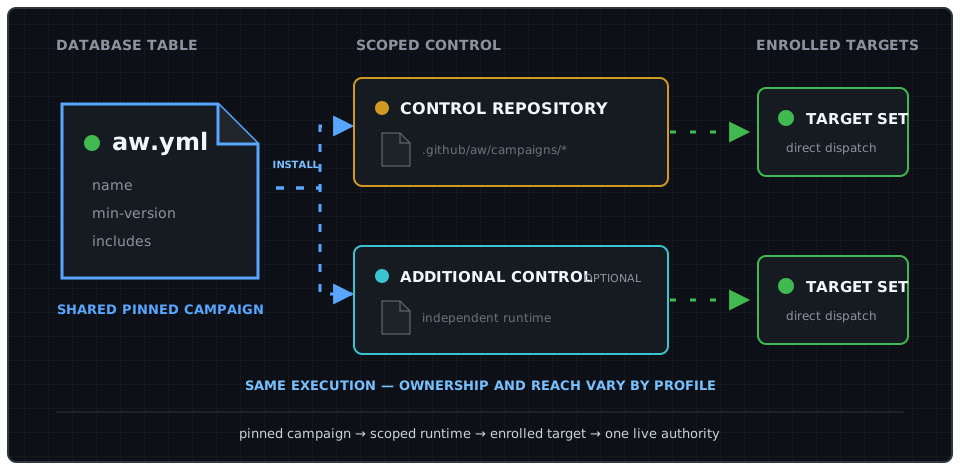
| Deployment profile | Runtime ownership | Default reach | GitHub Enterprise required |
| --------------------------------------- | ----------------------------------------------------------------------------------------------------------------- | ----------------------------------------------------------------------------------------------- | -------------------------- |
| **Organization or OSS** | One control repository owned by the organization | Automatically discovered repositories in that organization | No |
| **Several organizations, one operator** | One independent control repository per organization, all installing the same pinned campaign | Each runtime discovers and operates within its own organization | No |
| **Enterprise** | One enterprise-operated control repository in a designated host organization, with optional organization runtimes | Explicit credential-scoped reach across organizations; organization runtimes retain local reach | Yes |
For several organizations without GitHub Enterprise, keep credentials, target inventory, rollout, and kill switches organization-local. No relay or enterprise-level coordinator is required. Assign exactly one runtime as live mutation authority for each target and campaign.
Start with the smallest topology
If every target belongs to one organization, use one organization-owned control repository. Add an enterprise runtime only when governance and credential reach genuinely cross organization boundaries.
A single control repository can address an explicitly named repository in another organization only when that owner is allowlisted and a credential authorized by that organization can perform the operation. Enterprise-owned private Apps must be installed separately on every enrolled organization; an enterprise installation alone grants no repository access. CAO can configure existing enterprise App credentials but does not create enterprise-owned Apps or treat enterprise ownership as implicit cross-organization credential reach or inventory.
### Workflow Sources
[Section titled “Workflow Sources”](#workflow-sources)
| Source | Published by | Execution and reach |
| -------------------------- | ------------------------------------------------------- | -------------------------------------------------------------------------------------------------------------------------------------------------- |
| **Enterprise shared AW** | Enterprise platform, security, or automation governance | Runs in the enterprise central control repository and dispatches per-repository worker workflows against configured targets across organizations. |
| **Organization shared AW** | Organization platform or repository operations team | Runs in an organization central control repository and dispatches per-repository worker workflows against configured targets in that organization. |
| **Standalone AW** | Repository maintainers | Runs in its own repository and remains outside this control plane unless explicitly enrolled. |
“Enterprise-shared” and “organization-shared” identify both governance scope and runtime ownership. They do not mean that Agentic Workflow definitions are installed into downstream target repositories. In the CentralRepoOps pattern, Orchestrator and worker workflow definitions stay together in their owning central repository; each worker workflow checks out one target and sends declared cross-repository safe outputs to the configured destination.
## Operating Ownership
[Section titled “Operating Ownership”](#operating-ownership)
For independent approval and exact-source validation at the prerelease-to-latest transition, see [Release promotion controls](/gh-cao/release-controls/).
| Level | Owner | Controls | Does not control |
| ------------------------ | -------------------------------------------------------------------------- | ------------------------------------------------------------------------------------------------------------------------------------------------------------------------------ | ---------------------------------------------------------------------------------------- |
| **Catalog campaign** | Catalog maintainers; enterprise governance for an enterprise-owned catalog | Campaign source, `aw.yml`, workflow definitions, release approval, and compatibility policy | Installation credentials, organization-local extensions, or target repository acceptance |
| **Enterprise runtime** | Enterprise platform or automation team | Enterprise control repository, cross-organization credentials, enrolled target inventory, rollout, budgets, kill switch, monitoring, and incidents | Organization runtime configuration or repository protection policy |
| **Organization runtime** | Organization platform or repository operations team | Organization control repository, pinned campaigns, organization-local workflows, enrolled targets, local credentials, rollout, budgets, kill switch, monitoring, and incidents | Enterprise runtime configuration or the upstream enterprise campaign |
| **Target repository** | Repository maintainers | Code, branch protection, rulesets, CODEOWNERS, environments, merge acceptance, and repository-local automation | Central runtime credentials, catalog releases, or control-plane activation policy |
| **GitHub governance** | Organization administrators, plus enterprise administrators when present | Actions policy, App and PAT access, available custom-property definitions, rulesets, and administrative revocation | Campaign-specific reasoning or repository maintenance decisions |
These levels are complementary, but they have no implicit precedence. Catalog ownership grants publication authority, not execution authority. Installing a campaign grants a runtime the ability to execute only within its credential scope and approved target inventory; it does not transfer ownership of target repositories.
Before a campaign enters `live`, assign exactly one control repository as live mutation authority for each `(target repository, campaign)` pair in control-owned policy. Enterprise and organization runtimes may both produce review output, but they must not concurrently mutate the same target for the same campaign. A live worker validates its control repository’s policy at the exact workflow SHA; target files cannot alter or veto that decision. Separate GitHub Actions repositories still do not provide shared cancellation or a cross-repository concurrency group for runs already in progress.
## Catalog Ownership and Discovery
[Section titled “Catalog Ownership and Discovery”](#catalog-ownership-and-discovery)
Use one authoritative catalog for a shared campaign rather than duplicating its ownership across installations. The catalog repository’s root `aw.yml` is the canonical campaign descriptor: it names the campaign, sets its minimum gh-aw version, and declares the workflows included in the full campaign. It is not a runtime authority or target-enrollment descriptor. Catalog maintainers publish pinned releases. An organization may install those releases directly or publish separately named local campaigns and repository-local workflows, but it must not silently fork the identity of a shared campaign. Each control repository retains ownership of its local extensions, credentials, targets, rollout, and incident response. In an enterprise deployment, enterprise-owned campaigns dispatch directly from the enterprise control repository to allowlisted repositories; the catalog does not dispatch through organization control repositories.
When gh-aw installs the campaign, it writes a generated manifest under `.github/aw/campaigns/` in the control repository. That manifest records the installed campaign and file inventory used by the campaign lifecycle. Together, the source `aw.yml` and generated installation manifest provide campaign and installation provenance. They do not establish runtime authority, live status, or credential health; those remain operating records. Do not add a mutation workflow merely to register them.
GitHub repository custom properties may project selected fields from those records so enterprise operators can search installations, target rulesets, and audit adoption. They are an optional index, not the source of truth. Deployment-specific values such as operating role, owner, and lifecycle status remain local control-repository metadata.
| Custom property | Example | Purpose |
| --------------------- | ---------------------------------------------- | ----------------------------------------------------------------- |
| `central-ops-role` | `enterprise`, `organization`, or `independent` | Identifies the runtime’s governance scope. |
| `central-ops-catalog` | `githubnext/gh-cao` | Projects the authoritative catalog source. |
| `central-ops-version` | Published release tag | Projects the catalog release installed by the control repository. |
| `central-ops-owner` | `organization/platform-team` | Identifies the team responsible for operation and incidents. |
| `central-ops-status` | `review`, `active`, or `suspended` | Records the installation lifecycle state. |
The `central-agentic-ops-control-plane` repository topic is an optional lightweight discovery aid. Where custom properties are available, they provide the structured searchable projection. If neither mechanism covers an installation, an enterprise may maintain a small derived registry containing only organization, control repository, catalog revision, owner, and status. Rebuild that registry from repository-owned records where practical; it must not become a dispatcher or contain credentials, policy overrides, runtime health, or dispatch state.
## Target Enrollment
[Section titled “Target Enrollment”](#target-enrollment)
An allowed owner and a reachable credential are security boundaries, not evidence that a repository agreed to central operation. Before `live` operation, the target repository owner and runtime operator must record:
* the target repository and approved campaigns;
* the control repository assigned as live mutation authority for each campaign;
* the approving repository owner or team;
* the approval and review date;
* the revocation path.
Store this evidence in an enterprise- or organization-approved inventory, such as governed custom properties or a reviewed registry. The current workflows do not query or reconcile that inventory automatically. Until they do, scope the GitHub App installation or fine-grained PAT to enrolled repositories and treat broad owner discovery as review-only. Owner allowlists remain mandatory but are not sufficient for live enrollment.
The target repository enforces its live mutation authority in `.github/workflows/cao.json`:
```json
{
"version": 1,
"target-authority": {
"campaigns": {
"dependabot": { "authority": "acme/central-ops" },
"optimization": { "authority": "acme/central-ops" }
}
}
}
```
Protect this file on the default branch with a ruleset and CODEOWNERS approval from the target repository owner. A live worker resolves that branch to an exact commit SHA; missing, malformed, or mismatched authority fails closed before the agent starts. The file records consent and authority only; keep credentials in Actions secrets and control policy in the control repository’s JSON document. Review runs do not require target authority because they cannot mutate the target.
## Downstream Fan-Out and Provenance
[Section titled “Downstream Fan-Out and Provenance”](#downstream-fan-out-and-provenance)
Each central control repository fans out enabled campaigns to selected targets, subject to repository allowlists, credential scope, enrollment, live mutation ownership, and dispatch limits. Orchestrator and worker workflows run from that central repository. Each worker workflow checks out one target repository, inspects only that target, and creates only declared safe outputs in the configured downstream destination. A target repository may receive review output from both enterprise and organization control repositories without storing either source’s Agentic Workflow definitions, but only its assigned runtime may perform live mutation for a given campaign.
The standard `central_repo`, `control_plane_run_url`, and `correlation_id` fields identify the originating central runtime and run. Because `central_repo` differs between enterprise and organization control repositories, downstream safe outputs retain their runtime source.
Cross-organization reach is explicit, allowlisted, and credential-scoped. Fully qualified `target_repo` values can address repositories outside the control repository’s owning organization only when the owner appears in `control-plane.scope.allowed-owners` and the configured GitHub App or PAT can perform the operation. The safe default permits only the control repository’s owner. The current bounded discovery path enumerates only that owner; automatic enterprise-wide discovery is not provided. This discovery limitation does not require copying workflows into organization or target repositories.
Repository-local workflow names cannot shadow central workers. Shared control resolves an orchestrator’s declared worker slug only by its exact `.github/workflows/.lock.yml` path in the owning control repository. Target analytics use `workflow_path`, not display name, as identity so same-named target workflows remain separate. Target workflow definitions and logs are untrusted evidence, never policy. Persistent optimization history branches include `central_repo`, keeping enterprise and organization control-plane state separate when both target the same repository.
## Repository Outcome Projection
[Section titled “Repository Outcome Projection”](#repository-outcome-projection)
Repository reporting is organized by the repository whose state, opportunity, or outcome was analyzed. It includes work from every visible Agentic Workflow acting on that repository, whether the workflow runs locally or as a worker in a centrally managed campaign. Campaign membership determines orchestration and governance; it does not determine whether an outcome appears in the repository view.
Keep these dimensions separate in every report record:
| Dimension | Meaning | Stable identity |
| ----------------------- | ---------------------------------------------------------------------------------- | --------------------------------------------------- |
| **Subject repository** | Repository whose state, opportunity, or outcome was analyzed | `owner/repository` |
| **Producer workflow** | Workflow run that produced the evidence | `(runtime_repository, workflow_path)` |
| **Output repository** | Repository containing the durable issue, pull request, comment, or review artifact | `owner/repository` |
| **Campaign membership** | Optional campaign and worker relationship used for central orchestration | `(runtime_repository, operation_slug, worker_path)` |
For a repository-local workflow, the runtime and subject repositories are normally the same and campaign membership is absent. For a central worker, the runtime repository is the control repository, the subject is the selected target, and the output repository may be the review repository or the target according to the effective mode.
Operational-value opportunities are deduplicated within `(subject_repository, opportunity_key, evaluator_digest)`. The producer remains attributable through `(runtime_repository, workflow_path)`. Ownership remains policy and provenance metadata: definition owner, runtime owner, subject owner, output owner, and live mutation authority must not be collapsed into one ambiguous `owner` field.
## Governance Boundary
[Section titled “Governance Boundary”](#governance-boundary)
Central Agentic Ops controls the catalog workflows that participate in it. It defines their authentication, rollout, repository selection, dispatch, routing, and safe-output behavior. It is not a general enforcement boundary for all automation in an enterprise.
The control plane is not a universal policy boundary
Use GitHub rulesets, Actions policy, protected environments, CODEOWNERS, and credential scoping to govern automation outside participating catalog workflows.
The control plane does not:
* prevent a repository from defining or running other GitHub Actions or Agentic Workflows;
* prevent an authorized user from manually running workflows outside the control plane;
* guarantee that a catalog worker cannot be directly dispatched by a user who already has sufficient Actions access;
* block another GitHub App, PAT, integration, or administrator from changing a repository;
* coordinate locks or cancellation across independent control repositories after live runs have started;
* reconcile custom properties, external approval records, or credential scope with control policy;
* replace repository rulesets, branch protection, protected environments, CODEOWNERS, Actions policies, or enterprise audit controls;
* make compliance claims for workflows and repositories that are not enrolled in its operating process.
Enterprises that need the control plane to be the approved operating path must enforce that policy with GitHub-native administration. Typical measures include restricting allowed Actions and reusable workflows, requiring review for `.github/workflows/` changes, protecting deployment environments, limiting who can dispatch workflows, narrowing App and PAT repository access, protecting control-plane configuration, and monitoring enterprise audit events.
These controls are complementary: Central Agentic Ops supplies orchestration and gradual rollout for participating workflows, while GitHub organization and enterprise policy determines who may run or introduce automation outside that path.
# Deploying the dashboard to Azure
> Run the Central Agentic Ops dashboard server on Azure Functions with PostgreSQL for dashboard data and operational state.
Caution
**Experimental:** The Azure deployment is an experimental baseline, not a turnkey or certified production service. Parameters, app settings, and resources can change between releases. Treat `server/azure/main.bicep`, the OAuth policy, the PostgreSQL topology, and the Key Vault access model as a starting point for your own review. Don’t use the deployment with real users until your organization completes security, compliance, privacy, network, load, cost, monitoring, incident-response, backup, and rollback reviews.
## About the Azure deployment
[Section titled “About the Azure deployment”](#about-the-azure-deployment)
The Azure deployment runs the Go dashboard server from the `server/` directory as a custom Linux container on Azure Functions. Browsers connect only to the Function App, over HTTPS on the same origin. The Function App:
* Signs users in with GitHub OAuth.
* Authorizes explicitly allowed GitHub users or members of organizations or teams that you allow.
* Reads secrets through Key Vault references.
* Runs bounded [Dashboard Language](/gh-cao/dashboard-language/) queries against dashboard data in PostgreSQL.
* Uses a separate PostgreSQL operational adapter for sessions, rate limits, queues, deduplication, coordination, and bounded caches.
```
flowchart LR
Browser["Authorized browser"] -->|"HTTPS"| Function["Function App
managed-identity ACR container"]
Function -->|"OAuth, refresh, membership"| GitHub["GitHub OAuth + API"]
Function -->|"managed identity"| KeyVault["Key Vault"]
Function -->|"PostgreSQL protocol"| Postgres["PostgreSQL
canonical + isolated operational tables"]
Function -->|"non-secret telemetry"| Insights["Application Insights"]
```
## Prerequisites
[Section titled “Prerequisites”](#prerequisites)
### Native fresh-deployment command
[Section titled “Native fresh-deployment command”](#native-fresh-deployment-command)
`gh cao deploy azure` supports **fresh deployments only**. Review the non-secret deployment config, run `--plan`, then apply that exact plan. Apply repeats preflight and what-if and refuses any change-set drift before writing to Azure. Updates, resuming a partially created deployment, and upgrades are follow-up work; a subsequent `--plan` against a successfully deployed instance must fail closed as an existing instance.
For a development build, supply the compiled `server/azure/main.json` with `--template` and a gh-cao checkout with `--source-dir`. Supply the operator’s repository with `--repo-dir` (default `.`); its reviewed `.github/workflows/cao.json` and `.github/workflows/cao.azure.json` are layered into an owner-only temporary build context. Only allowlisted product files, those two policy files, and explicitly selected evidence are uploaded to ACR, not the operator’s working directory or its credentials.
Development and release builds share the product-input allowlist in `internal/cli/deploy_azure_assets.json`. The Azure Dockerfile targets precede catalog inventory and collection stages so ACR’s legacy builder needs only those minimal inputs.
`resources.functionApp` is also the Container Apps job prefix: use 2-19 lowercase letters, digits, or hyphens, starting with a letter, ending with a letter or digit, and without consecutive hyphens. The longest derived name, `PREFIX-db-provision`, must fit Azure’s 32-character job-name limit.
```bash
gh cao deploy azure --plan --config /private/operator/deploy-azure.json \
--template /src/gh-cao/server/azure/main.json --out /private/operator/plan.json
gh cao deploy azure --apply --config /private/operator/deploy-azure.json \
--template /src/gh-cao/server/azure/main.json \
--plan-file /private/operator/plan.json \
--source-dir /src/gh-cao --repo-dir /private/operator \
--empty-evidence --receipt /private/operator/deploy-azure-receipt.json
```
Evidence is mandatory and explicit: choose either `--empty-evidence` or `--snapshot-dir DIR`. Snapshot mode checks the `payload-hashes.json` SHA-256 manifest and copies only allowlisted, verified payloads and `inventory-sources.json`. Empty mode builds `azure-empty-ingest-runtime`; it never silently substitutes for a missing or invalid snapshot.
Apply creates the resource group if necessary, deploys the exact template ACR resource, builds the Functions, database-provisioning, and ingestion Dockerfile targets, records their digests, and locks the version-plus-config-hash tags against writes and deletes. It then deploys the full template. New managed-identity Key Vault grants can take time to propagate. Apply retries the exact reviewed ARM request at most three times only when every nested failure is the recognized job secret-fetch error in the ingestion or database-provisioning module. Each attempt has the same 45-minute bound as the initial full deployment; the command’s overall timeout also applies. Retries use cancellation-aware backoff, never change access grants, and fail closed on mixed, unknown, authorization, or policy errors. An interrupted attempt issues an explicit cancellation of that exact ARM deployment using a separate, two-minute bounded context before returning. Cancellation failures are reported rather than assuming ARM stopped. After the full deployment succeeds, it refuses an overlapping ingestion execution and waits on the exact execution it starts. The separate `-db-provision` execution must succeed before runtime-only ingestion starts; bootstrap container failures stop the deployment before verification. Configure environment or Key Vault references for `secrets.postgresAdministratorPassword`, `secrets.postgresOwnerPassword`, `secrets.postgresRuntimePassword`, `secrets.githubClientSecret`, and `secrets.sessionSecret`. The owner and runtime passwords each require at least 32 characters and must be different from each other and the administrator password.
Verification checks health, readiness, signed-out API denial, both GitHub OAuth redirects, and independent SCM denial. Main-site HTTP 403 triggers an ingress read-back and a distinct diagnostic if tenant automation changed the settings; the command never fights or repairs such changes. `--timeout` bounds the overall apply (default 45 minutes). The secret-free receipt defaults to `.cao/deploy-azure-receipt.json` and records the reviewed plan digest, deployment identity, source/context identity, immutable image references, exact job execution, verification results, and timestamps. Existing receipts are not overwritten.
Key Vault purge protection remains enabled by default. Only explicitly disposable environments should set `"keyVault": {"purgeProtection": false}` in the reviewed deployment config. This cannot downgrade an already protected vault. Deleting a disposable resource group still requires separately purging its soft-deleted vault; production vaults must retain purge protection.
### Azure resources
[Section titled “Azure resources”](#azure-resources)
The `server/azure/main.bicep` template creates the following resources in one resource group.
| Service | Configuration | Purpose |
| ----------------------------------------------------------------- | ---------------------------------------------------------------------------------------------------------------------------------------------------------------------- | ------------------------------------------------------------------------------------------------- |
| Azure Functions | Linux custom-container Function App on runtime `~4`. HTTPS only, TLS 1.2 or later, FTPS off, always on, at least one instance, and a system-assigned managed identity. | Hosts the Go HTTP handler |
| Azure Container Registry | Basic SKU with the admin account disabled | Stores the Functions and bootstrap-ingestion images; the Function App pulls with managed identity |
| App Service plan | Elastic Premium `EP1` | Keeps the Function App always on |
| Key Vault | Role-based access control, 90-day soft delete, and purge protection | Stores the OAuth client secret, session secrets, PostgreSQL URL, and optional collection secrets |
| Storage account | `Standard_LRS`, HTTPS only, TLS 1.2, and no public blob access | Stores Azure Functions runtime state only |
| PostgreSQL Flexible Server | PostgreSQL 16, private delegated subnet, TLS certificate verification, seven-day backups | Stores canonical data and isolated operational tables without Redis |
| Virtual network and private DNS | Separate Functions, PostgreSQL, and Container Apps subnets | Provides private database access for all roles |
| Container Apps environment and manual provisioning/ingestion jobs | Internal environment, separate identities, secret-scoped Key Vault access, managed-identity ACR pulls | Provisions database authority separately from runtime-only snapshot ingestion |
| Application Insights and Log Analytics | Exactly one workspace-backed component and one shared workspace | Receives container logs and configured application telemetry |
### Other requirements
[Section titled “Other requirements”](#other-requirements)
* An Azure subscription and resource group where you can create these resources and assign the **Key Vault Secrets User** role.
* The Azure CLI with Bicep support.
* Go 1.27.3 or newer and Node.js 24, to build the deployment package.
* Register the subscription resource providers before deploying. Container Apps requires both `Microsoft.App` and `Microsoft.ContainerService`, even though this template does not create an AKS cluster. A subscription administrator may need to perform registration:
```bash
for provider in Microsoft.App Microsoft.ContainerService Microsoft.Web \
Microsoft.DBforPostgreSQL Microsoft.Network Microsoft.Storage \
Microsoft.ContainerRegistry Microsoft.KeyVault Microsoft.ManagedIdentity \
Microsoft.Insights Microsoft.OperationalInsights; do
az provider register --namespace "$provider" --wait
done
```
* Docker, or an Azure Container Registry build agent.
* A GitHub OAuth app, or a GitHub App configured for the user authorization-code flow. For membership authorization, the GitHub App needs organization **Members: read** and an approved installation in each allowed organization. PATs and pasted user tokens aren’t supported.
* At least one allowed GitHub user, organization, or team in `ORGANIZATION/TEAM-SLUG` format.
* An adopter-owned reviewed `cao.json` and a verified local dashboard snapshot, or an explicit choice to initialize an empty dashboard. Neither campaigns nor public Pages are required for empty initialization. Private repository snapshots must be collected with credentials authorized for those repositories and kept private.
* An ingress choice. The template defaults to the public-main model: the Function App’s `publicNetworkAccess` is `Enabled`, unmatched main-site traffic is `Allow` with no custom rules, and GitHub OAuth sign-in plus the allowed user, organization, or team list is the access control. No VPN, proxy, or corporate-network rule is required. SCM/Kudu remains independently default-deny. For a deliberately private deployment, set `functionPublicNetworkAccess=Disabled` or `functionAccessRestrictionsDefaultAction=Deny` with explicit rules.
* After deployment, confirm that tenant automation has not rewritten ingress (for example, `publicNetworkAccess=Disabled` or corporate-network-only service tag rules). Such out-of-band changes aren’t Azure Policy denials and aren’t prevented by the template; restore the public-main settings described in [Explicit public-main access](#explicit-public-main-access-with-independently-restricted-scm) and ask the automation owner for an exemption if it recurs.
### Ingress changes on an existing app
[Section titled “Ingress changes on an existing app”](#ingress-changes-on-an-existing-app)
The public-main default does not override a subscription that genuinely requires private-only ingress. Establish the applicable subscription and inherited policy requirements before changing the deployed access mode.
If the applicable requirements permit restricted public access, the smallest repair may be an app access-mode change retaining the existing approved rules, default-deny behavior, HTTPS, and OAuth authorization. Full-template deployment must carry main-site rules in `functionAccessRestrictions`, SCM/Kudu rules in `functionScmAccessRestrictions`, and the existing SCM reuse setting in `functionScmAccessRestrictionsUseMain`. The reuse setting defaults to `false`; set it to `true` only to preserve an approved shared-rule configuration. Keep distinct SCM rules out of the main-site array so deployment access does not widen application access. Omitting either rule array uses an empty list, not the deployed rules. Main-site unmatched requests use `functionAccessRestrictionsDefaultAction`, which defaults to `Allow` and accepts only `Allow` or `Deny`. SCM’s independent default remains `Deny`. `functionPublicNetworkAccess=Enabled` does not itself grant permission, and allow rules cannot override `Disabled`.
Do not redeploy the full bootstrap for an ingress-only repair or image update. Preserve the hostname and OAuth callback, review only the intended settings delta, and verify authorized and unauthorized access afterward. The template does not provision private endpoints or new client connectivity. Its Functions VNet integration is outbound connectivity to PostgreSQL, not browser access.
#### Explicit public-main access with independently restricted SCM
[Section titled “Explicit public-main access with independently restricted SCM”](#explicit-public-main-access-with-independently-restricted-scm)
For an explicitly authorized public-main deployment, use `Enabled`, main-site default action `Allow`, and an empty main-site custom-rule list. Do not model public access as a terminal `Allow`/`Any` rule under default `Deny`: the platform can normalize that rule, so an accepted update is not evidence of actual access. The following generic ARM parameter fragment can be merged into the adopter’s protected deployment parameters for a new deployment or reviewed redeployment:
```json
{
"functionPublicNetworkAccess": { "value": "Enabled" },
"functionAccessRestrictionsDefaultAction": { "value": "Allow" },
"functionAccessRestrictions": { "value": [] },
"functionScmAccessRestrictionsUseMain": { "value": false },
"functionScmAccessRestrictions": {
"value": [
{
"name": "approved-admin-network",
"ipAddress": "192.0.2.0/24",
"action": "Allow",
"priority": 100
}
]
}
}
```
The documentation-only address above must be replaced with the independently approved SCM restrictions; preserve the complete existing SCM rule list. Keep SCM reuse `false` for this model so public main-site access is not inherited by SCM/Kudu. Unmatched SCM requests remain denied. This changes network admission only: HTTPS, GitHub OAuth authorization, and application administrator permissions remain required and unchanged. It does not make administrative operations public.
For a from-scratch deployment, record the reviewed source revision and parameter set, supply all other required bootstrap inputs, and verify the resulting main-site `Allow`/empty-rule configuration and independent SCM rules after provisioning. From a public client, confirm health/readiness and the authorized GitHub sign-in flow; verify unauthorized users and non-admin users cannot access protected data or administrative operations. From outside the approved admin network, verify SCM is denied, and verify approved SCM access separately. Repeat these checks after redeployment. Neither template tests nor a successful deployment/PATCH response prove live reachability or authorization.
The optional collection profile also needs a container image of the collector, a GitHub App, and Azure Container Apps. For more information, see [Using the optional collection profile](#using-the-optional-collection-profile).
## Deploying the dashboard
[Section titled “Deploying the dashboard”](#deploying-the-dashboard)
In the following steps, replace `FUNCTION-APP-NAME` with a globally unique name for your Function App. Use a **new resource group and globally unique names** to create a separate instance. Never repoint an existing instance’s OAuth callback. Reusing the same names and secret inputs makes redeployment update this instance rather than create duplicate telemetry resources.
Keep instance configuration and private snapshots outside the public source tree. Prepare an isolated build context from the reviewed source revision, replace `.github/workflows/cao.json` there with your own reviewed policy, and leave `cao.azure.json` as the generic PostgreSQL host overlay. For a zero-campaign instance, disable campaigns in your own policy; do not reuse the catalog’s dogfood policy. Do not commit this build context or its data.
### Retention for existing deployments
[Section titled “Retention for existing deployments”](#retention-for-existing-deployments)
Before deployment, upgrade, secret rotation, rollback, or job start, read the existing effective `CAO_POSTGRES_RUN_RETENTION_DAYS` and `CAO_POSTGRES_LINKED_RETENTION_DAYS` on the Function App, ingestion job, and every enabled collector/backfill role. Include stopped jobs and active revisions that can still open the same database. When a setting is absent, determine its effective fallback from that role’s deployed source revision, not this template’s default. If the effective value cannot be established, stop the rollout rather than guessing.
Pass an explicit `postgresRunRetentionDays` value **no lower than the greatest existing effective run or linked retention across those roles and the complete snapshot window**. For a new empty database, choose an explicit reviewed window. The generic 45-day template default is not evidence of an installation’s current retention and is not an upgrade recommendation. Keep the reviewed value in adopter-owned parameters for full-template, ingestion, or collector deployments.
Before any new role starts, verify that both retention settings on **all** database-owning roles carry that value. For settings/image-only updates, carry both settings forward explicitly without replaying the full bootstrap. Initialization performs partition maintenance even without ingestion: omitting or reducing retention can irreversibly delete history at startup. Increasing it later does not restore dropped partitions.
### PostgreSQL authority
[Section titled “PostgreSQL authority”](#postgresql-authority)
Fresh deployments use the [PostgreSQL authority model](https://github.com/githubnext/gh-cao/blob/main/server/POSTGRES.md): `cao_owner`, `cao_runtime`, `cao_retention`, and `cao_evidence` are non-login group roles. Only `cao_bootstrap_login` and `cao_runtime_login` authenticate; both are non-superusers without database/role creation, replication, or RLS bypass. Each login belongs only to its corresponding group. The `cao` schema belongs to `cao_owner`. PUBLIC loses database CONNECT/TEMPORARY and schema CREATE; runtime receives explicit CONNECT and TEMPORARY for ingestion staging.
The separate manual `FUNCTION-APP-NAME-db-provision` job alone can read the administrator URL and bootstrap password. It creates/verifies roles and the schema, then authenticates as the bootstrap login with `PGOPTIONS='-c role=cao_owner -c search_path=cao'`, bootstraps both stores, and applies the checked-in `server/postgres/operational-grants.sql` and `canonical-grants.sql`. These files are copied into the `azure-db-provision` Dockerfile target, not duplicated in ARM. Its PostgreSQL 16 client base is digest-pinned; the built image must be pushed to this deployment’s ACR before starting the job. No deployed container pulls from Docker Hub.
Generate distinct administrator, owner, and runtime passwords in your secret manager and preserve them across redeployments. Supply the latter two as `postgresOwnerPassword` and `postgresRuntimePassword` **secure** Bicep inputs. Secure parameters and Key Vault secret values are not exposed in deployment history or outputs; do not pass plaintext secrets as command-line arguments or write them to ordinary parameter files, logs, source, or build arguments. This approach avoids giving the provisioning identity Key Vault write authority or generating passwords whose recovery depends on a job execution. The job rejects reused authority passwords and role-password line breaks; `psql` hashes password changes client-side without putting plaintext in SQL or process arguments.
The Function App, ingestion, collector, and backfill receive only the runtime-login URL, with `search_path=cao` and certificate-verified TLS. Their identities have only explicitly listed secret-level **Key Vault Secrets User** assignments, never vault-wide read access. Only the provisioning identity gets the administrator secret. For an existing deployment, remove its previous vault-wide role assignments as a separately reviewed prerequisite: incremental ARM deployment does **not** remove old RBAC grants or revoke distributed administrator credentials.
No Azure audit-retention job currently exists. The retention/evidence group roles and their explicit grants are provisioned, but there are deliberately no retention/evidence logins or mounted credentials. Audit retention is not run by web, ingestion, collector, or bootstrap. Before enabling retention or evidence export, separately provision a restricted login and job following `server/POSTGRES.md`; do not use the owner for routine audit retention. Canonical partition maintenance must run at least daily as a short-lived owner operation with the same retention settings, not as runtime. Until a dedicated owner-only maintenance job is configured, schedule this manual provisioning job at least daily with the unchanged passwords and reviewed configuration. Monitor failures; runtime does not repair missing partitions.
### Bootstrap steps
[Section titled “Bootstrap steps”](#bootstrap-steps)
1. Register a GitHub OAuth app, or use a GitHub App’s user authorization flow. Set its **Authorization callback URL** to `https://FUNCTION-APP-NAME.azurewebsites.net/auth/callback`. Store the client secret in your secret manager for use in a later step. For more information, see [Creating an OAuth app](https://docs.github.com/en/apps/oauth-apps/building-oauth-apps/creating-an-oauth-app) or [Authenticating with a GitHub App on behalf of a user](https://docs.github.com/apps/creating-github-apps/authenticating-with-a-github-app/authenticating-with-a-github-app-on-behalf-of-a-user) in the GitHub documentation.
Alternatively, reuse a GitHub App with the same callback URL and organization **Members: read**. With its `Iv...` client ID, CAO requests `offline_access` for expiring user tokens and refresh tokens without changing expiration for other clients of that App. This requires GitHub.com or GHES 3.23 or later. Manage client secrets and key pairs in the App’s **Credentials** tab on current GitHub versions; no App private key is needed for browser sign-in.
Danger
Never commit the client secret to a repository.
A GitHub App used for organization or team authorization must have **Organization members: Read-only**, and its organization installation must accept that permission. A classic OAuth App must be granted organization access when the organization restricts third-party OAuth applications. Without the applicable grant, GitHub withholds organization and team membership even for active members, and CAO correctly denies access.
2. Generate a session secret of at least 32 random characters.
```bash
openssl rand -base64 48
```
3. Create the resource group and registry. The Bicep template subsequently manages the same registry declaratively.
```bash
az group create --name cao-dashboard --location REGION
az acr create \
--resource-group cao-dashboard \
--name CONTAINER-REGISTRY-NAME \
--sku Basic \
--admin-enabled false
```
4. Build the Function App image from a trusted checkout. Use an immutable release or commit tag in production instead of `DEPLOYMENT-TAG`.
```bash
az acr login --name CONTAINER-REGISTRY-NAME
docker build \
--platform linux/amd64 \
--build-arg CAO_PROFILE=cao.azure.json \
--target azure-functions-runtime \
--file server/Dockerfile \
--tag CONTAINER-REGISTRY-NAME.azurecr.io/cao-functions:DEPLOYMENT-TAG \
.
docker push CONTAINER-REGISTRY-NAME.azurecr.io/cao-functions:DEPLOYMENT-TAG
```
5. Build and push the short-lived provisioning image to the same ACR:
```bash
docker build --platform linux/amd64 \
--target azure-db-provision --file server/Dockerfile \
--tag CONTAINER-REGISTRY-NAME.azurecr.io/cao-db-provision:DEPLOYMENT-TAG .
docker push CONTAINER-REGISTRY-NAME.azurecr.io/cao-db-provision:DEPLOYMENT-TAG
```
6. Build and push **one** ingestion image with the same deployment tag. For an empty instance, the ACR task builds and pushes only; it does not ingest:
```bash
az acr run --registry CONTAINER-REGISTRY-NAME \
--file server/azure/empty-ingest-task.yaml \
--set tag=DEPLOYMENT-TAG .
```
For your own verified snapshot, copy it into an `adopter-snapshot/` directory in the isolated build context and use the explicit source argument:
```bash
docker build --platform linux/amd64 \
--target azure-ingest-runtime --file server/Dockerfile \
--build-arg CAO_PROFILE=cao.azure.json \
--build-arg CAO_INGEST_SOURCE=adopter-snapshot \
--tag CONTAINER-REGISTRY-NAME.azurecr.io/cao-ingest:DEPLOYMENT-TAG .
docker push CONTAINER-REGISTRY-NAME.azurecr.io/cao-ingest:DEPLOYMENT-TAG
```
The image never downloads upstream data automatically. Missing source input fails the build. Both images are private artifacts: restrict registry access and retention appropriately.
**Building from a release asset bundle.** Operators without a full catalog checkout can use the attested `cao-azure-REVISION.tgz` attached to each release beside the runtime archive. It contains only the Docker build inputs for `azure-functions-runtime`, `azure-ingest-runtime`, `azure-empty-ingest-runtime`, and `azure-db-provision`, the compiled `server/azure/main.json` template, and a `cao-azure.json` manifest with the source revision and the SHA-256 digest of every file. It never contains adopter policy (`cao.json`, `cao.azure.json`), credentials, tests, or documentation. Verify and extract it, then supply your policy and snapshot as named build contexts:
```bash
gh release download RELEASE-TAG --repo OWNER/REPOSITORY --pattern 'cao-azure-*'
sha256sum --check cao-azure-REVISION.tgz.sha256
gh attestation verify cao-azure-REVISION.tgz --repo OWNER/REPOSITORY \
--signer-workflow OWNER/REPOSITORY/.github/workflows/cao-runtime.yml \
--source-digest REVISION --signer-digest REVISION --deny-self-hosted-runners
mkdir cao-azure && tar -xzf cao-azure-REVISION.tgz -C cao-azure
docker build --platform linux/amd64 \
--target azure-functions-runtime --file cao-azure/server/Dockerfile \
--build-arg CAO_PROFILE=cao.azure.json \
--build-context cao-policy=POLICY-DIRECTORY \
--tag CONTAINER-REGISTRY-NAME.azurecr.io/cao-functions:DEPLOYMENT-TAG \
cao-azure
docker build --platform linux/amd64 \
--target azure-ingest-runtime --file cao-azure/server/Dockerfile \
--build-arg CAO_PROFILE=cao.azure.json \
--build-context cao-policy=POLICY-DIRECTORY \
--build-context cao-ingest-source=SNAPSHOT-DIRECTORY \
--tag CONTAINER-REGISTRY-NAME.azurecr.io/cao-ingest:DEPLOYMENT-TAG \
cao-azure
```
`POLICY-DIRECTORY` must contain your reviewed `cao.json` and `cao.azure.json` at its root. `SNAPSHOT-DIRECTORY` holds your verified ingestion snapshot. Use `--target azure-empty-ingest-runtime` without the `cao-ingest-source` context for an empty instance. Deploy the bundled `cao-azure/server/azure/main.json` with `--template-file`. When those contexts are omitted, the build reads `.github/workflows/cao.json`, `.github/workflows/cao.azure.json`, and `CAO_INGEST_SOURCE` from the main build context, so builds from a checkout behave as before.
7. Review the template with `az deployment group what-if` before using `az deployment group create`. Replace the placeholders with your own values. The example below uses the public-main default: the dashboard is reachable over public HTTPS, GitHub OAuth and the allowed user, organization, or team list control access, and SCM/Kudu stays default-deny. No VPN or proxy is required. If tenant automation has attached a network security group to the subnets, pass its resource ID as `subnetNetworkSecurityGroupId` so redeployment keeps it attached. Do not use it to overwrite an existing app’s access rules; follow [the ingress guidance](#ingress-changes-on-an-existing-app) for an existing app.
```bash
az deployment group create \
--resource-group cao-dashboard \
--template-file server/azure/main.bicep \
--parameters \
functionAppName=FUNCTION-APP-NAME \
storageAccountName=STORAGE-ACCOUNT-NAME \
containerRegistryName=CONTAINER-REGISTRY-NAME \
functionImageTag=DEPLOYMENT-TAG \
keyVaultName=KEY-VAULT-NAME \
postgresServerName=POSTGRES-SERVER-NAME \
postgresRunRetentionDays=REVIEWED-RETENTION-DAYS \
allowedHosts='["FUNCTION-APP-NAME.azurewebsites.net"]' \
githubAllowedOrganizations='["ORGANIZATION"]' \
githubClientId=OAUTH-CLIENT-ID
```
The Azure CLI prompts you for `githubClientSecret`, `sessionSecret`, and `postgresAdministratorPassword`, `postgresOwnerPassword`, and `postgresRuntimePassword`. Enter them at the secure prompts or supply secure Key Vault parameter references from your operator secret manager. Preserve all three passwords across deployments. The template stores separate administrator and runtime TLS URLs and provisioning passwords in Key Vault without outputting them.
8. Review the non-secret outputs, especially `githubOAuthRedirectUri`, `provisioningJobName`, `ingestionJobName`, `logAnalyticsWorkspaceId`, and `applicationInsightsId`. Confirm the OAuth callback matches the **new** app registration.
9. Start the private provisioning job and wait for `Succeeded` before starting ingestion or collection:
```bash
az containerapp job start --resource-group cao-dashboard \
--name FUNCTION-APP-NAME-db-provision
az containerapp job execution list --resource-group cao-dashboard \
--name FUNCTION-APP-NAME-db-provision --output table
```
It runs `database bootstrap --store canonical --namespace azure-dashboard` with reviewed retention and `database bootstrap --store operational --namespace azure-dashboard-operational` with the shared operational capacities, followed by both explicit grant scripts. Repeating the job with identical configuration is idempotent. Unexpected privileged role memberships or schema ownership fail closed. Do not overlap provisioning executions or rotate passwords during active use.
10. Load the dashboard data by starting the private ingestion job. Unlike a public ACR build agent, this job has a network path to private PostgreSQL. Its managed identity resolves the URL from Key Vault and pulls the image from private ACR. Confirm the [existing retention](#retention-for-existing-deployments) was checked before deployment and the job carries the reviewed value, no lower than existing effective retention or the snapshot window. Azure sets both `CAO_POSTGRES_RUN_RETENTION_DAYS` and `CAO_POSTGRES_LINKED_RETENTION_DAYS` to that value on the app, ingestion job, and optional collection/backfill roles. This preserves the earlier shared window only when that existing effective value was carried forward explicitly.
Runtime roles only open storage; they never create it. The ingestion job has no bootstrap init containers, administrator secret, or owner credential. Missing provisioning or grants fails ingestion rather than elevating authority.
```bash
az containerapp job start --resource-group cao-dashboard \
--name FUNCTION-APP-NAME-ingest
az containerapp job execution list --resource-group cao-dashboard \
--name FUNCTION-APP-NAME-ingest --output table
```
Wait for that execution to report `Succeeded`; starting a job is not success. On failure, inspect the job logs in the shared workspace and correct the cause before retrying. Do not run overlapping ingestion jobs or run snapshot ingestion while the optional collector is projecting. Every successful ingestion replaces the active canonical namespace. Empty ingestion deliberately publishes no repositories, organizations, runs, or campaigns. An uninitialized namespace returns `503` readiness; a valid empty publication returns `200`.
11. Verify the deployment from a client using the approved ingress path.
1. Confirm that `GET /api/health` succeeds.
2. Confirm that `GET /api/readiness` returns `200`. It returns `503` until data is loaded.
3. Sign in with GitHub and open a dashboard view.
4. Confirm that the dashboard refuses a user who isn’t in an allowed organization or team.
Tip
To test the Functions HTTP interface on Linux without Azure credentials, run `./scripts/azure-local/azure-local.sh run`. The script starts Azure Functions Core Tools, Azurite, and PostgreSQL.
### Infrastructure-only bootstrap
[Section titled “Infrastructure-only bootstrap”](#infrastructure-only-bootstrap)
If registration of the new OAuth app is pending, deploy `server/azure/network.bicep` independently with `location`, `namePrefix` (the future Function App name), `postgresServerName`, `postgresAdministratorLogin`, and secure `postgresAdministratorPassword`. This creates only the private network, DNS, and PostgreSQL database, not an unauthenticated dashboard. The full template adopts the same resources when supplied the same values. Do not use placeholder OAuth values to bypass application startup requirements.
### Updating an existing runtime
[Section titled “Updating an existing runtime”](#updating-an-existing-runtime)
**Moving from the old administrator-backed Azure topology requires a new database**, following [Moving to a new database](#moving-to-a-new-database). Do not apply these grants as a privilege scrubber to an existing overgranted database. Stop/drain existing processes, preserve pending work and audit anchors, back up operational state, and plan recovery before switching. Creating a new database does not migrate operational audit, queues, sessions, or revocations; retain the previous database and independent evidence. Remove old vault-wide RBAC and retire the previously distributed administrator credential after the reviewed cutover. A template redeployment alone does neither.
Compare the deployed source’s generated `server/internal/postgresx/schema.sql` with the release. A changed physical contract requires a new database and explicit re-ingestion; there is no automatic compatibility migration. An unchanged contract can still change maintenance behavior. Releases supporting independent linked retention default to seven days when the setting is absent. Before starting such a release, check the [existing retention](#retention-for-existing-deployments) and explicitly set **both** retention settings on every database-owning role to the reviewed value. Never replace a larger existing run or linked window with the generic 45-day template default; otherwise owner bootstrap/maintenance can drop older partitions even without ingestion.
Validate old-to-new startup, representative historical records, new ingestion, and rollback against an isolated local database. With retention preserved, normal aging and existing curation still run; owner partition maintenance must be scheduled separately as described above; “no schema migration” does not mean “no database writes.” Never use production startup as a read-only compatibility probe. Preserve the current image/settings receipt and verified recovery evidence, review a minimal settings/image delta, and do not start the ingestion job or replay a bootstrap deployment for an image-only update.
### Moving to a new database
[Section titled “Moving to a new database”](#moving-to-a-new-database)
Use a new database when a release changes the physical contract, or when you deliberately want to start from empty canonical and operational state. Do this with a reviewed redeployment, not by editing app settings by hand.
1. Choose a new `postgresDatabaseName` and a new runtime `postgresUrlSecretName`, for example `cao2` and `cao-postgres-runtime-url-cao2`. The administrator and provisioning-password secret names derive from this prefix. A new prefix retains the previous secrets. Role names are server-wide: this topology uses one role set per dedicated server, not mutually distrusting databases on one server. Keep role passwords unchanged when adding a database to that server.
2. Run `az deployment group what-if` with both new names and every other parameter unchanged, including the reviewed `postgresRunRetentionDays`. Expect a new database, new Key Vault secrets and secret-level RBAC, and changed PostgreSQL URL references on the Function App, the ingestion job, and any enabled collection roles. Stop if anything else changes.
3. Deploy. Incremental deployment does not delete the previous database or its secret. Every role now points at the new, empty database, so the dashboard reports `503` readiness until the next step succeeds.
4. Start the provisioning job and wait for `Succeeded`, then run ingestion and wait for `Succeeded`, as in [Bootstrap steps](#bootstrap-steps). Never restore administrator-backed runtime access for rollback; use a reviewed recovery procedure that preserves unfinished work and audit evidence. Then restart the Function App and any collection roles and verify health, readiness, and sign-in.
5. After the new database is verified and no longer needs rollback, delete the previous database and disable or delete its Key Vault secret as a separate, reviewed change.
## Configuration reference
[Section titled “Configuration reference”](#configuration-reference)
### App settings
[Section titled “App settings”](#app-settings)
The template creates the following app settings.
| App setting | Source | Description |
| --------------------------------------- | --------------------------------------------------------------------------------------- | ------------------------------------------------------------------------------------------------------------------------------------------- |
| `CAO_DASHBOARD_HOSTING` | Fixed value `azure-functions` | Selects Azure hosting mode. |
| `CAO_AZURE_ALLOWED_HOSTS` | `allowedHosts` parameter | Exact public host names that the server trusts in forwarded `Host` headers. |
| `CAO_AZURE_REQUIRE_HTTPS` | Fixed value `true` | Requires `X-Forwarded-Proto: https`. |
| `CAO_POLICY_PATH` | Fixed value `.github/workflows/cao.azure.json` | Selects the reviewed Azure deployment profile. |
| `CAO_POSTGRES_URL` | Key Vault secret named by `postgresUrlSecretName` (default `cao-postgres-runtime-url`) | Restricted runtime-login TLS URL shared by canonical and operational adapters, never the administrator URL. |
| `CAO_POSTGRES_RUN_RETENTION_DAYS` | Explicit reviewed `postgresRunRetentionDays`; template default `45` is not upgrade-safe | Canonical run-history window and partition-retention horizon. Preserve existing effective retention and the snapshot window before startup. |
| `CAO_POSTGRES_LINKED_RETENTION_DAYS` | Same explicit `postgresRunRetentionDays` | Linked-evidence horizon shared by all database-owning roles. Never shorten an existing linked window during redeployment. |
| `REDIS_NAMESPACE` | Fixed value `azure-dashboard` | Legacy name for the canonical PostgreSQL dataset identity; no Redis service is used. |
| `CAO_OPERATIONAL_NAMESPACE` | Fixed value `azure-dashboard-operational` | Isolated namespace for operational PostgreSQL tables. |
| `CAO_OPERATIONAL_CACHE_MAX_*` | Template capacity parameters | Bounds disposable operational cache entries and bytes. |
| `CAO_OPERATIONAL_PROTECTED_MAX_*` | Template capacity parameters | Bounds protected operational records and bytes. |
| `CAO_GITHUB_CLIENT_ID` | `githubClientId` parameter | Client ID of the OAuth app. |
| `CAO_GITHUB_CLIENT_SECRET` | Key Vault secret `github-oauth-client-secret` | Client secret of the OAuth app. |
| `CAO_GITHUB_REDIRECT_URL` | Derived from `functionAppName` | `https://FUNCTION-APP-NAME.azurewebsites.net/auth/callback` |
| `CAO_GITHUB_ALLOWED_ORGS` | `githubAllowedOrganizations` parameter | Organizations whose active members can sign in. |
| `CAO_GITHUB_ALLOWED_TEAMS` | `githubAllowedTeams` parameter | Teams, in `ORGANIZATION/TEAM-SLUG` format, whose active members can sign in. |
| `CAO_GITHUB_ALLOWED_USERS` | `githubAllowedUsers` parameter | Exact GitHub logins authorized directly. Use this for narrow access that must not depend on organization OAuth visibility. |
| `CAO_SESSION_SECRET` | Key Vault secret `cao-session-secret` | Current session encryption key. At least 32 characters. |
| `CAO_SESSION_SECRET_PREVIOUS` | Key Vault, only when `previousSessionSecret` is set | Previous session key, used during rotation. |
| `APPLICATIONINSIGHTS_CONNECTION_STRING` | Application Insights | Where the Functions host sends telemetry. |
| `AzureWebJobsStorage__accountName` | `storageAccountName` parameter | Storage account used by the Functions runtime. |
| `AzureWebJobsStorage__credential` | Fixed value `managedidentity` | Requires the Function App identity and assigned blob, queue, and table data roles; shared-key access is disabled. |
| `WEBSITES_PORT` | Fixed value `8080` | Port exposed by the CAO Functions container. |
| `WEBSITES_ENABLE_APP_SERVICE_STORAGE` | Fixed value `false` | Keeps the immutable container filesystem authoritative. |
The operational capacity parameters are shared by the Function App and optional collection roles. Update the template parameters rather than changing only one role’s app settings. PostgreSQL cache pressure never evicts sessions, accepted collection work, enrollment, checkpoints, leases, or pending revocations.
The `cao-functions` handler also reads these optional settings.
| App setting | Default | Description |
| ----------------------------- | ------------------------------- | ---------------------------------------- |
| `CAO_AZURE_SITE_DIRECTORY` | `site` | Directory of the built site. |
| `CAO_AZURE_DASHBOARD_QUERIES` | `SITE-DIRECTORY/dashboard.json` | Path to the Dashboard Language document. |
### Template parameters
[Section titled “Template parameters”](#template-parameters)
Besides the parameters in the deployment command, the template accepts:
* `location`, `hostingPlanName`, `applicationInsightsName`, `containerRegistryName`, `functionImageRepository`, and `functionImageTag`.
* `postgresRunRetentionDays`; explicitly preserve the greatest existing effective run or linked window across all database-owning roles and the complete snapshot window. Do not rely on the generic default during redeployment.
* `operationalCacheMaxBytes`, `operationalCacheMaxValueBytes`, `operationalCacheMaxEntries`, `operationalProtectedMaxBytes`, and `operationalProtectedMaxEntries`.
* `logAnalyticsWorkspaceName`, `postgresServerName`, `postgresAdministratorLogin`, `postgresAdministratorPassword`, `postgresOwnerPassword`, `postgresRuntimePassword`, `postgresSkuName`, and `postgresSkuTier`.
* `postgresDatabaseName` (default `cao`) and `postgresUrlSecretName` (default `cao-postgres-runtime-url`). The secret name is a prefix for provisioning secrets too; reserve space for the `-runtime-password` suffix (110 characters maximum for the prefix). Use lowercase letters, digits, and hyphens. The new runtime-secret default intentionally does not reuse the old admin URL. For an existing administrator-backed installation, see [Moving to a new database](#moving-to-a-new-database).
* `ingestionImageRepository` and `ingestionImageTag` (defaulting to `cao-ingest` and the Function App image tag).
* `provisioningImageRepository` and `provisioningImageTag` (defaulting to `cao-db-provision` and the Function App image tag).
* The collection parameters. For more information, see [Using the optional collection profile](#using-the-optional-collection-profile).
### Startup checks
[Section titled “Startup checks”](#startup-checks)
In Azure mode, the server doesn’t start unless all of the following are configured:
* A TLS PostgreSQL URL and the reviewed `cao.azure.json` profile.
* Allowed hosts and HTTPS enforcement.
* The OAuth client ID, client secret, and redirect URL.
* A session secret of at least 32 characters.
* At least one allowed user, organization, or team.
Azure mode never accepts PATs or the local bearer capability.
## Monitoring the deployment
[Section titled “Monitoring the deployment”](#monitoring-the-deployment)
### Functions host telemetry
[Section titled “Functions host telemetry”](#functions-host-telemetry)
The template provisions one workspace-backed Application Insights component and one shared Log Analytics workspace, and sets `APPLICATIONINSIGHTS_CONNECTION_STRING` on the Function App. The direct Go container does not run the Functions host or an Azure Monitor SDK: setting this variable alone does **not** export Go traces. Configure the OpenTelemetry exporter described below. Container Apps console and system logs are routed to the same workspace through a diagnostic setting.
### OpenTelemetry traces
[Section titled “OpenTelemetry traces”](#opentelemetry-traces)
The Go server uses vendor-neutral OpenTelemetry and doesn’t include the Azure Monitor SDK. It emits the following spans, which contain only counts, revisions, and durations:
* A span for every HTTP request, through `otelhttp`.
* A dedicated `GET /auth/callback` span and `cao_dashboard.auth.callback.count` metric for OAuth callbacks, which are excluded from the generic `otelhttp` instrumentation and carry only a fixed outcome (`success` or `failure`) and, on failure, a bounded `error.type`. No OAuth code, state, cookie, token, or provider message is recorded.
* `cao_dashboard.query.execute` for each query.
* `cao_dashboard.ingest.run` for each ingestion.
To send the spans to Application Insights:
1. Run an OpenTelemetry Collector with the `azuremonitorexporter`, configured with your Application Insights connection string.
2. Add the following app settings to the Function App.
| App setting | Description |
| --------------------------------------------------------------------- | ------------------------------------------------------------------------------------------ |
| `OTEL_EXPORTER_OTLP_ENDPOINT` or `OTEL_EXPORTER_OTLP_TRACES_ENDPOINT` | Turns on the OTLP/HTTP trace exporter. If neither is set, the server doesn’t export spans. |
| `OTEL_EXPORTER_OTLP_HEADERS` | Authentication headers for the collector. Store the value as a Key Vault reference. |
| `OTEL_SERVICE_NAME` | Service name. Defaults to `cao-dashboard`. |
| `OTEL_SDK_DISABLED` | Set to `true` to turn off tracing even when an endpoint is set. |
If a client sends a `traceparent` header, the server continues that trace. Every API response includes `X-Trace-Id` and `X-Span-Id` headers so that you can correlate requests.
### Debug logs
[Section titled “Debug logs”](#debug-logs)
To turn on debug logs, set `DEBUG` to a namespace or pattern:
* Namespaces: `cao:server`, `cao:query`, `cao:ingest`, `cao:postgresx`, and `cao:cli`.
* Patterns: for example, `cao:*,-cao:query` for everything except query diagnostics.
The `cao:functions:startup` namespace logs the site directory, query path, and listen address of `cao-functions`.
Logs go to standard error. They include operation names, counts, timings, and fixed identifiers such as `oauth branch=OPERATION.OUTCOME`. They never include tokens, credentials, query payloads, or source records. To see matching sign-in events in the browser, add `?debug=auth` to the dashboard URL.
### Health checks and diagnostics
[Section titled “Health checks and diagnostics”](#health-checks-and-diagnostics)
| Check | Description |
| ---------------------------------------------------------------------------------------------------------- | -------------------------------------------------------------------------------------------------------------------------------------------------------------------------------- |
| `GET /api/health` | Liveness check. |
| `GET /api/readiness` | Readiness check. Returns `503` until data is loaded. |
| `GET /api/v1/health` | Versioned health check. |
| `CAO_POLICY_PATH=.github/workflows/cao.azure.json cao-dashboard doctor --postgres-url "$CAO_POSTGRES_URL"` | Read-only check of PostgreSQL dashboard data and operational state. Add `--deep` to read every active source, `--format json` for automation, or `--strict` to fail on warnings. |
Hosted health and readiness probes (including HEAD requests on the `GET` routes) share a 600-requests-per-minute bucket keyed by client address. The loopback local profile leaves these probes unmetered.
### Agentic workflow traces
[Section titled “Agentic workflow traces”](#agentic-workflow-traces)
You configure traces for orchestrators and workers separately, in the control repository. For more information, see [Optional observability](/gh-cao/configuration/#optional-observability).
## Using the optional collection profile
[Section titled “Using the optional collection profile”](#using-the-optional-collection-profile)
By default, the server serves the data that the Activity workflow publishes and doesn’t collect anything itself. To have Azure collect the data instead, set the `collectorImage` parameter. The `server/azure/collector.bicep` template then adds:
* Workers and backfill in the same private Container Apps environment as ingestion.
* A fixed number of collection workers sharing the PostgreSQL operational queue. Set `collectorWorkerReplicas` to the required replica count; the default is `1`.
* A backfill job.
* A user-assigned managed identity with access to Key Vault and `AcrPull` on this deployment’s registry. Build the collector image into that registry.
* An Azure Files share for collected evidence. The SKU is set by `collectorLakeStorageSku` (default `Premium_LRS`).
The optional evidence lake requires a separate file-storage account with shared access across workers and evidence-retention settings; Functions runtime storage has different access requirements. With collection disabled, the baseline creates only one storage account. It never creates a second Insights component or workspace.
The collection profile requires these parameters: `collectorGithubAppId`, `collectorPrivateKey`, `githubWebhookSecret`, `githubAdminUsers`, and `collectorControlRepository`.
In this profile, the Function App only admits webhooks (`CAO_COLLECT_ADMIT_ONLY=true`). It verifies and deduplicates deliveries to `POST /api/github/webhook`, then queues the work. It never holds the app’s private key.
The approved ingress path must also permit GitHub webhook delivery. Disabled public access or client-only allow rules can block it; do not widen access just to make delivery work.
1. Point the GitHub App webhook at `https://HOST/api/github/webhook`.
2. Install the GitHub App on the repositories to collect from. Enrollment follows app installations. If you uninstall the app from a repository, CAO stops collecting from it and deletes its evidence.
3. Monitor collection with `GET /api/admin/collection/status` and with the Container Apps logs in Log Analytics.
Note
Use either the default profile or the collection profile, not both. If both `CAO_SOURCE_DIRECTORY` and `CAO_COLLECT_APP_ID` are set, the server doesn’t start.
## What this deployment guarantees
[Section titled “What this deployment guarantees”](#what-this-deployment-guarantees)
* **No secrets in the browser.** The browser never receives PostgreSQL credentials, GitHub access or refresh tokens, or Key Vault secret values.
* **Secrets in Key Vault.** Every app setting that holds a secret is a versionless Key Vault reference, resolved by managed identity. Template outputs contain no secrets.
* **Authorized access.** Users must sign in with GitHub OAuth and match an allowed user, organization, or team. Authorization is checked again on every token refresh.
* **Protected sessions.** Session cookies are `Secure`, `HttpOnly`, and `SameSite=Lax`. Requests that change state need a CSRF token bound to the session.
* **Encrypted PostgreSQL traffic.** Non-loopback PostgreSQL connections and every fallback require TLS.
* **Bounded queries.** Queries have limits on definitions, joins, predicates, rows, and operations. A query never returns a partial result without reporting it.
* **Consistent rate limits.** Rate limits are enforced atomically in PostgreSQL across all instances. If operational storage can’t enforce them, requests fail with `503`.
* **Safe ingestion.** Ingestion transactionally replaces the complete PostgreSQL dataset. If ingestion or a rebuild fails, the previous committed data remains active.
## What this deployment does not guarantee
[Section titled “What this deployment does not guarantee”](#what-this-deployment-does-not-guarantee)
* **Production readiness.** This deployment is experimental. CAO offers no support commitment or SLA. Availability depends on your Azure resources.
* **Complete ingress connectivity.** The database has private VNet access and the Function App defaults to public main-site access behind GitHub OAuth, with SCM/Kudu denied. The template does not establish the subscription’s permitted ingress model or provide new client connectivity, a web application firewall, or Azure Front Door. Review the applicable requirements before changing access. OAuth authorization remains required.
* **Automatic data loading.** In the default profile, nothing loads new data into PostgreSQL. Schedule ingestion yourself, or use the collection profile.
* **Live updates.** Server-sent events at `GET /api/v1/events` are best effort. Cold starts, scale-in, idle timeouts, and plan limits can end them. Clients then fall back to `POST /api/v1/refresh`. WebSockets aren’t supported.
* **Disaster recovery.** PostgreSQL holds rebuildable dashboard data and restart-persistent operational state in separate tables, with seven-day local backups but no high availability or geo-redundancy in this baseline. Rehearse restore and credential recovery. Rebuild canonical data from the retained artifact or collected evidence. For long-term retention, see [Create a historical archive](/gh-cao/dashboard-data-ingestion/#create-a-historical-archive).
* **Per-repository authorization.** Authorized users can read all of the active data. There’s no filtering by repository or source.
* **Low idle cost.** The EP1 plan and PostgreSQL cost money even when no one uses the dashboard.
* **Credential rollback.** Rolling back the package doesn’t roll back OAuth, session, or PostgreSQL credentials.
## Rotating secrets and rolling back
[Section titled “Rotating secrets and rolling back”](#rotating-secrets-and-rolling-back)
Every redeployment, restart, and rollback below must preserve [existing retention](#retention-for-existing-deployments). Carry the reviewed `postgresRunRetentionDays` in deployment parameters, and keep both effective retention settings at least that large across every role before startup. Restoring an older package or parameters file must not restore a shorter retention window.
| Task | Procedure |
| -------------------------------- | ------------------------------------------------------------------------------------------------------------------------------------------------------------------------------------------------------------------------------- |
| Rotate the session secret | Redeploy with the old key as `previousSessionSecret` and the new key as `sessionSecret`. Wait for active sessions and queued revocations to finish, then redeploy without `previousSessionSecret`. |
| Rotate the PostgreSQL credential | Redeploy with the new `postgresAdministratorPassword` so the database and Key Vault URL change together, then restart the Function App and collection roles. |
| Rotate the OAuth client secret | Generate a new secret in GitHub, add a new version of the Key Vault secret, and restart the Function App. |
| Roll back the application | Redeploy the last known-good package. If PostgreSQL dashboard data is unusable, ingest the retained artifact again. Use a new operational namespace only when intentionally invalidating operational state and active sessions. |
If you suspect an incident, see [Incident response](/gh-cao/operations/#incident-response). For the complete threat model and list of controls, see the [hosted Azure architecture](https://github.com/githubnext/gh-cao/blob/main/server/README.md#hosted-azure-architecture) in `server/README.md` and the [Azure Functions profile](https://github.com/githubnext/gh-cao/blob/main/server/SECURITY.md#azure-functions-profile) in `server/SECURITY.md`.
## Further reading
[Section titled “Further reading”](#further-reading)
* [About deployment options](/gh-cao/deployment/)
* [Deploying the dashboard with GitHub Actions](/gh-cao/deployment-actions/)
* [Data ingestion](/gh-cao/dashboard-data-ingestion/)
* [Data model](/gh-cao/dashboard-data-model/)
* [`server/README.md`](https://github.com/githubnext/gh-cao/blob/main/server/README.md)
* [`server/SECURITY.md`](https://github.com/githubnext/gh-cao/blob/main/server/SECURITY.md)
* [`scripts/azure-local/README.md`](https://github.com/githubnext/gh-cao/blob/main/scripts/azure-local/README.md)
# Managed Redis in one minute
> Connect operational Redis alongside Postgres dashboard entity storage on a hosted CAO dashboard.
# Managed Redis in one minute
[Section titled “Managed Redis in one minute”](#managed-redis-in-one-minute)
The hosted server reads non-secret host capabilities from `.github/workflows/cao.json`. Redis credentials stay in deployment environment variables. Redis provider modules only select conventional environment-variable names and consistency constraints; they do not add provider SDKs or weaken TLS verification. Configure a Postgres connection separately for current dashboard entity storage and queries. Redis supports operational caches, queues, and sessions; the server does not store dashboard entities, RediSearch indexes, or generations in Redis. Postgres replacements are transactional and have no generations, projections, or snapshots. To keep hosting settings separate from rollout policy, you can instead use a reviewed [deployment-specific host extension](/gh-cao/configuration/#deployment-specific-host-extensions).
## 1. Add the host policy
[Section titled “1. Add the host policy”](#1-add-the-host-policy)
Add `control-plane.web.host` to `cao.json`:
```json
{
"target": {
"module": "container",
"name": "managed-redis"
},
"redis": {
"module": "generic",
"url-env": "REDIS_URL",
"namespace-env": "REDIS_NAMESPACE",
"session": "pooled",
"tls": {
"mode": "required",
"server-name-env": "REDIS_TLS_SERVER_NAME",
"ca-certificate-env": "REDIS_TLS_CA_CERT"
}
}
}
```
The container includes the checked-in policy. For another location, set `CAO_POLICY_PATH` to the mounted `cao.json`. `REDIS_URL` accepts `redis://` or `rediss://`; `tls.mode: "required"` establishes verified TLS even when the supplied URL uses `redis://`. The server derives the certificate name from the URL host unless `REDIS_TLS_SERVER_NAME` is set. Put PEM certificate contents—not a path—in `REDIS_TLS_CA_CERT`.
Use `tls.mode: "disabled"` only with a private endpoint and `allow-private-plaintext: true`. Public plaintext endpoints are rejected.
The target and Redis provider are independent modules. Change `target.module` without changing the Redis connection, or change `redis.module` without changing the app server target. Built-in targets are `container` and `azure-functions`; `generic` accepts explicit OAuth, listener, proxy, and single-replica capabilities for a new platform.
### Module deployment flow
[Section titled “Module deployment flow”](#module-deployment-flow)
1. Policy validation rejects unknown modules and provider-owned capability overrides.
2. The target module resolves authentication, listener ownership, HTTPS, and proxy trust.
3. The Redis module resolves environment names, TLS minimums, connection semantics, replica constraints, and collection support.
4. Startup composes both modules into one host profile, constructs the generic Redis client, and asserts that the client and runtime match every capability.
5. The selected target adapter starts the process listener or delegates it to the platform. Readiness must succeed before deployment promotion.
Target modules never resolve Redis credentials. Redis modules never own HTTP request handling or deployment authority. Adding a module requires a reviewed registry entry, schema and policy validation, documentation, and composition tests; modules cannot be loaded from an untrusted path at runtime.
Hosted startup requires this modular `web.host` policy. Flat host objects, `redis.preset`, and environment-only host selection are rejected.
| App target module | Use |
| ----------------- | -------------------------------------------------------------------- |
| `container` | Railway, Render, Kubernetes, VMs, and similar process-owned hosts. |
| `azure-functions` | Azure Functions’ platform-owned listener and trusted platform proxy. |
| `generic` | A new platform with explicit reviewed capabilities. |
### Externally owned Go HTTP listener
[Section titled “Externally owned Go HTTP listener”](#externally-owned-go-http-listener)
For an HTTP server that owns its own socket and shutdown, select the `generic` target with `authentication: "github-oauth"` and `listener: "external"` in a reviewed host extension; keep the Redis module independent:
```json
{
"target": {
"module": "generic",
"name": "external-host",
"authentication": "github-oauth",
"listener": "external"
},
"redis": { "module": "redis-cloud", "tls": { "mode": "required" } }
}
```
The public `server/hosting` package accepts built-site and query-document paths, then offers `New`, `Start`, `Handler`, and `Stop`. Start CAO before admitting requests; shut down and drain the HTTP server before calling `Stop`. Only the host owns the socket and TLS certificates: a CAO process listen address or TLS files are rejected. The host must pass the complete handler unchanged; CAO still verifies OAuth, session/CSRF, webhook signatures, request hosts, and rate limits. Direct requests require HTTPS, or the host can use a trusted private proxy with `CAO_TRUSTED_PROXY_CIDRS` and an exact `CAO_ALLOWED_HOSTS` allowlist. Forwarded headers from other peers are rejected.
Preserve the root paths and streaming support, including `http.Flusher` and response deadline control. `/api/v1/events` is long-lived, so a global whole-request timeout cannot encompass it; apply bounded deadlines to ordinary routes instead. Bound concurrent connections and streams at the host because per-request rate limiting alone does not cap active streams. Public package builds require no host framework or private dependency.
### Example compositions
[Section titled “Example compositions”](#example-compositions)
Container platforms pair the `container` target with any compatible Redis module:
```json
{
"target": { "module": "container", "name": "hosted-dashboard" },
"redis": { "module": "redis-cloud", "tls": { "mode": "required" } }
}
```
Azure Functions can use the same Redis modules without changing its listener adapter:
```json
{
"target": { "module": "azure-functions" },
"redis": { "module": "gcp-memorystore", "tls": { "mode": "required" } }
}
```
Local development remains the `cao-dashboard serve` example with loopback Redis; the `local` Redis module describes its ordinary pooled semantics. Upstash pairs the `container` target with the constrained `upstash` Redis module; see the [Upstash deployment guide](/gh-cao/deployment-upstash/).
## Redis memory budget
[Section titled “Redis memory budget”](#redis-memory-budget)
All server profiles default to a **200 MB (200,000,000-byte)** whole-node Redis memory budget. Set `CAO_REDIS_MAX_BYTES` to a positive byte count to change it; Go embedders can override the environment with `server.Config.RedisMaxBytes`. Malformed, zero, and negative values fail configuration. Azure has no permanent free Redis tier: this default leaves headroom on the smallest Azure Cache for Redis tier (250 MB), not a free-service guarantee.
Cache pressure measures Redis `INFO memory` usage, including operational state, connection buffers, and Redis overhead. If the provider reports `maxmemory`, the effective budget is the smaller of the configured budget and **80% of `maxmemory`**. Azure Managed Redis may omit `maxmemory`; the finite configured CAO budget still applies, but an unknown provider quota is not reported as an unlimited instance. Check the SKU capacity in the provider management plane. Query-result writes atomically retire expired and oldest cached results before admission, and remeasure after writing. Marketplace and repository-memory cache writes atomically decline admission when there is not enough headroom and discard a newly written entry if its actual allocation exceeds the budget. Before copying or returning a cached payload, reads reserve conservative outgoing-response headroom against the global budget. That reserve is separate from the local stored-query limit and does not renew cache TTLs. Unsafe reads become ordinary cache misses. Rejected admissions are logged; they do not discard the freshly computed response.
Startup probes the scripting capabilities, not the provider name. Redis Software/Cloud [prohibit `INFO` inside Lua](https://redis.io/docs/latest/operate/rs/references/compatibility/commands/server/#monitoring-commands), including [Azure Managed Redis’s Enterprise-based engine](https://learn.microsoft.com/en-us/azure/redis/architecture). On these providers, disposable-cache admission **and serving are explicitly disabled**, with a sanitized startup warning. Protected storage and fresh source evaluation remain enabled. Pressure measurement and reclamation use `INFO memory` outside Lua and allowlisted deletions. This is intentional fail-closed degradation of optional caches, not independently sampled concurrent admission or an unbounded compatibility cache. Missing or malformed required memory statistics still fail maintenance explicitly.
Startup and a cancellation-scoped **30-second maintenance loop** also enforce the budget without requiring cache traffic. Maintenance trims query results first, then traverses the namespace once with a bounded `SCAN COUNT 1024` hint. Only allowlisted marketplace and repository-memory digest keys may be deleted. Empty or nonmatching batches also refresh pressure, and final statistics are always refreshed before reporting an unattainable budget. Existing cache TTLs are preserved. ACLs must allow external `INFO memory`, `SCAN`, and `DEL`; enabled caches additionally need the script commands described below.
This is an automatic cache-pressure target, not permission to discard required operational state or a hard limit on process RSS, disk persistence, or other applications. Sessions, queues, quota state, revocation retries, and other namespaces are never evicted. Redis `maxmemory` and eviction policy are never changed. If these protected allocations alone exceed the budget, startup fails explicitly, running maintenance reports memory pressure, and further cache admissions are declined. `INFO memory` is node-wide and does not identify which protected key families or other Redis users account for excess usage; an eviction count covers only disposable caches reclaimed by CAO. Before changing capacity, inspect provider-side memory and namespace/key-family usage. Do not flush keys or reduce sessions, queues, quota state, or other protected state blindly. Then scale Redis as needed and set `CAO_REDIS_MAX_BYTES` consistently for the dashboard, collector, and backfill. Keep the effective budget within 80% of reported Redis `maxmemory`, use the same budget across replicas sharing a Redis node, and retain the provider’s `noeviction` policy. Scaling the instance does not automatically raise `CAO_REDIS_MAX_BYTES`; change both when required. The read-only `cao-dashboard doctor` memory check resolves the same configuration and reports node-wide used memory, provider limit, configured and effective budgets, utilization, and policy.
## Bounded query-result caching
[Section titled “Bounded query-result caching”](#bounded-query-result-caching)
HTTP and MCP queries share a Redis cache-aside layer. Queries taking at least 100 ms are admitted only when their output fits both a conservative in-memory size preflight and the compact JSON byte limit. Defaults are **1 MiB per result**, **64 MiB total**, and **1,024 entries**. Set `CAO_QUERY_CACHE_MAX_RESULT_BYTES` and `CAO_QUERY_CACHE_MAX_BYTES` to positive byte counts before starting any server profile; the per-result limit cannot exceed the total. Go embedders can additionally use `server.Config.QueryCache` to disable caching or adjust the minimum execution duration. Set `CAO_QUERY_CACHE_DISABLED=true` to disable result caching at startup without changing application code. This emergency switch does not disable Redis-backed authentication, request limits, or other operational dependencies. Invalid switch values fail startup. Cache debug logs report the effective admission threshold and limits at startup.
Query ETags are SHA-256 hashes of definitions, parameters, pagination, schema version, and authorization class, but not data revisions. Cached evidence keeps its original revision and evaluation time for a fixed **five-minute TTL**. Ingestion, rebuilds, and result reads do not invalidate or renew entries. Readiness and canonical entity APIs remain uncached. ETags index the internal result cache; the HTTP query response contract is unchanged.
A namespaced Redis hash holds only bounded result documents, with a sorted-set expiry index using Redis server time. One Lua operation prunes expired entries and evicts the oldest admissions until `MEMORY USAGE` for both keys is within the budget. Budget reductions evict proportional oldest-first batches and remeasure actual allocation, avoiding a full hash/index memory scan after every individual eviction. Both keys also expire after five minutes without new admissions. This bounds live result and index allocation, including metadata; it is a separate per-cache limit; the whole-node budget above also applies. No global `maxmemory` or eviction policy is changed, and session/queue keys are untouched. Partial key eviction discards the remaining cache structure rather than losing its accounting. Redis errors surface as a query 503, never as empty results or an unbounded local-cache fallback. For enabled caches, restricted Redis ACLs must allow the cache’s `EVAL` and the commands called by its script: `TIME`, `EXISTS`, `DEL`, `MEMORY USAGE`, `HGET`, `HSET`, `HDEL`, `HSTRLEN`, `HEXISTS`, `ZADD`, `ZREM`, `ZRANGE`, `ZRANGEBYSCORE`, `ZSCORE`, `ZCARD`, `PEXPIRE`, `INFO memory`, and `STRLEN`, scoped to the application namespace where applicable.
Enable cache debug logs with `DEBUG=cao:server:query-cache` (or `DEBUG=cao:server:*`). Logs contain only fixed decisions, timings, byte counts, entry counts, expiry, and eviction counts—not query ETags, parameters, results, Redis keys, or errors containing connection details.
The existing standard `OTEL_*` configuration exports `cao_dashboard.query.cache.lookup` and `.store` spans. Metrics under `cao_dashboard.query.cache.` include `operations` and `duration` by fixed operation/outcome, `result.bytes`, last-observed `memory.bytes` and `entries`, and `retired` counts by `expired`/`evicted`. Lookup outcomes distinguish hit/miss/error; admissions distinguish stored/result-size/capacity/error; bypasses identify cheap queries, disabled caching, missing Redis, and readiness probes. Occupancy gauges are observations at cache operations, not continuously polled Redis state.
Run the cache integration regressions and bounded performance samples against an isolated local Redis with:
```bash
REDIS_URL=redis://127.0.0.1:6379/0 go -C server test ./internal/redisx \
-run '^TestQueryCache' -bench '^BenchmarkQueryCache' -benchmem -benchtime=5x
```
The benchmarks measure a full 1,024-entry hit and a full-cache budget reduction. They exclude fixture ingestion from the measured time. The regression suite checks measured allocator memory, namespace isolation, unrelated operational keys, concurrent duplicate admissions, expiry, malformed replies, and retirement under a one-second operation deadline.
## 2. Pick a Redis provider module
[Section titled “2. Pick a Redis provider module”](#2-pick-a-redis-provider-module)
Change only `redis.module`, then map the provider connection into the listed variables. Percent-encode usernames and passwords placed in a URL.
### AWS ElastiCache
[Section titled “AWS ElastiCache”](#aws-elasticache)
```json
{ "module": "aws-elasticache", "tls": { "mode": "required" } }
```
```bash
REDIS_URL='rediss://PRIMARY_OR_CONFIGURATION_ENDPOINT:PORT'
```
Use the endpoint and port reported by ElastiCache. Add URL credentials only when the cache uses RBAC. Serverless caches require in-transit encryption.
### Redis Cloud
[Section titled “Redis Cloud”](#redis-cloud)
```json
{ "module": "redis-cloud", "tls": { "mode": "required", "ca-certificate-env": "REDIS_TLS_CA_CERT" } }
```
```bash
REDIS_URL='rediss://DATABASE_ENDPOINT:PORT'
```
Use the database security page’s CA PEM in `REDIS_TLS_CA_CERT` only when Redis Cloud supplies a private CA.
### GCP Memorystore
[Section titled “GCP Memorystore”](#gcp-memorystore)
The module can assemble a URL from `REDISHOST`, `REDISPORT`, `REDIS_USERNAME`, and `REDIS_PASSWORD`.
```json
{ "module": "gcp-memorystore", "tls": { "mode": "required", "ca-certificate-env": "REDIS_TLS_CA_CERT" } }
```
```bash
REDISHOST="$(gcloud redis instances describe INSTANCE --region=REGION --format='value(host)')"
REDISPORT="$(gcloud redis instances describe INSTANCE --region=REGION --format='value(port)')"
REDIS_TLS_CA_CERT="$(gcloud redis instances describe INSTANCE --region=REGION --format='value(serverCaCerts[0].cert)')"
export REDISHOST REDISPORT REDIS_TLS_CA_CERT
```
If AUTH is enabled, set `REDIS_PASSWORD` to the instance AUTH string. Use `tls.mode: "disabled"` plus `allow-private-plaintext: true` only for a private non-TLS instance.
### Railway
[Section titled “Railway”](#railway)
```json
{ "module": "railway", "tls": { "mode": "disabled" }, "allow-private-plaintext": true }
```
In the CAO service variables:
```text
REDIS_URL=${{Redis.REDIS_URL}}
```
Use the actual Redis service name. Prefer Railway’s private URL; do not expose a TCP proxy solely for CAO.
### Render
[Section titled “Render”](#render)
For a service in the same Render private network:
```json
{ "module": "render", "tls": { "mode": "disabled" }, "allow-private-plaintext": true }
```
```text
REDIS_URL=
```
For an external client, use the External Redis URL and `tls.mode: "required"`.
### DigitalOcean Managed Valkey
[Section titled “DigitalOcean Managed Valkey”](#digitalocean-managed-valkey)
```json
{ "module": "digitalocean", "tls": { "mode": "required" } }
```
```text
REDIS_URL=
```
Use the reported URI and port rather than assuming a default.
## Generic connection fields
[Section titled “Generic connection fields”](#generic-connection-fields)
| Field | Default | Purpose |
| ------------------------------ | ------------------------------------ | ---------------------------------------------------------------- |
| `module` | Required | Provider environment mapping and fixed consistency capabilities. |
| `url-env` | Module-specific, usually `REDIS_URL` | Complete Redis URL. |
| `host-env`, `port-env` | Module-specific | Build a URL when no URL variable is supplied. |
| `username-env`, `password-env` | Preset-specific | Credentials used only while building a URL. |
| `namespace-env` | `REDIS_NAMESPACE` | Stable deployment identity; defaults to `hosted-dashboard`. |
| `session` | `pooled` | `pooled` or fail-closed `serialized`. |
| `isolate-process-namespace` | `false` | Use a fresh namespace each process start. |
| `allow-private-plaintext` | `false` | Permit plaintext only for a private host. |
| `tls.mode` | `auto` | Infer from URL, require TLS, or disable TLS. |
The `upstash` module fixes serialized sessions, process namespace isolation, one replica, required TLS, and disabled server-side collection. The `generic` module is the only Redis module that accepts explicit consistency capability fields. Local Redis, Azure Functions, and Upstash are compositions of target and Redis modules; they are not separate shared request implementations.
## Verify
[Section titled “Verify”](#verify)
Start the server and check:
```bash
curl -fsS https://YOUR_HOST/api/health
curl -fsS https://YOUR_HOST/api/readiness
```
Both endpoints reflect dependency state, including Postgres data readiness and Redis operations. Never use them as process-only liveness probes.
## Provider references
[Section titled “Provider references”](#provider-references)
* [AWS ElastiCache endpoints](https://docs.aws.amazon.com/AmazonElastiCache/latest/dg/Endpoints.html) and [in-transit encryption](https://docs.aws.amazon.com/AmazonElastiCache/latest/dg/in-transit-encryption.html)
* [Redis Cloud connections](https://redis.io/docs/latest/operate/rc/databases/connect/) and [TLS](https://redis.io/docs/latest/operate/rc/security/database-security/tls-ssl/)
* [GCP Memorystore TLS](https://cloud.google.com/memorystore/docs/redis/about-in-transit-encryption) and [AUTH](https://cloud.google.com/memorystore/docs/redis/manage-auth)
* [Railway Redis variables](https://docs.railway.com/databases/redis)
* [Render Key Value connections](https://render.com/docs/key-value)
* [DigitalOcean Managed Valkey connections](https://docs.digitalocean.com/products/databases/valkey/how-to/connect/)
# Deploying the dashboard with Upstash Redis
> Use Upstash Redis as the managed Redis service for a hosted Central Agentic Ops dashboard.
Caution
**Experimental:** The hosted dashboard and its Upstash Redis configuration are experimental and aren’t certified for production use. Before you expose the deployment to users, complete your own security, privacy, capacity, cost, monitoring, and recovery reviews.
## About the Upstash deployment
[Section titled “About the Upstash deployment”](#about-the-upstash-deployment)
Upstash supplies operational Redis for the hosted dashboard. It doesn’t run the dashboard application and it doesn’t store dashboard entities. Run the CAO container on a virtual machine, Kubernetes, or another container platform, connect it to PostgreSQL for dashboard data, and connect it to Upstash by using the database’s TLS Redis URL.
The deployment uses the existing host-neutral `serve-hosted` profile:
* The CAO server connects to Upstash over the Redis TCP protocol with TLS.
* The browser connects only to the CAO server. It never receives the Upstash endpoint or credentials.
* This single-session provider uses core Redis hashes, streams, and Lua scripts. It doesn’t use the Upstash REST API or require Redis modules.
* The Upstash `cao.json` example serializes every Redis operation through one TCP session. If that session is lost, the client fails closed until the process restarts.
* Each process start uses a fresh internal Redis namespace, so active sessions and transient operational state from an earlier TCP session can’t reappear after a restart. The encrypted pending-revocation queue uses a stable deployment-scoped prefix so failed GitHub token revocations remain retryable after restart.
* PostgreSQL stores dashboard entities and executes queries. Upstash stores server-side sessions, rate limits, webhook delivery markers, rebuild coordination, and bounded caches.
```
flowchart LR
Browser["Authorized browser"] -->|"HTTPS"| Host["CAO dashboard container
serve-hosted"]
Host -->|"OAuth and membership"| GitHub["GitHub OAuth + API"]
Host -->|"PostgreSQL protocol"| Postgres["PostgreSQL
dashboard entities + queries"]
Host -->|"rediss:// over TLS"| Upstash["Upstash Redis
operational state"]
Artifact["Verified dashboard artifact"] -->|"read-only mount"| Host
```
## Prerequisites
[Section titled “Prerequisites”](#prerequisites)
| Requirement | Details |
| ------------------- | --------------------------------------------------------------------------------------------------------------------------------------------------------------------------------------------------------------------------------------------- |
| Application host | A container platform or host that can run exactly one replica of `server/Dockerfile` behind HTTPS. Upstash mode doesn’t support load-balanced replicas. |
| PostgreSQL | A PostgreSQL database reachable by the application host. It stores all dashboard entity sources, documents, diagnostics, and revision state. |
| Upstash Redis | A dedicated Upstash Redis database for this deployment’s security boundary, with TLS enabled. Place it near the application host to reduce query and ingestion latency. |
| Capacity | Enough PostgreSQL capacity for dashboard data and enough Upstash storage and command capacity for operational state. |
| Eviction | Disable Redis eviction. If Upstash reaches its data limit, writes must fail instead of silently evicting security or queue state. |
| Dashboard artifact | A complete payload from the `cao-dashboard.yml` workflow, including `payload-hashes.json` and every file that it lists. |
| Browser sign-in app | A GitHub OAuth app, or a GitHub App with organization **Members: read**, with the callback URL `https://PUBLIC-HOST/auth/callback`. GitHub App clients request `offline_access` for rotating user tokens on GitHub.com or GHES 3.23 or later. |
The application host needs outbound access to PostgreSQL, the Upstash Redis endpoint, and the GitHub OAuth and API endpoints.
## Deploying the dashboard
[Section titled “Deploying the dashboard”](#deploying-the-dashboard)
1. Create a dedicated Redis database in the [Upstash console](https://console.upstash.com/).
2. Disable eviction for the database.
3. Copy the database’s TLS Redis connection string. Use the `rediss://` connection string for the Redis TCP endpoint, not the REST URL or REST token.
4. Store the complete connection string as the secret `REDIS_URL` on your application host.
Danger
The connection string contains a credential. Don’t commit it, pass it as a command-line argument, include it in a URL shown to users, or write it to logs.
5. Add this non-secret host example under `control-plane.web` in `.github/workflows/cao.json`:
```json
{
"host": {
"target": {
"module": "container",
"name": "upstash",
"replicas": 1
},
"redis": {
"module": "upstash",
"url-env": "REDIS_URL",
"namespace-env": "REDIS_NAMESPACE",
"tls": { "mode": "required" }
}
}
}
```
6. Set `REDIS_NAMESPACE` to a unique value, such as `upstash-dashboard`, and configure the application host to run exactly the one replica declared by `target.replicas`.
7. Configure `CAO_POSTGRES_URL` with the PostgreSQL connection URL.
8. Configure the remaining `serve-hosted` settings, including the allowed host, trusted proxy boundary, GitHub OAuth app, authorization policy, session secret, administrators, webhook secret, and source directory. For the complete list, see the [hosted service profile](https://github.com/githubnext/gh-cao/blob/main/server/README.md#hosted-service-profile).
9. Build or select the CAO container image and provide the verified dashboard artifact to the container as read-only input.
10. Start the container. On startup, `serve-hosted` verifies the artifact and transactionally replaces the current dashboard dataset in PostgreSQL.
11. Verify the deployment.
1. Confirm that `GET /api/readiness` returns `200`.
2. Sign in with an authorized GitHub account.
3. Run a bounded dashboard query.
4. Confirm that an unauthorized account is refused.
5. Review the Upstash metrics for errors, command volume, storage, and latency during ingestion and query traffic.
## Configuration reference
[Section titled “Configuration reference”](#configuration-reference)
The Upstash-specific settings are:
| Variable | Required | Secret | Description |
| ------------------ | -------- | ------ | ---------------------------------------------------------------------------------------------------------------------------------------------------------------------- |
| `CAO_POSTGRES_URL` | Yes | Yes | PostgreSQL connection URL for dashboard entities and queries. |
| `REDIS_URL` | Yes | Yes | The Upstash Redis TCP connection string. It must use `rediss://`. Don’t use the REST URL or token. |
| `REDIS_NAMESPACE` | No | No | Stable deployment identity used to derive a fresh internal namespace at every process start and the durable pending-revocation prefix. Defaults to `hosted-dashboard`. |
| `CAO_POLICY_PATH` | No | No | Mounted `cao.json` location when it is not `.github/workflows/cao.json`. |
Upstash provides causal consistency only within one TCP connection. Upstash mode therefore serializes all Redis commands through one connection, disables connection recycling and retries, and permanently fails that client after transport loss. Restarting creates an isolated Redis namespace; dashboard data remains in PostgreSQL. Server-side collection and standalone collection roles aren’t supported in this mode.
## Monitoring the deployment
[Section titled “Monitoring the deployment”](#monitoring-the-deployment)
### Health and diagnostics
[Section titled “Health and diagnostics”](#health-and-diagnostics)
Use `GET /api/health` to check the Redis dependency and `GET /api/readiness` to check whether the process can serve dashboard data. Both report a lost Upstash session, so don’t use them as process-only liveness probes. Restart the process when readiness fails because of a lost Redis connection.
The standalone `doctor` command starts another TCP session and can’t inspect the active process namespace. Use the authenticated diagnostics API and Upstash metrics instead.
### Upstash usage
[Section titled “Upstash usage”](#upstash-usage)
Monitor rejected commands, latency, connection count, and command volume in Upstash. Dashboard ingestion writes entity rows to PostgreSQL, not Redis. Each restart leaves its isolated Redis namespace behind, so remove superseded process namespaces only while the single application replica is stopped. Do not remove the stable `upstash-…-durable` pending-revocation prefix.
Configure capacity alerts before the database reaches its storage or command limits. The server fails closed when Redis can’t enforce authentication-related state or rate limits.
### Logs and traces
[Section titled “Logs and traces”](#logs-and-traces)
Container logs include Redis operation names and argument or batch counts, but not the Upstash URL, credentials, source records, or query payloads. To enable selected debug namespaces, set `DEBUG` to a value such as `cao:server,cao:redis`.
The server exports vendor-neutral OpenTelemetry traces when standard `OTEL_*` environment variables are configured. Keep exporter credentials in your application’s secret manager. OAuth callbacks are excluded from the generic HTTP instrumentation and instead emit a dedicated `GET /auth/callback` span and `cao_dashboard.auth.callback.count` metric with only a fixed outcome (`success` or `failure`) and, on failure, a bounded `error.type`.
## Rotating the Upstash credential
[Section titled “Rotating the Upstash credential”](#rotating-the-upstash-credential)
1. Create or obtain the replacement Upstash credential.
2. Update the `REDIS_URL` secret on the application host without logging its value.
3. Restart or redeploy the single CAO server replica. The new process creates an isolated namespace and invalidates every existing CAO session.
4. Confirm readiness, OAuth sign-in, a bounded query, webhook verification, and rate-limit behavior.
5. Revoke the previous credential after every replica uses the replacement.
Credential rotation doesn’t require a dashboard data migration because dashboard entities remain in PostgreSQL.
## What this deployment guarantees
[Section titled “What this deployment guarantees”](#what-this-deployment-guarantees)
* **Encrypted Redis transport.** The CAO server requires the Upstash connection to use `rediss://` and verifies the TLS certificate and host name.
* **Server-side credentials.** The browser never receives the Redis endpoint, password, or REST token.
* **Fail-closed security state.** Requests fail when Redis can’t enforce hosted rate limits or required session state.
* **Single-session causal ordering.** One process serializes commands on one TCP session and doesn’t reconnect after losing that session.
* **Separated storage.** PostgreSQL owns dashboard entities and queries; Upstash owns only operational Redis state.
## What this deployment does not guarantee
[Section titled “What this deployment does not guarantee”](#what-this-deployment-does-not-guarantee)
* **Application hosting.** Upstash runs Redis, not the CAO container, HTTPS ingress, artifact storage, or reverse proxy.
* **Private networking.** The application connects to the managed Upstash endpoint over the network. TLS protects the connection, but you must review the provider and network boundary.
* **Capacity or cost.** You must select and monitor both PostgreSQL and Upstash plans for their separate workloads.
* **High availability.** Upstash mode requires one CAO replica. A lost Redis session requires a process restart, and restart invalidates signed-in sessions.
* **Backups.** CAO doesn’t back up PostgreSQL or Redis. Retain the authoritative dashboard artifact so PostgreSQL can be rebuilt; Redis operational state is disposable except for bounded revocation retries.
* **Automatic artifact refresh.** Upstash doesn’t fetch CAO artifacts. Refresh behavior belongs to the application deployment and control repository.
## Recovering the deployment
[Section titled “Recovering the deployment”](#recovering-the-deployment)
If Redis operational state becomes unusable, stop and restart the CAO replica so it uses a fresh namespace. If PostgreSQL dashboard data becomes unusable, rebuild it from the retained verified artifact. Remove superseded Redis process namespaces only while the application is stopped; retain the stable `upstash-…-durable` pending-revocation prefix.
To roll back the application, redeploy the last known-good image digest through the same protected deployment environment. Then verify readiness, OAuth authorization, a bounded query, webhook handling, and rate limits. Rolling back the image doesn’t roll back Upstash credentials or session secrets.
## Further reading
[Section titled “Further reading”](#further-reading)
* [About deployment options](/gh-cao/deployment/)
* [Data ingestion](/gh-cao/dashboard-data-ingestion/)
* [Data model](/gh-cao/dashboard-data-model/)
* [Monitor and recover](/gh-cao/operations/)
* [`server/README.md`](https://github.com/githubnext/gh-cao/blob/main/server/README.md)
* [`server/SECURITY.md`](https://github.com/githubnext/gh-cao/blob/main/server/SECURITY.md)
# Execution and Safety
> Follow the control envelope, execution invariants, and fail-closed behavior used by orchestrators and workers.
Use this page when implementing or reviewing control-plane behavior. For the architectural summary, start with the [Control Plane Overview](/gh-cao/architecture/).
## Responsibility Model
[Section titled “Responsibility Model”](#responsibility-model)
| Layer | Owns | Must not own |
| ------------------------------------------- | ----------------------------------------------------------------------------------------------------------------------------- | ---------------------------------------------------------------------------------- |
| [CAO admission runtime](/gh-cao/admission/) | Pre-activation policy validation and campaign, role, and request authorization | Repository inventory, target access, live target authority, or routing computation |
| Shared control | Authentication, common environment, mode interpretation, review requirements, authorized-run precomputation, control envelope | Campaign ranking or worker workflow-specific mutation policy |
| orchestrator workflow | Campaign mode, review destination, target selection, ranking, dispatch limits, eligible worker workflow list | Direct target mutation or credential duplication |
| worker workflow | Repository analysis, declared safe outputs, permissions, and execution limits | Repository discovery, downstream dispatch, or mode escalation |
The orchestrator workflow is the rollout authority. worker workflows are enforcement points: they consume the dispatched control envelope and must stay within it.
## Execution Flow
[Section titled “Execution Flow”](#execution-flow)
The execution boundary is the key architectural fact: orchestrators and workers run from the private central control repository. A worker checks out and analyzes one remote target at a time. Target repositories receive only declared safe outputs; they do not receive or run the control-plane workflow definitions.

1. A schedule trigger or `workflow_dispatch` starts a campaign orchestrator workflow.
2. Before activation, `.github/workflows/shared/control.md` loads the canonical `.github/workflows/shared` runtime from the workflow revision, then runs the `admit` command against policy from that revision.
3. A denied or invalid request skips activation and records the reason in the workflow summary. An admitted run executes the `precompute` command in the same pre-activation job to resolve routing, repository inventory, centrally owned live authority, budgets, and worker workflow availability.
4. Pre-activation uploads only the resulting non-secret `control-precompute.json`. The agent job restores and validates that artifact before checkout; CAO policy and precompute credentials do not cross into the agent job.
5. The admitted workflow imports shared control with its campaign mode and review repository.
6. The orchestrator workflow ranks eligible repositories using campaign-specific discovery rules and applies `max_repos` and dispatch limits.
7. The orchestrator workflow dispatches each eligible worker workflow with the standard control envelope.
8. The worker workflow imports shared control as `role: worker`, analyzes only `target_repo`, and emits only its declared safe outputs.
9. safe outputs are routed to the review repository or processed against the target repository according to the effective mode.
Pages report routing participates in the control plane. Review routes report source data to the private `safe_output_repo` and publishes an access-controlled review Pages site owned by that repository. Live routes durable report source data to its normal destination and publishes the production Pages site. Conventional deterministic workflows perform both deployments and own `pages: write` and `id-token: write`; AI agent jobs do not.
## Standard Control Envelope
[Section titled “Standard Control Envelope”](#standard-control-envelope)
Every orchestrator-to-worker dispatch carries:
| Field | Purpose |
| ----------------------- | ------------------------------------------------------------------------------------------ |
| `target_repo` | The only target repository the worker workflow may analyze or update |
| `safe_output_mode` | `review` or `live`; debug requests do not use a dispatcher envelope |
| `safe_output_repo` | safe output destination; review mode defaults this to the current control-plane repository |
| `correlation_id` | Joins worker workflow safe outputs to the orchestrator workflow run |
| `central_repo` | Identifies the control-plane repository |
| `control_plane_run_url` | Provides the originating run for audit and diagnosis |
| `batch_label` | Optional worker-specific grouping value |
Credentials are not part of this envelope. Each run resolves authentication through shared control.
### Local Worker Debug Loop
[Section titled “Local Worker Debug Loop”](#local-worker-debug-loop)
A local debugger may request `safe_output_mode: debug` for one manual worker run without a dispatcher. This is not a campaign policy mode or live authority. Existing scope and enablement remain enforced; declared safe outputs are forcibly staged, while repository-memory persistence remains gh-aw-owned. Follow [Local Worker Debugging](/gh-cao/local-debugging/) to prepare a revision, launch the worker as an authorized human, inspect evidence, and understand the staging limitation.
### Dispatcher Envelope Example
[Section titled “Dispatcher Envelope Example”](#dispatcher-envelope-example)
An effective dispatch envelope resembles:
```yaml
target_repo: acme/example-service
safe_output_mode: review
safe_output_repo: acme/central-agentic-ops-review
correlation_id: optimization-2026-08-25-001
central_repo: acme/central-agentic-ops
control_plane_run_url: https://github.com/acme/central-agentic-ops/actions/runs/123456
batch_label: optimization-cell-0-batch-0
```
No credentials in dispatch
Never add an App key, PAT, installation token, or other secret to this envelope. Workers resolve authentication independently through shared control.
## Invariants
[Section titled “Invariants”](#invariants)
* review mode is the default mode.
* Automatic discovery scans at most `1000` repositories by default and never more than `100000`.
* Orchestrator precompute versions each inventory and deterministically selects one bounded cell and batch before agent ranking begins.
* Repository selection defaults to one target and is bounded by absolute, percentage, and dispatch-derived caps.
* Manual targets and review destinations are restricted to trusted repository owners; the default is the control repository owner.
* Each live `(target repository, campaign)` pair has one assigned mutation authority; this operating invariant is not automatically reconciled across control repositories.
* Review mode defaults to the current control-plane repository when no destination override is provided.
* An orchestrator workflow dispatches only worker workflows declared in its `safe-outputs.dispatch-workflow.workflows` list and resolved by exact generated-workflow path.
* Disabled or unavailable worker workflows are skipped with a reason.
* A worker workflow handles one admitted target and does not perform organization-wide discovery.
* GitHub tools are read-only; writes occur only through declared safe-output primitives.
* Agents do not receive Pages deployment permission or mode-promotion authority. Pages report mode and destination come from the control envelope; persistent publication is performed only by conventional deterministic workflows from trusted durable inputs.
* Review Pages must be access-controlled for the intended reviewers and isolated from production Pages. If that boundary is unavailable, review publication fails closed.
* A `workflow_dispatch` run may narrow or redirect one run but does not change another campaign’s configured mode.
* Control-plane correlation is included in worker workflow-created issue, pull request, or comment safe outputs when available.
## Failure Posture
[Section titled “Failure Posture”](#failure-posture)
The system should stop or reduce scope when it cannot establish a required fact:
```text
required fact available? -- yes --> continue within declared limits
|
no
v
fail, skip, or report incomplete -- never infer broader authority
```
* inaccessible review destination in review mode: emit `report_incomplete` rather than writing elsewhere;
* unavailable or disabled worker: skip that worker;
* unreadable target or unresolved default branch: skip that target;
* invalid control precomputation: fail the run rather than infer policy;
* out-of-range repository, discovery, rollout, or dispatch caps: fail precomputation rather than widen scope;
* target or review repository outside the trusted owner allowlist: fail before repository access or dispatch;
* safe output not representable safely in review mode: publish an explicit review bundle or emit `report_incomplete`;
* Pages report in review mode without an access-controlled Pages-capable `safe_output_repo`: do not deploy the report;
* missing required authentication: fail before repository mutation.
## Current Controls
[Section titled “Current Controls”](#current-controls)
Implemented controls include shared authentication, campaign-level modes and review destinations, target and dispatch limits, versioned inventory batches, worker workflow eligibility checks, standard dispatch envelopes, read-only GitHub tools, and worker workflow safe outputs. Batch selection is deterministic; runs do not auto-advance or retry batches.
Worker-level `enabled` and `max_mode` controls provide ceilings beneath campaign policy for workers with independent risk or maturity. They are not separate control planes. See [Orchestrators and Workers](/gh-cao/orchestrators-and-workers/).
# Glossary
> Definitions for Central Agentic Ops terminology.
CAO names the work from the operator’s point of view and preserves the canonical [GitHub Agentic Workflows terminology](https://github.github.com/gh-aw/reference/glossary/) for its implementation. A **campaign** is the capability being supervised. A **coordinator** selects work for that campaign, a **worker** performs one bounded task, and an **AI agent** reasons within an agentic workflow through a selected engine. An **operator** is always a person.
```text
human operator
└─ supervises campaign
├─ coordinator (orchestrator workflow)
│ └─ dispatches work
└─ worker workflow
└─ performs one bounded task using an AI agent and engine
```
## Action level
[Section titled “Action level”](#action-level)
The shared `explore`, `propose`, or `operate` classification applied to every dashboard-declared action (CLI action, row action, or generated view prompt) independent of its presentation or executor. `explore` is a read-only investigation, `propose` previews a request such as a prompt that can produce a pull request, and `operate` shows the underlying command and requires explicit per-run confirmation. A separate `ui` level covers native dashboard-local and account-session controls (such as resetting local storage or logging out) that carry no operational or repository authority and never generate an agent prompt or CLI command. See the [Dashboard Language specification](/gh-cao/dashboard-language-specification/#111-syntax-and-view-classes).
## Administrator step-up
[Section titled “Administrator step-up”](#administrator-step-up)
A hosted-server requirement that every administrator operation comes from a fresh, assured interactive GitHub OAuth authentication. Fresh means within `CAO_ADMIN_REAUTH_MAX_AGE`, which defaults to 15 minutes. Assured means GitHub explicitly reported two-factor authentication, or the user’s membership was confirmed in an operator-attested SAML SSO organization. Token refresh never extends step-up. See the [hosted CLI actions specification](https://github.com/githubnext/gh-cao/blob/main/specs/server-hosted-cli.md).
## Agent catalog
[Section titled “Agent catalog”](#agent-catalog)
The protocol-independent listing of agent-facing dashboard pages and named Dashboard Language queries, derived once from the dashboard page definitions and shared by every agent transport (the `cao` CLI, the read-only CAO MCP server, and WebMCP) so none of them maintains a second catalog. See [Agent analysis](/gh-cao/agent-analysis/).
## AI agent
[Section titled “AI agent”](#ai-agent)
The reasoning component that interprets an agentic workflow’s instructions, uses its configured tools, and generates outputs from repository context. GitHub Actions runs the AI agent through a selected engine. An AI agent is not the campaign itself or the human supervising it. See the canonical gh-aw definition of [AI Agent](https://github.github.com/gh-aw/reference/glossary/#ai-agent).
## Agentic workflow smell
[Section titled “Agentic workflow smell”](#agentic-workflow-smell)
An evidence-backed warning that a workflow may be harder to control, secure, operate, or justify than necessary; a reason to investigate, not proof of a defect. The dashboard classifies each observation as an agent smell, workflow smell, security finding, or control-plane smell based on what the evidence describes, and normalizes all four into unified Home attention signals.
## Automation
[Section titled “Automation”](#automation)
A general description for work performed with limited manual intervention. Automation is not a distinct CAO entity or workflow role. Prefer the specific term **campaign**, **coordinator**, **worker**, or **run** when naming something in the product or documentation.
## Agentic campaign
[Section titled “Agentic campaign”](#agentic-campaign)
Continuous centralized agentic work that pursues your goals for your enterprise as a whole.
## Bug Bash
[Section titled “Bug Bash”](#bug-bash)
The recommended getting-started campaign for a new control repository: it selects at most one target repository, runs one bounded defect investigation, verifies the result adversarially, and hands a maintainer either one reviewable finding or an honest `no-finding`. Nothing is written to the investigated repository; the campaign’s `bug-bash` orchestrator and `bug-bash-investigation` worker publish review evidence only to the control repository. See [Bug Bash](https://github.com/githubnext/gh-cao/blob/main/bug-bash/README.md).
## Canonical data
[Section titled “Canonical data”](#canonical-data)
The consistent entities, identities, and relationships produced by applying the dashboard data model to published activity evidence. Canonical data is source-neutral derived state, not a new source of authority.
## CAO runtime
[Section titled “CAO runtime”](#cao-runtime)
The curated production bundle of canonical Activity and Dashboard code that a control repository installs and executes. It is packaged from `runtime/package.json` by `npm run runtime:pack -- DESTINATION REVISION` (see `scripts/build-cao-runtime.mjs`) and built and attested by `.github/workflows/cao-runtime.yml` as a verified exact-SHA artifact. The Release workflow verifies that artifact and attaches it to the draft before immutable publication, providing stable release assets for stable version references; successful Actions artifacts retained for 90 days serve main/SHA references. The trusted materializer verifies GitHub signed build provenance for the catalog, signer workflow, and source and signer SHAs on a GitHub-hosted runner before replacing an installed repository’s bounded canonical destinations, failing closed without source or npm fallback when an artifact is missing or unverifiable. Normal installation needs Node.js and authenticated GitHub CLI artifact/attestation access, not npm; explicit local source materialization remains a developer path using npm. See [Repository Layout and Installation](https://github.com/githubnext/gh-cao/blob/main/specs/repository-layout-and-installation.md).
## CAO validation
[Section titled “CAO validation”](#cao-validation)
The Actions-only `cao-validate.yml` workflow, implemented in the shipped JavaScript runtime, that checks policy resolution against the production resolver, the installed gh-aw compiler version, strict compilation and generated-workflow drift, campaign workflow identity and enablement, `gh aw doctor`, and bounded trust-boundary security rules. It reports emitted findings (severity, category, remediation) and never rewrites a workflow artifact; exit code `0` means no errors, `1` means a finding met the requested severity threshold, and `2` means the validator itself could not complete. Request a run with `gh workflow run cao-validate.yml` and inspect its `cao-validation` report artifact. See [Validate the Control Plane](/gh-cao/cao-cli/#validate-the-control-plane).
## CLI command queue
[Section titled “CLI command queue”](#cli-command-queue)
A durable first-in-first-out queue of declared `cao` actions, separate from the collection task queue. Local admin and trusted canvas sessions share one queue per checkout in `.cao/cli-actions.sqlite`, and the PostgreSQL operational store can provide a deployment-scoped queue. Queued commands survive restart, interrupted executions are recorded as failed and never retried automatically, and the online dashboard and read-only previews do not initialize it. See the [dashboard README](https://github.com/githubnext/gh-cao/blob/main/dashboard/README.md#cli-command-queue) and the [operational storage specification](https://github.com/githubnext/gh-cao/blob/main/specs/server-operational-storage.md).
## Collection health
[Section titled “Collection health”](#collection-health)
The `collection-health` registered runtime source: a bounded, read-only snapshot of the server-side webhook and collection profile’s queue depth, pending tasks, dead letters, backfill state, and recent webhook and collection outcomes. It is exposed only through the authorized Dashboard Language query boundary, never stored in browser IndexedDB, and returns no raw error messages or credentials. See the Dashboard Language Specification, Section 5.4.
## Coordinator
[Section titled “Coordinator”](#coordinator)
The CAO operator-facing name for the workflow that selects and dispatches work for a campaign. The canonical gh-aw term is [Orchestrator Workflow](https://github.github.com/gh-aw/reference/glossary/#orchestrator-workflow). Workflow source, policy, campaign manifests, and other technical contracts use the role name `orchestrator`.
## Control plane
[Section titled “Control plane”](#control-plane)
The repository that hosts CAO workflows and policy. It coordinates work across explicitly enrolled target repositories. This is CAO’s implementation of the gh-aw [Central Control Plane](https://github.github.com/gh-aw/reference/glossary/#central-control-plane) pattern.
## Copilot canvas
[Section titled “Copilot canvas”](#copilot-canvas)
The local, loopback-only **Central Agentic Ops** Copilot SDK surface that hosts the experimental dashboard **Query editor** page for authoring and previewing custom views. It is not enabled on the static website, hosted server, or ordinary local preview, and its authoring sessions have no filesystem, shell, MCP, or repository-write tools. See [Design queries in a Copilot canvas](/gh-cao/dashboard/#design-queries-in-a-copilot-canvas).
## Dashboard Language
[Section titled “Dashboard Language”](#dashboard-language)
The declarative YAML vocabulary used to define dashboard queries, pages, views, and presentation. It keeps data selection and operational calculations in the dashboard data worker rather than in UI components. See the [Dashboard Language guide](/gh-cao/dashboard-language/) and [specification](/gh-cao/dashboard-language-specification/).
## Dashboard fragment
[Section titled “Dashboard fragment”](#dashboard-fragment)
An authoring-time partial `dashboard` JSON document, listed in a root document’s top-level `fragments` array, whose array fields (such as `queries`, `views`, and `pages`) are appended in declaration order to keep a coherent feature slice together. Fragments cannot include other fragments and are fully composed into the single deployed `dashboard.json` and `dashboard-pages/*.json` runtime format before validation and page chunking; a fragment is an authoring convenience, not a distinct runtime artifact. See the [dashboard README](https://github.com/githubnext/gh-cao/blob/main/dashboard/site/README.md).
## Debug mode
[Section titled “Debug mode”](#debug-mode)
A `safe_output_mode: debug` request for exactly one manually launched `workflow_dispatch` worker run, never a persistent policy value, campaign mode, or orchestrator mode. Admission requires the authoritative dispatch event, a matching target and output repository, and a human actor with current write, maintain, or admin access to the control repository; it carries no dispatcher correlation fields and cannot be synthesized. Compiled shared control forces global gh-aw safe-output staging and suppresses automatic activation and failure issues for the run. See [Local Worker Debugging](/gh-cao/local-debugging/) and the control architecture specification’s run-scoped debug request definition.
## Declarative query
[Section titled “Declarative query”](#declarative-query)
A reusable result declared in `dashboard.queries` as a closed, structured projection over database tables or earlier queries, using only named clauses (`from`, `joins`, `filter`, `compute`, `aggregate`, `select`, `order-by`, `limit`) rather than SQL text, scripts, callbacks, or templates. Dashboard views must derive their data through declarative queries executed by the canonical data model’s query engine and Web Worker; JavaScript-based dashboard views are not permitted. See the Dashboard Language Specification, Section 5.5.
## Dispatch
[Section titled “Dispatch”](#dispatch)
The bounded handoff by which a coordinator starts a worker with one selected target and a resolved control envelope. A dispatch is an event within a campaign run, not a campaign or agent.
## Engine
[Section titled “Engine”](#engine)
The runtime and provider integration used to execute an AI agent. The engine is selected in workflow frontmatter and is distinct from the agent’s reasoning role, the workflow being executed, and the campaign being supervised. See the canonical gh-aw definition of [Engine](https://github.github.com/gh-aw/reference/glossary/#engine).
## External hosting
[Section titled “External hosting”](#external-hosting)
The explicit `generic` HTTP target with `listener: external` that lets a separately owned Go host embed CAO without duplicating its authentication, policy, or ingestion logic. The public `server/hosting/` facade exposes only `New`, `Start`, the complete `http.Handler`, and `Stop`; CAO keeps OAuth, session/CSRF authorization, webhook verification, proxy trust, rate limits, Redis, and background-task cancellation, while the host owns the HTTP listener and must drain it before CAO stops. External hosting introduces no runtime-loaded modules or rollout authority.
## gh cao
[Section titled “gh cao”](#gh-cao)
The operator-facing `gh cao` extension, downloaded and checksum/version-verified by `install.sh` into GitHub CLI’s extension data directory. It is built from the independent Go module under `cmd/gh-cao/` and `internal/cli/` and published as versioned `gh-cao-OS-ARCH` binaries with SHA-256 checksums. All extension commands, including policy initialization and modes, workflow enablement, campaign installation, onboarding and authentication, lifecycle, read-only analysis, and diagnostics, run natively in Go without Node.js, npm, or the installed CAO runtime. Actions pipeline commands, SQLite snapshot doctor, and hosted-CLI App setup invoke `node activity/cao.mjs ` explicitly; no shell launcher is installed. See [GitHub CLI extension](/gh-cao/cao-cli/#github-cli-extension).
## GitHub quota service
[Section titled “GitHub quota service”](#github-quota-service)
The CAO-side authority in `server/internal/githubquota` that coordinates GitHub API rate-limit quota across replicas. A bucket is one independently metered quota identified by GitHub App identity, installation, and rate-limit resource, never by a token; admission requires remaining minus reserved minus cost to stay at or above a requested floor, and administrators read 24-hour peak usage through the `github-quota-usage` runtime source. Existing collection budgets do not use this service yet.
## History campaign
[Section titled “History campaign”](#history-campaign)
The single campaign selected for historical operational-value reconstruction in one collector invocation, as defined by the operational-value history protocol. Its adapter supplies historical evaluations at earlier scheduled cadence instants in addition to the current observation every campaign adapter provides; the reconstruction orchestrator schedules, validates, retains, deduplicates, retires, and publishes these observations without reinterpreting or recomputing a supplied metric value. See [Operational-Value History Reconstruction Specification](https://github.com/githubnext/gh-cao/blob/main/specs/operational-value-history.md).
## Hosted CLI actions
[Section titled “Hosted CLI actions”](#hosted-cli-actions)
An experimental hosted-server mode, enabled with `serve-hosted --experimental --hosted-cli-actions`, in which step-up administrators queue declared `cao` actions. A separate `execute-cli` process runs each queued action with a single-use, repository-scoped GitHub App installation token that is revoked when the command finishes. Executor replicas coordinate through a durable, fenced PostgreSQL queue lease. See the [hosted CLI actions specification](https://github.com/githubnext/gh-cao/blob/main/specs/server-hosted-cli.md).
## Live authority
[Section titled “Live authority”](#live-authority)
The control repository’s exclusive right to admit a `live` worker for a campaign and target, decided solely from `.github/workflows/cao.json` at the exact workflow SHA. A target repository’s files cannot widen, narrow, or veto this decision.
## Maintenance Governance
[Section titled “Maintenance Governance”](#maintenance-governance)
The dashboard page for editing gh-aw compiler defaults at organization, enterprise, or repository scope. It is visible only in local server `--admin` mode or to an authorized hosted administrator with a current, assured session, and applies changes through the approved CLI-action queue. It does not change CAO rollout policy or control-plane authority.
## Marketplace
[Section titled “Marketplace”](#marketplace)
The read-only dashboard catalog of campaign packages resolved from an operator-ordered list of registries declared in `control-plane.marketplace.registries`. It shows normalized package metadata, provenance, and an immutable source coordinate, and only ever offers a copy-only `gh cao campaigns add` command; it never installs a package or contacts a registry from the browser. Package rows carry declaratively sorted and filtered verification, maintenance, popularity, installation, and adoption signals, each reported as a known value with its provenance source or `unknown`; these signals describe discovery only and never grant or infer control-plane authority. See [Browse Campaign Packages](/gh-cao/marketplace/).
## Operator
[Section titled “Operator”](#operator)
A person who configures, supervises, pauses, reviews, or evaluates campaigns. Do not use **operator** as a synonym for coordinator, orchestrator, worker, or agent.
## Orchestrator
[Section titled “Orchestrator”](#orchestrator)
The technical workflow role that discovers, filters, ranks, selects, and dispatches work within resolved policy. An orchestrator does not mutate target repositories directly. In operator-facing interfaces, call this workflow the **coordinator**. See the canonical gh-aw definition of [Orchestrator Workflow](https://github.github.com/gh-aw/reference/glossary/#orchestrator-workflow).
## Outcome
[Section titled “Outcome”](#outcome)
A later repository-state observation of what happened to a safe output, such as accepted, rejected, ignored, pending, or closed. An outcome is distinct from the status or conclusion of the workflow run that produced the output.
## Operational value
[Section titled “Operational value”](#operational-value)
A campaign-defined, timestamped numeric metric for one repository and campaign. An installed campaign computes these records through its `operational-value.mjs`; operational value is not inferred from run volume, safe-output count, grader output, or activity alone.
## Operational grader
[Section titled “Operational grader”](#operational-grader)
The run-scoped result produced by gh-aw’s upstream `operational-value` grader protocol. The protocol identifier remains `operational-value` for compatibility, but CAO refers to the resulting grader evidence as an operational grader so it is not confused with campaign-defined repository operational value.
## Operational store
[Section titled “Operational store”](#operational-store)
The provider-neutral storage contract in `server/internal/operational/` that exposes immutable per-feature cache, request-limit, OAuth, quota, collection, coordination, and diagnostic capabilities. PostgreSQL is the default adapter for a selector-free reviewed host, using only its own `cao_operational_*` tables and never the canonical dashboard entity/query schema; explicit Redis configuration remains supported, and an explicit, acknowledged single-process in-memory adapter is a bounded, volatile alternative that loses all operational state on restart. See [Server operational storage](https://github.com/githubnext/gh-cao/blob/main/specs/server-operational-storage.md).
## Public control repository
[Section titled “Public control repository”](#public-control-repository)
A control repository whose own visibility is public, so its policy, workflow runs, operational metadata, dashboard data, and review outputs are also public. Activity and Server Ingestion both fail closed and refuse to collect evidence when a public control repository’s credentials can reach any non-public repository, reporting only a rejected-repository count. See [Control Repository Visibility](/gh-cao/authentication/#control-repository-visibility).
## Repo memory
[Section titled “Repo memory”](#repo-memory)
The canonical gh-aw capability that persists files with unlimited retention in a dedicated `memory/` Git branch, distinct from the 7-day `cache-memory`. CAO campaigns configure it with `repo-memory.branch-name` so a coordinator can read and update bounded, advisory cross-run state through `$GH_AW_MEMORY_DIR` before dispatch selection; workers share the branch only when their work benefits from that shared history. Repo memory is never policy, target authority, credential storage, or a substitute for current repository evidence. See the canonical gh-aw definition of [Repo Memory](https://github.github.com/gh-aw/reference/glossary/#repo-memory).
## Run
[Section titled “Run”](#run)
One execution of a coordinator, worker, or standalone workflow. A coordinator run may produce many dispatches; each dispatch starts a separate worker run. A run records activity and evidence, but successful completion alone does not prove operational value. Use **run** rather than **session**: a run is the canonical execution entity, and canonical Domain, Tool, Audit, and Issue records link directly to it.
## Run-linked detail
[Section titled “Run-linked detail”](#run-linked-detail)
The Domain, Tool, Skill, Friction, Audit, Issue, experiment assignment, grader observation, and eval observation records attached to a Run. Browser IndexedDB and the Activity SQLite projection expire run-linked detail after a bounded 7-day window by default while retaining the Run and Operational Value records themselves for 30 days; the Go server’s canonical Postgres schema expires the same run-linked tables independently from run retention on its own configurable window. Expiring run-linked detail MUST NOT remove its retained Run or the Run’s structural parents. See `specs/dashboard-data.md` and [Activity](/gh-cao/activity/).
## Rollout mode
[Section titled “Rollout mode”](#rollout-mode)
The effective mode in which a campaign runs for an admitted target: `review`, `live`, or `unknown` when retained evidence does not identify the mode. Review mode directs safe outputs to a review destination; live mode requires explicit authority in the control repository’s reviewed policy.
## Safe output
[Section titled “Safe output”](#safe-output)
A declared, bounded way for a workflow to produce an external effect, such as creating an issue or dispatching a worker. See the canonical gh-aw definition of [Safe Outputs](https://github.github.com/gh-aw/reference/glossary/#safe-outputs).
## Standalone workflow
[Section titled “Standalone workflow”](#standalone-workflow)
An agentic workflow that participates directly in CAO without a campaign, orchestrator, or worker. It imports shared control with the `standalone` role, declares its exact compiled workflow slug, and runs only when `control-plane.workflows.` admits it. It receives the same policy validation, bounded repository admission, and per-target mode and output routing as an orchestrator.
## Target repository
[Section titled “Target repository”](#target-repository)
A repository enrolled for a campaign. A target can provide data and receive declared safe outputs, but does not run the control plane’s workflows and does not declare live authority in its own files.
## Unified session
[Section titled “Unified session”](#unified-session)
gh-aw’s version-1 `usage/aw_session.jsonl` evidence for a run. CAO collection validates it against the run’s execution identity and stores only a safe projection of allowlisted event metadata, never message bodies, prompts, or tool inputs and outputs. An available unified session replaces legacy MCP, firewall, and skill event projections for that run; when none exists, the legacy parsers remain in use. See the [gh-aw JSONL mapping specification](https://github.com/githubnext/gh-cao/blob/main/specs/dashboard-gh-aw-jsonl-mapping.md).
## WebMCP
[Section titled “WebMCP”](#webmcp)
The generated, read-only browser tool interface that exposes each agent-facing dashboard page as one `cao_` tool, so a browser-based AI agent can discover and run dashboard pages the way an operator does. WebMCP tools are generated adapters over the same page definitions and query execution path as human rendering, so there is no second tool catalog to maintain; it is experimental and available only in browsers that implement the underlying API. See [WebMCP](/gh-cao/dashboard-webmcp/).
## Worker
[Section titled “Worker”](#worker)
A workflow that receives one selected target and performs one bounded task for a campaign. Workers revalidate their control envelope and can only narrow the policy they receive. **Worker** is both the operator-facing and technical term; it is not synonymous with AI agent or engine because it describes the workflow’s role. See the canonical gh-aw definition of [Worker Workflow](https://github.github.com/gh-aw/reference/glossary/#worker-workflow).
# Intelligence
> Understand how CAO turns canonical operational evidence into deterministic, review-only Decisions.
# CAO intelligence
[Section titled “CAO intelligence”](#cao-intelligence)
The CAO intelligence layer turns canonical Activity and Campaign inventory evidence into compact, deterministic findings for operators. It answers:
* What is failing or missing now?
* Which observations describe the same underlying condition?
* Which conditions require attention now or soon?
* Which signals should be suppressed because they are outside scope or recovery is already underway?
* What evidence and assumptions support each recommendation?
Intelligence is a derived, review-only layer. It does not admit Work, acquire a claim, dispatch a worker, change rollout mode, grant credentials, or mutate a repository. A high-priority Decision is evidence for human review, not permission to execute.
For the normative contract, see the [Intelligence Specification](https://github.com/githubnext/gh-cao/blob/main/specs/intelligence.md).
## Data flow
[Section titled “Data flow”](#data-flow)
```
flowchart LR
A[Canonical Activity evidence] --> R[Runtime health]
I[Canonical Campaign inventory] --> C[Campaign intelligence contracts]
R --> P[Portfolio intelligence]
C --> P
F[Operator feedback] --> P
P --> D[Advisory Decisions]
P --> S[Suppressions]
```
The layer currently exposes two CLI computations:
1. [Runtime health](/gh-cao/computation-runtime-health/) evaluates orchestrators and worker-target partitions against the latest observed success boundary.
2. [Portfolio intelligence](/gh-cao/computation-intelligence/) correlates current failure signals into stable, review-only Decisions and applies fingerprint-bound operator feedback.
Both computations consume the downloaded canonical snapshot. They do not query GitHub during evaluation.
## Run the current layer
[Section titled “Run the current layer”](#run-the-current-layer)
Download or refresh the deployed snapshot:
```bash
gh cao download
```
Evaluate the complete portfolio:
```bash
gh cao computation runtime-health
gh cao computation intelligence
```
Narrow either computation to one Campaign:
```bash
gh cao computation runtime-health --campaign dependabot
gh cao computation intelligence --campaign dependabot
```
Each command writes JSON to standard output. Diagnostics and runtime warnings stay on standard error, so the result can be redirected safely:
```bash
gh cao computation intelligence > intelligence.json
```
See [CAO Commands](/gh-cao/cao-cli/) for common CLI options.
## Campaign intelligence contracts
[Section titled “Campaign intelligence contracts”](#campaign-intelligence-contracts)
Every evaluated Campaign receives a stable, versioned intelligence contract. The contract has 17 semantic fields covering:
* the repository-native problem and eligible opportunity;
* intended outcome and accepted outcome evidence;
* target population and intervention class;
* trigger, schedule, rationale, and maximum detection delay;
* resource and human-attention envelopes;
* overlap identity and output/approval policy;
* maturation, deduplication, backoff, and stop conditions; and
* operational-value definition.
The compiler copies only declared or canonical facts. It does not reinterpret a Campaign description, README, workflow execution, or generated issue as an outcome contract. Undeclared fields remain `null`; numeric evidence distinguishes `zero`, `missing`, `available`, and `malformed`.
Current inventory commonly provides only a resource envelope and, for explicitly targeted Campaigns, a target population. Such contracts correctly report `partial` completeness. A partial contract can support operational warnings, but it cannot justify claims about expected value, outcome attainment, schedule fitness, or Campaign overlap.
## Author a Campaign declaration
[Section titled “Author a Campaign declaration”](#author-a-campaign-declaration)
Place `intelligence.json` next to the Campaign’s `aw.yml`:
```json
{
"contractVersion": "1.0.0",
"campaign": "dependabot",
"fields": {
"intendedOutcome": {
"statement": "Reduce open dependency security risk."
},
"stopConditions": {
"conditions": ["No actionable dependency-maintenance work remains."]
}
}
}
```
After gh-aw installs or updates the Campaign, run the standard CAO materializer. It copies the declaration from the reviewed Campaign revision to:
```text
.github/cao/intelligence/dependabot.json
```
The envelope is strict:
* `campaign` must match the lowercase Campaign slug;
* `contractVersion` must be supported;
* `fields` may contain only the 17 defined semantic fields;
* unknown values must be omitted, not declared as `null`; and
* the catalog and installed copies must be canonically identical.
Malformed, mismatched, or conflicting declarations fail inventory construction closed. The declaration is descriptive evidence only; placing `mode`, targets, credentials, or output authority in it cannot widen reviewed CAO policy.
The Dependabot Campaign is the initial evidence-grounded pilot. Its declaration references the existing operational-value definition and preserves `backoff` as unknown because no explicit backoff contract has been authored.
## Evidence quality
[Section titled “Evidence quality”](#evidence-quality)
Every Campaign contract, Decision, and portfolio result preserves normalized quality dimensions:
| Dimension | What it describes |
| -------------------- | --------------------------------------------------------- |
| Availability | Whether required evidence exists and can be used. |
| Completeness | Whether all required fields or observations are present. |
| Freshness | The declared state and observation time. |
| Coverage | Measured numerator and eligible denominator, when known. |
| Maturity | Whether enough time has elapsed to evaluate the evidence. |
| Provenance | Which canonical sources produced the result. |
| Attribution coverage | How much evidence can be assigned to its subject. |
| Contradiction state | Whether evidence conflicts. |
Invalid quality values fail closed as `malformed`. Missing denominators remain `null`; they are not replaced with observed counts. `fresh` and `stale` require a valid observation time and an applicable freshness rule.
## Decisions and feedback
[Section titled “Decisions and feedback”](#decisions-and-feedback)
A Decision has a stable identity for its semantic condition and a separate input fingerprint for the exact evidence that produced it. This distinction allows CAO to:
* reuse unchanged Decisions during deterministic replay;
* recognize changed evidence without inventing a new semantic identity;
* apply feedback only to the exact evidence an operator reviewed; and
* retain feedback against older evidence as stale, inspectable history.
Terminal feedback (`accepted`, `rejected`, `superseded`, `recovered`, or `expired`) suppresses only an unchanged Decision. Nonterminal feedback (`deferred` or `unresolved`) remains attached without suppressing it.
Feedback is descriptive evidence. `accepted` means the recommendation was accepted for the reviewed fingerprint; it does not mean the intended repository outcome was attained, and it grants no execution authority.
## What the current layer can and cannot conclude
[Section titled “What the current layer can and cannot conclude”](#what-the-current-layer-can-and-cannot-conclude)
The current implementation can reliably conclude that a bounded operational condition is recurring, group related failure evidence, identify recovery and scope suppressions, and preserve human review.
It cannot yet determine which intervention creates the most operational value. That requires explicit Campaign outcomes, schedules, budgets, attention limits, overlap identities, and stop conditions, followed by deterministic resource, schedule, overlap, and portfolio-selection measures.
The planned delivery sequence is:
1. ingest the missing Campaign intelligence facts;
2. add resource, schedule, overlap, attention, and Campaign-design measures;
3. apply hard gates and explicit capacity constraints;
4. present Decision Briefs through Dashboard Language;
5. add authoring validation and historical simulation; and
6. integrate a later coordination layer for bounded dispatch.
The intelligence contracts and fingerprints are intentionally independent of that future coordination storage.
# Local Worker Debugging
> Use a local debugger to launch one CAO worker, inspect staged proposals, and iterate without a campaign dispatcher.
Use `debug` to test one worker from your development branch against one enrolled target. Your debugger runs locally, but the worker still executes in GitHub Actions in the control repository. This is not a local Actions emulator.
**Debug belongs to a single workflow run, never a campaign.** Do not put `debug` in `.github/workflows/cao.json` or use it with a campaign orchestrator. Persistent campaign, target, default, and worker-ceiling modes remain `review` or `live`. Debug does not enable a campaign, widen scope, or grant live authority.
## Before You Start
[Section titled “Before You Start”](#before-you-start)
Work from a development branch of the control repository with GitHub CLI and the policy-pinned gh-aw compiler installed. The branch must contain the worker, its compiled lock, shared control with debug support, and the corresponding policy. Local, unpushed edits are not used by an Actions run.
The campaign and worker must already be declared and enabled. Choose a target inside the policy’s owner scope and any exact repository allowlist. Existing credential requirements, request limits, and GitHub API-capacity checks still apply; a review-only worker may be debugged without promoting its policy.
Use the human operator’s existing GitHub authentication with **write, maintain, or admin** access to the control repository. Do not use a bot or pass credentials in workflow inputs. Admission verifies the human sender and authoritative event inputs; precompute checks the actor’s current permission again. GitHub cannot prove that a CLI/API request originated in a local debugger, so human manual dispatch is the enforceable boundary.
Staging is not a sandbox
Shared control forces global gh-aw safe-output staging and suppresses automatic activation and failure issues. Proposed outputs are previews, not executed target changes. The run still reads target data and consumes Actions/model resources. Repository-memory staging is not enforced by the currently pinned gh-aw compiler; its separate persistence job remains unchanged. Do not treat debug as a guarantee of zero writes or isolation from shared repository memory.
## Prepare the Revision
[Section titled “Prepare the Revision”](#prepare-the-revision)
Set these non-secret values for your control repository, enrolled target, and worker workflow ID. The worker ID is the Markdown filename without `.md`, not the campaign orchestrator:
```bash
CONTROL_REPO=acme/central-agentic-ops
TARGET_REPO=acme/example-service
WORKER=dependabot-update-planner
DEBUG_REF=$(git branch --show-current)
gh auth status
```
Edit `.github/workflows/$WORKER.md`, not its generated `.lock.yml`. Compile after every change, including prompt-only edits:
```bash
gh aw compile "$WORKER" --strict --schedule-seed githubnext/gh-cao
git diff -- .github/workflows
```
If you change shared imports, compile all importing workflows with `gh aw compile --strict --schedule-seed githubnext/gh-cao` and review every affected lock. Commit and push the reviewed source and generated files before launching. Include any changed shared imports and corresponding policy in the same reviewed commit; do not broaden policy merely to get a debug run admitted.
For a worker-only change:
```bash
git add ".github/workflows/$WORKER.md" ".github/workflows/$WORKER.lock.yml"
git commit -m "Prepare worker debug revision"
git push origin "$DEBUG_REF"
```
The workflow must support `workflow_dispatch` and be registered on the control repository’s default branch before GitHub can dispatch it on your development ref. A new workflow existing only on a feature branch is not sufficient.
## Launch One Worker
[Section titled “Launch One Worker”](#launch-one-worker)
```bash
gh aw run "$WORKER" --repo "$CONTROL_REPO" --ref "$DEBUG_REF" \
--raw-field target_repo="$TARGET_REPO" \
--raw-field safe_output_repo="$TARGET_REPO" \
--raw-field safe_output_mode=debug
```
`gh aw run` launches the worker; `gh run` observes the resulting Actions run. `gh run` alone is not a workflow launcher.
Supply both repositories explicitly, with the same value. Debug previews the target’s normal output route rather than routing proposals to a review repository. Supply any additional mission-specific required inputs within the worker’s existing bounds.
**Omit `correlation_id`, `central_repo`, and `control_plane_run_url`.** There is no dispatcher, and nonempty dispatcher inputs reject debug admission. Never invent an orchestrator URL or use debug to dispatch downstream work.
## Watch and Inspect
[Section titled “Watch and Inspect”](#watch-and-inspect)
Find the manual run matching your branch and revision; do not assume the newest run belongs to you when several developers are testing:
```bash
gh run list --repo "$CONTROL_REPO" --workflow "$WORKER.lock.yml" \
--branch "$DEBUG_REF" --event workflow_dispatch --limit 5
RUN_ID=123456789
gh run watch "$RUN_ID" --repo "$CONTROL_REPO" --exit-status
gh run view "$RUN_ID" --repo "$CONTROL_REPO"
```
Start with the **Central Agentic Ops admission** summary and the first failing step. If admission or precompute fails, the agent must not execute. Download the bounded CAO evidence outside your checkout:
```bash
DEBUG_ARTIFACTS=$(mktemp -d)
gh run download "$RUN_ID" --repo "$CONTROL_REPO" \
--name cao-admission --dir "$DEBUG_ARTIFACTS/admission"
```
For a run that reached successful precompute:
```bash
gh run download "$RUN_ID" --repo "$CONTROL_REPO" \
--name cao-control-precompute --dir "$DEBUG_ARTIFACTS/precompute"
```
The precompute artifact has a one-day retention window, so collect it promptly. It is not expected for a request denied before precompute.
Inspect `admission.json`, `control-precompute.json`, and the run’s staged safe-output previews. The handoff should record `safe_output_mode: debug`, `launch_kind: manual-debug`, your `debug_actor`, `safe_outputs_staged: true`, and the admitted target/output repository. Dispatcher correlation fields and candidate/downstream-worker lists should be empty. Staged proposals do not prove that a pull request, issue, comment, or other target mutation occurred.
Keep artifacts private and out of Git. Before sharing a diagnostic excerpt, remove secrets, authorization headers, signed URLs, prompts, and private target data.
## Iterate Without Changing Rollout
[Section titled “Iterate Without Changing Rollout”](#iterate-without-changing-rollout)
Preserve the run ID, attempt, workflow SHA, target, inputs, and first causal error. Change one boundary at a time, recompile, commit, push, and manually launch a fresh debug run. Confirm the new run uses the intended revision before comparing proposals and behavior. A different actor cannot rerun your debug attempt; they must launch their own manual run.
When using a local debugger agent, give it the control repository, worker, development ref, target, and observed failure. The [`debug-cao` skill](https://github.com/githubnext/gh-cao/blob/main/skills/debug-cao/SKILL.md) provides a bounded diagnostic procedure. Keep it on the human operator’s authentication and require the single-worker command above; do not let it enable workflows, promote a campaign, or widen scope as a workaround.
| Symptom | Next check |
| --------------------------------------------------------------------------------- | ------------------------------------------------------------------------------------------- |
| Debug rejected as a policy mode | Remove `debug` from persistent policy; use it only as the worker’s dispatch input. |
| Manual-worker or original-human requirement failed | Select the worker, dispatch as the human operator, and avoid bots or another actor’s rerun. |
| Actor write permission cannot be verified | Restore permission evidence/access; do not substitute dispatcher fields or skip the check. |
| Dispatcher-envelope error | Omit all three correlation inputs instead of copying an orchestrator envelope. |
| Target or output-route error | Use an already enrolled target and set `safe_output_repo` to that exact target. |
| Disabled identity, raised limit, missing credential, or insufficient API capacity | Follow the specific admission/precompute reason; debug does not bypass these gates. |
| Local changes absent from the run | Compile and push the intended ref, then verify the workflow SHA in the run evidence. |
After the debug loop, follow the normal reviewed workflow/policy change process. A staged proposal cannot promote or authorize a later live run. See [Admission Gates](/gh-cao/admission/) for gate diagnostics and [Execution and Safety](/gh-cao/execution-and-safety/) for the execution boundary.
# Browse Campaigns and Workflows
> Configure registries and browse campaigns and individual workflows without granting the dashboard installation authority.
The **Marketplace** page appears under **Updates** in the CAO dashboard. It provides a read-only view of campaign packages and individual workflows from an ordered set of registries. New CAO policies include both the official CAO catalog and the [Agentics collection](https://github.com/githubnext/agentics). Selecting a package shows its published README beside an **About** panel carrying its normalized metadata, provenance, contents, and immutable source coordinate, with an **Add** button above both.
A package README is the `README.md` published beside its `aw.yml` manifest. A package without one simply shows no README preview. Agentics workflow previews use their matching `docs/NAME.md` documentation, or the workflow prompt body when no documentation is available.
The dashboard does not contact registries or install packages. Its **Add** action only copies the canonical command:
```sh
gh cao campaigns add OWNER/REPOSITORY[/PATH]@COMMIT
```
Individual workflow entries instead copy:
```sh
gh aw add githubnext/agentics/workflows/WORKFLOW.md@COMMIT
```
Review the command and run it separately from a trusted checkout. `gh cao campaigns add` and `gh aw add` install packages without using AI. AI is used only when installed agentic workflows run; copying or running an add command does not start those workflows.
The marketplace presents a declarative list of package cards from the resolved marketplace table, without search, filters, or ranking controls.
Each package declares an `icon` in its `aw.yml` using a supported Primer Octicon in gh-aw’s quoted, colon-wrapped syntax, such as `icon: ":dependabot:"`, `icon: ":shield:"`, or `icon: ":meter:"`. Both resolvers normalize these to bare Octicon names for the package card and detail page. Official campaign packages use the same icon as their configured dashboard navigation entry. Packages without an explicit icon retain the default `workflow` icon.
Public stars and forks are shown only when GitHub confirms public visibility. Missing repository data does not imply zero stars or forks.
## Configure registries
[Section titled “Configure registries”](#configure-registries)
Declare registries in `.github/workflows/cao.json`. Array order defines precedence: when registries publish the same package coordinate, the first registry wins.
```json
{
"control-plane": {
"marketplace": {
"cache-ttl-seconds": 900,
"registries": [
{
"id": "official",
"name": "Official CAO catalog",
"repository": "githubnext/gh-cao",
"ref": "main",
"auth": { "type": "none" }
},
{
"id": "agentics",
"name": "Agentics workflows",
"repository": "githubnext/agentics",
"path": "workflows",
"format": "workflows",
"ref": "main",
"auth": { "type": "none" }
},
{
"id": "internal",
"name": "Internal campaigns",
"repository": "acme/cao-packages",
"path": "packages",
"ref": "stable",
"api-url": "https://github.acme.example/api/v3",
"auth": {
"type": "pat",
"secret": "CAO_INTERNAL_REGISTRY_PAT"
}
}
]
}
}
}
```
The official registry is ordinary configuration. Remove its entry to omit it, or replace it with public, private, or GitHub Enterprise registries. Registry IDs must be unique and stable. For existing control repositories, add the Agentics entry above to enable its discovery. `format` defaults to `packages` for existing registries; `workflows` discovers Markdown workflows directly under the configured path, not nested shared fragments. Registry discovery never enrolls repositories or enables workflow execution.
## Authenticate private registries
[Section titled “Authenticate private registries”](#authenticate-private-registries)
Registry authentication is scoped to that registry:
* `none` needs no credential.
* `pat` references one environment secret with `secret`.
* `github-app` references `app-id-secret`, `private-key-secret`, and `installation-id-secret`.
Configuration contains secret names, never secret values. Make those referenced secrets available only to the trusted Activity or hosted resolver. Credentials, installation tokens, and authentication headers are excluded from marketplace rows, browser storage, dashboard state, and diagnostics.
Set `api-url` on each GitHub Enterprise registry. Do not use it as a global GitHub API override.
## Resolution modes
[Section titled “Resolution modes”](#resolution-modes)
Both dashboard backends expose the same package fields through the data worker:
* The Activity backend resolves registries during data collection and retains normalized rows in the dashboard’s IndexedDB database.
* The hosted Go backend resolves registries at runtime and caches safe, normalized results in Redis. Cache entries are isolated by registry and source generation.
Resolvers turn mutable refs into commit identities when possible. The copied add command uses that normalized source coordinate rather than rebuilding it from presentation state.
## Troubleshoot unavailable packages
[Section titled “Troubleshoot unavailable packages”](#troubleshoot-unavailable-packages)
One unavailable registry does not hide packages from healthy registries. Registry diagnostics report safe status information without credential values. Check, in order:
1. the registry `repository`, optional `path`, `ref`, and `api-url`;
2. that every referenced secret exists in the trusted resolver environment;
3. token or GitHub App access to commits, trees, and package manifests;
4. that package manifests use supported gh-aw package metadata; and
5. registry order when a duplicate package is resolved from an earlier entry.
Package installation and rollout policy remain separate reviewed operations.
# Operational Value
> Measure whether an agentic workflow's intended repository outcome is attained using a frozen evidence contract.
Operational value is the degree to which a workflow’s intended repository outcome is attained across eligible opportunities, demonstrated by accepted evidence under a fixed measurement contract.
It measures repository outcomes rather than workflow runs, generated output, or an agent’s assessment. A person or another system achieving the same outcome must count as success under the same contract.
The dashboard’s **Operational Value** view starts with repositories. Select a repository to see its retained outcome measurements across campaigns and standalone workflows; campaign registration is not required. Each repository appears once in the overview, while workflow, measure, native unit, direction, and evaluator boundaries remain separate in history and comparisons. **Evidence** lists repository coverage and the latest native values. Missing measurements are not zero value. Native run-scoped gh-aw operational-grader results are separate evidence and are not included in this repository-outcome view.
CAO uses one shared campaign module for both collection paths:
* By default, scheduled `cao operational-value` collection evaluates only the current repository observation and publishes compact numeric records to the canonical data model. Retention keeps one observation per declared cadence bucket: closed cadence-aligned observations remain fixed, while repeated collections replace the latest observation in the still-open bucket.
* Explicit historical evaluation incrementally fills missing immutable observations and produces the evidence archive, timeline, chart, and definitions page.
Both paths import the same frozen evidence contract, collector, and scoring functions. Default routine collection does not rebuild repository history, and a metric cannot drift between the dashboard record and its historical report.
Accepted operational-value observations are queryable from any local or downloaded canonical SQLite snapshot with `cao query --collection operationalValues`. Querying alone does not publish or reconstruct history. The Activity compute path may explicitly query missing cadence observations for a named campaign while their authoritative source evidence remains in its bounded canonical database; it writes only the resulting numeric observations into the same canonical Activity shard used for current values. No history archive is installed with the campaign. The Dashboard workflow then deploys those canonical records to Pages through the normal Activity snapshot pipeline.
The rolling Activity database is a query source for current observations, not the definition of operational-value history. Explicit evaluation schedules observations from adoption and incrementally preserves accepted snapshots. Git and other immutable repository facts can be reconstructed at historical cutoffs. Ephemeral run, usage, artifact, queue, and tool-call facts can be backfilled only while their source remains available; an expired interval without a contemporaneous snapshot is missing, not zero. The current live Activity publication retains 30 days of operational-value records compacted to each metric’s declared cadence plus its latest open-bucket observation, while the explicit evidence archive is the durable since-adoption record.
# Monitor, Recover, and Maintain
> Monitor control-plane runs, stop unsafe activity, recover from incidents, and maintain installed campaigns.
Use this page after installation to answer the urgent operator questions: Is the control plane healthy? How do I stop it? What evidence should I collect? How do I recover safely?
For a failed deployment or runtime, follow the [`debug-cao` skill](https://github.com/githubnext/gh-cao/blob/main/skills/debug-cao/SKILL.md) before changing or rerunning anything, then use the deployment-specific guide linked from [deployment options](/gh-cao/deployment/).
| Need | Start here |
| ------------------------------------------------- | ------------------------------------------------------------------- |
| Check scheduled runs | [Routine monitoring](#routine-monitoring) |
| Investigate cancelled or incomplete work | [Queuing and resource exhaustion](#queuing-and-resource-exhaustion) |
| Stop one worker, one campaign, or everything | [Emergency stop](#emergency-stop) |
| Respond to an unsafe output or exposed credential | [Incident response](#incident-response) |
| Update an installed control plane | [Update CAO](#update-cao) |
| Add or update catalog workflows | [Maintain the catalog](#adding-a-campaign) |
For installation, begin with [Set Up CAO](/gh-cao/setup-quickstarts/). Add and run a campaign only after the bare control plane is committed.
```text
Is unsafe activity active or broadly possible?
|
+-- yes --> disable Actions, cancel runs, revoke credentials if needed
|
+-- no ---> disable one campaign or worker, collect evidence, resume in review
```
Stop first when scope is unclear
If shared control, authentication, or multiple campaigns may be affected, use the control-plane-wide emergency stop before investigating.
## Validate Before Scheduled Live Runs
[Section titled “Validate Before Scheduled Live Runs”](#validate-before-scheduled-live-runs)
Before scheduled live operation, run one target through two manual checks:
1. `review`: set the worker `MAX_MODE` to `review`; verify the private review destination and no target writes.
2. `live`: set the worker `MAX_MODE` to `live`; use one low-risk target and verify the declared output and downstream CI.
Record both run URLs and restore the intended worker ceiling after the canary. A failed check disables the affected campaign and cancels its active runs until it can resume in `review`.
Use the same bounded profile in every gate:
```yaml
target_repo: acme/disposable-canary
max_repos: 1
rollout_percent: 100
expected_target_writes:
review: 0
live: declared outputs only
```
Change one dimension at a time
Keep the target and repository limits fixed while changing the mode. That makes routing differences attributable to the promotion gate rather than a different repository sample.
The catalog source repository’s `Review smoke` Actions workflow automates the first check for catalog maintainers. It is repository-only test tooling and is not installed by `aw.yml`. Run it manually, select one campaign, and provide one explicit `OWNER/REPO` target plus a private review repository. It dispatches that orchestrator with `max_repos: 1`, `rollout_percent: 100`, and `safe_output_mode: review`, waits for the orchestrator and correlated workers, and verifies that target issue and branch snapshots remain unchanged. It has no schedule and cannot request live processing.
The repository-only `Enterprise canary` Actions workflow automates both modes for catalog maintainers while keeping review and live deliberate:
1. Create repository environments named `central-agentic-ops-review` and `central-agentic-ops-live`. Require reviewers for both; restricting deployment branches to the default branch is recommended.
2. Add `GH_AW_E2E_TOKEN` to the environments when the built-in token cannot read the target/review repository or inspect cross-repository refs and issues. Scope it only to the dedicated canary repositories and required metadata, issues, pull requests, contents, and Actions access.
3. Use dedicated disposable target and private review repositories under an allowed owner. Never point review or live canaries at production repositories.
4. For review, enter `REVIEW OWNER/REPO` in `confirmation`; for live, enter `LIVE OWNER/REPO`.
5. Leave `require_output` false when a legitimate no-op is acceptable. Set it true only after preparing repository evidence that should deterministically produce a durable output. Review then requires a review-repository change; live requires a target-repository change.
The canary snapshots issues, pull requests (through the issues API), and branch refs before dispatch. Review must leave the target snapshot unchanged and may change only its private review destination; live may change only the dedicated target. Repository snapshots are a routing guard, not semantic approval of generated content, so operators must still inspect the output and correlation metadata.
The repository-only `Enterprise review stress` workflow sends only `2`, `3`, or `5` same-scope review runs and requires `STRESS OWNER/REPO RUNS` confirmation plus approval through the `central-agentic-ops-stress` environment. It routes outputs to an explicit private review repository, verifies that concurrency supersedes all but the newest run, and confirms that the target snapshot remains unchanged. Real stress remains manual because every run consumes AI Credits; `npm run test:load` supplies the CI-scale test with 100,000 synthetic repositories and no model calls.
## Routine Monitoring
[Section titled “Routine Monitoring”](#routine-monitoring)
Review the following for scheduled runs:
| Signal | Expected condition |
| --------------------------- | --------------------------------------------------------------------------------------- |
| Authentication | App token or PAT resolves without exposing credential data |
| Candidate selection | Targets match campaign discovery rules and configured limits |
| worker workflow eligibility | Installed worker workflows match and disabled worker workflows are skipped |
| safe output routing | review routes privately without target writes, and live targets the selected repository |
| Correlation | worker workflow safe outputs identify the orchestrator workflow run |
| safe outputs | Type, count, branch, files, and destination stay within declarations |
| Quality | safe outputs are actionable, non-duplicative, and supported by evidence |
| Cost | AI Credits and run volume remain within workflow limits and expectations |
List recent runs from the command line when correlating orchestrators and workers:
```bash
CONTROL_REPO="acme/central-agentic-ops"
gh run list \
--repo "$CONTROL_REPO" \
--limit 20 \
--json databaseId,displayTitle,event,status,conclusion,url
```
With default one-repository caps, one Advisory orchestration is bounded by 850 AI Credits (250 for the orchestrator plus one 600-credit worker), one Dependabot orchestration is bounded by 850 AI Credits (250 plus one 600-credit worker), one Optimization orchestration is bounded by 1,150 AI Credits (250 plus one 400-credit auditor and one 500-credit optimizer), one Dreaming orchestration is bounded by 650 AI Credits (250 plus one 400-credit `AGENTS.md` curator), one EU CRA orchestration is bounded by 1,100 AI Credits (200 plus six 150-credit workers), one CAO Evolution orchestration is bounded by 2,950 AI Credits (250 plus four control-plane workers totaling 1,700 credits, one 500-credit failure investigator, and one 500-credit compiler-security worker), one Dev Practices orchestration is bounded by 1,050 AI Credits (250 plus two 400-credit workers), and one ESLint Factory orchestration is bounded by 2,000 AI Credits (250 plus a 200-credit inventory worker, a 450-credit miner, a 450-credit refiner, a 350-credit applier, and a 300-credit librarian). The independent weekly Advisory campaign maintainer and daily CRA campaign maintainer are each bounded by 200 AI Credits. Declared dispatch ceilings keep deliberately expanded runs finite. These are hard worst-case envelopes, not expected consumption. Every workflow also has a timeout and same-scope concurrency cancellation.
### Run an AW Fixing Loop
[Section titled “Run an AW Fixing Loop”](#run-an-aw-fixing-loop)
The CAO Evolution compiler-security worker reports the exact compiler, validation, lint, image, and security-scanner findings that need remediation. To fix the same findings locally with a coding agent:
1. Install or update the extension with `gh extension install github/gh-aw` or `gh extension upgrade gh-aw`.
2. Configure the coding agent’s MCP client to launch `gh aw mcp-server` over stdio with the target repository as its working directory.
3. Ask the agent to use the server’s `fix` and `compile` tools, change workflow Markdown sources rather than generated lock files, and repeat the full validation command until it passes.
Use this command as the loop’s acceptance check:
```bash
gh aw compile \
--no-check-update \
--strict \
--validate \
--validate-images \
--models \
--actionlint \
--shellcheck \
--yamllint \
--zizmor \
--poutine \
--runner-guard \
--grant \
--grype \
--syft
```
The container and image checks require a running Docker daemon. If a tool, image, or registry is unavailable, treat the result as incomplete rather than clean. Review the generated `.lock.yml` diffs after each successful compile, but make source changes only in `.github/workflows/*.md` and directly related files.
### Queuing and Resource Exhaustion
[Section titled “Queuing and Resource Exhaustion”](#queuing-and-resource-exhaustion)
The control plane does not implement a durable work queue. GitHub Actions accepts workflow dispatches, while each orchestrator and each target-scoped worker uses `cancel-in-progress: true`: a newer same-scope run supersedes an older running or pending run instead of building an unbounded backlog.
API and budget failures are fail-closed:
* a discovery API failure, including rate limiting, produces no candidates and no worker dispatches, then an incomplete orchestrator report;
* a required control-source or workflow-resolution API failure stops precomputation before dispatch;
* a dispatch failure is recorded as deferred and is not retried within the same run;
* a worker that reaches an API limit, workflow AI Credit cap, or broader budget limit after startup stops additional work and reports incomplete without self-dispatch or a wait loop; if budget enforcement rejects startup, the failed Actions run is the audit record;
* work resumes only through a later scheduled run or an authorized manual run, which is a new bounded attempt. Each attempt checks live API capacity before rediscovering current candidates.
This favors bounded failure over eventual delivery. Scheduled, level-triggered operations reconcile current work rather than resume a prior process. One-off manual requests are not replayed, and guaranteed eventual processing is not provided by the current workflows.
Optional observability imports for Sentry, Grafana, and Datadog configure exporter destinations; they do not emit the dispatcher span or replace GitHub Actions run history and correlation metadata as the primary execution audit trail.
Every orchestrator emits a `central-agentic-ops.dispatcher.run` span in the safe-output phase after normalized agent output and the trusted control-precompute artifact are restored. The hook runs only in the consolidated safe-output job, not worker or custom safe-output jobs; a skipped safe-output phase does not emit it. Its attributes contain only the campaign, policy state, limits, and aggregate candidate, requested dispatch, target, workflow, and incomplete counts; target names, workflow inputs, run URLs, and error payloads are excluded. A `requested` status records dispatch intent before safe-output handlers call the GitHub API. Missing or malformed telemetry evidence is reported as a step failure without blocking dispatch. Use gh-aw outcome spans and GitHub Actions run history to determine dispatch success or failure.
## Publishing Reviewed Campaign Issues
[Section titled “Publishing Reviewed Campaign Issues”](#publishing-reviewed-campaign-issues)
The optional Ops Publish add-on turns an explicit human label into a deterministic issue publication without rerunning AI. It remains outside the Agentic Workflow campaign catalog: copy `ops-publish/ops-publish.yml` and `ops-publish/ops-publish.mjs` from a pinned catalog revision into the private repository that receives review issues.
Enable `control-plane.publishing` in `.github/workflows/cao.json`, declare its `reviewers` and optional `control-repositories`, and create the `ops:publish-to-target` label. Applying the label to an eligible bot-authored review issue validates the originating worker run, derives its target and campaign from trusted run metadata, enforces checked-in scope and target-owned campaign authority, creates the target issue with provenance, and closes the review issue.
This path supports issue outputs only. It does not transfer issues, publish pull requests or comments, or apply artifact-backed review bundles. GitHub issue transfer is not used because it is limited to repositories under one owner and cannot transfer a private issue to a public repository. See the add-on’s `README.md` for installation, credentials, and failure behavior.
## Publishing Pages Reports
[Section titled “Publishing Pages Reports”](#publishing-pages-reports)
This section covers the GitHub Actions only dashboard. For a step-by-step procedure, credential profiles, and server-backed alternatives, see [Deployment options](/gh-cao/deployment/).
### Install the dashboard campaign
[Section titled “Install the dashboard campaign”](#install-the-dashboard-campaign)
The root Central Agentic Ops campaign installs the deterministic activity index and dashboard by default. To install the dashboard without the operational workflows, install both focused deterministic campaigns. Unpinned package coordinates resolve the latest release automatically:
```bash
gh aw add githubnext/gh-cao/activity
gh aw add githubnext/gh-cao/dashboard
```
Both installation paths add an independently dispatchable dashboard builder, a manual standalone Pages publisher, and their deterministic report modules. There is no additional dashboard enable variable, and installation does not deploy or enable Pages.
Do not create `REPORT_PAGES_TOKEN`
The dashboard does not use a `REPORT_PAGES_TOKEN` secret. Its build job reads report data with the automatic `github.token` and explicit job-scoped permissions. Its standalone deploy job uses GitHub Pages OIDC with `pages: write` and `id-token: write`. If an installed workflow requests `REPORT_PAGES_TOKEN`, it did not come from the current campaign and should be reviewed or updated rather than supplied with a PAT.
The report can contain private repository data
The generated site includes data from its private control-plane repository, including repository identity, issue and pull request content, comments, artifact-derived summaries, workflow names and states, and run links. A private source repository does not by itself make its Pages site private. Configure Pages access control for the intended audience before the first deployment, and do not install this campaign when that boundary is unavailable.
Organization discovery excludes unrelated private repositories by default. `REPORT_INCLUDE_PRIVATE` is a boolean flag, not a credential, and there is no `REPORT_INCLUDE_TOKEN`. The current catalog workflow does not set the flag or accept a cross-repository credential, so it cannot discover unrelated private repositories out of the box.
A deliberate custom extension should mint a short-lived GitHub App token installed only on the selected repositories and grant `Metadata: read`, `Contents: read`, and `Actions: read`. The optional organization audit-log health query requires a compatible user token or fine-grained PAT with organization `Administration: read`; discovery continues without that health data when access is unavailable. Do not use a broad classic PAT.
The campaign installs the following components in the control-plane repository:
* `.github/workflows/cao-dashboard.yml`, the dashboard builder, artifact publisher, and optional standalone Pages publisher;
* `.github/workflows/cao-activity.yml`, the scheduled and manually dispatchable data collector and cache publisher;
* `activity/logs.mjs`, the single bounded `gh aw logs` acquisition entrypoint;
* `activity/index.mjs`, the local-only deployed-workflow and run-health indexer;
* `dashboard/report/aic-usage.mjs`, the bounded AI Credit usage collector;
* `activity/inventory.mjs`, the dependency-free control-plane inventory extractor;
* `dashboard/report/operational-values.mjs`, the compatibility-named fleet collector that preserves ordered operational-grader metrics from retained gh-aw run records;
* `dashboard/report/records.mjs`, the durable issue, pull request, comment, and review-artifact normalizer with logs-derived run attribution;
* `dashboard/site/src/data/queries/database.json`, the declarative projections over canonical inventory, run, and record data (no report-source build);
* `dashboard/site`, the bundled Dashboard Language configuration, validator, presenter, and browser runtime.
For a standalone Pages site:
1. In **Settings > Pages**, select **GitHub Actions** as the source and apply the required access controls.
2. Protect the `github-pages` environment as required by your organization.
3. Run **Central Agentic Ops Dashboard** from the repository’s **Actions** page.
4. Verify the deployment URL and confirm that the report shows data only from the intended control-plane repository.
Run `gh cao setup` to configure the control repository’s Pages source as GitHub Actions with repository-restricted access for private repositories. The standalone workflow passes `enablement: false` to `actions/configure-pages`, checks private-site access before publishing, and has no schedule. Set `control-plane.campaigns.dashboard.deploy` to `false` when an existing Pages workflow owns deployment. The dashboard workflow continues to publish `central-agentic-ops-dashboard`; the owning workflow can list successful `cao-dashboard.yml` runs on the default branch, download the latest artifact into its site output, and deploy the combined artifact.
In the CAO catalog repository, **Documentation Pages** (`docs.yml`) owns the combined documentation and dashboard deployment. Scheduled runs, successful default-branch dashboard completions, and normal manual runs skip rebuilding when both deployed components are current; matching pushes always rebuild. To redeploy after a repository rename or Pages configuration change, select **Run workflow** on the default branch and enable **force\_deploy**, or run:
```sh
gh workflow run docs.yml --repo githubnext/gh-cao --ref main -f force_deploy=true
```
This bypasses freshness checks, rebuilds the documentation, and deploys the combined site only after the build succeeds. Pages environment protections and permissions still apply.
The Activity workflow restores its source-shard cache, collects bounded read-only `gh aw logs --audit --artifacts usage` evidence for the resolved repository scope, and refreshes native operational-value measurements. Its index job merges the owner-scoped fragments and publishes normalized run/detail shards and a canonical SQLite projection. Consumers query those snapshots without collecting more data.
Target repository Git history, Actions run metadata, and accepted evidence are the reconstructable authority for operational value. gh-aw’s local weekly shards and the installed control repository’s Actions observation cache are accelerators, not archives; either may be deleted or evicted. The current Pages artifact is a presentation snapshot. No private organization-specific observation ledger belongs in the public catalog. Organizations that require an independently durable derived archive must persist the versioned observation records in an access-controlled control-plane data store and retain their source identity and evidence lineage.
### Tracking campaign outcomes
[Section titled “Tracking campaign outcomes”](#tracking-campaign-outcomes)
The regular campaign **Insights** tab shows **Workflow run results** and **Execution reliability**, not verified campaign outcomes. Their source is retained GitHub Actions workflow-attempt metadata collected through `gh aw logs` for the campaign’s control-repository workflows in the selected time window. Only the retained attempt for each run is available; earlier retry history is not reconstructed. Success rate divides successful retained attempts by concluded attempts; queued and running attempts are excluded. The chart’s other concluded attempts include cancellations and skipped runs, not just failures. Reported output items are safe-output counts from successful attempts, not confirmed merges or resolved problems. Average AIC includes only successful attempts with recorded positive cost. These facts do not measure improvements in target repositories, and missing collection history is not reconstructed. Sparse refreshes retain earlier cost and token totals only within the same run attempt. A newer explicit credit measurement, including zero, takes precedence over a preserved summary.
The experimental **Operational Value** page opens with **Overview**: a compact measurement-readiness summary and measured campaigns to inspect. Campaigns without retained primary measurements stay in a closed disclosure and show **Not measured**, not zero value. Currently, Dependabot Update Planner and Optimization Token Optimizer have outcome contracts; other campaigns need their own reviewed repository-native measures. Coverage counts describe measured repository goals, not complete target coverage, verified impact, or an overall campaign score.
The **Overview** and **Evidence** tabs describe different tasks, not chart modes. Campaign cards prioritize worsening and mixed evidence before gains and explain comparison blockers: missing measurement version or unit, provisional evidence, missing comparable history, or required target assessment. Measurements remain visible even when none can support a movement comparison. The summary counts registered and measured campaigns separately from latest primary goals; the same repository can contribute a goal in more than one campaign. Each repository counts once: any incomparable latest primary measure makes its signal insufficient; otherwise opposing measure movements make it mixed. Campaigns with no observations remain **Not measured**; this does not establish a missing contract. Comparable/measured counts are not the total enrolled scope; no authoritative target denominator is inferred. Oldest and newest latest-evidence dates are retained, with latest observation dates on cards instead of a freshness claim. **Evidence** exposes latest native values and comparison status, with measurement availability and comparable-direction distribution behind disclosures. The distribution omits incomparable summaries; an empty chart is not a neutral outcome. Raw histories stay in repository drill-down.
Open a campaign from **Operational Value** for the repositories behind its signal. The view title stays **Operational Value** throughout. Linked breadcrumbs show **Operational Value / campaign / organization/repository** and return to the selected campaign or Overview, including after a direct URL entry. The campaign page shows only repository summary cards: direction, primary-measure count, comparison blockers and observation date. Open a repository for native history, adoption and available baseline evidence. These views and their counts are kept out of the regular campaign **Insights** tab while operational value remains experimental. Native line plots are loaded only after repository drill-down, with separate panels for each measure and retained contract context. Select a point to inspect its native value. Comparison limits stay visible beside the value; longer evidence details remain collapsed. Missing observations are never zero, and lines preserve the recorded cadence and conservative legacy gap rules described below. There is no separate repository/date matrix or campaign-level daily bars. All data shaping remains in worker queries without interactive GitHub acquisition. No observations are carried forward, and no sustained-gain or regression threshold is invented.
Open a repository for its native timeline. Each panel separates campaign, repository, measure, evaluator fingerprint, unit, direction, adoption instant, evaluation mode, and maturity. Adoption stays visible even when it predates retained observations. Baseline evidence is actual retained pre-adoption observations, never an invented zero or reconstructed missing period. Attainment-only contracts have no pre-adoption baseline. Repository drill-downs do not substitute central run bars for target-attributed runs. Green/red bars beneath native timelines are explicitly labelled **Campaign run health**: campaign-wide control-plane execution context, not target-attributed runs. They use retained concluded attempts without interactive API acquisition. Temporal proximity and run success are not causal or outcome verification.
Dashboard Language performs all classification, ordering, aggregation and drill-down shaping in the data worker. Shared cards, charts and temporal plots render the supplied payloads; there is no new compute-layer analysis, acquisition, API traffic or LLM call on navigation.
Values keep their native unit, direction, and maturity. Recent movement compares the current complete period with the immediately preceding equal-duration period under the same repository, measure, evaluator, native unit, direction, measurement kind and cadence. Daily seven-day rolling samples compare seven days apart, not against yesterday’s overlapping window. Snapshot backlog changes compare cutoff states, not counts of remediations. The repository comparison table shows native delta, exact compared periods, exposure and cohort caveats before raw history.
Both evaluation modes allow recent post-adoption movement. Adoption association is separate and requires genuine pre-adoption evidence; the first post-adoption point is never a substitute baseline. Two points do not establish a sustained trend, statistical anomaly, target attainment or causation. Stable-but-bad is not healthy merely because recent change is zero. Calibrated anomaly/drift policies are not supplied by these comparisons.
Missing periods, unknown or partial source coverage, interim values and stale assessments withhold movement without hiding native values. Freshness uses the original assessment time and cadence, not the evidence cutoff before maturation. A newer unavailable assessment cannot resurrect an older accepted value. Changing the display horizon does not change the frozen measurement duration or exclude its required preceding reference. Cohort and denominator changes remain visible, never silently normalized away.
New observations retain exact periods, measurement kind, explicit coverage, evidence lineage and available eligible-cohort identity/counts. Legacy evidence is not assigned proof retrospectively. Optimization currently reports **unknown source-window coverage**: a successful canonical query alone does not prove complete run history, so its native values remain visible but cannot establish trusted recent movement until genuine coverage evidence is retained. Deterministic evaluation reports use schema version 3 with separately named `recentComparison` and `adoptionComparison`, under `adjacent-period-v1`. Version 2 report artifacts remain readable without reinterpreting their fields.
Routine Actions and hosted collection no longer reconstruct historical windows. The standard adapter queries existing canonical observations first and reuses a complete set of repository/metric measurements within the contract’s cadence and the same exact measurement period. A new aligned cutoff triggers collection even when the previous assessment is less than one cadence old. Reused measurements retain their original timestamps; unchanged scheduled runs do not fabricate additional history. A fingerprint of the adapter and outcome module source invalidates reuse when either changes. Outcome modules must version changes to imported evaluator dependencies as part of their measurement contract; source fingerprints alone do not cover transitive dependencies. Partial or missing results are not cached as zero. Collection still performs credential and quota checks, and a cache miss may require bounded evidence acquisition. Opening the dashboard performs queries, not collection or API calls.
The Actions and hosted collectors carry retained compact observations forward for **365 days**, independently of the run collection window. Browser storage, the SQLite projection and doctor also keep a year of outcomes without retaining extra run details; an explicitly longer SQLite run archive remains longer. At weekly cadence this is about 52 observation instants per repository and measure, rather than a copy of every run. Select a wider dashboard time window to inspect older retained observations. Single-observation timelines say **trend unavailable**; they require at least two comparable observations. Baseline-comparable panels explicitly report when no pre-adoption observations are retained. A longer retention window preserves future evidence; it does not recreate already-lost observations or change the frozen measurement cadence. Neither browser storage nor an evictable Actions cache guarantees an all-time archive. Explicit `cao operational-value --history-campaign CAMPAIGN --retention-days DAYS` remains available for deliberate reconstruction where the frozen contract and retained evidence support it; unavailable intervals remain missing. Do not run that command routinely or during dashboard navigation. Historical reconstruction must use retained snapshots or locally preserved authoritative facts; an adapter that reacquires remote lifecycle evidence for each cutoff is not a low-cost backfill path. No remote backfill is enabled by the longer retention default.
Native timeline dots remain selectable. Lines connect observations only within the same campaign, repository, metric, native unit, direction, adoption context, evaluator version, maturity, and declared cadence. Each outcome module supplies its own frozen cadence with its measurements; the shared query and renderer do not infer cadence from campaign names or metric identifiers. Lines break when the elapsed interval exceeds that cadence. Legacy observations without cadence use a conservative 24-hour display gap limit, while their cadence metadata remains unknown. This connects nearby retained observations without claiming a recovered measurement schedule or verified contract comparability. The distinction is explained under Evidence details. Lines show observed movement, not continuous measurement or causation. This uses existing worker query results and makes no additional API calls.
The renderer is shared, not the outcome definition. Each campaign may contain different workflow outcome contracts, with their own primary measure, diagnostics, native units, direction, cadence, adoption and accepted evidence. Their panels remain separate; a new contract needs no campaign-specific renderer. Campaigns without an outcome contract remain unmeasured rather than inheriting another campaign’s metric or a synthetic common score.
Each native timeline keeps the value, chart, latest observation date and concise comparison status visible. A collapsed **Evidence details** disclosure contains the first/latest retained dates, adoption and baseline context, observation count, and coverage/comparison limitations. Those dates describe evidence, not live repository state. A pre-adoption dot does not certify complete coverage of its measurement window: the current observation records do not carry that coverage proof or a reason for missing periods. Panels say so explicitly rather than inferring collection failure, insufficient runs, or zero outcomes. Missing evaluator metadata is labeled as an unavailable comparison; versioned panels without a supplied trend assessment are labeled observed history, not “No trend yet”.
Optimization supports **batched local backfill**. It sends all missing cadence instants (at most 366) to its adapter in one call, reads the bounded canonical run/workflow evidence once, and applies the unchanged declarative efficiency query to each distinct window. Repositories sharing a window reuse its result. This performs no GitHub API acquisition and requires a prepared local Activity SQLite database. Use an explicit repository scope and retain the output shard:
```sh
node activity/cao.mjs operational-value \
--database .cao/gh-aw-logs.sqlite --root . --campaign optimization \
--history-campaign optimization --retention-days 365 \
--repository github/gh-aw --output .cao/optimization-values.jsonl
```
Accepted cadence-bucket observations keep their real timestamps, and rerunning fills only missing points. Expired run or AI Credit evidence cannot be recovered by this command; windows with no eligible complete evidence emit no value, not zero. Retained evidence is not a guarantee that an earlier acquisition covered every run. This does not enable Dependabot remote lifecycle backfill or schedule backfill as part of routine collection.
Canonical ingestion preserves known AI Credit and token measurements when a sparse refresh omits them for the same explicit run attempt, including measured zero. A newer supplied measurement takes precedence. Usage is never carried across reruns or records without an explicit matching attempt. This applies to duplicate observations and streamed storage batches without additional GitHub API calls. It cannot recover evidence absent from every retained source.
Repository pages are outcome projections, not campaign projections. Reports and operational-value insights are grouped by their subject repository whether they were produced by a repository-local workflow or by a centrally executed worker. The report retains the producer identity `(runtime_repository, workflow_path)`, the durable output repository, and optional campaign membership as separate provenance. Local Actions health and AI Credit usage remain labeled as local execution data; a central worker run is not counted as a target repository run.
Collection is bounded by the configured repository scope and available credentials. Inaccessible downstream repositories are reported as incomplete coverage rather than inferred from another source. Cross-repository private collection therefore requires the deliberately scoped GitHub App extension described above.
Report implementation changes are released through this catalog. Use `gh aw update` to refresh the installed workflows and report modules, then review, commit, and push the resulting changes.
Pages report destinations are selected by the control-plane mode, while conventional GitHub Actions workflows perform the builds and deployments:
| Mode | Published result |
| -------- | ----------------------------------------------------------------- |
| `review` | Access-controlled review Pages in the private `safe_output_repo`. |
| `live` | Production Pages. |
To operate a report publisher:
1. Confirm the required source records are durable, approved for publication to the selected review or production audience, and free of data that audience must not receive.
2. Confirm the effective mode and that review routes only to `safe_output_repo` while live routes only to the production destination.
3. Confirm the build used fixed trusted source locations and the expected source revisions. Trigger inputs must not select arbitrary repositories, paths, commands, or generated site bundles.
4. Review the build and deploy jobs, including accessibility and link checks, the protected environment approval when configured, and the resulting deployment URL.
5. Verify report freshness, provenance, project-path assets, representative desktop and mobile views, and a visible review or production identity.
Review Pages must be private and access-controlled for the intended reviewers. If the repository plan or policy cannot provide that boundary, review publication fails closed. Never publish review content to a public fallback site. Agents must not receive `pages: write`, `id-token: write`, or authority to promote review content to production.
Setting a campaign’s checked-in `enabled` field to `false` prevents new campaign work after policy resolution but does not remove an already deployed site. Changing its policy mode from `live` to `review` redirects future publication to review Pages but does not unpublish production. To stop or roll back either site, disable its conventional Pages workflow, use its protected environment to block deployment, or redeploy a known-good source revision through normal repository procedures. Handle sensitive-data exposure as a Pages incident in addition to stopping the affected agentic campaign.
## Emergency Stop
[Section titled “Emergency Stop”](#emergency-stop)
Disabling GitHub Actions for the private control repository is the control-plane-wide stop. It prevents new orchestrator and worker runs from starting, including manual dispatches. A repository administrator, or an organization or enterprise administrator with authority over Actions policy, should:
Campaign switches are not an all-stop
A campaign kill switch is evaluated only after a workflow starts. It does not cancel active runs or block unrelated campaigns and workflows. Disable Actions and cancel active runs when a complete stop is required.
1. Open the control repository’s **Settings > Actions > General** and disable Actions for the repository. An organization or enterprise administrator may instead apply an Actions policy that disables the repository.
2. Cancel every queued or running orchestrator and worker run from the repository’s **Actions** page. Disabling future execution does not replace canceling work that has already started.
3. Revoke the GitHub App installation or PAT when credentials may be exposed or when repository access must be removed independently of Actions execution.
4. Record the stop time, initiating administrator, reason, active correlation IDs, affected targets, and any safe outputs already created.
5. Verify that the control repository has no queued or in-progress runs and that no new run can be manually dispatched.
This is intentionally a GitHub-native administrative control rather than checked-in workflow policy. Policy is evaluated only after a workflow starts and therefore cannot be the authoritative stop for all execution.
The stop applies to one central control repository. In a deployment with an enterprise control repository and additional organization control repositories, an enterprise incident commander must identify and stop every participating control repository that falls within the incident scope.
There is no global workflow-level kill switch across independent control repositories. Keep the approved control-repository inventory available outside any one runtime so incident commanders can enumerate affected installations even when a repository is unavailable. For each affected runtime, disable Actions, cancel active runs, and revoke its credential independently.
Use narrower controls when a full stop is unnecessary:
| Scope | Control | Limitation |
| ----------------------------------- | ----------------------------------------------------------------------------------------------------------------- | -------------------------------------------------------------------------------------- |
| One campaign | Set `control-plane.campaigns..enabled` to `false`, deploy the reviewed revision, and cancel active runs | Stops campaign work after policy resolution; does not cancel work already in progress. |
| One Orchestrator or worker workflow | Disable that workflow in GitHub Actions | Other enabled workflows can continue. |
| Repository credentials | Revoke the App installation or PAT | Does not itself prevent runs that can use another available credential. |
| Entire control plane | Disable Actions for the control repository and cancel active runs | Also stops unrelated Actions workflows in that repository. |
To resume after an all-stop:
1. Resolve the incident and rotate or narrow credentials when needed.
2. Set every installed campaign’s checked-in mode to `review` and `enabled` to `false`.
3. Re-enable Actions for the control repository.
4. Re-enable one campaign, run one `workflow_dispatch` target with `max_repos: 1`, and verify routing, permissions, and safe outputs.
5. Promote each campaign independently through the normal review gates.
## Incident Response
[Section titled “Incident Response”](#incident-response)
For unexpected writes, unsafe routing, excessive dispatch, or credential concerns:
1. Use the [emergency stop](#emergency-stop) when the incident affects shared control, authentication, or multiple campaigns.
2. Otherwise, set the affected campaign or worker’s checked-in `enabled` field to `false` and disable a specific worker workflow when the incident is worker-local.
3. Cancel active orchestrator and worker runs; mode changes do not alter runs already in progress.
4. Revoke or rotate credentials when exposure is possible.
5. Trace `correlation_id`, `central_repo`, and `control_plane_run_url` across safe outputs.
6. Record affected targets and safe outputs.
7. Revert or close safe outputs through normal repository procedures.
8. Fix and compile the affected workflows.
9. Resume with a one-repository review run before returning to live.
Capture enough evidence to reconstruct the boundary and the outcome:
```yaml
stopped_at: 2026-08-25T14:30:00Z
central_repo: acme/central-agentic-ops
bundle: optimization
correlation_ids:
- optimization-2026-08-25-001
affected_targets:
- acme/example-service
safe_outputs:
- https://github.com/acme/example-service/issues/123
credential_action: app-installation-revoked
```
Do not include tokens, private keys, or secret values in the incident record.
If shared authentication or shared control caused the incident, perform the control-plane-wide emergency stop. Otherwise, preserve unaffected campaigns.
## Publish a CAO Release
[Section titled “Publish a CAO Release”](#publish-a-cao-release)
Dispatch the private **Release** workflow from `main` with a patch, minor, or major bump. The workflow creates the version tag and a draft release, waits for the successful exact-SHA `cao-runtime.yml` push build, verifies its checksum and GitHub-hosted signed provenance, attaches the runtime archive and checksum plus six version-stamped `gh-cao-OS-ARCH` extension binaries (`.exe` on Windows) and their `checksums.txt`, and publishes that exact release as an immutable prerelease with an explicit `vX.Y.Z` tag. It verifies the release ID, tag, source revision, assets, and immutable state before adding human-friendly release highlights.
Do not publish the draft manually. After the complete Release workflow succeeds, review the generated notes, confirm the tag targets the intended `main` commit, and confirm both runtime assets, all six extension binaries, and the binary checksums are present. Then dispatch **Promote prerelease to latest** with the existing version tag and obtain independent approval through its protected environment after exact-source validation. See [Release promotion controls](/gh-cao/release-controls/) for the administrator setup and evidence requirements. The workflow’s prerelease publication makes the tag and assets immutable; no workflow can add, replace, or remove release assets afterward. A failure before publication leaves the draft unpublished; a later failure leaves a correctly tagged prerelease for diagnosis, never a stable release that installation or update can select.
Promotion to latest makes those compiled binaries available to the root installer’s default selection. The installer downloads the platform binary and checksums, verifies the embedded version, and registers it directly as `gh cao`. An explicit `githubnext/gh-cao@vX.Y.Z` catalog source selects that same extension tag. See [the CLI reference](/gh-cao/cao-cli/#github-cli-extension).
## Update CAO
[Section titled “Update CAO”](#update-cao)
Update campaign-owned workflows and runtime resources through a reviewable update proposal. Keep `.github/workflows/cao.json` unchanged unless the release requires an explicit, separately reviewed policy migration.
From the control repository:
```bash
gh cao update --major --cool-down 0
```
The command installs or upgrades `gh-aw` to the minimum version declared by `.github/workflows/cao.json`, resolves published GitHub releases, updates each installed CAO campaign to its latest compatible release, and refreshes CAO campaign worker declarations in policy without widening operator-owned rollout settings. Commit the resulting campaign-owned workflows, generated locks, shared runtime modules, ownership records, and policy declaration refresh as one atomic runtime revision. Do not fetch control files separately or copy them with a script. Parse `.github/workflows/cao.json`, reject unresolved placeholders, and run one bounded review target before restoring scheduled or live operation. Never edit generated `.lock.yml` files or `.github/aw/campaigns/*.json` ownership records by hand.
Stable releases are used by default. Pass `--pre-releases` to include published prereleases when selecting the latest compatible release.
To explicitly select the catalog’s default-branch HEAD or a particular commit instead of a release:
```bash
gh cao update main
gh cao update master
gh cao update 0123456789abcdef0123456789abcdef01234567
```
The positional ref accepts `main`, `master`, `latest`, or a 7-40 character hexadecimal commit SHA. Both `main` and `master` select the CAO catalog repository’s default branch as reported by GitHub, regardless of its actual name; they do not use the control repository’s branch. Options can appear before or after the ref, for example `gh cao update --force main`. CAO resolves the ref once through the catalog repository to a full SHA and reapplies every installed CAO package at that same immutable revision, then verifies the recorded revision before materializing its runtime. This is a replacement, not a three-way merge: campaign-owned files and local edits to them are overwritten. Operator-owned rollout policy is preserved, apart from refreshing campaign worker declarations. Review unreleased code before enabling it.
After installing an untagged default-branch or SHA revision, return to published releases explicitly:
```bash
gh cao update latest
```
`latest` selects the highest published stable `vMAJOR.MINOR.PATCH` version across all release pages, excluding drafts, prereleases, and non-version tags, and pins its full commit SHA for every installed CAO package. It intentionally bypasses major-version compatibility and cooldown selection, so review the selected release before committing. Once installed, subsequent `gh cao update` commands follow release-based selection again. Without a release tag on the installed revision, a bare update stops with guidance to use `latest` rather than guessing a compatible release.
The selected release must contain the canonical runtime resources required by the materializer. Incomplete or incompatible historical releases fail materialization; `latest` does not bypass that check. As with other update failures, inspect the working-tree changes before committing or retrying.
Ref updates accept gh-aw add options such as `--no-security-scanner`, `--engine`, and `--dir`; `--force` is implicit. Release-update options such as `--major`, `--cool-down`, and `--pre-releases` are rejected with an explicit ref. Omitting the ref retains the existing release-selection behavior.
As in the root installer, ref updates skip gh-aw’s Markdown security scanner for the root package because its GitHub App setup resource embeds an intentional HTML form. Other campaigns retain normal scanning unless `--no-security-scanner` is explicitly passed.
Existing control repositories whose campaign records predate the campaign-owned `.github/workflows/shared/` runtime must update before running CAO so `control.mjs` and `policy.mjs` are materialized beside `control.md`. Admission intentionally fails closed when those canonical source-path resources are missing.
### Catalog Release Revocation
[Section titled “Catalog Release Revocation”](#catalog-release-revocation)
A catalog maintainer cannot remotely disable workflows already installed in independent control repositories. When a campaign release is unsafe:
1. identify the affected published release and publish a known-good replacement release;
2. identify installations through campaign manifests and the approved control-repository inventory;
3. commit `enabled: false` for affected campaigns and cancel active runs in every installation;
4. revoke credentials when repository access must stop immediately;
5. pin or restore the known-good campaign revision, compile affected workflows, and validate one review target;
6. update projected catalog versions and lifecycle status after validation;
7. resume each runtime through review and limited-live promotion.
Removing or retagging the catalog source does not revoke resources already materialized in control repositories at their canonical source paths. Revocation is complete only after every affected runtime is stopped, repaired, or has its repository access removed.
## Adding a Campaign
[Section titled “Adding a Campaign”](#adding-a-campaign)
A new campaign should:
1. Define an orchestrator with a schedule and manual inputs.
2. Add the campaign and its workers to the closed JSON schema and declare them in `.github/workflows/cao.json`; review remains the default mode.
3. Import `shared/control.md` as `role: orchestrator` with a static campaign identity and request-only narrowing inputs.
4. Pass the stable lowercase slug through shared control’s `campaign` input and document the matching target-authority entry.
5. Keep GitHub tools read-only.
6. Declare only worker workflow dispatches as orchestrator workflow safe outputs.
7. Document discovery, ranking, dispatch, completion, and no-op behavior.
8. Start in review mode and complete all promotion gates independently.
## Adding a Worker
[Section titled “Adding a Worker”](#adding-a-worker)
A new worker should:
1. Require the standard control envelope inputs.
2. Import `shared/control.md` as `role: worker` with the same stable campaign slug as its orchestrator.
3. Use a target checkout separate from the safe-output repository when needed.
4. Request minimum permissions, tools, network access, and AI credits.
5. Declare narrow safe outputs with explicit count, file, branch, and destination limits.
6. Avoid repository discovery and downstream dispatch.
7. Support review mode before live operation.
8. Be added to exactly the orchestrators that are allowed to dispatch it.
9. Receive a checked-in `max-mode` ceiling when its risk or maturity differs from its campaign peers.
## Change Validation
[Section titled “Change Validation”](#change-validation)
Control changes should be validated with the pinned minimum `gh-aw` version. Compile every executable workflow affected by shared imports, not only the directly edited file. Then check:
```bash
npm test
npm run test:load
npm run compile
npm run docs:build
git diff --check
```
* zero compile errors and warnings;
* no duplicated workflow-local authentication blocks;
* campaign manifests and docs agree on variables and modes;
* review and live routing remain fail closed;
* worker safe-output limits remain intact;
* `git diff --check` passes;
* compile-generated metadata is handled according to repository policy.
Do not promote a control change and a new high-risk worker to live in the same step. Validate shared policy first, then promote worker behavior separately.
# Orchestrators and Workers
> Design and govern campaign orchestrators and their bounded worker workflows.
Use this page when reviewing a campaign or deciding where new behavior belongs. Orchestrators select and dispatch work; workers perform one bounded repository task and can only narrow the policy they receive.
```text
orchestrator worker
------------ ------
discover candidates receive one target
rank and cap selection --dispatch--> validate the control envelope
resolve eligible workers analyze only that target
summarize outcomes <--result---- emit declared safe outputs
```
The ownership test
If behavior chooses *which repositories run*, it belongs in the orchestrator. If it decides *what to do in one selected repository*, it belongs in the worker.
## Orchestrator Authority
[Section titled “Orchestrator Authority”](#orchestrator-authority)
The campaign orchestrator is the policy authority for a run. It:
* imports the campaign’s configured mode and review repository;
* discovers and ranks candidate repositories;
* enforces `max_repos` and its declared dispatch maximum;
* resolves configured worker availability;
* computes the effective safe-output destination;
* dispatches workers with the standard control envelope;
* summarizes selections, skips, and dispatches.
An orchestrator does not mutate target repositories directly. Its only write-capable safe output is dispatching its declared workers.
## Worker Enforcement
[Section titled “Worker Enforcement”](#worker-enforcement)
A worker receives one target and performs one bounded mission. It must:
* treat control precomputation as authoritative;
* analyze only `target_repo`;
* honor `safe_output_mode` and `safe_output_repo`;
* use only declared permissions, network access, tools, and safe outputs;
* include correlation metadata in user-visible outputs when provided;
* avoid organization-wide discovery and downstream workflow dispatch;
* fail closed when routing or required evidence is incomplete.
The worker may apply stricter behavior than requested, such as returning no output when evidence is insufficient. It may never promote itself from review to live.
A worker receives control data shaped like:
```yaml
target_repo: acme/example-service
safe_output_mode: review
safe_output_repo: acme/central-agentic-ops-review
correlation_id: dependabot-2026-08-25-001
central_repo: acme/central-agentic-ops
control_plane_run_url: https://github.com/acme/central-agentic-ops/actions/runs/123456
```
It does not receive a token, discovery query, or permission to dispatch another workflow.
## Worker Value
[Section titled “Worker Value”](#worker-value)
Operational value is evaluated at repository scope through each campaign’s campaign-defined `operational-value.mjs` program. It is not inferred from worker runs, dispatch counts, generated outputs, or model assessments.
The repository-scoped evaluator owns its frozen evidence contract, eligibility rules, maturity window, metric semantics, and validation. It emits campaign-defined numeric observations for each admitted repository; missing evidence remains unavailable rather than becoming zero.
Interpret repository outcomes
A successful dispatch or generated suggestion is activity, not proof of a repository outcome. Interpret campaign value only from its retained repository evidence and measurement contract.
## Current Worker Eligibility
[Section titled “Current Worker Eligibility”](#current-worker-eligibility)
Shared precomputation reads each orchestrator’s `safe-outputs.dispatch-workflow.workflows` list and matches it against workflows installed in the control-plane repository. A worker is eligible only when it exists and is not disabled. Missing and disabled workers are skipped with explicit reasons.
This provides an immediate worker kill switch: disable the generated worker workflow in GitHub Actions. Campaign mode and review routing remain campaign-level controls.
## Worker Ceilings
[Section titled “Worker Ceilings”](#worker-ceilings)
Declare each installed campaign worker and its exact workflow slug in campaign policy. Add optional worker-specific controls only when a worker has a materially different blast radius, permission set, maturity timeline, or operational owner. The controls are:
| Control | Purpose | Default |
| --------------------- | ---------------------------------------------------------------------- | --------------------------------------------------- |
| `workflow` | Declares the exact workflow slug dispatched for this worker | Required |
| `enabled` | Explicitly excludes or re-enables a worker workflow for dispatch | `true` |
| `max-mode` | Optionally caps the most permissive mode a worker workflow can execute | Inherits the resolved campaign or exact-target mode |
| worker workflow limit | Caps worker workflow-specific volume or resource use | Existing Agentic Workflow limit |
Mode ordering is:
`review < live`
Without `max-mode`, the worker inherits the resolved campaign or exact-target mode. When an explicit ceiling is present, the effective worker mode is the less permissive of that resolved mode and the worker ceiling:
`effective_mode = worker_max_mode ? min(resolved_mode, worker_max_mode) : resolved_mode`
For example:
```text
campaign mode = live
worker max_mode = review
effective mode = review
```
A manual dispatch may narrow the mode but must not exceed the worker ceiling. Review safe outputs use the manual `safe_output_repo` override when provided and otherwise use the current control-plane repository.
Example: Optimization can be live while `optimization-ai-credit-optimizer` remains capped at review. The auditor can run live under the same orchestrator if its own ceiling permits it.
```json
{
"version": 1,
"gh-aw-version": "v0.92.6",
"control-plane": {
"campaigns": {
"optimization": {
"workers": {
"ai-credit-optimizer": {
"workflow": "optimization-ai-credit-optimizer",
"max-mode": "review"
}
}
}
}
}
}
```
Ceilings only narrow
Omitting a worker ceiling does not promote the campaign; the worker follows the campaign or exact-target decision. Adding or lowering a ceiling takes effect as an additional guard beneath scheduled and manual mode requests.
## When to Split Control
[Section titled “When to Split Control”](#when-to-split-control)
Keep control at the campaign level when workers share ownership, permissions, output destination, and promotion evidence. Add a worker ceiling when any of these differ significantly:
* the worker can modify source or workflow files while peers only create issues;
* the worker has broader network or repository permissions;
* the worker is newly introduced and lacks live evidence;
* the worker has a history of noisy or high-volume outputs;
* a separate team approves its production use.
Create a separate campaign, rather than many worker flags, when workers need different authentication, review repositories, schedules, target populations, or operational ownership.
Workers independently reject disabled runs, malformed control envelopes, and modes above their configured ceiling before agent execution. Promote a worker by changing its `MAX_MODE` variable only after its campaign has passed the corresponding rollout gate.
# Release promotion controls
> Gate the immutable prerelease-to-latest transition with independent approval and exact-source evidence.
**The approval boundary is prerelease to latest, not PR merge or prerelease creation.** The automated Release workflow still prepares assets, publishes an immutable prerelease, and adds highlights without an environment approval. Existing PR path filters and branch rulesets are unchanged.
These controls support release evidence and change authorization (SOC 2 CC7.1 and CC8.1). They are control design, not certification or proof of operation over an audit period. They do not enable hosted CLI execution, widen CAO policy, or change authority over enrolled targets.
## Promotion flow
[Section titled “Promotion flow”](#promotion-flow)
After the complete Release workflow succeeds, dispatch **Promote prerelease to latest** (`release-promote.yml`) from the current default branch with its existing `vX.Y.Z` tag:
```sh
gh workflow run release-promote.yml --ref main -f tag=vX.Y.Z
```
The workflow does not create a release, rebuild its assets, or move its tag. It requires an existing immutable, published prerelease whose tag and `target_commitish` identify the same full commit SHA reachable from the default branch. The runtime archive and its checksum, six `gh-cao-OS-ARCH` binaries (`.exe` on Windows), and `checksums.txt` must all have immutable SHA-256 digests, and the exact-SHA prerelease preparation/highlights workflow must have succeeded. The candidate must advance the current stable semantic version; rollback, repromotion, and first-stable bootstrapping are not supported by this workflow.
Before requesting approval, it verifies the live `release-latest` environment, binds the candidate, notes digest, asset digests, previous latest release, and exact-SHA CodeQL analysis identities, then runs fresh validation:
| Promotion job | Required evidence |
| ---------------------------- | ---------------------------------------------------------------------------------------------------------------------------------------------- |
| `Validate release contracts` | `npm run check`: root lint, typechecks, unit/integration/load contracts, SVG checks, TypeSpec artifacts, seeded workflow compilation, and docs |
| `Validate release dashboard` | Dashboard typecheck, lint, unit tests, production build |
| `Validate release server` | Go formatting, lint, and server tests |
These are jobs in the promotion run, not required PR status checks. Every job runs against the exact candidate SHA, without path filters or skip-as-success fallbacks. Skipped, cancelled, failed, or missing validation prevents promotion. Candidate validation has only read permissions; the privileged job checks out the trusted workflow SHA, never the candidate source.
CodeQL evidence must cover Actions, Go, JavaScript/TypeScript, and Python on the exact candidate SHA from default-branch analysis. The verifier searches the most recent 1,000 default-branch analyses and retrieves each selected analysis’s SARIF, checking result completeness and linked alert identities. High/critical security findings or error-level results block promotion even if an alert was dismissed; no automatic waiver or scanner suppression is provided. Missing, inaccessible, failed, or mismatched evidence blocks. Low/medium non-error findings remain available for reviewer assessment. An analysis on a PR head or another commit is not release evidence.
The workflow records candidate/evidence JSON in a 90-day Actions artifact and the job summary before the protected job becomes eligible. An independent human reviewer examines the release notes, SHA, validation jobs, and scanner evidence, then approves the `release-latest` environment. GitHub approval history must identify a human other than both the original and rerun actor.
After approval, the workflow rereads the environment, candidate, latest, preparation result, and scanner evidence. Changed evidence or a newer default branch head requires a new dispatch and approval. Reruns are rejected to avoid reusing approval history from an earlier attempt. Promotion runs share one non-cancelling concurrency group.
Only then does the privileged job update the existing release with `prerelease: false` and `make_latest: true`, verifying the stable/latest result. Failure before the update leaves the candidate a prerelease. A failed readback after the update is reported as failure, not silently rolled back or declared successful; an operator must inspect the actual release state.
Promotion’s GitHub.com `cache-mode: read` denies cache writes through scoped job tokens. No job overrides it. Unsupported GHES versions must omit this key without an equivalent guarantee. Docs cache npm downloads, never `node_modules`, and always run `npm ci` with lockfile integrity checks. Approval follows validation and does not protect earlier execution. Dashboard delivery is unchanged.
## Administrator setup (not performed by this change)
[Section titled “Administrator setup (not performed by this change)”](#administrator-setup-not-performed-by-this-change)
1. Independently review and land the promotion workflow. Keep the existing prerelease automation, branch rulesets, deletion protections, and force-push prohibitions unchanged.
2. Create the GitHub environment **`release-latest`** in repository Settings > Environments. Configure at least one suitable required reviewer or reviewer team, enable **Prevent self-review**, and disable **Allow administrators to bypass configured protection rules**.
3. Select deployment branches/tags and allow exactly the default **branch** (`main` here), with no wildcard or tag policy. Keep existing CodeQL default setup configured for the four required language categories.
4. Run the read-only check below before any promotion. A missing environment or insufficient protection must be fixed by an administrator, not created implicitly by starting a job that references its name.
```sh
node scripts/verify-release-environment.mjs githubnext/gh-cao
```
The supported `.github/github-app.yml` exposes this as a manual verification script. It only performs GET requests. No credentials, environment mutations, branch-policy mutations, or release writes occur in the verifier.
5. Dispatch a candidate promotion, inspect the bound evidence and validation, and obtain independent environment approval. Retain environment configuration, approval history, exact SHAs, workflow/job links, scanner analysis IDs, and the promotion receipt in the approved evidence system beyond Actions retention when required.
**Administrative boundary:** GitHub environment protection gates this workflow job, not every possible release edit. A user or App with repository `contents: write` can still edit releases directly through GitHub’s UI/API. Administrators must restrict that authority and require this promotion path operationally; this repository change cannot impose a release-specific UI/API permission boundary. The workflow uses `GITHUB_TOKEN`, whose release updates do not automatically trigger other Actions workflows. It promotes the release to latest only; downstream publication must use its separately authorized path. Repository releases have no conditional update primitive here, so concurrent out-of-band administrator edits remain an operational risk despite immediate revalidation and postcondition checks.
## Hosted CLI scanner disposition
[Section titled “Hosted CLI scanner disposition”](#hosted-cli-scanner-disposition)
Parent PR [#18462](https://github.com/githubnext/gh-cao/pull/18462), revision `81b7333a7cbb4cc5064ccb3f2c7d9dd22196d132`, [CodeQL check 117485353748](https://github.com/githubnext/gh-cao/runs/117485353748) reported a high-severity potential allocation overflow at `server/internal/hostedcli/apple_container.go`: `42 + len(spec.Args)`. This is scanner evidence, not independently established exploitation. The fix removes arithmetic from allocation sizing by appending variable arguments to a fixed slice literal. Tests preserve empty/single/many argument ordering and boundaries, without a CodeQL suppression.
Dashboard test fixes preserve the intentional native `gh aw update` commands, explicit control-repository context, PR publication, and opt-in auto-merge. Neither local tests nor the prior merge-gate implementation prove promotion readiness: release promotion requires its own exact-SHA validation and scanner evidence plus independent approval.
# Try a Repo Assist review
> Manually install, review, and run one bounded Repo Assist campaign.
# Try a Repo Assist review
[Section titled “Try a Repo Assist review”](#try-a-repo-assist-review)
To monitor existing Agentic Workflows without adding a campaign, start with [Set Up CAO](/gh-cao/setup-quickstarts/). This optional walkthrough uses ordinary campaign commands after setup; nothing commits, pushes, or dispatches on your behalf.
## 1. Install the campaign
[Section titled “1. Install the campaign”](#1-install-the-campaign)
From your configured control repository, install Repo Assist from a reviewed catalog revision:
```bash
gh cao campaigns add githubnext/gh-cao/repo-assist
gh cao campaigns mode preview repo-assist
```
Installation is not execution. Review `.github/workflows/cao.json` before publishing. Keep exact owner and repository allowlists for the control repository and the one existing target you explicitly select. Configure `control-plane.campaigns.repo-assist.targets` for that target, keep campaign mode and the maintenance worker ceiling at `review`, set `max-repositories` to `1`, enable only maintenance, and disable issue triage, issue fix, and PR upkeep. See the [campaign policy example](https://github.com/githubnext/gh-cao/blob/main/repo-assist/README.md#install) and [rollout guide](/gh-cao/rollout-and-routing/).
Use a private control repository for non-public targets or evidence. A public control repository exposes workflow evidence, review outputs, and dashboard data. Repository-local workflow-token Activity access covers only the control repository: declare `control-plane.activity.repositories` accordingly, or configure appropriate cross-repository credentials. Target access and model authentication remain separate prerequisites; see [authentication](/gh-cao/authentication/).
Inspect the diff and run `gh cao doctor`. Commit the reviewed workflows and policy together, then publish and immediately pause the orchestrator:
```bash
git push
gh workflow disable repo-assist.lock.yml
```
Keep it paused until Step 2 so its six-hour schedule does not request recurring work while you inspect the installation. Check **CAO validation** in Actions before execution.
## 2. Request one maintenance review
[Section titled “2. Request one maintenance review”](#2-request-one-maintenance-review)
The normal budgets are 250 AI credits for orchestration, 600 for maintenance, and a configurable output check (400 by default): up to **1,250 AI credits** under default limits, not expected consumption or measured usage.
Replace the coordinates below and `main` with your control repository’s actual default branch. Enabling the orchestrator also enables its six-hour schedule.
```bash
gh workflow enable repo-assist.lock.yml
gh aw run repo-assist --ref main \
--raw-field target_repo="TARGET_OWNER/TARGET_REPOSITORY" \
--raw-field safe_output_repo="CONTROL_OWNER/CONTROL_REPOSITORY" \
--raw-field max_repos="1" \
--raw-field safe_output_mode="review"
gh workflow disable repo-assist.lock.yml
```
Pause the orchestrator even if dispatch fails if you do not want scheduled work. Disabling does not cancel an already requested run. Inspect Actions to follow the orchestrator and maintenance worker; repeating `gh aw run` requests new work, not a status check.
Maintenance proposes one small validated patch in a control-repository review issue and downloadable review bundle, or records a no-op. It never applies changes to the target repository. A no-op is a valid result, and unavailable required evidence remains incomplete. Proposals are optional, not readiness grades or requirements for using CAO.
## 3. Collect and inspect evidence
[Section titled “3. Collect and inspect evidence”](#3-collect-and-inspect-evidence)
After inspecting the outcome, request collection:
```bash
gh workflow run cao-activity.yml
```
This dispatch returns without waiting. Normal Activity push and schedule triggers may also collect evidence independently. Inspect the Activity run, then the dashboard workflow and its successful Pages deployment job; workflow success with a skipped deployment is not publication. Follow [Set Up CAO](/gh-cao/setup-quickstarts/#4-open-your-dashboard) to open the dashboard. Runtime success alone does not prove a proposal was applied or accepted.
## See more without running more
[Section titled “See more without running more”](#see-more-without-running-more)
Read [verified historical Repo Assist examples](https://github.com/githubnext/gh-cao/blob/main/repo-assist/README.md#see-repo-assist-in-action) without dispatching work or spending AI credits. No demo repository is created, and useful findings are not guaranteed. Other workers, recurring operation, additional targets, and live authority require separate reviewed choices.
# Roll Out a Campaign Safely
> Promote one campaign from review through limited and scheduled live operation.
Roll out each campaign independently. Begin with one explicit target in `review`, inspect the proposal in the private review repository, and allow target writes only after that bounded scenario succeeds.
## Promotion at a Glance
[Section titled “Promotion at a Glance”](#promotion-at-a-glance)
1. Run the installed campaign in `review` against one target.
2. Verify the private review destination changed and the target did not.
3. Run one low-risk target in `live` and verify the resulting output and downstream checks.
4. Enable the scheduled live campaign with `max_repos` kept small.
5. Increase limits only from observed evidence.
Set the campaign’s checked-in `enabled` field to `false` whenever authentication, routing, output quality, cost, or provenance is uncertain. Resume in `review` after correcting the issue.
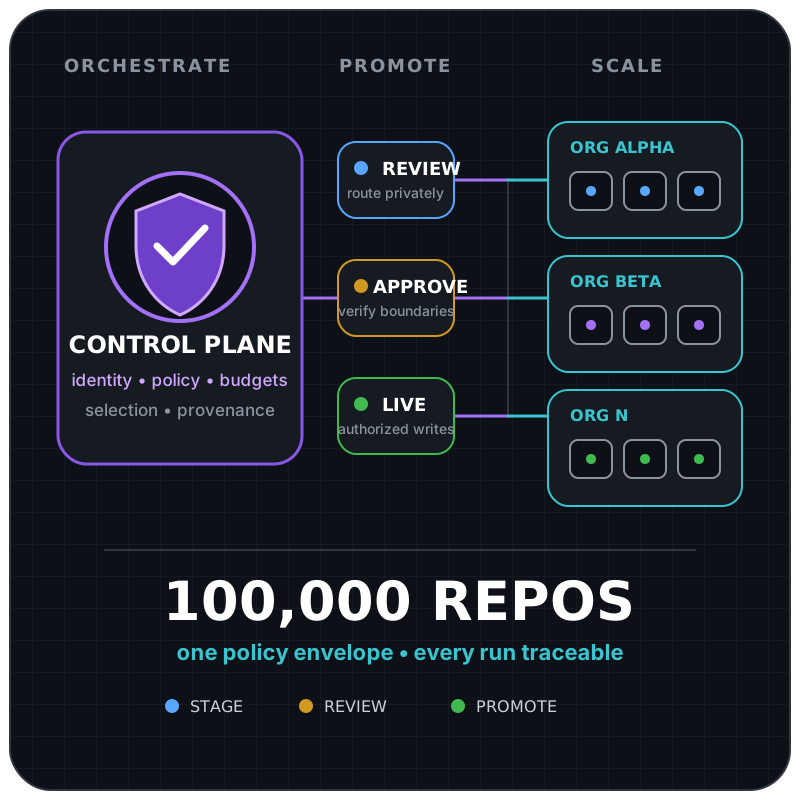
```text
review --approve--> limited live --observe--> scheduled live
^ | |
+-----------------------+-------------------------+
uncertainty: disable, then review
```
## Campaign-Level Control
[Section titled “Campaign-Level Control”](#campaign-level-control)
Each campaign under `control-plane.campaigns` has its own mode and limits. Review safe outputs route to the current control-plane repository unless a manual run supplies an allowed `safe_output_repo`. This is the primary unit of gradual rollout.
| Control | Campaign JSON field | Default |
| ---------------------------- | --------------------------------- | ------------------------------------- |
| Kill switch | `enabled` | `true` for a declared campaign |
| Output mode | `mode` | `review` |
| Scheduled absolute cap | `max-repositories` | `1` |
| Rollout percentage | `rollout-percent` | `100` |
| Exact target mode | `targets..mode` | Campaign mode |
| Worker workflow identity | `workers..workflow` | Required workflow slug |
| Worker kill switch | `workers..enabled` | `true` |
| Optional worker mode ceiling | `workers..max-mode` | Inherit campaign or exact-target mode |
Changing one campaign does not change another. For example, Dependabot may be live while Optimization remains in review.
An exact campaign target can advance independently while the campaign remains in review elsewhere:
```json
{
"dependabot": {
"mode": "review",
"targets": {
"acme/example-service": { "mode": "live" }
}
}
}
```
Unmatched repositories retain the campaign mode. Exact targets must remain inside `control-plane.scope`, comparisons are case-insensitive, and duplicate spellings fail validation. The worker re-resolves its own target policy before execution, so a dispatched envelope cannot promote a review target. A manual mode may narrow all selected targets to review but cannot widen any target to live.
Absolute caps default to `1`, so missing configuration cannot create broad fan-out. Rollout percentages accept integers from `1` through `100` and default to `100`. The control plane rounds the percentage-derived repository count up for a non-empty candidate set, then applies the smallest of that count, `max_repos`, and the target count supported by the declared dispatch budget and eligible worker count. For example, a `10` percent rollout over 25 discovered repositories permits at most 3 selections before stricter caps are applied. Invalid values fail closed.
The smallest cap always wins
For 25 discovered repositories at 10 percent, the percentage cap is 3. If `max_repos` is `1`, only one repository can be selected.
Automatic discovery scans at most `control-plane.inventory.max-scan-repositories`, defaulting to `1000` with a hard maximum of `100000`. The checked-in cell and batch fields deterministically select one bounded inventory slice before ranking. They do not auto-advance or retry batches. Manual target and review repositories must satisfy `control-plane.scope`, whose allowed owners default to the control repository owner.
### Live Authority Check
[Section titled “Live Authority Check”](#live-authority-check)
The control repository’s `.github/workflows/cao.json` is the sole live-activation decision marker. Before promoting a campaign to `live`, operators must declare the campaign mode, worker ceiling, allowed owner or exact repository, and any target-specific mode in that policy. Workers resolve it at the exact workflow SHA, so a target repository cannot widen, narrow, or veto the decision by adding, changing, or removing its own files.
If an enterprise and organization runtime both select the same target and campaign, keep both in `review` until operators choose one control repository and remove live scope from the other. Do not rely on run timing or workflow concurrency to resolve the conflict. Separate control repositories have independent queues and kill switches.
## Modes
[Section titled “Modes”](#modes)
| Mode | Target behavior | Intended use |
| -------- | --------------------------------------------------------------------------------------------------------------- | ------------------------------------------------------- |
| `review` | safe outputs route to the current control-plane repository, with an optional manual `safe_output_repo` override | Human review of proposed effects before target mutation |
| `live` | Declared worker workflow safe outputs may write to the selected target | Production campaign after promotion gates pass |
Review mode is the installation default. It resolves its destination from the manual `safe_output_repo` workflow input, then `github.repository`.
In review mode, the review repository is not treated as a clone of the target. When a target-bound mutation cannot be represented natively against the review repository, the worker should publish an artifact-backed review bundle describing the target, intended output primitive, base branch, and supporting evidence.
## Pages Report Routing
[Section titled “Pages Report Routing”](#pages-report-routing)
Pages report routing follows the control-plane modes. Deployment is still conventional deterministic GitHub Actions automation, but the effective mode selects an access-controlled review site update or a production site update.
| Mode | Report source behavior |
| -------- | ---------------------------------------------------------------------------------------------------------------------------------------------------------------- |
| `review` | Proposed report source data is routed to the private `safe_output_repo` and published to its access-controlled review Pages site. Production Pages is unchanged. |
| `live` | Declared report source data is written to its normal durable destination and published to the production Pages site. |
The review and production publishers use fixed trusted source locations and build code and accept no agent-generated build commands, paths, repository names, or site bundles through dispatch inputs. They should use separate build and deploy jobs. The build job needs `contents: read` and its own `pages: write` permission for `actions/configure-pages`; the deploy job independently needs `pages: write` plus `id-token: write` and deploys through a protected environment. Agents do not receive those permissions or authority to change the routed mode.
For Pages reports, `safe_output_repo` retains its standard meaning as the safe-output review destination and also owns the review Pages deployment. It must be private, Pages-enabled, and access-controlled for the intended reviewers. Review and production use distinct repositories or protected environments, URLs, and concurrency groups. If access-controlled review Pages is unavailable, review publication fails closed rather than publishing publicly or falling back to a different output channel.
## `workflow_dispatch` Runs
[Section titled “workflow\_dispatch Runs”](#workflow_dispatch-runs)
A `workflow_dispatch` run can set the `target_repo`, `max_repos`, `rollout_percent`, `safe_output_mode`, and `safe_output_repo` workflow inputs. These DispatchOps runs are useful for a controlled canary or incident diagnosis. They do not update checked-in policy. Mode and numeric requests may narrow the resolved campaign policy but cannot widen it.
`workflow_dispatch` runs should narrow scope during validation:
* specify one `target_repo`;
* keep `max_repos` at `1`;
* use `review` first;
* use the control-plane repository for scheduled review runs, and use `safe_output_repo` only when a manual run needs a private override;
* do not use a manual live run to bypass failed promotion gates.
Example canary inputs:
```yaml
target_repo: acme/example-service
max_repos: 1
rollout_percent: 100
safe_output_mode: review
safe_output_repo: ""
```
## Promotion Plan
[Section titled “Promotion Plan”](#promotion-plan)
Promote each campaign independently:
1. **Installed in review**: credentials and repository access are configured; proposals route to the private review destination without target writes.
2. **Review verified**: run against one representative repository; inspect selection, prompts, permissions, correlation data, and the actionable proposal. For a Pages report, also verify that the access-controlled review site updates and production Pages does not.
3. **Enrolled**: record target-owner approval and commit the assigned control repository to the target’s protected `.github/workflows/cao.json`.
4. **Limited live**: confirm no other control repository has live authority for the same campaign, then manually target one low-risk repository and verify the resulting safe output and downstream CI. For a Pages report, verify the production site update independently of the review site.
5. **Scheduled live**: enable the scheduled campaign with `max_repos` kept small, then increase limits only from observed evidence.
Promotion evidence should cover successful authentication, correct target selection, safe output routing, no unexpected writes, worker workflow completion, useful safe output quality, and acceptable AI Credit consumption.
Promote evidence, not elapsed time
A campaign does not become safer because it remained in a mode for several days. Promote only after a representative run satisfies that mode’s checks.
## Rollback
[Section titled “Rollback”](#rollback)
The first rollback action is to set the affected campaign’s `enabled` field to `false` in `.github/workflows/cao.json` and deploy that reviewed revision. For a narrower incident, set the worker’s `enabled` field to `false`. Then:
1. stop new dispatches;
2. inspect the orchestrator run and correlated worker runs;
3. close, revert, or supersede unintended safe outputs using normal repository procedures;
4. if a workflow or campaign release caused the incident, restore its last known-good Git revision, compile every affected workflow, and deploy that revision through the normal reviewed change process;
5. otherwise, correct the affected policy or worker behavior and compile every affected workflow;
6. re-enable the campaign in review mode and repeat promotion gates.
Do not reduce another campaign’s mode unless the incident involves shared authentication or shared control behavior.
If two runtimes were found mutating the same `(target repository, campaign)` pair, disable that campaign in every conflicting control repository, cancel active runs, and assign one live authority before resuming in review. Stopping only one runtime is insufficient until its queued and in-progress runs are also canceled.
# Set Up with Fine-Grained PATs
> Install a CAO control plane with separate owner-scoped tokens when your repository scope and permissions require them.
Use this path when you cannot install a suitable GitHub App and:
* you already have access to every exact repository;
* organization policy permits fine-grained PATs;
* every required campaign API supports fine-grained PATs;
* you can create a separate token for each resource owner;
* you accept manual expiration, rotation, and revocation.
Never use a classic PAT.
Caution
Existing repository access does not authorize token setup. A coding agent must show the dry-run plan and ask before opening PAT creation pages, storing tokens or repository maps, committing, or pushing.
## Install
[Section titled “Install”](#install)
```bash
CONTROL_REPO="acme/central-agentic-ops"
TARGET_REPO="acme/example-service"
gh auth status
gh repo create "$CONTROL_REPO" --private --clone
cd "${CONTROL_REPO##*/}"
curl --fail --silent --show-error --location \
https://raw.githubusercontent.com/githubnext/gh-cao/main/install.sh |
bash
```
In `.github/workflows/cao.json`, add only the required owners and exact repositories:
```json
"scope": {
"allowed-owners": ["acme"],
"allowed-repositories": ["acme/example-service"]
}
```
## Configure the Tokens
[Section titled “Configure the Tokens”](#configure-the-tokens)
```bash
gh cao setup auth token \
--repo "$CONTROL_REPO" \
--write-repository "$CONTROL_REPO" \
--expires-in 30 \
--dry-run
gh cao setup auth token \
--repo "$CONTROL_REPO" \
--write-repository "$CONTROL_REPO" \
--expires-in 30
```
For every browser form:
1. Confirm the displayed **Resource owner**.
2. Keep **Repository access** set to **Only select repositories**.
3. Select only the repositories printed in the terminal.
4. Keep the preselected permissions unchanged.
5. Generate the token and paste it only into the matching secure prompt.
The command groups repositories by resource owner and stores owner-scoped secrets plus non-secret repository maps.
## Validate and Commit
[Section titled “Validate and Commit”](#validate-and-commit)
```bash
node -e \
'const fs=require("node:fs"); JSON.parse(fs.readFileSync(".github/workflows/cao.json","utf8"))'
gh aw doctor --repo "$CONTROL_REPO" --dir .
git diff --check
```
Review the diff. After explicit approval:
```bash
git add .github activity dashboard
git commit -m "Install Central Agentic Ops control plane"
git push --set-upstream origin HEAD
```
Credential setup is complete when the policy parses, the owner-scoped secret maps match the exact repositories, and `gh aw doctor` reports no blocking installation error. Before live activation, complete the current-revision dashboard, review, and live checks in [Validate before activation](/gh-cao/control-plane-authentication/#validate-before-activation).
## Next: Add a Campaign
[Section titled “Next: Add a Campaign”](#next-add-a-campaign)
Campaign selection, installation, enablement, and the first review run are a separate change. Use [Browse campaigns](/gh-cao/catalog/) or ask an agent to follow `skills/add-cao-campaign/SKILL.md`.
# Set Up Multiple Organizations
> Install a CAO control plane across organizations using enterprise-owned private GitHub Apps.
You need permission to create enterprise GitHub Apps and install them separately on every enrolled organization.
Caution
Permission does not authorize setup. A coding agent must ask before creating or reusing the control repository, running the installer, creating either App, storing variables or secrets, committing, or pushing.
## Install
[Section titled “Install”](#install)
```bash
CONTROL_REPO="platform/central-agentic-ops"
TARGET_REPO="acme/example-service"
gh auth status
gh repo create "$CONTROL_REPO" --private --clone
cd "${CONTROL_REPO##*/}"
curl --fail --silent --show-error --location \
https://raw.githubusercontent.com/githubnext/gh-cao/main/install.sh |
bash
```
In `.github/workflows/cao.json`, add only the required owners and exact repositories:
```json
"scope": {
"allowed-owners": ["platform", "acme"],
"allowed-repositories": [
"acme/example-service"
]
}
```
## Create and Install the Apps
[Section titled “Create and Install the Apps”](#create-and-install-the-apps)
In enterprise settings:
1. Create one private read App and one private write App.
2. Use the [CAO permission matrix](/gh-cao/authentication/#permissions).
3. Install each App separately on every enrolled organization.
4. Choose **Only select repositories** for every installation.
5. Record both client IDs and download one private key for each App.
Enterprise ownership alone grants no repository access.
## Configure the Control Repository
[Section titled “Configure the Control Repository”](#configure-the-control-repository)
```bash
gh cao setup auth enterprise-app \
--repo "$CONTROL_REPO" \
--read-client-id "" \
--write-client-id "" \
--policy .github/workflows/cao.json \
--write-repository "$CONTROL_REPO" \
--dry-run
gh cao setup auth enterprise-app \
--repo "$CONTROL_REPO" \
--read-client-id "" \
--write-client-id "" \
--policy .github/workflows/cao.json \
--write-repository "$CONTROL_REPO"
```
Paste private keys only into the secure prompts.
The read App must cover the control repository and every exact repository in the policy. The write App must cover the control repository for review output; repeat `--write-repository` only for additional approved output repositories. Ensure every dispatched worker admits the write App’s `APP-SLUG[bot]` login.
## Validate and Commit
[Section titled “Validate and Commit”](#validate-and-commit)
```bash
node -e \
'const fs=require("node:fs"); JSON.parse(fs.readFileSync(".github/workflows/cao.json","utf8"))'
gh aw doctor --repo "$CONTROL_REPO" --dir .
git diff --check
```
Review the diff. After explicit approval:
```bash
git add .github activity dashboard
git commit -m "Install Central Agentic Ops control plane"
git push --set-upstream origin HEAD
```
If an App installation or exact repository selection is missing, correct the installation instead of widening policy. Before live activation, complete the current-revision dashboard, review, and live checks in [Validate before activation](/gh-cao/control-plane-authentication/#validate-before-activation).
## Next: Add a Campaign
[Section titled “Next: Add a Campaign”](#next-add-a-campaign)
Campaign selection, installation, enablement, and the first review run are a separate change. Use [Browse campaigns](/gh-cao/catalog/) or ask an agent to follow `skills/add-cao-campaign/SKILL.md`.
# Set Up One Organization
> Install a CAO control plane for private repositories in one organization using private GitHub Apps.
You need an approved private App pair and authorized access to its keys, or permission to create and install private Apps for the organization. Repository administrators can extend an approved installation to their repositories where organization policy permits; new installations still need appropriate approval.
Caution
Permission does not authorize setup. A coding agent must ask before creating or reusing the control repository, running the installer, creating either App, storing variables or secrets, committing, or pushing.
## Install
[Section titled “Install”](#install)
```bash
CONTROL_REPO="acme/central-agentic-ops"
TARGET_REPO="acme/example-service"
gh auth status
gh repo create "$CONTROL_REPO" --private --clone
cd "${CONTROL_REPO##*/}"
curl --fail --silent --show-error --location \
https://raw.githubusercontent.com/githubnext/gh-cao/main/install.sh |
bash
```
In `.github/workflows/cao.json`, add only the exact first target:
```json
"scope": {
"allowed-owners": ["acme"],
"allowed-repositories": ["acme/example-service"]
}
```
## Configure the Apps
[Section titled “Configure the Apps”](#configure-the-apps)
If Apps are already approved, prefer [reusing their client IDs](/gh-cao/authentication/#reuse-approved-apps) with `--read-client-id` and `--write-client-id`, or choose **Reuse approved private GitHub Apps** in guided setup. Keys are entered only at hidden prompts. Otherwise create a pair:
```bash
gh cao setup auth github-app \
--repo "$CONTROL_REPO" \
--dry-run
gh cao setup auth github-app \
--repo "$CONTROL_REPO"
```
For both browser flows:
1. Keep the App private.
2. Choose **Only select repositories**.
3. Select only the repositories printed in the terminal.
4. Finish the installation and return to the terminal.
Setup verifies the exact selected repository membership with a short-lived App installation token and does not accept a manual-verification fallback. The write App defaults to the control repository so review outputs have an approved destination. Ensure every dispatched worker admits the write App’s `APP-SLUG[bot]` login.
## Validate and Commit
[Section titled “Validate and Commit”](#validate-and-commit)
```bash
node -e \
'const fs=require("node:fs"); JSON.parse(fs.readFileSync(".github/workflows/cao.json","utf8"))'
gh aw doctor --repo "$CONTROL_REPO" --dir .
git diff --check
```
Review the diff. After explicit approval:
```bash
git add .github activity dashboard
git commit -m "Install Central Agentic Ops control plane"
git push --set-upstream origin HEAD
```
Credential setup is complete when the policy parses, exact App installation membership is verified, the expected App variables and secrets exist, and `gh aw doctor` reports no blocking installation error. Before live activation, complete the current-revision dashboard, review, and live checks in [Validate before activation](/gh-cao/control-plane-authentication/#validate-before-activation).
## Next: Add a Campaign
[Section titled “Next: Add a Campaign”](#next-add-a-campaign)
Campaign selection, installation, enablement, and the first review run are a separate change. Use [Browse campaigns](/gh-cao/catalog/) or ask an agent to follow `skills/add-cao-campaign/SKILL.md`.
# What Dependabot / Update Planner measures
> Definitions, evidence rules, and interpretation for the Dependabot / Update Planner operational-value report.
This page explains the operational-value timeline in plain language. It defines what was measured; it does not decide whether the workflow caused the observed changes.
## How to read the timeline
[Section titled “How to read the timeline”](#how-to-read-the-timeline)
* The purple dotted line marks workflow adoption on `2026-09-17`.
* The left side is pre-adoption evidence; the right side is post-adoption evidence.
* Each dot is one immutable observation. Missing evidence is omitted, never treated as zero.
* Workflow runs show execution activity only. They do not prove repository value.
## What was measured
[Section titled “What was measured”](#what-was-measured)
### Open security alerts
[Section titled “Open security alerts”](#open-security-alerts)
* **What it tells you:** Open security alerts. This is a `primary` measure.
* **Native measurement formula:** `Dependabot security alerts open at the cutoff`
* **Unit:** `alerts`
* **Goal:** Lower values are better.
* **Chart display:** The chart shows the native value directly on a metric-specific axis.
### Open critical/high alerts
[Section titled “Open critical/high alerts”](#open-criticalhigh-alerts)
* **What it tells you:** Open critical/high security alerts. This is a `diagnostic` measure.
* **Native measurement formula:** `Dependabot security alerts with critical or high severity open at the cutoff`
* **Unit:** `alerts`
* **Goal:** Lower values are better.
* **Chart display:** The chart shows the native value directly on a metric-specific axis.
### Open Dependabot pull requests
[Section titled “Open Dependabot pull requests”](#open-dependabot-pull-requests)
* **What it tells you:** Open Dependabot pull requests. This is a `diagnostic` measure.
* **Native measurement formula:** `Dependabot-authored dependency pull requests open at the cutoff`
* **Unit:** `pull-requests`
* **Goal:** Lower values are better.
* **Chart display:** The chart shows the native value directly on a metric-specific axis.
## Evidence rules
[Section titled “Evidence rules”](#evidence-rules)
* **Repository:** `githubnext/gh-cao`
* **Evidence population:** A Dependabot security alert in an authorized target repository that was open at the immutable observation cutoff.
* **Collection:** Fetch Dependabot alert lifecycle records and Dependabot-authored pull-request lifecycle records once per supported repository, then reconstruct every requested cutoff locally from their authoritative timestamps.
* **Observation window:** 7 days, sampled every 7 days
* **Maturation delay:** 0 days
* **Filters:** `Count alerts created no later than the cutoff and not fixed, dismissed, or auto-dismissed by that cutoff.`; `Count critical and high alerts separately without severity weighting.`; `Count Dependabot-authored pull requests created no later than the cutoff and not closed by that cutoff as a separate queue diagnostic.`; `Fail the observation closed when complete alert or pull-request lifecycle evidence is unavailable.`
The same definitions and formulas are applied before and after adoption. The structured evidence, exact snapshots, provenance, units, and native values are recorded in the adjacent `dependabot-update-planner-timeline.json` artifact.
## Important limitation
[Section titled “Important limitation”](#important-limitation)
A before/after pattern is an association, not proof of causation. Other repository changes may explain some or all of the movement.
Value-function SHA-256: `78540498a35c483cea4a7727ca961c3b2e0e94ca2c9604ff4b648064ad87ea34`
# Activity cache compression analysis
> Measurements and remediation for repeated Activity cache shard data.
# Activity cache compression analysis
[Section titled “Activity cache compression analysis”](#activity-cache-compression-analysis)
On 2026-09-17, the deployed `cao-activity-index` snapshot was downloaded and queried with the `cao` CLI. The snapshot was healthy, covered six repositories, and contained 23,566 runs, 17,214 jobs, 3,203 sessions, and 117,707 events after the CLI’s 30-day repair pass.
## Stored data
[Section titled “Stored data”](#stored-data)
The artifact expanded to 2.65 GB:
| Component | Files | Bytes |
| --------------------------- | ----: | ------------: |
| Source JSONL shards | 510 | 1,018,050,345 |
| Run-information shards | 512 | 830,439,845 |
| Event shards | 512 | 596,008,119 |
| SQLite projection | 1 | 201,728,000 |
| Compressed Actions artifact | 1 | 202,156,751 |
The source directory held 85 generations for each of six repository prefixes. Its 82,436 JSONL envelopes comprised:
| Kind | Records | Bytes | Share |
| ----------------------- | ------: | ----------: | ----: |
| `run` | 41,028 | 736,545,018 | 72.3% |
| `workflow_runs` | 5,722 | 273,168,443 | 26.8% |
| `safe_output_item` | 35,176 | 8,222,126 | 0.8% |
| `github_api_rate_limit` | 510 | 114,758 | <0.1% |
Within `run` envelopes, audit payloads accounted for 536,575,181 bytes. MCP tool usage (43,168,562 bytes), job details (30,802,140 bytes), graders (15,465,518 bytes), and token summaries (15,300,106 bytes) were the next largest fields. These fields are useful: they supply the event timeline and the run-level operational, usage, firewall, and tool aggregates.
## Event use
[Section titled “Event use”](#event-use)
The most frequent canonical events were:
| Type | Events | Serialized bytes |
| ---------------------- | -----: | ---------------: |
| `tool.call` | 23,267 | 16,060,892 |
| `tool.error` | 23,267 | 16,200,500 |
| `audit.observability` | 18,455 | 12,015,112 |
| `audit.finding` | 7,065 | 4,470,959 |
| `net_allowed` | 6,028 | 4,250,565 |
| `safe_output.created` | 4,214 | 3,012,552 |
| `workflow_run_grader` | 4,207 | 3,822,192 |
| `audit.recommendation` | 4,092 | 2,792,014 |
The paired MCP events are required by the dashboard mapping contract: each aggregate tool-call item emits a start and terminal result/error event. The largest repeated canonical fields were provenance (18.2 MB), IDs (12.1 MB), session IDs (9.8 MB), and run IDs (4.9 MB). They are join and traceability keys, so removing them would trade correctness for size.
## Bloat
[Section titled “Bloat”](#bloat)
The dominant avoidable cost was retaining every refresh generation:
* 62,769 of 82,436 source lines were exact duplicates.
* Exact duplicate lines occupied 403,315,306 bytes, or 39.6% of source JSONL.
* All 3,203 enriched run identities appeared more than once, with 41,028 run observations in total.
* Per-shard normalization repeated canonical entities. The 510 source shards independently produced 563,779 runs and 807,693 events before stable IDs collapsed them to 23,566 runs and 117,707 events in SQLite.
* Two zero-byte JSONL files were present. They contain no evidence but prevented an unmodified `cao download` from completing because downloads reject empty payloads.
Removing fields from run or event records offers smaller savings and risks breaking provenance, joins, or the documented event lifecycle. Compressing files with gzip would reduce transfer but would not reduce normalization work, duplicate IndexedDB writes, or uncompressed cache size.
## Fix and measured effect
[Section titled “Fix and measured effect”](#fix-and-measured-effect)
The collector now consolidates each repository’s exact shard prefix after a successful `gh aw logs` call. It preserves every source record in its original order so precedence and dependent-record association remain unchanged, writes atomically, and leaves the previous cache untouched when collection fails. Payload generation removes empty source shards, and `cao download` tolerates and omits empty shards from older deployed manifests.
Replaying the deployed snapshot through this compaction reduced:
| Measurement | Before | After | Reduction |
| ----------------------------------- | --------------: | --------------: | --------: |
| Source JSONL | 1,018,050,345 B | 1,018,050,345 B | 0% |
| Run-information shards | 830,439,845 B | 38,411,656 B | 95.4% |
| Event shards | 596,008,119 B | 113,290,469 B | 81.0% |
| Combined source and phased data | 2,444,498,309 B | 1,169,752,470 B | 52.2% |
| Representative ZIP including SQLite | 202,156,751 B | 133,801,932 B | 33.8% |
The phased-shard reduction comes from normalizing one consolidated source per repository: stable canonical IDs are then deduplicated across refresh generations before the transport shard is serialized. Exact source duplicates remain because removing either occurrence can change relative ordering with non-identical run revisions or dependent safe-output records.
# Weekly rhythm
> Understand the seven-day all-workflow-run comparison in Overview.
Weekly rhythm shows whether workflow activity is continuing through the week without reducing recent activity to a single total.
## How to read it
[Section titled “How to read it”](#how-to-read-it)
The chart always shows Monday through Sunday. Reached weekdays represent all workflow runs from the current week, regardless of status or conclusion. Future weekdays use the matching count from the previous week, so they do not appear as misleading zeroes.
Use the pattern to notice a change in cadence. It does not explain why activity rose or fell, and it does not distinguish failures or measure output quality.
## Data it uses
[Section titled “Data it uses”](#data-it-uses)
`overview-rhythm` reads `started-at` from retained `runs` across a 15-day window. Dashboard Language converts those records into seven calendar-week points and counts every run, including failed, cancelled, skipped, and in-flight runs with a recorded start time.
Malformed or unavailable rhythm data renders a stable seven-day empty state instead of changing the component’s shape.
## When to investigate
[Section titled “When to investigate”](#when-to-investigate)
Open Runs when the current cadence differs unexpectedly from the previous week. Check failures, queued work, and rollout mode before treating a quiet period as an operational problem.
# Overview component model
> Understand the component boundaries, responsive behavior, and data queries behind Overview.
This page explains how the Overview view is composed. Start with the [operator guide](/gh-cao/dashboard-overview/) if you want to interpret the metrics; use this page when you are building, reviewing, or testing the interface.
## Built from focused components
[Section titled “Built from focused components”](#built-from-focused-components)
Overview uses focused components so each part can be understood, maintained, and tested independently. Components own presentation and interaction, while Dashboard Language owns filtering, joins, and operational calculations. This keeps the interface consistent without hiding business logic in page code.
 
## Declarative composition
[Section titled “Declarative composition”](#declarative-composition)
Dashboard Language exposes the factory overview as two reusable named elements declared as separate views in `dashboard.json`:
* `header` owns status, retained-output context, work-in-motion state, and Weekly rhythm, plus the opt-in Data ingestion indicator.
* `floor` owns the four linked metric stations and their aggregate accessible summary.
The default dashboard declares `factory-header` followed by `factory-floor`. Each view selects only presentation-ready query outputs, and their declared order reconstructs the complete factory overview without page-specific composition code or main-thread business derivation. Each declared source binds independently to the reactive tree, so the page and both element roots appear immediately. Pending state is shown only by the status, rhythm, or metric station waiting on that query rather than by a page-sized view skeleton.
`config.data-status: true` on `factory-header` enables the reusable refresh/import indicator. It shares presentation with the top-right status icon and observes the actual dashboard pipeline lifecycle plus rate-limit state. This transient UI state is not canonical operational evidence and cannot be queried in Dashboard Language. It does not request hosted administrator telemetry or derive health from workflow rows. Its reactive lifetime ends with the header.
## Responsive by design
[Section titled “Responsive by design”](#responsive-by-design)
Every view has a deliberate mobile experience. Components keep the same meaning, data, and reading order, but their layout may differ when a narrow screen needs a better way to scan or compare information. Mobile does not have to reproduce the desktop arrangement or simply stack every block.
In Overview, the narrative and seven-day rhythm form one reading column, while the four metrics form a responsive comparison grid. No content or evidence is removed.
## Component guides
[Section titled “Component guides”](#component-guides)
* [Status header](/gh-cao/dashboard-overview-status-header/) explains the operating state, work-in-motion label, and retained-output summary.
* [Weekly rhythm](/gh-cao/dashboard-overview-campaign-rhythm/) explains the seven-day successful-run comparison.
* [Registered repositories](/gh-cao/dashboard-overview-registered-repositories/) explains the repository-scope count. Each guide follows the same structure: what the component shows, how to read it, which Dashboard Language query supplies its data, and when to investigate.
The health station consumes `overview-factory-station`, derived from `overview-workflow-health-summary` and `overview-workflow-health-groups`. These queries include all workflows in CAO and targeted repositories without requiring campaign membership. The station links to Workflows; campaign navigation remains separate.
The other stations show repository coverage, retained Issues & PRs, and observed grader results under Value gains. Observed grader results are not verified improvements.
# Repositories registered
> Understand the repository-scope count in Overview.
Repositories registered shows how many canonical repository identities are represented in the dashboard’s retained control-plane scope. IndexedDB resolves this inventory count directly without loading repository records. It describes scope, not how many repositories received work during the selected period.
Select the count to open the Repositories view and inspect the inventory.
The Repositories run-volume chart reads repository identities and distinct retained run IDs directly. It does not wait for workflow health, outcome reports, AI Credit totals, or imported event coverage. It ranks up to 100 repositories with drill-down links; the Table view retains the full inventory and its execution-health and import-coverage metrics.
## Data it uses
[Section titled “Data it uses”](#data-it-uses)
`overview-registered-repository-summary` reads `repositories` and counts distinct organization and repository pairs.
The metric floor’s accessible summary also uses `overview-delivery-summary`. That query joins successful worker dispatch runs with workflow and repository inventory to count registered target repositories that received a delivery.
When repository evidence is unavailable, the component reports that state instead of presenting the missing scope as zero.
## When to investigate
[Section titled “When to investigate”](#when-to-investigate)
Open Repositories when the count changes unexpectedly or does not match the reviewed rollout policy. Compare the inventory with delivery evidence before concluding that every registered repository received work.
# Status header
> Understand the operating status and work-in-motion label at the top of Overview.
The status header gives you the overall shape of the factory right now.
## What it shows
[Section titled “What it shows”](#what-it-shows)
* **Work in motion** appears when runs are queued or in progress.
* The heading classifies the available evidence as idle, humming, needing attention, under strain, or delivering value.
Treat the heading as a signal, not a health score. Follow an unexpected state into the relevant run, output, or value view before deciding what happened.
## Data it uses
[Section titled “Data it uses”](#data-it-uses)
| Query | Source | Purpose |
| ------------------------------ | -------------------------------------- | -------------------------------------------------------------------------- |
| `overview-factory-status` | Run and grader summaries | Selects the status heading. |
| `overview-header-presentation` | Factory status and all-workflow health | Applies the health attention heading across CAO and targeted repositories. |
| `overview-run-summary` | `runs` and workflow inventory | Counts active work, including review and live rollout modes. |
If status evidence is unavailable, the header says so instead of inferring a healthy state.
## When to investigate
[Section titled “When to investigate”](#when-to-investigate)
Investigate when the heading reports strain, needs attention, or is unavailable. Start with failed or active Runs, then check retained outputs and Operational value when run evidence does not explain the status.
# Dashboard view catalog
> Find every standardized CAO dashboard experience, Dashboard Language page, view mark, chart, and named UI element.
This catalog helps dashboard builders choose an existing page, mark, chart, or named UI element before creating something new. It describes the available presentation vocabulary and the purpose of each option.
The executable vocabulary remains authoritative in `dashboard/site/src/specification.js`; named element implementations are registered in `dashboard/site/src/components/ui-elements.js`.
For a concrete ownership and responsive-layout example, see the [Overview component model](/gh-cao/dashboard-overview-components/).
## Primary product views
[Section titled “Primary product views”](#primary-product-views)
These are the default product destinations. They are custom pages composed from named elements so their data remains declarative while each specialized interaction has one DOM owner.
| Page ID | Navigation title | Named element | Purpose |
| --------------- | ---------------- | ----------------------------------------------------- | -------------------------------------------------------------------------------------------------------------------------------------------------------------------------------------------- |
| `overview` | Overview | `factory-header`, `factory-floor`, `link-button-list` | Summarizes campaign health, repository coverage, weekly rhythm, and campaign shortcuts. |
| `configuration` | Settings | `configuration-policy` | Presents checked-in control policy and its editable settings surface. |
| `governance` | Governance | `environment-defaults` | Visible only in local `--admin` mode or to authorized hosted administrators; loads, previews, and explicitly approves gh-aw compiler default variables through authorized local CLI actions. |
## Built-in pages
[Section titled “Built-in pages”](#built-in-pages)
Built-in pages carry renderer-defined semantic requirements and required source contracts.
| Page | Purpose |
| ----------------------- | --------------------------------------------------------------------------------------------------------------------- |
| `overview` | Cross-domain operational overview with availability and filter context. |
| `organizations` | Organization inventory and aggregate repository, workflow, run, and usage activity. |
| `repositories` | Repository activity, workflow coverage, failures, and usage. |
| `campaigns` | Installed campaign inventory, registration, modes, runs, and utilization. |
| `workflows` | Workflow inventory, role, rollout mode, activity, runs, and usage. |
| `runs` | Workflow run status, conclusion, model, engine, timing, and repository context. |
| `audits` | Ordered audit evidence linked directly to retained runs. |
| `experiments` | Experiment definitions and observed variants. |
| `graders` | Grader definitions and scored run observations. |
| `evals` | Evaluation definitions and run-level results. |
| `usage` | Token, AIC, estimated cost, model, engine, and scope usage. |
| `engines-models` | Model and engine utilization plus run aggregates. |
| `operational-value` | Campaign-defined repository metrics. |
| `findings` | Linked security and quality findings with status and severity. |
| `issues` | Reusable issue entity cards bound to safe-output queries with explicit drill behavior. |
| `cost` | Observed AI Credit cost across campaigns, repositories, and workflows. |
| `memory` | Browses repository memory published by centrally managed campaigns, with Raw and Table tabs for JSONL files. |
| `skills` (experimental) | Observed skill invocations and the workflows that invoked them. |
| `marketplace` | Read-only CAO campaign packages from the configured registries. See [Browse campaign packages](/gh-cao/marketplace/). |
| `indexing` | Dashboard and server-side collection health, Activity ingestion, and retained database transactions. |
JSONL memory files expose their top-level fields as table columns, with physical line numbers and the shared sorting, filtering, and load-more controls. Nested values remain JSON text; missing fields remain blank. Invalid records report their line number without hiding them from the Raw view. This file viewer uses a named element because memory-file schemas are discovered only after loading, outside the canonical dashboard sources. Both Raw pretty-printing and table parsing run exclusively in the data worker, including for hosted memory files.
## Declarative marks
[Section titled “Declarative marks”](#declarative-marks)
| Mark | Purpose |
| --------- | ------------------------------------------------------------------------------------ |
| `metric` | One summarized value with optional tone, icon, navigation, and number animation. |
| `table` | Structured rows with declared columns, formats, links, summaries, and actions. |
| `list` | Repeated records rendered as cards or issue-style rows. |
| `chart` | A declared graphical encoding rendered by one of the standard chart types. |
| `element` | A named reusable component for interaction or presentation beyond the generic marks. |
| `callout` | A concise labeled status or attention message. |
## Standard charts
[Section titled “Standard charts”](#standard-charts)
| Chart | Purpose |
| ---------------- | ---------------------------------------------------------------------------------------------------------------------------------------------------------------------------------------------------------------------------------------------------- |
| `area` | Show quantitative change over an ordinal or bucketed temporal axis, optionally stacking non-negative contributions by categorical color. |
| `bar` | Compare quantitative values across categories. |
| `dot` | Show exact quantitative observations over time without connecting points; optionally encode horizontal quantitative reference lines. |
| `heatmap` | Show aggregated quantitative intensity across two categorical axes, with at most 100 cells and 12 categories per axis. |
| `histogram` | Show the distribution of quantitative samples using automatic bins after aggregation, ordering, and limiting; categorical `x` identifies each sample. |
| `horizontal-bar` | Compare up to 100 labeled quantitative values with labels on the left and bars aligned on the right. |
| `line` | Show quantitative change over a bucketed temporal axis, using categorical color series or two to eight quantitative `y` fields. |
| `pie` | Show a bounded part-to-whole composition. |
| `scatter` | Show exact quantitative observations at proportional timestamp positions without connecting points; `x` is temporal, not quantitative. |
| `swimlane` | Show observations over unbucketed time in categorical lanes, optionally weighted by observation count; contiguous observations may be coalesced without connecting gaps. |
| `treemap` | Show up to 100 rectangles with area proportional to positive finite values, optionally nested by one categorical group; use Vega-style squarify, binary, or slice-dice layouts. See [Treemap authoring](/gh-cao/dashboard-language/#show-a-treemap). |
Dot, line, and scatter charts require temporal `x`; heatmaps require categorical `x` and `y`. Heatmaps, horizontal bars, and treemaps must declare `data.limit` no greater than 100. Charts present graphics and legends, not row-level evidence tables. Prefer horizontal bars for labeled rankings, pies for meaningful part-to-whole composition, and treemaps for positive proportional contributions. An average or rate is not an additive contribution merely because it is numeric.
## Chart composition and layout
[Section titled “Chart composition and layout”](#chart-composition-and-layout)
These features compose existing charts; they are not additional chart types or a general Vega/Vega-Lite interpreter.
| Feature | Purpose and supported boundary |
| --------------------- | --------------------------------------------------------------------------------------------------------------------------------------------------------------------------------------------------------------------------------------------------------------------------------------------------------------------------------------------------------------------- |
| `facet` | Repeat a chart over categorical subsets using one field or a row/column matrix. The worker partitions globally ordered and limited rows into at most 64 observed panels, each with independent scales. Single-field facets may wrap with view `columns` from 1 to 64. See [Faceted charts](/gh-cao/dashboard-language-specification/#faceted-charts-small-multiples). |
| `layer` | Overlay `area`, `bar`, `line`, `dot`, or layer-only `rule` marks over one already-shaped query source. Encodings inherit by channel and later leaves paint above earlier leaves. Supports at most eight leaves and four nesting levels; declare `layer` instead of top-level `chart`. |
| `resolve` | Select shared or independent quantitative y scales within a layered chart using `resolve.scale.y`. Independent x/color scales and facet-wide shared scales are not supported. |
| View `layout` | Request `full`, `full-view`, `half`, `third`, or `horizontal` placement. Hints may collapse responsively while preserving reading and focus order; they are not fixed dimensions. |
| Page section `layout` | Group views using `full`, `wide`, `narrow`, or `horizontal`. Horizontal sections wrap adjacent view boxes. Sections reference every page view exactly once in declaration order; do not add a section solely to frame a chart. |
Layer aggregation, time bucketing, ordering, and limits belong in `dashboard.queries`, not individual layers. A layered chart may also declare a top-level facet; each panel’s layers share that panel’s source. Facet panels are chart graphics inside one view, not nested views. All active charts retain abort-scoped worker query subscriptions and preserve explicit empty, partial, and unavailable evidence states.
See [Custom pages](/gh-cao/dashboard-language-specification/#syntax-and-view-classes) for the complete layer, encoding, layout, and validation contracts.
## Named UI elements
[Section titled “Named UI elements”](#named-ui-elements)
Named elements own specialized DOM, accessibility, interaction, local state, and cleanup. Their source shaping remains in Dashboard Language queries.
| Element | Purpose |
| ------------------------ | ------------------------------------------------------------------------------------------------------------------------------------------------------------------------------------------------------------------------------------- |
| `campaign-route` | Resolves and composes a route-selected campaign experience. |
| `workflow-route-page` | Composes a complete routed workflow page. |
| `outcome-detail` | Presents one outcome and its linked evidence. |
| `outcome-detail-section` | Presents a declared section within an outcome detail. |
| `problem-detail` | Presents one campaign runtime problem with its failure evidence, scope, environment, and repair action. |
| `entity-route` | Allocates a route-selected entity title and native GitHub link. |
| `configuration-policy` | Presents and edits checked-in CAO policy. |
| `environment-defaults` | Edits the full gh-aw defaults YAML through declared `gh aw env` actions, with scope selection, dry-run preview, explicit approval, and private temporary-file transport; does not query activity evidence or grant rollout authority. |
| `measure-history` | Presents reusable grouped temporal-measure history from declarative query results. |
| `factory-header` | Presents campaign status, retained-output context, work in motion, and weekly rhythm. |
| `factory-floor` | Presents linked repository, run, dispatch, and value stations. |
| `all-campaign-memory` | Browses every campaign repository-memory branch in place without route navigation. |
| `link-button-list` | Presents one source as an inset grouped list of Octicon navigation rows with disclosure chevrons. |
| `markdown` | Presents retained Markdown from a declared source field with safe repository-relative links. |
| `query-editor` | Authors ephemeral query-and-view previews through tool-free Copilot SDK sessions; available only in SDK-enabled canvases. |
| `command-terminal` | Replays and follows durable local CLI output by command ID, with explicit Cancel and Retry actions through the data worker; detachment never cancels execution. |
| `storage-info` | Identifies the configured dashboard storage engine and location without querying activity evidence; supports browser IndexedDB, local-server SQLite, server PostgreSQL, and unknown configuration. |
## Testing standard
[Section titled “Testing standard”](#testing-standard)
Generic marks are covered by validator and presenter tests. Named elements require focused unit tests for states and cleanup, plus Playwright when behavior depends on browser layout, navigation, focus, scrolling, workers, or responsive interaction. The integrated local visual fixture is available at `?fixtures=1#page-overview` for Overview and equivalent page hashes for other destinations.
# Operational Observability Visualization Specification
> Evidence and visual-encoding requirements for attention-oriented agentic campaign dashboards.
**Version:** 0.2.0 **Status:** Working Draft **Editor:** GitHub Agentic Workflows Team
***
## Abstract
[Section titled “Abstract”](#abstract)
This specification defines how an agentic campaign dashboard presents domain-level attention, runtime health, security and control evidence, operational value, execution episodes, resource usage, evidence quality, overlap, anomalies, and topology. It separates direct observations from inferred conditions; requires exact evidence for causal relationships; defines readiness gates for policy and statistical verdicts; and specifies accessible visual, textual, and compliance behavior. It does not define data collection, workflow execution, or control-plane policy.
## Status of This Document
[Section titled “Status of This Document”](#status-of-this-document)
This document is a Working Draft and may be updated, replaced, or made obsolete. It is intended for implementation feedback and does not represent endorsement by a standards body.
The GitHub Agentic Workflows Team maintains this document. Version numbers follow Semantic Versioning. Normative requirements are identified by `OOV-*` IDs. Examples, rationales, and the implementation profile in Appendix C are informative.
## Table of Contents
[Section titled “Table of Contents”](#table-of-contents)
1. [Introduction](#1-introduction)
2. [Conformance](#2-conformance)
3. [Conceptual Model](#3-conceptual-model)
4. [Information Architecture](#4-information-architecture)
5. [Operational Attention](#5-operational-attention)
6. [Cost and Efficiency](#6-cost-and-efficiency)
7. [Episode Execution Maps](#7-episode-execution-maps)
8. [Overlap Views](#8-overlap-views)
9. [Statistical Anomaly Views](#9-statistical-anomaly-views)
10. [Topology Views](#10-topology-views)
11. [Interaction and Accessibility](#11-interaction-and-accessibility)
12. [Security and Privacy](#12-security-and-privacy)
13. [Compliance Testing](#13-compliance-testing)
14. [References](#14-references)
15. [Appendices](#15-appendices)
16. [Change Log](#16-change-log)
***
## 1. Introduction
[Section titled “1. Introduction”](#1-introduction)
### 1.1 Purpose
[Section titled “1.1 Purpose”](#11-purpose)
An operational dashboard must help an operator decide what requires attention, understand the observed execution shape, and inspect supporting evidence. A list of recent activity alone does not satisfy that need.
### 1.2 Scope
[Section titled “1.2 Scope”](#12-scope)
This specification covers:
* ranked operational-attention signals;
* domain-level attention states and investigation routes;
* time-bounded execution episodes and aligned run intervals;
* measured resource allocation and cost-evaluation readiness;
* campaign, worker, and target overlap views;
* statistically qualified anomaly views;
* static topology as secondary context;
* missing-data and uncertainty semantics; and
* accessible visual and textual presentation.
This specification does not cover:
* workflow orchestration or dispatch;
* data retention policy;
* automatic remediation;
* a universal anomaly score;
* causality inferred from temporal or naming proximity; or
* operational-value evaluation methodology.
### 1.3 Design Goals
[Section titled “1.3 Design Goals”](#13-design-goals)
The dashboard is designed to support these questions in order:
1. What requires attention now?
2. Which operational domain owns the condition?
3. What happened during the affected episode?
4. Where is work repeated or concentrated?
5. Is current behavior outside an established baseline or configured threshold?
6. What declared structure provides context?
### 1.4 Non-Goals
[Section titled “1.4 Non-Goals”](#14-non-goals)
Visual novelty, exhaustive graph rendering, and a single composite health score are non-goals. The dashboard favors interpretable evidence over visual density.
***
## 2. Conformance
[Section titled “2. Conformance”](#2-conformance)
### 2.1 Requirements Notation
[Section titled “2.1 Requirements Notation”](#21-requirements-notation)
> The key words “MUST”, “MUST NOT”, “REQUIRED”, “SHALL”, “SHALL NOT”, “SHOULD”, “SHOULD NOT”, “RECOMMENDED”, “NOT RECOMMENDED”, “MAY”, and “OPTIONAL” in this document are to be interpreted as described in [RFC 2119](https://www.ietf.org/rfc/rfc2119.txt).
### 2.2 Conformance Classes
[Section titled “2.2 Conformance Classes”](#22-conformance-classes)
This specification defines three conformance classes:
1. **Conforming data producer:** emits identifiers, timestamps, states, and provenance required by a presenter.
2. **Conforming presenter:** renders operational views while preserving evidence and uncertainty semantics.
3. **Conforming test suite:** verifies all requirements applicable to a claimed compliance level.
### 2.3 Compliance Levels
[Section titled “2.3 Compliance Levels”](#23-compliance-levels)
| Level | Name | Required capability |
| ----- | -------- | -------------------------------------------------------------------------------------------------- |
| 1 | Basic | Attention queue, direct evidence links, missing-data states, and static topology separation. |
| 2 | Standard | Level 1 plus episode identity, aligned execution maps, and explicit attribution coverage. |
| 3 | Complete | Level 2 plus overlap and statistically qualified anomaly views when their readiness gates are met. |
* **OOV-CONF-001:** A conformance claim **MUST** identify the class, specification version, compliance level, implementation version, and test result.
* **OOV-CONF-002:** A conforming implementation **MUST** satisfy every requirement applicable to its claimed level.
* **OOV-CONF-003:** A partially conforming implementation **MAY** identify supported capabilities but **MUST NOT** claim a compliance level whose requirements it does not satisfy.
***
## 3. Conceptual Model
[Section titled “3. Conceptual Model”](#3-conceptual-model)
### 3.1 Terms
[Section titled “3.1 Terms”](#31-terms)
| Term | Definition |
| -------------------- | ------------------------------------------------------------------------------------------------------------- |
| Campaign | A static control-plane definition containing an orchestrator and zero or more workers. |
| Episode | One observed orchestrator root run and only the worker or output evidence explicitly correlated to that root. |
| Signal | One independently interpretable reason for operator attention. |
| Attribution coverage | The ratio of explicitly attributed observations to eligible observed observations. |
| Execution map | A shared time axis containing observed lifecycle intervals for one episode. |
| Overlap | Multiple observed producers, campaigns, or attempts associated with the same target or outcome class. |
| Anomaly | An observation meeting a disclosed statistical rule against a representative historical baseline. |
### 3.2 Evidence Classes
[Section titled “3.2 Evidence Classes”](#32-evidence-classes)
Evidence is ordered by what it can establish, not by visual prominence:
1. **Direct state:** terminal run state, approval state, or durable output state.
2. **Exact association:** correlation identifier, trace or span link, or run URL that identifies both observations.
3. **Declared structure:** campaign membership and configured dispatch topology.
4. **Unknown:** missing, incomplete, or unattributed evidence.
* **OOV-MODEL-001:** A presenter **MUST** keep campaign topology and observed episodes as distinct entities.
* **OOV-MODEL-002:** A presenter **MUST NOT** create a causal edge from timestamp proximity, workflow-name similarity, or declared topology alone.
* **OOV-MODEL-003:** Missing attribution **MUST** remain visible as unknown and **MUST NOT** be assigned to the nearest plausible episode.
* **OOV-MODEL-004:** Control result, worker execution result, durable output state, and operational outcome **MUST** remain distinct evidence dimensions.
***
## 4. Information Architecture
[Section titled “4. Information Architecture”](#4-information-architecture)
### 4.1 Required Hierarchy
[Section titled “4.1 Required Hierarchy”](#41-required-hierarchy)
A Standard or Complete presenter **MUST** provide the following hierarchy:
1. a default attention overview organized by operational domain;
2. investigation views for runtime, security and controls, value and outcomes, and cost and efficiency; and
3. exploration views for dispatch events, workflow definitions, repositories, campaigns, runs, and retained outputs.
The attention overview **MUST** represent these domains when applicable evidence exists:
| Domain | Governing question | Primary investigation target |
| --------------------- | ----------------------------------------------------------------------------------------------------- | ------------------------------ |
| Runtime health | Are executions failing, blocked, or incomplete? | Runs and runtime triage. |
| Security and controls | Do control gates, explicit warnings, or assurance evidence require review? | Security and control evidence. |
| Value and outcomes | Which operational-grader metrics are available, and what do their declared units and directions mean? | Grader and outcome evidence. |
| Episodes and autonomy | Are orchestrator and worker behaviors attributable through exact evidence? | Correlated execution episodes. |
| Cost and efficiency | What resource allocation is measured, and can a budget or anomaly verdict be supported? | Usage and efficiency evidence. |
| Evidence quality | Which collection, inventory, or attribution gaps limit dashboard claims? | Coverage diagnostics. |
* **OOV-IA-001:** The first viewport **SHOULD** answer what requires attention without requiring operators to scan raw activity.
* **OOV-IA-002:** Summary views **MUST** provide navigation to supporting evidence or detail on demand.
* **OOV-IA-003:** A presenter **MUST NOT** use a notification banner as the primary container for a multi-item operational worklist.
* **OOV-IA-004:** Visual prominence **SHOULD** decrease from actionable observed evidence to static contextual structure.
* **OOV-IA-005:** The attention overview **MUST** keep operational domains distinct and **MUST NOT** merge them into a composite health, risk, value, or cost score.
* **OOV-IA-006:** Primary navigation **MUST** distinguish attention, investigation, and exploration destinations through visible labels, grouping, or equivalent semantics.
* **OOV-IA-007:** Runtime triage and observed episodes **SHOULD** share an investigation surface; static topology and searchable workflow definitions **SHOULD** share an exploration surface.
* **OOV-IA-008:** A domain summary **MUST** identify the applicable state, the material observed value or unavailable prerequisite, and one investigation target.
### 4.2 Operator Question to Visual Form
[Section titled “4.2 Operator Question to Visual Form”](#42-operator-question-to-visual-form)
| Operator question | Preferred form | Readiness condition |
| --------------------------------------- | ---------------------------------------------------------- | ------------------------------------------------------------ |
| What needs attention? | Ranked evidence worklist | One or more direct states or explicit evidence gaps. |
| Which domain owns attention? | Domain card grid ordered by urgency | Domain evidence or an explicitly unavailable prerequisite. |
| What happened and when? | Episode waterfall or state timeline | Lifecycle timestamps and an exact root identity. |
| Is measured resource use within policy? | Usage allocation plus readiness boundary | Complete aligned usage and an applicable policy threshold. |
| Where does work overlap? | Producer-by-target matrix or UpSet-style intersection view | Explicit producer-target associations and visible set sizes. |
| Is behavior unusual? | Distribution plus control or drift chart | Representative comparable baseline and disclosed method. |
| How is the system intended to connect? | Static grouped topology | Versioned campaign and workflow definitions. |
***
## 5. Operational Attention
[Section titled “5. Operational Attention”](#5-operational-attention)
### 5.1 Signal Vocabulary
[Section titled “5.1 Signal Vocabulary”](#51-signal-vocabulary)
The core signal vocabulary is:
1. failed root episode;
2. failed workflow runs;
3. approval-gated runs;
4. incomplete attribution;
5. explicit warning-bearing outputs;
6. open durable outcomes;
7. repeated target coverage; and
8. unavailable or incomplete telemetry.
### 5.2 Ranking
[Section titled “5.2 Ranking”](#52-ranking)
* **OOV-ATTN-001:** Each signal **MUST** expose a signal type, subject, evidence statement, observation window or evidence time, and investigation target.
* **OOV-ATTN-002:** A count **MUST** include its eligible denominator when a denominator exists.
* **OOV-ATTN-003:** A presenter **MUST** rank direct failures before approval gates, approval gates before evidence gaps, and evidence gaps before non-terminal points of interest.
* **OOV-ATTN-004:** Ties **SHOULD** be ordered by affected count, then stable subject identity.
* **OOV-ATTN-005:** A presenter **MUST NOT** combine heterogeneous signals into an opaque health, risk, or anomaly score.
* **OOV-ATTN-006:** Repeated coverage, no-action output, warning count, and AIC without outcome evidence **MUST** be labeled as investigation signals and **MUST NOT** be labeled as waste.
* **OOV-ATTN-007:** The attention worklist **MUST** expose its ordering rule.
* **OOV-ATTN-008:** When no direct signals exist, the presenter **MUST** render a positive empty state and identify the evaluated signal classes.
### 5.3 Rationale
[Section titled “5.3 Rationale”](#53-rationale)
Symptom-first attention follows SRE guidance: urgent operational signals should be actionable and should describe what is broken; diagnostic causes remain available in supporting detail. Separate dimensions make the ranking auditable and prevent a changing weighted score from concealing evidence.
### 5.4 Domain Attention States
[Section titled “5.4 Domain Attention States”](#54-domain-attention-states)
The domain-level vocabulary is:
| State | Meaning |
| ----------- | -------------------------------------------------------------------------------------------------------------------------------------------------------------------------------------------------- |
| Act now | Direct evidence establishes a terminal failure or equivalent immediate operational condition. |
| Investigate | Direct evidence establishes a control gate, collection gap, attribution gap, warning, open outcome requiring disposition, or breached applicable threshold that requires interpretation or action. |
| Monitor | Sufficient evidence exists and no direct attention condition is observed. |
| Unavailable | A required evidence feed, baseline, or applicable policy threshold is absent. No positive or negative verdict is possible. |
* **OOV-STATE-001:** A presenter **MUST** use deterministic, disclosed rules to assign domain states.
* **OOV-STATE-002:** `Act now` **MUST** require direct evidence of a terminal failure or an equivalently defined immediate condition.
* **OOV-STATE-003:** `Investigate` **MUST** identify the direct signal or evidence gap that caused the state.
* **OOV-STATE-004:** `Monitor` **MUST NOT** be used when evidence required to evaluate the domain is unavailable.
* **OOV-STATE-005:** `Unavailable` **MUST** identify the missing prerequisite and **MUST NOT** be presented as healthy, passing, within budget, or below threshold.
* **OOV-STATE-006:** Domain cards **MUST** be ordered by state urgency and then by a stable domain identity.
***
## 6. Cost and Efficiency
[Section titled “6. Cost and Efficiency”](#6-cost-and-efficiency)
### 6.1 Measurement Semantics
[Section titled “6.1 Measurement Semantics”](#61-measurement-semantics)
* **OOV-COST-001:** A presenter **MUST** label AI Credit or token usage as resource allocation and **MUST NOT** describe it as monetary cost unless an explicit, versioned conversion model exists.
* **OOV-COST-002:** Usage totals **MUST** disclose their observation window, measured-run count, and collection completeness.
* **OOV-COST-003:** Per-repository, per-workflow, or per-episode allocation **MUST** use exact run or output attribution.
* **OOV-COST-004:** Output yield, repeated execution, and no-action counts **MAY** be presented as investigation aids but **MUST NOT** be labeled efficiency, savings, or waste without an explicit outcome and opportunity-cost model.
### 6.2 Budget and Anomaly Readiness
[Section titled “6.2 Budget and Anomaly Readiness”](#62-budget-and-anomaly-readiness)
* **OOV-COST-005:** A budget verdict **MUST** require an applicable budget, a matching measurement window, and complete measured usage for that window.
* **OOV-COST-006:** When any budget prerequisite is absent, the presenter **MUST** display `budget status unavailable` or equivalent language.
* **OOV-COST-007:** Cost or usage anomaly labels **MUST** satisfy all requirements in [Section 9](#9-statistical-anomaly-views).
* **OOV-COST-008:** A cost investigation view **MUST** preserve links to allocation evidence and collection diagnostics.
***
## 7. Episode Execution Maps
[Section titled “7. Episode Execution Maps”](#7-episode-execution-maps)
### 6.1 Episode Identity
[Section titled “6.1 Episode Identity”](#61-episode-identity)
* **OOV-EP-001:** An episode **MUST** have one root run identity.
* **OOV-EP-002:** A worker run or output **MUST** join an episode only through an exact correlation identifier, trace or span link, or explicit run relationship.
* **OOV-EP-003:** A presenter **MUST** expose the attribution numerator and eligible dispatch denominator.
### 6.2 Visual Encoding
[Section titled “6.2 Visual Encoding”](#62-visual-encoding)
* **OOV-EP-004:** An execution map **MUST** align root and worker lifecycle intervals on one monotonic time axis.
* **OOV-EP-005:** Each lane **MUST** identify its role, subject, duration, and terminal or current state in text.
* **OOV-EP-006:** Lane length **MUST** encode elapsed time when both boundary timestamps are available.
* **OOV-EP-007:** A missing interval **MUST** appear as absent or unavailable; it **MUST NOT** be rendered as a zero-duration successful interval.
* **OOV-EP-008:** The map **MUST** state whether intervals are observed, estimated, or inferred. A Standard presenter conforming to this specification **MUST NOT** infer intervals.
* **OOV-EP-009:** Visual alignment **MUST NOT** be described as a dispatch edge or critical path unless exact causal evidence establishes that relationship.
### 6.3 Critical Path
[Section titled “6.3 Critical Path”](#63-critical-path)
A presenter **MAY** highlight a critical path when complete parent-child or span-link evidence exists. If evidence is partial, the presenter **MUST** use the term “execution shape” rather than “critical path.”
***
## 8. Overlap Views
[Section titled “8. Overlap Views”](#8-overlap-views)
### 7.1 Matrix Form
[Section titled “7.1 Matrix Form”](#71-matrix-form)
* **OOV-OVR-001:** Pairwise campaign-target or worker-target overlap **SHOULD** use a matrix when the number of relationships would make node-link crossings difficult to trace.
* **OOV-OVR-002:** A matrix **MUST** label both axes and **MUST** expose the value encoded by each cell.
* **OOV-OVR-003:** Row totals and column totals **MUST** remain visible with pairwise intersections.
* **OOV-OVR-004:** A cell **MUST** distinguish attempt count, unique episode count, actionable-output count, and no-action count; these measures **MUST NOT** be silently combined.
### 7.2 Set Intersections
[Section titled “7.2 Set Intersections”](#72-set-intersections)
An UpSet-style view **MAY** replace or complement a pairwise matrix when operators need exact intersections among four or more producer sets.
* **OOV-OVR-005:** An intersection view **MUST** show individual set sizes alongside intersection sizes.
* **OOV-OVR-006:** An overlap view **MUST** use explicit target and producer associations.
* **OOV-OVR-007:** Overlap **MUST NOT** be labeled duplication or waste without outcome equivalence and an explicit cost or opportunity model.
* **OOV-OVR-008:** When no correlated producer-target observations exist, the view **MUST** render a readiness state rather than an empty decorative matrix.
***
## 9. Statistical Anomaly Views
[Section titled “9. Statistical Anomaly Views”](#9-statistical-anomaly-views)
### 8.1 Readiness
[Section titled “8.1 Readiness”](#81-readiness)
* **OOV-ANOM-001:** A presenter **MUST NOT** label an observation anomalous without a representative baseline of comparable observations.
* **OOV-ANOM-002:** The presenter **MUST** disclose the cohort, lookback interval, sample count, method, parameters, and false-alarm interpretation used by an anomaly rule.
* **OOV-ANOM-003:** When readiness requirements are not met, the presenter **MUST** display “not evaluated” or equivalent language and explain the missing prerequisite.
* **OOV-ANOM-004:** Low-traffic cohorts **MUST NOT** be evaluated using unstable rates without exposing raw event counts.
### 8.2 Methods
[Section titled “8.2 Methods”](#82-methods)
A Complete presenter MAY support Shewhart-style control limits for abrupt shifts, exponentially weighted moving averages for gradual drift, or cumulative sums for small persistent shifts.
* **OOV-ANOM-005:** Method selection and parameters **MUST** be defined before evaluating the displayed observation.
* **OOV-ANOM-006:** Control limits **MUST NOT** be described as specification limits or service objectives.
* **OOV-ANOM-007:** Duration analysis **SHOULD** expose a distribution or upper-tail quantile and **SHOULD NOT** rely on an arithmetic mean alone.
* **OOV-ANOM-008:** A statistically unusual observation **MUST** remain distinct from an actionable failure.
***
## 10. Topology Views
[Section titled “10. Topology Views”](#10-topology-views)
* **OOV-TOPO-001:** Static topology **MUST** be labeled as expected, configured, or declared structure.
* **OOV-TOPO-002:** Static topology **MUST NOT** assert that a dispatch or execution occurred.
* **OOV-TOPO-003:** Node-link edges **MUST** distinguish declared relationships from observed causal relationships through both text and visual treatment.
* **OOV-TOPO-004:** A dense many-to-many relationship **SHOULD** use grouped lists or a matrix instead of a node-link graph.
***
## 11. Interaction and Accessibility
[Section titled “11. Interaction and Accessibility”](#11-interaction-and-accessibility)
* **OOV-A11Y-001:** Color **MUST NOT** be the only means of conveying state, severity, role, or selection.
* **OOV-A11Y-002:** Meaningful graphical objects and state boundaries **MUST** meet WCAG 2.2 non-text contrast requirements.
* **OOV-A11Y-003:** Every chart or map **MUST** have an accessible name and a textual equivalent containing its material values.
* **OOV-A11Y-004:** Keyboard users **MUST** be able to reach every investigation target and details-on-demand control.
* **OOV-A11Y-005:** Hover-only evidence **MUST** also be available through focus or persistent text.
* **OOV-A11Y-006:** Status text **SHOULD** use sentence case and concise, stable terminology.
* **OOV-A11Y-007:** The layout **MUST NOT** introduce horizontal page overflow at a 320 CSS pixel viewport. A locally scrollable matrix or timeline **MAY** overflow its labeled region.
* **OOV-INT-001:** Filters **SHOULD** preserve their state in the URL when a stable URL representation exists.
* **OOV-INT-002:** An attention row **SHOULD** make the complete row an investigation target when it has exactly one destination.
***
## 12. Security and Privacy
[Section titled “12. Security and Privacy”](#12-security-and-privacy)
* **OOV-SEC-001:** A presenter **MUST** escape untrusted labels, titles, paths, and evidence text before rendering HTML.
* **OOV-SEC-002:** Investigation URLs **MUST** be validated against an allowlisted scheme.
* **OOV-SEC-003:** Private repository names and run metadata **MUST NOT** be exposed to an audience lacking corresponding repository authorization.
* **OOV-SEC-004:** Free-form output text **SHOULD** be summarized or redacted before appearing in a high-level attention surface.
* **OOV-SEC-005:** Correlation identifiers **MUST NOT** contain credentials or authentication tokens.
***
## 13. Compliance Testing
[Section titled “13. Compliance Testing”](#13-compliance-testing)
### 13.1 Test Procedure
[Section titled “13.1 Test Procedure”](#131-test-procedure)
A conforming test suite MUST generate the dashboard from deterministic fixtures, inspect semantic output, and execute browser checks at desktop and 320 CSS pixel viewports. Each result MUST record the test ID, requirement IDs, implementation version, fixture digest, status, and failure evidence.
### 13.2 Required Tests
[Section titled “13.2 Required Tests”](#132-required-tests)
* **T-OOV-001:** Generate mixed failures, approval gates, evidence gaps, warnings, and open outcomes; verify lexicographic signal ordering and visible denominators.
* **T-OOV-002:** Generate no attention signals; verify the positive empty state names evaluated signal classes.
* **T-OOV-003:** Provide one exact root-worker correlation and one temporally adjacent uncorrelated worker; verify only the exact correlation joins the episode.
* **T-OOV-004:** Provide root and worker lifecycle intervals; verify shared-axis positions, duration labels, roles, and textual states.
* **T-OOV-005:** Omit one lifecycle boundary; verify the lane is absent or unavailable and is not rendered successful.
* **T-OOV-006:** Provide unattributed dispatches; verify numerator, denominator, and an inspectable unattributed ledger.
* **T-OOV-007:** Provide producer-target observations; verify matrix labels, cell values, and row and column totals.
* **T-OOV-008:** Provide no correlated producer-target observations; verify readiness messaging replaces the matrix.
* **T-OOV-009:** Provide an insufficient anomaly baseline; verify the presenter says “not evaluated” and emits no anomaly label.
* **T-OOV-010:** Provide a qualified baseline and fixed statistical parameters; verify method disclosure and deterministic labels.
* **T-OOV-011:** Verify declared topology never uses observed-execution language.
* **T-OOV-012:** Verify all state encodings remain distinguishable without color and all evidence links are keyboard reachable.
* **T-OOV-013:** Verify no horizontal page overflow at 320 CSS pixels and contained scrolling for wide analytical views.
* **T-OOV-014:** Inject HTML and non-HTTPS investigation URLs; verify escaping and URL rejection.
* **T-OOV-015:** Generate mixed domain evidence; verify six distinct domain summaries, deterministic urgency ordering, state labels, material values or unavailable prerequisites, and investigation targets.
* **T-OOV-016:** Omit a value threshold, budget, and qualified usage baseline; verify the presenter reports each verdict unavailable and emits no pass, within-budget, or anomaly claim.
* **T-OOV-017:** Verify primary navigation distinguishes attention, investigation, and exploration destinations and that runtime episodes are separate from workflow topology and inventory.
### 13.3 Compliance Checklist
[Section titled “13.3 Compliance Checklist”](#133-compliance-checklist)
| Capability | Requirements | Test IDs | Level |
| --------------------- | --------------------------------- | -------------------- | ----- |
| Attention ranking | OOV-ATTN-001–008 | T-OOV-001–002 | 1 |
| Domain command center | OOV-IA-001–008, OOV-STATE-001–006 | T-OOV-015, T-OOV-017 | 1 |
| Evidence semantics | OOV-MODEL-001–004 | T-OOV-003, T-OOV-006 | 1 |
| Cost and efficiency | OOV-COST-001–008 | T-OOV-009, T-OOV-016 | 1–3 |
| Episode maps | OOV-EP-001–009 | T-OOV-003–006 | 2 |
| Overlap views | OOV-OVR-001–008 | T-OOV-007–008 | 3 |
| Anomaly views | OOV-ANOM-001–008 | T-OOV-009–010 | 3 |
| Topology | OOV-TOPO-001–004 | T-OOV-011 | 1 |
| Accessibility | OOV-A11Y-001–007, OOV-INT-001–002 | T-OOV-012–013 | 1–3 |
| Security and privacy | OOV-SEC-001–005 | T-OOV-014 | 1–3 |
***
## 14. References
[Section titled “14. References”](#14-references)
### 14.1 Normative References
[Section titled “14.1 Normative References”](#141-normative-references)
* **\[RFC 2119]** Bradner, S. *Key words for use in RFCs to Indicate Requirement Levels*.
* **\[WCAG 2.2]** W3C. *Web Content Accessibility Guidelines (WCAG) 2.2*.
### 14.2 Informative References
[Section titled “14.2 Informative References”](#142-informative-references)
* **\[GRAFANA-STATE]** Grafana Labs. *State timeline*.
* **\[GRAFANA-TRACE]** Grafana Labs. *Traces in Explore*.
* **\[GOOGLE-SRE-MONITORING]** Google. *Monitoring Distributed Systems*.
* **\[GOOGLE-SRE-ALERTING]** Google. *Alerting on SLOs*.
* **\[NIST-CONTROL]** NIST/SEMATECH. *What are Control Charts?*
* **\[NIST-EWMA]** NIST/SEMATECH. *EWMA Control Charts*.
* **\[NIST-CUSUM]** NIST/SEMATECH. *CUSUM Control Charts*.
* **\[OTEL-TRACES]** OpenTelemetry. *Traces*.
* **\[OPENLINEAGE-RUN]** OpenLineage. *Run Cycle*.
* **\[UPSET]** Lex, A. et al. *UpSet: Visualization of Intersecting Sets*. IEEE Transactions on Visualization and Computer Graphics, 2014.
* **\[MATRIX-NODE-LINK]** Ghoniem, M., Fekete, J.-D., and Castagliola, P. *A Comparison of the Readability of Graphs Using Node-Link and Matrix-Based Representations*. IEEE Symposium on Information Visualization, 2004.
* **\[VISUAL-MANTRA]** Shneiderman, B. *The Eyes Have It: A Task by Data Type Taxonomy for Information Visualizations*. IEEE Symposium on Visual Languages, 1996.
* **\[GOVUK-TASK-LIST]** GOV.UK Design System. *Task list*.
* **\[FINOPS-FRAMEWORK]** FinOps Foundation. *FinOps Framework*.
* **\[NIST-AI-RMF]** NIST. *AI Risk Management Framework*.
* **\[OWASP-GENAI]** OWASP Foundation. *GenAI Security Project*.
***
## 15. Appendices
[Section titled “15. Appendices”](#15-appendices)
### Appendix A: Example Attention Signal
[Section titled “Appendix A: Example Attention Signal”](#appendix-a-example-attention-signal)
```json
{
"type": "run-failures",
"subject": "Multi-Device Docs Tester",
"observed": 10,
"eligible": 22,
"window": "PT24H",
"evidence": "10 of 22 retained runs failed",
"investigationUrl": "../repositories/example--workflow--docs-tester-insights.html"
}
```
### Appendix B: Example Episode
[Section titled “Appendix B: Example Episode”](#appendix-b-example-episode)
```json
{
"rootRunId": 33271661485,
"correlationId": "33271661485-1",
"startedAt": "2026-08-29T19:44:53Z",
"updatedAt": "2026-08-29T19:50:28Z",
"workerAttempts": [],
"evidence": "root-only"
}
```
The absent worker list is an evidence gap. An implementation must not populate it from nearby worker timestamps.
### Appendix C: Current Implementation Profile
[Section titled “Appendix C: Current Implementation Profile”](#appendix-c-current-implementation-profile)
This appendix is informative and describes the initial Central Agentic Ops implementation.
| View | Current readiness | Reason |
| ------------------------- | --------------------- | --------------------------------------------------------------------------------------- |
| Domain attention overview | Implemented | Six domains use deterministic urgency states and link to evidence. |
| Runtime investigation | Implemented | Failures, approval gates, and attribution gaps are ranked independently. |
| Security and controls | Partially implemented | Operational assurance signals exist; no vulnerability feed is retained. |
| Value and outcomes | Partially implemented | Grader attainment is retained; no applicable pass threshold is retained. |
| Cost and efficiency | Partially implemented | AIC allocation is retained; budget and anomaly prerequisites are absent. |
| Episode execution map | Partially implemented | Root timestamps exist; worker lanes appear only when exact retained correlation exists. |
| Producer-target matrix | Deferred | The current 24-hour sample has no correlated worker-target attempt evidence. |
| Statistical anomaly view | Deferred | The current window does not establish a representative historical baseline. |
| Definition topology | Implemented | Versioned local campaign inventory is available. |
### Appendix D: Error Codes
[Section titled “Appendix D: Error Codes”](#appendix-d-error-codes)
| Code | Meaning |
| -------- | ------------------------------------------------------------------------- |
| OOV-E001 | Missing root identity. |
| OOV-E002 | Invalid or ambiguous causal association. |
| OOV-E003 | Missing lifecycle boundary. |
| OOV-E004 | Overlap view lacks explicit producer-target associations. |
| OOV-E005 | Anomaly baseline is not qualified. |
| OOV-E006 | Investigation URL uses a prohibited scheme. |
| OOV-E007 | Applicable value threshold or aligned budget measurement is unavailable. |
| OOV-E008 | Usage collection window does not align with the applicable budget window. |
***
## 16. Change Log
[Section titled “16. Change Log”](#16-change-log)
### Version 0.2.0 (Working Draft)
[Section titled “Version 0.2.0 (Working Draft)”](#version-020-working-draft)
* **Added:** Six-domain attention Overview and attention, investigation, and exploration navigation hierarchy.
* **Added:** Deterministic `Act now`, `Investigate`, `Monitor`, and `Unavailable` state semantics.
* **Added:** Cost allocation, budget readiness, and anomaly readiness requirements.
* **Changed:** Runtime triage and episodes are investigation views; topology and workflow inventory are exploration views.
* **Added:** Command-center and cost-boundary compliance tests.
### Version 0.1.0 (Working Draft)
[Section titled “Version 0.1.0 (Working Draft)”](#version-010-working-draft)
* **Added:** Evidence-ranked operational attention requirements.
* **Added:** Exact-correlation episode and execution-map requirements.
* **Added:** Matrix and set-intersection guidance for overlap.
* **Added:** Statistical readiness gates and method disclosure.
* **Added:** Accessibility, security, and compliance requirements.
# Dashboard Language Specification
> A declarative YAML language for agentic workflow dashboards.
**Version:** 0.1.0 **Status:** Working Draft **Editor:** GitHub Agentic Workflows Team
***
## Abstract
[Section titled “Abstract”](#abstract)
This specification defines a small, declarative, YAML-based language for describing dashboards about organizations, repositories, centrally managed campaigns, agentic workflows, runs, experiments, graders, evals, usage, findings, and operational value. A dashboard contains built-in pages or custom pages. Custom pages use a constrained Vega-inspired model composed of `data`, `mark`, and mark-specific configuration. This specification defines intrinsic domain semantics, aggregation and filtering rules, route-bound custom-page allocation, provenance and freshness requirements, explicit unavailable-data states, links, conformance, and compliance tests. It does not define data retrieval, implementation architecture, or rendering technology.
## Status of This Document
[Section titled “Status of This Document”](#status-of-this-document)
This document is a Working Draft and may be updated, replaced, or made obsolete. It is intended for review and implementation feedback and is not a final recommendation.
For an introduction and a small query example, start with the [Dashboard Language guide](/gh-cao/dashboard-language/). Use this specification when implementing a validator or presenter, authoring advanced dashboard documents, or checking conformance requirements.
The GitHub Agentic Workflows Team maintains this document. Version numbers follow Semantic Versioning. Working Draft publication does not imply endorsement by any standards body.
Sections containing numbered requirements are normative. Examples, notes, rationales, and appendices identified as informative are non-normative unless stated otherwise.
## Table of Contents
[Section titled “Table of Contents”](#table-of-contents)
1. [Introduction](#1-introduction)
2. [Conformance](#2-conformance)
3. [Terminology and Conceptual Model](#3-terminology-and-conceptual-model)
4. [YAML Document Model](#4-yaml-document-model)
5. [Intrinsic Semantic Model](#5-intrinsic-semantic-model)
6. [Scope, Time, and Filters](#6-scope-time-and-filters)
7. [Dimensions, Measures, and Aggregation](#7-dimensions-measures-and-aggregation)
8. [Provenance, Freshness, and Data States](#8-provenance-freshness-and-data-states)
9. [Links and Findings](#9-links-and-findings)
10. [Built-in Pages](#10-built-in-pages)
11. [Custom Pages](#11-custom-pages)
12. [Validation and Errors](#12-validation-and-errors)
13. [Security, Privacy, and Accessibility](#13-security-privacy-and-accessibility)
14. [Compliance Testing](#14-compliance-testing)
15. [References](#15-references)
16. [Change Log](#16-change-log)
17. [Appendices](#appendices)
***
## 1. Introduction
[Section titled “1. Introduction”](#1-introduction)
### 1.1 Purpose
[Section titled “1.1 Purpose”](#11-purpose)
The Dashboard Language provides a portable vocabulary for defining what an agentic-operations dashboard communicates without prescribing how data is fetched, stored, cached, deployed, or rendered.
### 1.2 Scope
[Section titled “1.2 Scope”](#12-scope)
This specification covers:
* a single-document YAML format;
* built-in and custom dashboard pages;
* intrinsic agentic-operations entities and observations;
* dimensions, measures, aggregation, scope, time, and filters;
* declarative derived queries over database tables or earlier queries;
* constrained hash-query routing for custom pages;
* provenance, freshness, missing-data semantics, and links; and
* validation, conformance, and compliance testing.
This specification does not cover:
* arbitrary scripts, SQL text, general-purpose expressions, or content templates;
* plugins, themes, renderer details, or implementation architecture;
* deployment-level routing, fetching, authentication, caching, or storage;
* campaign or experiment management; or
* causal inference.
The canvas authoring surface additionally registers `query-editor`, an interaction-only named element with `data.sources: []`. It is available only in a Copilot canvas and is exempt from chart-first layout because it is an editor, not an evidence view. Its form and generation lifecycle cannot be expressed by data marks. Generated evidence previews use ordinary Dashboard Language queries and data marks, validated and executed by the canonical data worker; the element does not derive or query source rows.
The authorized local command surface also registers `command-terminal` with `data.sources: []`. It is an interaction-only terminal, not an evidence view: execution details, output attachment, cancellation and retry cross the data worker’s queue transport. Queue history, status filtering, ordering and counts remain declarative queries over the registered operational sources. Published dashboards neither enable this transport nor request queue data.
The `storage-info` element also declares `data.sources: []`. It presents deployment configuration rather than activity evidence: browser-local IndexedDB, local-server SQLite, or server PostgreSQL. Unknown server configuration remains unknown; this element does not query, derive, or infer a storage engine from retained rows.
The `environment-defaults` element declares `data.sources: []` and a `config.actions` mapping of `get-repo`, `update-repo`, `get-org`, `update-org`, `get-ent`, and `update-ent` to matching view-placed `gh aw env` CLI actions. It is an interaction-only configuration editor: mutable YAML, file transport, preview output, and explicit write approval cannot be expressed by evidence marks. It never queries activity data or infers configuration from dashboard rows. The Governance page under Maintenance uses this element.
Governance is visible only on a local server started with `--admin` or to an authorized hosted administrator with a current, assured session. Published dashboards, ordinary local previews, and Copilot canvas mode do not expose it, including through direct links. Editing defaults still requires the local GitHub CLI identity’s administrative access to the selected repository, organization, or enterprise. Hosted repository installation credentials do not authorize organization or enterprise administration. Load the current scope, edit its complete `default_` YAML mapping (quoted strings or `null`), and run **Preview changes** before **Review and apply**. Every command passes through the existing CLI-action queue and trusted-host approval. Changing the document or new-variable visibility invalidates the preview. Unsaved edits must be discarded before changing the target.
These actions name `cao-governance.yml`. Local execution stages that file in a private temporary directory, supplies update YAML from the approved queue input, and returns downloaded YAML as stdout, separate from command diagnostics. It never reads or overwrites a checkout file or interprets YAML as shell commands. The installed gh-aw compiler owns the supported defaults registry; the editor does not maintain a partial list. Unknown keys are rejected by gh-aw.
`gh aw env update` replaces the managed defaults at the selected scope: omitted and `null` fields delete overrides. Organization and enterprise variables can affect repositories outside CAO, and narrower overrides remain effective. New variables may use `all` or `private` visibility; existing visibility and selected-repository access lists are preserved. Reload after applying to verify saved values, and recompile workflows to incorporate changed compiler defaults. This edits non-secret Actions variables, not CAO rollout policy, credentials, or live authority.
### 1.3 Design Goals
[Section titled “1.3 Design Goals”](#13-design-goals)
The language is designed to be minimal, deterministic, auditable, and safe to validate. Built-in pages provide useful defaults. Custom pages provide only metric, table, chart, and time-series views.
### 1.4 Basis and Domain Additions
[Section titled “1.4 Basis and Domain Additions”](#14-basis-and-domain-additions)
The built-in page requirements are grounded in reviewed Central Agentic Ops surfaces: an overview organized by runtime, security and controls, value and outcomes, episodes and autonomy, cost and efficiency, and evidence quality; rollout-mode filtering; repository and workflow inventory; campaign AIC utilization; campaign-run trends; run status and conclusion trends and counts; repository and workflow rankings; largest AIC spenders; linked findings; operational-value timelines; explicit provenance and freshness; and empty or unavailable states.
Engine, engine-version, requested-model, and resolved-model dimensions are GitHub Agentic Workflows domain requirements. Central Agentic Ops surfaces them where retained telemetry or durable-output provenance makes them available, and reports `unknown` rather than inferring missing values.
***
## 2. Conformance
[Section titled “2. Conformance”](#2-conformance)
### 2.1 Requirements Notation
[Section titled “2.1 Requirements Notation”](#21-requirements-notation)
> The key words “MUST”, “MUST NOT”, “REQUIRED”, “SHALL”, “SHALL NOT”, “SHOULD”, “SHOULD NOT”, “RECOMMENDED”, “NOT RECOMMENDED”, “MAY”, and “OPTIONAL” in this document are to be interpreted as described in [RFC 2119](https://www.ietf.org/rfc/rfc2119.txt).
### 2.2 Conformance Classes
[Section titled “2.2 Conformance Classes”](#22-conformance-classes)
This specification defines three conformance classes:
1. **Dashboard document:** one YAML document claiming this language version.
2. **Validator:** parses a dashboard document and reports validity.
3. **Presenter:** consumes a valid document and conforming logical data to expose the specified information.
### 2.3 Normative Conformance Requirements
[Section titled “2.3 Normative Conformance Requirements”](#23-normative-conformance-requirements)
* **DLS-CONF-001:** A conformance claim **MUST** identify its class, specification version, implementation version when applicable, and test-suite result.
* **DLS-CONF-002:** A conforming dashboard document **MUST** satisfy all `DLS-DOC-*` requirements.
* **DLS-CONF-003:** A conforming validator **MUST** enforce all `DLS-DOC-*`, `DLS-VAL-*`, and parser-applicable `DLS-SAFE-*` requirements.
* **DLS-CONF-004:** A conforming presenter **MUST** satisfy all `DLS-SEM-*`, `DLS-CTX-*`, `DLS-AGG-*`, `DLS-DATA-*`, `DLS-LINK-*`, `DLS-PAGE-*`, `DLS-VIEW-*`, presenter-applicable `DLS-SAFE-*`, and `DLS-TEST-*` requirements.
* **DLS-CONF-005:** A non-conforming implementation **MAY** document supported subsets but **MUST NOT** claim conformance to this specification.
***
## 3. Terminology and Conceptual Model
[Section titled “3. Terminology and Conceptual Model”](#3-terminology-and-conceptual-model)
### 3.1 Terms
[Section titled “3.1 Terms”](#31-terms)
| Term | Meaning |
| ---------------------- | -------------------------------------------------------------------------------------------------------------------------------------------------------- |
| Dashboard | One named collection of ordered pages and shared defaults. |
| Site-wide callout | One dashboard-level text notice shown independently of the active page and dismissible for the lifetime of the loaded document. |
| Built-in page | A page whose semantic content is defined by Section 10. |
| Custom page | A page containing one or more declarative views. |
| Campaign | A repository-scoped group containing one centrally managed orchestrator workflow and one or more worker workflows. |
| Workflow role | A workflow’s role as `orchestrator`, `worker`, or `standalone`; standalone workflows do not belong to a campaign. |
| Campaign AIC allowance | The sum of configured per-run AI Credit limits for one complete campaign attempt. |
| Dimension | A categorical, identifying, or temporal value used to group or filter observations. |
| Measure | A numeric observation that may be aggregated only according to its declared semantics. |
| Observation | A recorded value with time, provenance, and data-quality metadata. |
| Raw token | A provider-reported token count in one token class; not a currency or normalized cost. |
| AI Credits (`aic`) | A normalized usage or accounting measure supplied by an authoritative source; not a token count. |
| Run conclusion | The terminal GitHub Actions result of a completed run. |
| Outcome | A later repository-state evaluation of a safe output, distinct from run status and conclusion. |
| Operational value | A campaign-defined, timestamped numeric metric for one repository and campaign. |
| Operational grader | An ordered set of native finite numeric metrics or `null` published by gh-aw for one run; the first metric is primary and later metrics are diagnostics. |
### 3.2 Entity Relationships
[Section titled “3.2 Entity Relationships”](#32-entity-relationships)
```text
organization
└─ repository
├─ operational-value observation → campaign
├─ campaign
│ ├─ orchestrator workflow
│ └─ worker workflow
└─ standalone workflow
└─ run
├─ experiment assignment
├─ usage observations
├─ grader observations
├─ eval observations
├─ outcome observations
├─ findings
└─ operational-grader observations
```
Every workflow role may have runs and their associated observations; the diagram expands that relationship once for brevity. Graders and evals are definitions. Grader observations and eval observations are records produced using those definitions. An experiment assignment associates one run with one named variant, but this language does not manage experiments.
### 3.3 Normative Semantic Foundations
[Section titled “3.3 Normative Semantic Foundations”](#33-normative-semantic-foundations)
* **DLS-SEM-001:** An implementation **MUST** model an organization as the parent scope of zero or more repositories.
* **DLS-SEM-002:** An implementation **MUST** model a repository as belonging to exactly one organization and as containing zero or more workflows.
* **DLS-SEM-003:** An implementation **MUST** model a workflow as belonging to exactly one repository and a run as an execution of exactly one workflow.
* **DLS-SEM-004:** Workflow active state **MUST** use `true`, `false`, or `unknown`; `unknown` **MUST NOT** be treated as either Boolean value.
* **DLS-SEM-005:** Run lifecycle status **MUST** use `queued`, `in-progress`, `completed`, or `unknown`; upstream `in_progress` **MUST** normalize to `in-progress`.
* **DLS-SEM-006:** Run conclusion **MUST** use `success`, `failure`, `cancelled`, `timed-out`, `action-required`, `neutral`, `skipped`, `stale`, `startup-failure`, or `unknown`; upstream underscore-separated values **MUST** normalize to kebab-case. A non-completed run **MUST** have conclusion `unknown`.
* **DLS-SEM-007:** An experiment assignment **MUST** identify an experiment, variant, and run; absence of an assignment **MUST NOT** imply membership in a control or treatment group.
* **DLS-SEM-008:** A grader observation **MUST** identify its grader, observed subject, observation time, `value`, and `status`; status **MUST** use `pass`, `fail`, `error`, or `unavailable`. It **MUST NOT** be represented as an eval observation.
* **DLS-SEM-009:** An eval observation **MUST** identify its eval, observed subject, observation time, and BinEval result of `YES`, `NO`, or `UNKNOWN`; it **MUST NOT** be represented as a grader observation.
* **DLS-SEM-010:** A usage observation **MUST** retain raw `input-tokens`, `output-tokens`, `cache-read-tokens`, `cache-write-tokens`, and `reasoning-tokens` as separate measures and **MUST NOT** label any of them as `aic`.
* **DLS-SEM-011:** An AIC observation **MUST** be represented by `aic` and **MUST NOT** be inferred from raw tokens unless the data provenance identifies an authoritative conversion.
* **DLS-SEM-012:** A run-associated usage observation **MUST** preserve `engine`, `requested-model`, and `resolved-model` as distinct dimensions; an unavailable value **MUST** be `unknown`.
* **DLS-SEM-013:** An operational-grader observation **MUST** preserve the ordered metrics published by gh-aw. Each metric **MUST** retain its identifier and native finite numeric value or `null`; the first metric is primary and later metrics are diagnostics. The grader’s declared name, unit, and direction **MUST** remain associated with the primary metric.
* **DLS-SEM-014:** An implementation **MUST NOT** present experiment, grader, operational-grader, eval, usage, outcome, finding, or operational-value associations as causal conclusions.
* **DLS-SEM-015:** An outcome observation **MUST** identify its safe output and use `accepted`, `rejected`, `ignored`, `pending`, `lifecycle`, or `lifecycle-close`; upstream `lifecycle_close` **MUST** normalize to `lifecycle-close`. It **MUST NOT** be represented as a run conclusion.
* **DLS-SEM-016:** A dashboard **MUST NOT** normalize, clamp, rescale, replay, mature, or infer a baseline for operational-grader metrics. It **MUST NOT** replace `null` with zero.
***
## 4. YAML Document Model
[Section titled “4. YAML Document Model”](#4-yaml-document-model)
### 4.1 Root Structure
[Section titled “4.1 Root Structure”](#41-root-structure)
The media type is not assigned by this specification. Files conventionally use `.yaml` or `.yml`.
```yaml
language-version: "0.1.0"
dashboard:
id: example-dashboard
title: Example Dashboard
github-url-base: https://github.com
callouts:
- id: maintenance-notice
title: Scheduled maintenance
description: Dashboard data will not refresh between 02:00 and 03:00 UTC.
icon: alert
horizon:
label: Horizon
tooltip:
label: Horizon details
description: Dashboard data is included from the start time up to, but not including, the end time.
icon: question
defaults:
scope: {}
time: {}
filters: {}
pages: []
```
### 4.2 Vocabulary
[Section titled “4.2 Vocabulary”](#42-vocabulary)
Language keys and enumerated values use canonical kebab-case. Human-readable titles and descriptions are unrestricted Unicode strings. Domain identifiers such as `owner/repository` and workflow paths retain their domain syntax.
| Mapping | Allowed keys |
| ---------------------------------- | ------------------------------------------------------------------------------------------------------------------------------------------------------------------------------------------------------------------------------------------------------------------------------------------------------------------------------------------------------------------------------------- |
| Root | `language-version`, `dashboard` |
| `dashboard` | `id`, `title`, `description`, `github-url-base`, `repository`, `callouts`, `cli-actions`, `horizon`, `data-status`, `defaults`, `units`, `queries`, `card-templates`, `views`, `pages`, `navigation` |
| Card template | `id`, `icon`, `icon-field`, `title`, `labels`, `details`, `drill` |
| Site-wide callout | `id`, `title`, `description`, `icon`, `navigation-page`, `visible-when` |
| Callout `visible-when` | `source`, `field`, `equals`, `older-than-hours` |
| Dashboard `horizon` | `label`, `tooltip` |
| Dashboard CLI action | `id`, `label`, `description`, `icon`, `command`, `placement`, `arguments`, `selector` |
| Dashboard CLI action argument | `id`, `label`, `description`, `type`, `flag`, `default` |
| Tooltip | `label`, `description`, `icon` |
| `defaults` | `scope`, `time`, `filters` |
| Unit definition | `name`, `symbol`, `significant`, `format` |
| Query definition | `name`, `subject`, `objective`, `acceptance`, `description`, `parameters`, `from`, `union`, `time`, `joins`, `filter`, `compute`, `temporal-series`, `aggregate`, `predict`, `select`, `order-by`, `limit`, `facet` |
| Query `facet` | `field`, `row`, `column`, `as` |
| Chart facet field | `field`, `type`, `title`, `format` |
| Query parameter | `name`, `type` |
| Query `joins` entry | `source`, `type`, `on`, `fields` |
| Query join key | `left`, `right` |
| Query join field | `field`, `as` |
| Query `filter` | `predicates` |
| Query predicate | `field`, `equals`, `in`, `includes` |
| Query computed field | `as`, `function`, `args` |
| Query computed argument | exactly one of `field`, `value`, `context`, or `parameter`; `context` is `time-start` or `time-end` |
| Query `aggregate` | `by`, `values` |
| Query aggregate value | `field`, `as`, `reducer` |
| Query `predict` entry | `field`, `on`, `method`, `order`, `groupby`, `as` |
| Query `temporal-series` | `time`, `series`, `shape`, `link`, `carry`, `point-carry`, `measures`, `maps`, `trend` |
| Query `temporal-series.measures[]` | `field`, `key`, `kind` |
| Query `temporal-series.maps[]` | `field`, `definitions`, `group`, `kind` |
| Query `select` entry | `field`, `as` |
| Built-in page | `id`, `kind`, `page`, `title`, `navigation-label`, `navigation-indicator`, `description`, `intent`, `subject`, `objective`, `acceptance`, `icon`, `class-name`, `experimental`, `filter-bar`, `view-mode-control`, `pull-refresh`, `mode-indicator`, `query-binding`, `requires`, `form`, `definition` |
| Custom page | `id`, `kind`, `title`, `navigation-label`, `navigation-indicator`, `description`, `intent`, `subject`, `objective`, `acceptance`, `icon`, `class-name`, `experimental`, `filter-bar`, `view-mode-control`, `pull-refresh`, `mode-indicator`, `query-binding`, `requires`, `form`, `route`, `views`, `sections` |
| Page `requires` | `capability` |
| Page `form` | `title`, `description`, `update`, `fields` |
| Form `update` | `strategy`, `delay-ms` |
| Form field | `id`, `label`, `description`, `control`, `default`, `min`, `max`, `step`, `options` |
| Radio option | `value`, `label` |
| Navigation section | `label`, `pages`, `experimental`, `placement` |
| Page section | `id`, `title`, `description`, `layout`, `views`, `count-source`, `count-sources`, `count-field`, `count-label` |
| Custom page `route` | `hash-query-parameter`, `navigation-page`, `breadcrumbs`, `availability-view`, `availability-message`, `partial-message`, `title-format`, `tabs-class-name`, `tab`, `tabs` |
| View | `id`, `title`, `show-title`, `description`, `subject`, `objective`, `acceptance`, `locked`, `requires`, `data`, `mark`, `element`, `config`, `callout`, `chart`, `facet`, `columns`, `treemap`, `scatter`, `layer`, `resolve`, `metric`, `list`, `tree`, `layout`, `disclosure`, `controls`, `filter-bar`, `lazy-list`, `column-summaries`, `empty-message`, `title-link`, `encoding` |
| Scatter options | `cluster` |
| Chart layer | `chart`, `encoding`, `layer` |
| Layer resolution | `scale` with `y: shared` or `y: independent` |
| Treemap options | `method`, `ratio`, `padding` |
| View `filter-bar` | `filters` |
| View filter control | `id`, `label`, `groups` |
| View filter group | `label`, `field`, `source`, `value-field`, `label-field` |
| View `requires` | `backend`, `message`, `on-unavailable` |
| View `data` | `source` or `sources`, `partial-source`, `scope`, `time`, `filters`, `arguments`, `limit`, `order-by` |
| View data argument | `name`, `field` |
| View `config` | `body`, `sections`, `labels`, `measure-source`, `empty-message`, `actions` |
| View `list` | `style`, `layout`, `icon`, `action`, `action-context`, `actions`, `card`, `drill` |
| List `drill` | `type`, `field`, `page`, `query`, `title-field`, `arguments` |
| Query drill argument | `name`, `field` |
| Plural text variable | `singular`, `plural` |
| View `title-link` | `href-field`, `identifier-field` |
| Row action | `intent`, `presentation`, `icon`, `label`, `context`, `when` |
| Row action `when` | `field`, `equals` |
| Field definition | `field`, `type`, `aggregate`, `time-unit`, `title`, `as` (only when `aggregate` is not `none`), `display`, `format`, `unit` |
### 4.3 Normative Document Requirements
[Section titled “4.3 Normative Document Requirements”](#43-normative-document-requirements)
* **DLS-DOC-001:** A dashboard file **MUST** be valid YAML 1.2 and contain exactly one YAML document whose root is a mapping.
* **DLS-DOC-002:** The root **MUST** contain exactly `language-version` and `dashboard`.
* **DLS-DOC-003:** `language-version` **MUST** be the quoted string `"0.1.0"`.
* **DLS-DOC-004:** `dashboard` **MUST** contain a non-empty `id`, non-empty `title`, and non-empty `pages` sequence.
* **DLS-DOC-005:** Dashboard, page, and view IDs **MUST** match `^[a-z][a-z0-9]*(?:-[a-z0-9]+)*$` and page IDs and view IDs **MUST** each be unique within their containing sequence.
* **DLS-DOC-006:** Language keys and enumerated values defined by this specification **MUST** use their exact canonical kebab-case spelling.
* **DLS-DOC-007:** A validator **MUST** reject unknown keys, unknown enumerated values, and duplicate mapping keys.
* **DLS-DOC-008:** `defaults`, when present, **MUST** be a mapping containing only `scope`, `time`, and `filters`.
* **DLS-DOC-009:** Every page **MUST** set `kind` to `built-in` or `custom` and satisfy the corresponding page shape in Sections 10 or 11.
* **DLS-DOC-009a:** `config`, when present, **MUST** appear only on `mark: element` views. Version 0.1.0 defines `config.body` only for the `workflow-route-page`, `campaign-route`, and `outcome-detail-section` elements. For `workflow-route-page`, it **MUST** be one of `insights`, `reports`, or `runs`. For `campaign-route`, it **MUST** be one of `overview`, `workflows`, `runs`, `issues`, `pull-requests`, `repositories`, `insights`, or `reports`; the legacy value `dispatches` **MUST** remain accepted as an alias for `runs`. A campaign route presenter **MUST** expose `overview`, `workflows`, and `runs` as the initial campaign-scoped resource navigation: horizontal tabs on desktop and touch-sized vertical navigation buttons on narrow mobile viewports. Every navigation target **MUST** retain the campaign route binding, and each selected page’s views **MUST** apply that binding through the declarative query boundary. For `outcome-detail-section`, `config.body` **MUST** be `discussion` or `metadata`. A conforming presenter **MUST** derive companion navigation, route targets, labels, and icons for route-aware compositions from canonical body values instead of hard-coding page-specific identities in a view component. Version 0.1.0 defines `config.stations` for `factory-floor`; it **MUST** be a non-empty list of unique values selected from `campaigns`, `repositories`, `issues`, and `value-gains`, in the order those stations appear. Version 0.1.0 defines `config.labels` and `config.animate: number` for `factory-floor`; labels **MUST** be a non-empty mapping keyed by canonical kebab-case label identifiers whose values are plural text variables containing exactly the non-empty strings `singular` and `plural`. Version 0.1.0 defines `config.sources` for `factory-header` and `factory-floor`; it **MUST** be a non-empty mapping from canonical presentation role identifiers to declared source names, using only the roles `presentation` and `rhythm` for `factory-header`, and `campaigns`, `repositories`, `issues`, and `value-gains` for `factory-floor`. A role not overridden through `config.sources` **MUST** resolve to that element’s default source name for the overview page. The bound sources **MUST** contain presentation-ready values; the presenter **MUST NOT** join source records, calculate operational metrics, or reconstruct business relationships. A conforming presenter **MUST** resolve every presentation role solely through `config.sources`, never through a hard-coded source name, so `factory-header` and `factory-floor` can be bound to differently named sources on any page. The generic `markdown` element **MUST** declare `config.content-field`; it **MAY** declare `config.path-field`, `config.base-link-field`, and `config.empty-message`. Relative links **MUST** resolve only beneath the safe HTTPS repository identified by the configured relation-specific link field.
* **DLS-DOC-010:** Titles and descriptions **MUST** be strings; IDs, references, and timestamps **MUST NOT** rely on YAML implicit type coercion.
* **DLS-DOC-011:** `github-url-base`, when present, **MUST** be an absolute HTTPS URL without credentials, query, or fragment. It identifies the GitHub web URL base used to resolve GitHub-addressable entity links and defaults to `https://github.com`.
* **DLS-DOC-012:** `repository`, when present, **MUST** be a non-empty `owner/repo` slug identifying the GitHub repository hosting the dashboard. A presenter **MUST NOT** fabricate a report action toolbar’s GitHub repository link when `repository` is absent.
* **DLS-DOC-013:** `units`, when present, **MUST** be a non-empty mapping keyed by unique canonical identifiers. Each value **MUST** contain the non-empty string `name`, the non-empty string `symbol`, and the finite positive number `significant`, and **MAY** contain `format`.
* **DLS-DOC-014:** A tooltip **MUST** contain exactly the non-empty human-readable strings `label` and `description` and **MAY** contain one canonical Octicon `icon`. A presenter **MUST** expose a tooltip as a keyboard-focusable help control named by `label`, associate its explanatory content with the control, and make that content available on both pointer hover and keyboard focus. `horizon`, when present, **MUST** contain exactly a non-empty human-readable `label` and one `tooltip`; the presenter **MUST** expose an icon-only clock control whose accessible name includes the horizon label and resolved duration. Pointer hover and keyboard focus **MUST** disclose the resolved duration. Activating the control **MUST** expose a compact horizon picker and a keyboard-accessible coverage disclosure containing the configured description with the precise resolved start, exclusive end, and duration.
* **DLS-DOC-014a:** A `mark: list` view **MUST** declare `list.style` as `cards` or `issues`, and **MUST** declare a canonical Octicon `list.icon`. `list.action`, when present, **MUST** reference a view-placed CLI action. `encoding.href`, when present on a list view, **MUST** reference one relation-specific link field and binds the primary card title to that link.
* **DLS-DOC-015:** `callouts`, when present, **MUST** be a non-empty sequence of mappings with unique canonical `id` values and non-empty `title` and `description` strings. A callout **MAY** contain one canonical Octicon `icon` and one `navigation-page` referencing a declared dashboard page. `visible-when`, when present, **MUST** contain exactly one canonical `source`, one `field` declared by that source, and either one scalar `equals` value or one positive finite `older-than-hours` value, but not both. Equality matches at least one source row. Age visibility matches at least one valid ISO timestamp or finite Unix-millisecond value whose age is at least the declared hours, using the current wall clock independently of page filters. Null, invalid, future, missing, or unavailable evidence **MUST NOT** establish staleness. The presenter **MUST** subscribe to declared callout sources for the dashboard lifetime and request worker reevaluation of clock-based visibility at least once per minute, without navigation. The data worker **MUST** execute declared visibility conditions in its query layer. The shared callout renderer **MUST** consume only the resulting visibility states; it **MUST NOT** inspect source rows or compare evidence timestamps on the main thread.
The default dashboard warns after 24 hours without new retained workflow activity, using the newest upstream update timestamp (or creation timestamp when absent), not the browser refresh or shard import time. The warning links to Ingestion, whose shard receipts expose source paths, import status and time, record counts, and payload hashes. Inactivity is a reason to inspect ingestion, not proof of a collection failure; absent shard receipts leave coverage unknown.
Callout query definitions and their dependencies remain in the core dashboard document even when page views are lazy-loaded. Startup resolves their bounded results before the first dashboard render so an existing stale-data warning does not appear late and shift the active page; subsequent results stay subscribed.
* **DLS-DOC-016:** A navigation section **MUST** contain a non-empty `pages` sequence referencing declared page IDs. An optional `label` **MUST** be a non-empty string. `experimental`, when present, **MUST** be Boolean and defaults to `false`. `placement`, when present, **MUST** be `bottom` and the section **MUST** declare a non-empty `label`; it anchors the section after standard navigation sections. A presenter **MUST** render an unlabeled navigation section’s pages directly without section chrome.
***
## 5. Intrinsic Semantic Model
[Section titled “5. Intrinsic Semantic Model”](#5-intrinsic-semantic-model)
### 5.1 Database Tables and Grain
[Section titled “5.1 Database Tables and Grain”](#51-database-tables-and-grain)
The database table vocabulary is closed in version 0.1.0. A runtime provider may supply only an explicitly registered query source from Section 5.4; these sources are not persisted database tables. Views continue to use `data.source` as the binding name for either one registered data source or one declared query.
| Table | One row represents | Core fields |
| -------------------------------- | ------------------------------------------------------------------------------------- | ------------------------------------------------------------------------------------------------------------------------------------------------------------------------------------------------------------------------------------------------------------------------------------------------------------------------------------------------------------------------------------------------------------------------------------------------------------------------------------------------------------------------------------------------------------------------------------------------------------------------------------------------------------------------------------------------------------------------------------------------------ |
| `organizations` | organization | `organization`, `organization-name`, `observed-at`, `organization-link` |
| `campaigns` | installed starter campaign | `id`, `campaign`, `campaign-name`, `campaign-description`, `campaign-icon`, `campaign-version`, `campaign-current-version`, `campaign-update-state`, `observed-at`, `campaign-link` |
| `repositories` | repository | `id`, `organization`, `repository`, `repository-name`, `rollout-mode`, `observed-at`, `organization-link`, `repository-link` |
| `workflows` | workflow | `id`, `organization`, `repository`, optional `campaign` and `campaign-name`, `workflow`, `workflow-name`, `workflow-role`, `workflow-active`, `gh-aw-version`, `gh-aw-current-version`, `gh-aw-version-label`, `gh-aw-update-state`, complete `gh-aw-metadata` and `gh-aw-manifest` JSON payloads, `rollout-mode`, `max-ai-credits`, `campaign-aic-allowance`, `campaign-worker-count`, `campaign-inventory-warnings`, `inventory-ready`, `observed-at`, `organization-link`, `repository-link`, `workflow-link` |
| `work-items` | stable delegated work item | `work-item-id`, `name`, `objective`, scope IDs, `workflow-name`, `workflow-icon`, `scope`, `domain`, `work-type`, `lifecycle-state`, `phase`, `reason`, `reason-evidence-class`, `next-action`, `next-actor`, `waiting-on`, `waiting-since`, `owner`, `consequence-tier`, `verification-state`, `outcome-state`, `started-at`, `ended-at`, `observed-at`, `evidence-link`, `repository-link`, `run-link` |
| `agent-assignments` | agent assignment to a work item | `assignment-id`, `agent-id`, `agent-name`, `agent-icon`, `agent-description`, `permissions`, `agent-state`, `work-item-id`, `objective`, `assignment-state`, `handoff-state`, `dependency-state`, `conflict-state`, `run-count`, `total-runtime-seconds`, `last-observed-at`, `long-running`, `stale`, `observed-at`, `evidence-link`, `repository-link`, `run-link` |
| `agent-smells` | evidence-backed smell observation for one workflow or run | `smell-observation-id`, `smell-id`, `smell-name`, `smell-category`, `smell-severity`, `smell-summary`, `smell-evidence`, `smell-recommendation`, scope IDs, `run`, `observed-at`, `evidence-link`, `repository-link`, `workflow-link`, `run-link` |
| `workflow-smells` | deterministic workflow configuration smell | smell fields, scope IDs, `run`, `observed-at`, `evidence-link`, `repository-link`, `workflow-link`, `run-link` |
| `security-findings` | detected unsafe or untrusted workflow behavior | smell fields, scope IDs, `run`, `observed-at`, `evidence-link`, `repository-link`, `workflow-link`, `run-link` |
| `control-plane-smells` | control policy, rollout, or campaign inventory smell | smell fields, scope IDs, `run`, `observed-at`, `evidence-link`, `repository-link`, `workflow-link`, `run-link` |
| `runs` | run | `id`, `organization`, `repository`, `workflow`, `run`, `started-at`, `ended-at`, `run-status`, `run-conclusion`, `failure-job`, `failure-message`, `failure-step`, `failure-detail`, `rollout-mode`, `engine`, `engine-version`, `requested-model`, `resolved-model`, `organization-link`, `repository-link`, `workflow-link`, `run-link` |
| `run-performance` | completed workflow run | `organization`, `repository`, `workflow`, `run`, `started-at`, `run-conclusion`, `rollout-mode`, `run-duration-seconds`, `sandbox-runtime`, `engine`, `model`, `run-link` |
| `job-performance` | workflow job | `organization`, `repository`, `workflow`, `run`, `started-at`, `run-conclusion`, `rollout-mode`, `job`, `job-status`, `job-conclusion`, `job-duration-seconds`, `runner`, `runner-name`, `runner-group`, `sandbox-runtime`, `engine`, `model`, `run-link` |
| `experiments` | experiment | `experiment`, `experiment-name`, `observed-at` |
| `experiment-assignments` | experiment assignment | scope IDs, `run`, `experiment`, `variant`, `observed-at` |
| `graders` | grader definition | `grader`, `grader-name`, `observed-at` |
| `grader-observations` | grader observation | scope IDs, `run`, `experiment`, `grader`, `value`, `status`, `role`, `unit`, `direction`, `rollout-mode`, `observed-at`, `run-link` |
| `evals` | eval definition | `eval`, `eval-name`, `eval-question`, `requested-model`, `observed-at` |
| `eval-observations` | eval observation | scope IDs, `run`, `experiment`, `eval`, `eval-result`, `requested-model`, `resolved-model`, `rollout-mode`, `observed-at` |
| `usage` | model invocation | scope IDs, `run`, `invocation`, `engine`, `engine-version`, `requested-model`, `resolved-model`, `rollout-mode`, `input-tokens`, `output-tokens`, `cache-read-tokens`, `cache-write-tokens`, `reasoning-tokens`, `aic`, `estimated-usd`, `observed-at`, `organization-link`, `repository-link`, `workflow-link`, `run-link` |
| `firewall-observations` | one run-level destination decision or explicit evidence-state observation | scope IDs, `run`, `firewall-observation`, `run-conclusion`, `rollout-mode`, run-level agent, engine, model, and runtime fields, `observed-at`, `firewall-expected`, `firewall-enabled`, `firewall-evidence-available`, `evidence-state`, `evidence-completeness`, `evidence-freshness`, evidence and requested horizon fields, `evidence-coverage-percent`, `last-successful-collection-at`, `gh-aw-firewall-version`, policy provenance fields, `domain`, `host`, `port`, `protocol`, `decision`, `request-count`, policy-rule attribution fields, baseline and drift fields, `review-state`, `review-priority`, `run-link`, `evidence-link` |
| `firewall-policy-rules` | one effective firewall policy rule and domain pattern for one run | scope IDs, `run`, run-level agent, engine, model, and runtime fields, `observed-at`, `rule-id`, `rule-order`, `action`, `protocol`, `domain-pattern`, `description`, `hit-count`, `ssl-bump-enabled`, `dlp-enabled`, `host-access-enabled`, `policy-source`, `policy-manifest-identity`, `run-link`, `evidence-link` |
| `model-usage-summary` | model usage summary | `model`, `resolved-model`, `engine`, `requested-model`, `runs`, `invocations`, `total-aic`, `estimated-usd`, `pricing` |
| `engine-usage-summary` | agentic engine usage summary | `engine`, `runs`, `invocations`, `total-aic`, `estimated-usd`, `min-engine-version`, `max-engine-version`, `models` |
| `outcomes` | safe-output outcome observation | scope IDs, `campaign`, `runtime-repository`, `workflow-name`, `run`, `run-conclusion`, `safe-output`, `outcome-number`, `outcome-title`, `outcome-summary`, `outcome-body-html`, `outcome-category`, `outcome-status`, `outcome-state`, `evidence-strength`, `rollout-mode`, `engine`, `engine-version`, `requested-model`, `resolved-model`, `published-at`, `observed-at`, `issue-link`, `pull-request-link`, `run-link`, `external-link`, `organization-link`, `repository-link`, `workflow-link` |
| `findings` | finding | scope IDs, `run`, `finding`, `finding-severity`, `finding-status`, `finding-summary`, `observed-at`, `engine`, `engine-version`, `requested-model`, `resolved-model`, `issue-link`, `pull-request-link`, `run-link`, `external-link`, `organization-link`, `repository-link`, `workflow-link` |
| `operational-values` | Campaign-defined repository metric | repository and campaign scope IDs, `operational-value`, `operational-value-definition`, `operational-value-role`, `operational-value-name`, `operational-value-direction`, `maturity-status`, `observed-at`, `organization-link`, `repository-link`, `campaign-link`, optional `run-link` for run-attributed observations |
| `token-efficiency-opportunities` | one stable frozen token-efficiency opportunity | scope IDs, `opportunity-id`, `opportunity-kind`, `assignment-run`, `experiment`, `evidence-window-start`, `evidence-window-end`, `evidence-state`, `evidence-confidence`, `cost-grain`, `observed-at`, `evidence-link`, `repository-link`, `workflow-link`, `run-link` |
| `token-efficiency-interventions` | one append-only lifecycle observation for one token-efficiency intervention | scope IDs, `opportunity-id`, `intervention-id`, `lifecycle-observation-id`, `previous-intervention-state`, `intervention-state`, `previous-recommendation-disposition`, `recommendation-disposition`, `supersedes-intervention-id`, `superseded-by-intervention-id`, `recommendation-churn-count`, `recommendation-churn-rate`, `experiment`, `control-variant`, `optimized-variant`, `proposed-savings-aic`, `evidence-state`, `missing-reason`, `safe-output-id`, `implementation-change-id`, `implementation-run-ids`, `accepted-at`, `implementation-started-at`, `implementation-completed-at`, `rejected-at`, `superseded-at`, `observed-at`, `issue-link`, `pull-request-link`, `evidence-link`, `repository-link`, `workflow-link`, `run-link` |
| `token-efficiency-comparisons` | one matured or pending comparison for one intervention and evidence cutoff | scope IDs, `opportunity-id`, `intervention-id`, `comparison-id`, `experiment`, `evaluator-digest`, `evidence-state`, `cost-grain`, `baseline-aic-per-accepted-outcome`, `optimized-aic-per-accepted-outcome`, `accepted-target-outcome-count`, `baseline-failure-rate`, `optimized-failure-rate`, `outcome-quality-preserved`, `gross-realized-savings-aic`, `optimization-overhead-aic`, `net-realized-savings-aic`, `verified-net-gain`, `maturity-at`, `evidence-cutoff`, `observed-at`, `evidence-link`, `repository-link`, `workflow-link`, `run-link` |
| `github-api-rate-limits` | one observation of one GitHub API quota resource at one checkpoint for one credential | `observation-id`, `operation-execution-id`, `observed-at`, `credential`, `credential-type`, `resource`, `bucket`, `maximum-lane`, `history-series`, `remaining`, `limit`, `used`, `remaining-percent`, `reset-at`, `minutes-to-reset`, `consumed-since-previous`, `burn-rate-per-minute`, `projected-remaining-at-reset`, `projected-exhaustion-at`, `runway-ratio`, `risk-status`, `risk-order`, `is-current`, `operation`, `phase`, `outcome`, `attribution-status`, `operation-consumed` |
| `github-api-collector-health` | one GitHub API telemetry collection checkpoint | `operation-execution-id`, `observed-at`, `credential`, `operation`, `phase`, `outcome`, `cache-hydrated`, `cache-bytes`, `cache-entries`, `cache-folders`, `rate-limit-error` |
| `github-api-call-stacks` | one JavaScript stack frame from one GitHub API telemetry collection checkpoint | `operation-execution-id`, `observed-at`, `credential`, `operation`, `phase`, `outcome`, `stack-frame-id`, `stack-parent-id`, `stack-depth`, `stack-frame` |
“Scope IDs” means the applicable `organization`, `repository`, and `workflow` fields. Fields that do not apply to an observation are absent rather than fabricated. Link-bearing source fields are relation-specific optional fields whose intrinsic type is one Section 9.1 link object. `organization-link`, `repository-link`, `workflow-link`, `issue-link`, `pull-request-link`, `run-link`, `evidence-link`, and `external-link` correspond to the `organization`, `repository`, `workflow`, `issue`, `pull-request`, `run`, `evidence`, and `external` link relations, respectively; a source row MUST NOT encode multiple link relations inside one field.
For `outcomes`, `repository` identifies the target repository that owns the durable safe output, while `runtime-repository` identifies the repository where the attributed workflow ran.
#### 5.1.1 Smell Classification
[Section titled “5.1.1 Smell Classification”](#511-smell-classification)
A smell is an evidence-backed warning signal, not a synonym for every unhealthy state and not necessarily a defect. The source identifies what the finding is about:
| Source | Classification boundary | Evidence authority |
| ---------------------- | --------------------------------------------------------------------------- | -------------------------------------------------------------------- |
| `agent-smells` | Agent execution behavior, control quality, reducibility, or resource choice | Native `gh aw audit` agentic assessments |
| `workflow-smells` | Static workflow configuration or supply-chain defects | Deterministic inspection of compiled workflow metadata and manifests |
| `security-findings` | Observed unsafe or untrusted behavior | Threat-detection verdicts |
| `control-plane-smells` | Control policy, campaign inventory, rollout, or governance defects | Deterministic control policy and installed-campaign validation |
Agent smells and security findings are intentionally distinct. An agent smell indicates questionable efficiency, reducibility, model choice, or behavioral control; it does not assert compromise or exploitability. A security finding records an observed threat verdict and requires security review. The same workflow may have both without either finding implying the other.
The following smell IDs are currently emitted:
| Source | `smell-id` | Meaning | Category | Severity |
| ---------------------- | ----------------------------------- | ------------------------------------------------------------------------------------ | ----------------------- | ---------------------------------------- |
| `agent-smells` | `overkill-for-agentic` | Deterministic automation would be simpler than an agentic run. | `design` | Preserved from audit |
| `agent-smells` | `resource-heavy-for-domain` | Turns, tools, duration, or writes are excessive for the inferred task domain. | `cost-memory-and-value` | Preserved from audit |
| `agent-smells` | `poor-agentic-control` | Exploration, failures, missing evidence, or writes indicate weak behavioral control. | `design` | Preserved from audit |
| `agent-smells` | `partially-reducible` | A material share of data gathering can move to deterministic steps. | `design` | Preserved from audit |
| `agent-smells` | `model-downgrade-available` | A less expensive model is likely sufficient for the observed task. | `cost-memory-and-value` | Preserved from audit |
| `workflow-smells` | `strict-disabled` | Strict workflow validation is disabled, weakening fail-closed behavior. | `configuration` | `high` |
| `workflow-smells` | `unpinned-dependencies` | An action lacks a commit SHA or a container lacks an immutable digest. | `supply-chain` | `high` |
| `security-findings` | `threat-detection-prompt-injection` | Threat detection observed prompt-injection behavior. | `trust-and-security` | `high` |
| `security-findings` | `threat-detection-secret-leak` | Threat detection observed secret-leak behavior. | `trust-and-security` | `high` |
| `security-findings` | `threat-detection-malicious-patch` | Threat detection observed a malicious patch. | `trust-and-security` | `high` |
| `control-plane-smells` | `inventory-incomplete` | Declared campaign orchestration or worker inventory is missing. | `control-plane` | `high` |
| `control-plane-smells` | `policy-diagnostic` | Control policy validation emitted an error or warning requiring review. | `control-plane` | `high` for errors; `medium` for warnings |
All smell rows use `low`, `medium`, or `high` severity. `low` identifies an optimization opportunity with limited immediate consequence. `medium` identifies a material maintainability, cost, or governance concern. `high` identifies fail-open configuration, supply-chain exposure, detected unsafe behavior, or a control-plane defect that can invalidate safe operation. Severity controls Home attention priority but does not replace the source-specific meaning.
### 5.2 Raw Token Classes
[Section titled “5.2 Raw Token Classes”](#52-raw-token-classes)
The canonical raw-token measures are `input-tokens`, `output-tokens`, `cache-read-tokens`, `cache-write-tokens`, and `reasoning-tokens`. They remain separate because provider reporting conventions may overlap.
### 5.3 Campaigns, Graders, Evals, and Operational Value
[Section titled “5.3 Campaigns, Graders, Evals, and Operational Value”](#53-campaigns-graders-evals-and-operational-value)
A campaign groups one orchestrator and one or more workers that execute centrally managed operations. `max-ai-credits` is the configured per-run limit for one workflow; `campaign-aic-allowance` is the sum of those limits for one complete campaign attempt and is not actual usage. `campaign-inventory-warnings` is the campaign-level count of missing compiled orchestration and declared worker inventory. A grader applies a named grading criterion and produces a deterministic grader observation. An operational grader is the ordered native metric result published by gh-aw’s `operational-value` protocol for one run. Operational value is a separate campaign-defined repository metric linked to its campaign. An eval is a binary evaluation question and produces a `yes`, `no`, or `unknown` observation; it may use an AI model. These concepts are not interchangeable.
### 5.4 Normative Source Requirements
[Section titled “5.4 Normative Source Requirements”](#54-normative-source-requirements)
The server may expose a bounded operational source through the existing authorized query boundary. It is not a database table and is not stored in browser IndexedDB. The registered sources are:
| Source | One row represents | Fields |
| ---------------------- | ---------------------------------------------------------------------------------------------------------------------------------------------- | ------------------------------------------------------------------------------------------------------------------------------------------------------------------------------------------------------------------------------------------------------------------------------------------------------------------------------------------------------------------------------------------------------------------------------------------------------------------------------------------------------------------------------------- |
| `collection-health` | the current administrator-only CAO webhook and collection health snapshot | `configured`, `health`, `health-revision`, `queue-depth`, `pending-tasks`, `oldest-pending-age`, `dead-letters`, `backfill`, `backfill-failures`, `backfill-queued-run-tasks`, `webhook-load`, `collection-load`, `failure-load`, `last-projected`, `last-webhook-at`, `last-failure-at`, `last-failure-code`, `last-success-at`, `webhook-received`, `webhook-duplicate`, `webhook-admission-failed`, `task-queued`, `task-coalesced`, `collection-succeeded`, `collection-failed`, `collection-retried`, `collection-dead-lettered` |
| `github-quota-usage` | the peak GitHub API quota usage of one bucket, or the limit-weighted aggregate of every bucket, during one 15-minute slot of the last 24 hours | `observed-at`, `scope`, `bucket`, `app`, `installation`, `resource`, `buckets`, `limit`, `used`, `reserved`, `usage-percent` |
| `cli-commands` | one persistent command from the authorized local server’s bounded, filtered history page | `id`, `actionId`, `command`, `status`, `createdAt`, `startedAt`, `completedAt`, `exitCode`, `error`, `retryOf`, `outputTruncated` |
| `cli-command-summary` | the authorized local queue’s authoritative counts and admission state, independent of history pagination | `running`, `total`, `paused-reason`, `revision` |
| `cli-command-statuses` | one supported command lifecycle status, for declarative filter options | `status` |
The `collection-health` provider returns exactly one row for an authorized request. The `github-quota-usage` provider returns one `aggregate` row per observed slot and one `bucket` row per observed bucket and slot; `scope` distinguishes them. Other clients receive an unavailable source, and the providers store no raw error messages or credentials in the source. Runtime sources are consumed only through a declared Dashboard Language query; view code and UI elements do not fetch or derive this data independently.
The `cli-*` providers are available only through the data worker in authorized local admin or trusted canvas sessions and are never ingested into browser IndexedDB. Their statuses are exactly `queued`, `running`, `completed`, `failed`, `canceled`, and `timed-out`. Unavailable queue authority is not an empty queue. Published dashboards **MUST NOT** request these providers.
* **DLS-SEM-016a:** `simulation-days` is a built-in synthetic query input, not a canonical table or provider source. It **MUST** yield exactly 30 rows with numeric `day` values from 1 through 30 in order and a temporal `date` field of ISO UTC midnight timestamps from `2025-01-01T00:00:00.000Z` through `2025-01-30T00:00:00.000Z` (a fixed, deterministic plotting axis). The query worker **MUST** materialize it without reading canonical storage, regardless of page identity or supplied logical sources. Queries **MAY** use `from: simulation-days` and derive additional fields through ordinary Dashboard Language clauses; a query **MUST NOT** shadow its name. Its rows have no observed operational provenance and **MUST NOT** be represented as measured activity.
* **DLS-SEM-017:** A `metric`, `table`, `list`, or `chart` view `data.source` **MUST** name exactly one Section 5.1 database table, one registered Section 5.4 runtime source, the built-in `simulation-days` source, or one declared query. An `element` view `data.sources` **MUST** name one or more unique Section 5.1 database tables, registered Section 5.4 runtime sources, the built-in `simulation-days` source, or declared queries; the interaction-only `query-editor` and `command-terminal` elements and deployment-only `storage-info` element **MAY** declare an empty list. An optional `data.route-field` **MUST** name one field from `data.source`.
* **DLS-SEM-018:** Each database table **MUST** preserve the grain declared in Section 5.1; duplicated observations **MUST** retain distinct observation identifiers in provenance.
* **DLS-SEM-019:** A `usage` row **MUST** represent one model invocation and **MUST NOT** repeat invocation-level AIC across token-class rows.
* **DLS-SEM-020:** Grader values, operational-grader results, eval results, AIC, each raw-token measure, outcome states, and operational value **MUST** remain separately named throughout filtering, aggregation, and presentation.
* **DLS-SEM-021:** `rollout-mode` **MUST** use `review`, `live`, or `unknown`.
* **DLS-SEM-022:** `workflow-role` **MUST** use `orchestrator`, `worker`, or `standalone`. An orchestrator or worker workflow **MUST** identify its `campaign`; a standalone workflow **MUST NOT** identify a campaign.
* **DLS-SEM-023:** `max-ai-credits` and `campaign-aic-allowance`, when available, **MUST** be non-negative. `campaign-aic-allowance` **MUST** equal the sum of the campaign’s available configured per-run workflow limits and **MUST NOT** be presented as actual AIC usage.
* **DLS-SEM-024:** A `github-api-rate-limits` row **MUST** preserve the grain declared in Section 5.1 and **MUST NOT** contain cache or collector-health fields. `remaining-percent` **MUST** equal `remaining / limit * 100`, and `used` **MUST** equal `limit - remaining` when GitHub does not supply it.
* **DLS-SEM-025:** Rate-limit burn and forecast fields **MUST** be materialized before dashboard evaluation. Calculations **MUST** partition observations by `credential`, `resource`, and `reset-at`; they **MUST NOT** cross reset boundaries. `risk-status` **MUST** be `critical`, `warning`, `healthy`, or `unknown`, with centralized and testable thresholds. Stale, partial, unavailable, or insufficient observations **MUST NOT** be presented with a fabricated healthy forecast.
* **DLS-SEM-026:** Operation consumption attribution **MUST** use paired `before` and `after` observations with the same stable `operation-execution-id`, credential, resource, and reset window. When this evidence is absent or inconsistent, `attribution-status` **MUST** be `unavailable` and `operation-consumed` **MUST** be null.
* **DLS-SEM-027:** `github-api-collector-health` **MUST** remain distinct from GitHub quota health. A credential identifier **MUST** be a non-secret operational alias or role and **MUST NOT** contain a token or credential value.
* **DLS-SEM-028:** A `github-api-call-stacks` row **MUST** preserve one captured JavaScript frame as text, identify its checkpoint, and use `stack-frame-id` and `stack-parent-id` to preserve call order without fabricating unavailable frames.
* **DLS-SEM-029:** Every smell row **MUST** identify exactly one source classification from Section 5.1.1 and **MUST** use `low`, `medium`, or `high` severity. Producers **MUST NOT** reclassify a security verdict as an agent smell or infer a security finding from cost, duration, or tool breadth.
* **DLS-SEM-030:** A smell **MUST** carry observed evidence or deterministic configuration evidence. Disabled, blocked, slow, stale, expensive, or unsuccessful state alone **MUST NOT** be classified as a smell.
* **DLS-SEM-031:** Native agentic assessment kind names **MUST** be normalized from snake case to canonical kebab-case `smell-id` values without changing their audit-provided severity, summary, evidence, or recommendation.
* **DLS-SEM-032:** The canonical Home attention view **MUST** preserve smell source classification, evidence attribution, severity, expected actor, and remediation when normalizing smell rows into attention signals.
* **DLS-SEM-033:** `opportunity-id`, `intervention-id`, and `comparison-id` **MUST** use the canonical identities in `specs/dashboard-data.md` Section 5.5. Display names and control-repository identity **MUST NOT** replace target Repository, Workflow, assignment Run, frozen window, or experiment identity.
* **DLS-SEM-034:** `evidence-state` for token-efficiency opportunity and comparison sources **MUST** be `complete`, `incomplete`, `incomparable`, `unmatured`, or `unavailable`. Only `complete` comparisons **MAY** contain non-null gross, overhead, net, or verified-net measures.
* **DLS-SEM-035:** `opportunity-kind`, `intervention-state`, and `recommendation-disposition` **MUST** use the closed vocabularies in `specs/dashboard-data.md` Section 5.5.4. High AIC alone **MUST NOT** create an opportunity. Supersession lineage **MUST NOT** be inferred from display text.
* **DLS-SEM-036:** A token-efficiency query **MUST** preserve AIC, every raw token class, reliability, outcome quality, proposed savings, gross realized savings, optimization overhead, net realized savings, verified net gain, and recommendation churn as separately named measures. It **MUST NOT** combine invocation and aggregate AIC, synthesize a total from raw token classes, present proposed savings as realized value, or charge unrelated portfolio work to one intervention.
* **DLS-SEM-037:** Workload comparability, overhead attribution, recommendation disposition, churn, and verified net gain **MUST** be materialized by the canonical data layer under `specs/dashboard-data.md` Section 5.5. Views, presenters, effects, and components **MUST NOT** calculate or override them.
### 5.5 Declarative Queries
[Section titled “5.5 Declarative Queries”](#55-declarative-queries)
`dashboard.queries`, when present, declares reusable query results. A query is a closed, structured projection over Section 5.1 database tables, registered Section 5.4 runtime sources, or earlier queries; it contains no SQL text, scripts, callbacks, templates, or general-purpose expressions.
Each query retains a non-empty `subject` describing what its data is about or intended to show. The optional `objective` explains why the query exists or what to improve or understand, and `acceptance` states the conditions that make it acceptable. This authoring metadata does not affect execution or presentation.
A query may declare typed scalar `parameters`. Parameter references are inert, tagged values resolved from the active page form before the query graph enters the data worker. Parameters change scalar operands only; they cannot select a source, field, join, reducer, limit, or other query structure.
```yaml
queries:
- name: workflow-aic-totals
subject: Summarize observed AI Credit usage by declared workflow.
description: Observed AI Credit totals for each declared workflow.
from: usage
aggregate:
by: [organization, repository, workflow]
values:
- field: aic
as: aic
reducer: sum
- name: workflow-inventory
subject: List declared workflows with their observed AI Credit totals.
from: workflows
joins:
- source: workflow-aic-totals
type: left
on:
- { left: organization, right: organization }
- { left: repository, right: repository }
- { left: workflow, right: workflow }
fields:
- { field: aic, as: observed-aic }
compute:
- as: total-aic
function: coalesce
args:
- { field: observed-aic }
- { value: 0 }
select:
- { field: workflow }
- { field: total-aic, as: aic }
order-by:
- { field: workflow, direction: asc }
limit: 5000
```
#### Aggregate-Local Filters
[Section titled “Aggregate-Local Filters”](#aggregate-local-filters)
An aggregate value may declare a `filter` containing `predicates`. This filter selects that value’s contributing rows without changing the query’s groups or any sibling aggregate. Predicates are conjunctive and each declares a pre-aggregation scalar `field` plus exactly one scalar `equals` value or non-empty `in` sequence:
```yaml
queries:
- name: domain-and-blocked-request-counts
subject: Count all domain observations and sum firewall-blocked requests by repository.
from: domains
aggregate:
by: [organization, repository]
values:
- { field: event, as: all-domain-observations, reducer: count }
- field: request-count
as: blocked-requests
reducer: sum
filter:
predicates:
- { field: event-type, equals: firewall.request.blocked }
- field: event
as: policy-events
reducer: count
filter:
predicates:
- { field: event-type, in: [firewall.request.allowed, firewall.request.blocked] }
```
Firewall event arity is the numeric `request-count` field. Counting matching event records is not equivalent to summing blocked requests when one event represents multiple requests.
Query-level filtering and computation execute first. Group tuples are then formed from every remaining row. For each group and aggregate value independently, its aggregate-local filter is applied to the group’s pre-aggregation rows and the reducer consumes only matching measure values. Aggregate-local filters do not remove a group, filter another aggregate, read an aggregate output, or imply event ordering, adjacency, windows, correlation, or any other sequence semantics.
#### 5.5.1 Computed-Field Vocabulary
[Section titled “5.5.1 Computed-Field Vocabulary”](#551-computed-field-vocabulary)
Computed fields use only the following typed, deterministic functions with the stated inclusive argument counts. Each argument is exactly one `field` reference valid at that point in the query, one scalar `value` literal (including explicit `null`), or an execution `context` value: `time-start` or `time-end`.
| Function | Arguments | Result |
| ---------------------------------------------------- | --------- | ----------------------------------------------------------------------------------------------------------------------------------------------------------------------------------------------------------------------------------------------- |
| `coalesce` | 2–8 | first argument that is not null, empty text, or a structured value |
| `link-href` | 1 | text `href` read from a structured link field, or null |
| `concat` | 2–8 | text |
| `literal` | 1 | scalar value |
| `lower`, `upper`, `title-case`, `trim`, `url-encode` | 1 | text |
| `date-day` | 1 | UTC calendar date text |
| `activity-shard-day` | 1 | UTC activity date from a normalized shard filename (`YYYY-MM-DD-NNNN-<16 hex digits>.jsonl`), optionally in a path or URL; invalid dates, the structural `0000-00-00` bucket, and undated filenames produce null, never an import-time fallback |
| `date-bucket` | 2 | UTC bucket-start timestamp text for a timestamp and literal `hour`, `day`, `week` (Monday), or `month` |
| `calendar-week-point` | 3 | serializable calendar point from timestamp, `time-end`, and an inclusion boolean or run conclusion; `true` includes the run regardless of conclusion, `false` excludes it, and conclusion strings include only `success` |
| `equals-any` | 2–8 | whether the first argument equals any later argument |
| `greater-than` | 2 | whether the first numeric argument is greater than the second |
| `if` | 3 | second argument when the first is true; otherwise the third |
| `format-count`, `format-percent` | 1 | locale-stable display text |
| `number` | 1 | finite number or null |
| `timestamp` | 1 | UTC epoch milliseconds for valid RFC 3339 timestamp text with an explicit zone, or null; rejects invalid calendar dates, relative expressions and non-text values, and never reads the clock |
| `iso-timestamp` | 1 | UTC ISO timestamp text from finite epoch milliseconds in years 0001 through 9999; missing or out-of-range values produce null |
| `sqrt` | 1 | Square root of a known finite nonnegative numeric value; negative or unknown input produces null |
| `sum`, `product` | 2–8 | finite number or null |
| `difference`, `quotient` | 2 | finite number or null |
#### 5.5.2 Prediction Vocabulary
[Section titled “5.5.2 Prediction Vocabulary”](#552-prediction-vocabulary)
`predict` fits deterministic mathematical models to the rows at that point in the query and appends each prediction as a numeric field. Its names and regression behavior mirror the Vega regression transform where their contracts overlap: `field` is the dependent field, `on` identifies one predictor field or a sequence of predictor fields, `method` selects the fit, `groupby` fits an independent model for each group, and `as` names the appended prediction. The default method is `linear`.
| Method | Predictors | Model |
| -------- | ---------: | ---------------------------------------------------------- |
| `linear` | 1–8 | Ordinary least-squares linear regression with an intercept |
| `log` | 1 | `a + b × log(x)` |
| `exp` | 1 | `a × exp(b × x)` |
| `pow` | 1 | `a × x^b` |
| `quad` | 1 | Second-order polynomial regression |
| `poly` | 1 | Polynomial regression; `order` is 1–10 and defaults to 3 |
Unlike Vega’s regression transform, which emits a fitted line as replacement tuples, `predict` preserves each input row and appends the fitted value. This makes observed and predicted values available together to any encoding. A row with a null target is excluded from model fitting but receives a prediction when its predictor fields are usable, allowing declarative forecasts over rows representing future points. Invalid numeric inputs, an underdetermined or singular model, and out-of-domain logarithmic or power inputs produce null rather than `NaN`, infinity, or an error.
The following JSON uses `run` as a numeric sequence, fits one trend per workflow, and displays observed AIC together with the predicted reference values:
```json
{
"dashboard": {
"queries": [
{
"name": "workflow-aic-predictions",
"subject": "Compare observed workflow AIC with a linear trend.",
"from": "usage",
"predict": [
{
"field": "aic",
"on": "run",
"method": "linear",
"groupby": ["workflow"],
"as": "predicted-aic"
}
]
}
],
"pages": [
{
"id": "forecast",
"kind": "custom",
"views": [
{
"id": "observed-and-predicted-aic",
"data": { "source": "workflow-aic-predictions" },
"mark": "chart",
"chart": "dot",
"encoding": {
"x": { "field": "observed-at", "type": "temporal" },
"y": { "field": "aic", "type": "quantitative" },
"reference": { "field": "predicted-aic", "type": "quantitative" },
"color": { "field": "workflow", "type": "nominal" }
}
}
]
}
]
}
}
```
The built-in methods require no registry or external configuration. Future language versions may admit externally registered model identifiers while preserving the same field, grouping, and output contract; implementations must not interpret an unknown method as registered without an explicit future declaration mechanism.
#### 5.5.3 Temporal-Series Vocabulary
[Section titled “5.5.3 Temporal-Series Vocabulary”](#553-temporal-series-vocabulary)
`temporal-series` reshapes wide observations into tidy rows suitable for charts, statistics, and browser-side modeling. `time` names the timestamp field, `series` names the series dimension, and `carry` retains up to 16 scalar dimensions. Each `measures` entry reads one scalar numeric `field`; optional `key` names the field containing its metric identity. Each `maps` entry expands numeric properties from one mapping field; optional `definitions` names an array of `{ id, name }` definitions and optional `group` names its parent metric. The default `shape: tidy` emits the carried fields plus `time`, `series`, `metric`, `metric-key`, `metric-name`, `metric-kind`, `metric-group`, and `value`. `shape: groups` emits one row per carried-field and metric tuple with those metric fields and a chart-ready, timestamp-ordered `points` sequence. Invalid timestamps, null values, and non-finite values produce no point.
`shape: panels` emits one row per carried-field and metric tuple with a `series` sequence instead of `points`. Each series has `id`, `label`, and timestamp-ordered `points`; series are ordered by their labels. Optional `link` names a source link field retained on each point, without making provenance a grouping key. This allows multi-repository measure histories to render query-owned panels without regrouping observations in UI code. Panels do not accept `trend`; trends remain a `groups` feature.
Panels may declare `point-carry`, a sequence of 1 to 16 scalar field names. Each point retains the selected fields in its `metadata` mapping without adding them to panel identity. Absent fields remain absent and explicit nulls remain null. This supports one plot per native measure with provenance and query-declared continuity boundaries on individual observations; it does not establish comparability or permit connecting across unknown boundaries.
A grouped temporal series may declare `trend.direction` as the name of a carried field whose value is `increase`, `decrease`, `maintain`, or `target`. The worker orders each group’s valid points by timestamp and appends the first value, last value, native delta, relative percentage when the first value is nonzero, observed direction, direction-aware assessment, and observation count. Fewer than two valid observations produce `trend-assessment: insufficient`. The assessment is deterministic selected-horizon change, not statistical significance or a causal claim.
The transform preserves source-row order and measure declaration or map-property order. It emits no more than 64 mapped metrics per input observation and no more than 100000 rows. It executes in the data Web Worker through the same serializable tidy pipeline as filtering, aggregation, and prediction.
#### 5.5.4 Observation Windows
[Section titled “5.5.4 Observation Windows”](#554-observation-windows)
A query may declare a `window` sequence after `aggregate` and `predict`. Each entry appends one field without changing the number or order of rows. Entries execute in declaration order, so a later entry can refer to a prior entry’s output. An entry names its input `field`, unique output `as`, an `operation` (`rolling`, `change`, `previous`, or `row-number`), an ascending or descending `order-by` sequence, and optional `groupby` dimensions. Each group is independent. Sort ties retain input order; authors who need ingestion-order-independent results should provide a unique final ordering key. Windows operate over **observations**, not calendar durations; bucket and aggregate first when the desired input is one observation per day.
`previous` preserves the preceding observation’s scalar type, including text, and returns null for the first observation of each group. `row-number` returns the one-based observation position within each group. Neither accepts rolling frames, reducers, alignment, change modes, or time-unit options.
`rolling` takes a positive integer `frame` (the number of observations), a `reducer` of `mean` (default), `sum`, `min`, or `max`, and an `alignment` of `trailing` (default) or `centered`. A trailing seven-observation frame is `[-6, 0]`; a centered seven-observation frame is `[-3, 3]`. Centered frames require an odd frame size and produce null at either boundary unless the full frame is present; the newest points on a live dashboard are therefore not misrepresented as complete smoothed estimates. A trailing frame uses the available observations at the beginning of a series. Missing numeric inputs do not contribute to a rolling reduction; a frame with no valid inputs yields null, not zero.
`change` compares its input to the **immediately preceding observation** in the same group. Its `mode` is `absolute` (default), `percentage`, or `rate`. Absolute change is current minus previous. Percentage change is 100 times that difference divided by previous; when previous is zero the result is null. A `rate` names a temporal `time-field` and a `unit` (`second`, `minute`, `hour`, or `day`); it divides the difference by the actual elapsed time expressed in that unit. Equal, invalid, or decreasing timestamps cannot establish a positive elapsed interval and yield null. The first observation, a missing current or previous value, or a non-finite result likewise yields null. Null is not equivalent to a plotted zero. A renderer using Vega-Lite can compile these declarative operations to partitioned, sorted window and calculate transforms; CAO executes them in the browser data worker or the hosted SQL query engine, not in view-specific JavaScript. A backend that does not implement observation windows must reject such queries rather than silently return the untransformed observations.
#### 5.5.5 Normative Query Requirements
[Section titled “5.5.5 Normative Query Requirements”](#555-normative-query-requirements)
* **DLS-QUERY-001:** `queries`, when present, **MUST** be a non-empty sequence of mappings. Each query **MUST** declare a `name` matching the canonical identifier pattern in **DLS-DOC-005**, a non-empty `subject` describing what its data is about or intended to show, and one `from` input; **MAY** declare non-empty `objective` and `acceptance` semantic annotations, `description`, `parameters`, `union`, `time`, `joins`, `filter`, `compute`, `temporal-series`, `aggregate`, `predict`, `window`, `select`, `order-by`, `limit`, and `facet`; and **MUST NOT** declare any other key. The combined `subject`, `objective`, and `acceptance` of each query **MUST NOT** exceed 512 Unicode characters. Query execution **MUST** treat semantic annotations as inert metadata.
* **DLS-QUERY-002:** A query `name` **MUST** be unique among queries and **MUST NOT** shadow a Section 5.1 database table or registered Section 5.4 runtime source. A declared query name **MAY** be used wherever a view selects data.
* **DLS-QUERY-003:** `from`, every `union[]`, and every `joins[].source` **MUST** name one Section 5.1 database table, registered Section 5.4 runtime source, built-in `simulation-days` source, or query declared earlier in the sequence. Forward references, self references, and cycles **MUST** be rejected. `union`, when present, **MUST** be a non-empty sequence; its rows are appended in declaration order, fields from every unioned table, runtime source, or query are available to later clauses, and a field absent from one row has a null value for query operations.
* **DLS-QUERY-004:** Clause execution order **MUST** be `from`, then `union` in declaration order, then `joins` in declaration order, then `filter`, `compute` in declaration order, `temporal-series`, `aggregate`, `predict` in declaration order, `window` in declaration order, `select`, `order-by`, `limit`, and finally `facet`.
* **DLS-QUERY-005:** A join **MUST** declare `source`, a non-empty `on` sequence of `left`/`right` equality key pairs, and a non-empty `fields` sequence of aliased fields imported from the joined source. `type` **MUST** be `inner`, `left`, or `inner-many` and defaults to `inner`. `inner-many` explicitly expands matching right rows in source order, retaining left input order, within the same row, operation, cancellation and memory budgets. No keyless cross joins or join expressions are defined. A query **MUST NOT** declare more than four joins.
* **DLS-QUERY-006:** Join keys **MUST** address table or query fields, not canonical entity identities. `left` **MUST** name a field available after the preceding clauses and `right` **MUST** name a field declared by the joined table or query. Key values **MUST** be compared as trimmed text; a null, missing, empty, or structured key value **MUST NOT** match any row.
* **DLS-QUERY-007:** For `inner` and `left`, the joined source **MUST** contain at most one row per join key. A duplicate join key **MUST** fail the query. Only an explicit `inner-many` join may expand rows; it **MUST** fail closed when expansion exceeds query resource budgets.
* **DLS-QUERY-008:** For an unmatched `left` join row, every imported join field **MUST** be null; unmatched `inner` and `inner-many` rows **MUST** be dropped.
* **DLS-QUERY-009:** Every output name **MUST** be unique. A join field alias, computed field name, aggregate output name, or `select` alias that collides with an existing output name **MUST** be rejected.
* **DLS-QUERY-010:** Computed fields **MUST** use only the Section 5.5.1 vocabulary with a valid argument count. An argument **MUST** declare exactly one valid `field`, scalar `value`, or `context`; `time-start` resolves to the active query window’s inclusive UTC start, or empty text when unbounded. `time-end` resolves to its exclusive UTC endpoint. A missing, null, empty, or structured input to a numeric function, a non-numeric text input, and division by zero **MUST** produce null. Text functions **MUST** treat null, missing, and structured inputs as empty text. A computation **MUST NOT** produce `NaN`, `Infinity`, or an error value.
* **DLS-QUERY-011:** `filter`, `aggregate`, `order-by`, and `limit` **MUST** use the same deterministic semantics as Sections 6, 7, and 11.2. Query aggregates additionally permit `distinct-list`, which returns distinct non-null scalar values sorted as text and joined with `, `, and `calendar-week-rhythm`, which consumes `calendar-week-point` values and returns seven Monday-to-Sunday UTC slots containing current-week and matching previous-week counts. An aggregate value **MAY** declare the aggregate-local `filter` defined above. `select` **MUST** project and optionally rename fields and **MUST** drop every field it does not name.
* **DLS-QUERY-012:** The output field schema of a query **MUST** be statically derivable from its declaration so encodings, filters, and `order-by` references can be validated before execution. A reference to a field the preceding clauses do not produce **MUST** be rejected with `DLS-E010`.
* **DLS-QUERY-013:** A query **MUST NOT** read more than 200000 input rows per source, produce more than 200000 joined rows, or produce more than 100000 output rows; `limit` **MUST NOT** exceed 100000. Exceeding a limit **MUST** fail the query closed and **MUST NOT** truncate results silently.
* **DLS-QUERY-014:** A derived source’s metadata **MUST** compose its inputs’ provenance: it **MUST** report `source-kind` `derived`, the oldest input `as-of` and `retrieved-at`, and the weakest input completeness and freshness. A missing or unavailable `from`, `union`, or `inner`-join input **MUST** produce `unavailable` availability. A missing or unavailable `left`-join input **MUST** be evaluated as an empty enrichment, preserve the primary rows with null imported fields under **DLS-QUERY-008**, and degrade completeness without making a non-empty result unavailable. An executed query with zero output rows **MUST** report `empty` availability under **DLS-DATA-004**.
* **DLS-QUERY-015:** A failed query **MUST** produce zero rows, `unavailable` availability, and one explicit diagnostic identifying the dashboard path of the failing query. A diagnostic **MUST NOT** contain source payloads, row values, credentials, or secrets.
* **DLS-QUERY-016:** A presenter **MUST** resolve the query dependency graph before requesting a page projection so every input source required by a requested derived source is loaded while unrelated sources remain excluded, and **MUST** execute queries in the data-processing layer defined by Section 7.5 without a main-thread fallback.
* **DLS-QUERY-017:** An execution layer **MUST NOT** assume its query definitions were validated. Before it reads any rows it **MUST** reject a query that reads itself, participates in a dependency cycle, reads a query declared later in the sequence, shares its name with another query, declares a join without equality keys, declares more joins than **DLS-QUERY-005** permits, or declares a `limit` outside **DLS-QUERY-013**. Every query that reads a rejected query **MUST** also be rejected. Rejected queries **MUST** fail closed under **DLS-QUERY-015**, and a query that does not depend on a rejected query **MUST** still execute.
* **DLS-QUERY-018:** Query execution **MUST** be cancelable from outside the execution layer through an abort signal, **MUST** stop after 60000 milliseconds of execution, and **MUST** stop after 5000000 row operations. A stopped execution **MUST NOT** report a partial projection: it **MUST** surface an explicit cancellation distinct from a query fault, and **MUST** identify only the cancellation cause without source payloads or secrets. A presenter **MUST** offer a command that cancels a runaway computation, and **MUST** terminate a data worker that does not acknowledge cancellation.
* **DLS-QUERY-019:** A validator **MUST** reject a query whose field references are incompatible with the table or earlier-query schema, with `DLS-E011`. A field that only exists after a presenter derives it from an executed projection **MUST NOT** be read by a query. A structured link field **MUST NOT** be a join key, filter field, computed-field argument, grouping field, numeric aggregate measure, or `order-by` field; a query **MAY** project one or retain it using `unique`, which returns the single distinct non-null value and otherwise `null`. A temporal field **MUST NOT** be a numeric computed-field argument or the measure of a `sum`, `mean`, `min`, or `max` reducer.
* **DLS-QUERY-020:** Query `time`, when present, **MUST** satisfy Section 6 time syntax. A relative query range **MUST** resolve against the active view window’s exclusive end and replace only that view’s temporal bounds for the query; scope, route, and dimension filters **MUST** remain in force.
* **DLS-QUERY-021:** `predict` **MUST** be a non-empty sequence. Each entry **MUST** declare one numeric `field`, one `on` predictor field or a sequence of one to eight numeric predictor fields, and a unique `as` output name; **MAY** declare `method`, `groupby`, and `order`; and **MUST NOT** declare another key. `method` **MUST** be one Section 5.5.2 built-in and defaults to `linear`. Only `linear` **MAY** declare more than one predictor. `order` **MAY** appear only with `poly`.
* **DLS-QUERY-022:** A prediction **MUST** fit independently for each distinct `groupby` tuple, or once for all rows when `groupby` is absent. Fitting **MUST** ignore rows whose target or predictor input is not a finite number. Prediction **MUST** preserve row count and order, MUST NOT mutate an input row, and **MUST** append a finite numeric value or null under the Section 5.5.2 semantics.
* **DLS-QUERY-023:** Prediction fitting and evaluation **MUST** execute in the data Web Worker, remain subject to the cancellation, duration, and operation budgets in **DLS-QUERY-018**, and require no network, external configuration, or model registry. A future registered model extension **MUST** fail closed when its explicit registry or model is unavailable and **MUST NOT** change built-in method behavior.
* **DLS-QUERY-024:** An aggregate-local `filter` **MUST** contain only `predicates`, with one to eight entries. Each predicate **MUST** contain only `field` and exactly one of `equals` or `in`; `equals` **MUST** be a finite number, text, or boolean, and `in` **MUST** contain one to 32 such literals. The referenced field **MUST** exist immediately before aggregation and **MUST** be scalar. Structured links, aggregate outputs, and fields produced by later clauses **MUST** be rejected with `DLS-E011` or `DLS-E010` as applicable.
* **DLS-QUERY-025:** A query **MUST NOT** declare more than 64 aggregate values. Aggregate-local predicate evaluation **MUST** count against the operation budget in **DLS-QUERY-018**. It **MUST NOT** expand rows, alter group formation, access external state, execute code, or introduce sequence semantics.
* **DLS-QUERY-026:** `temporal-series` **MUST** declare valid scalar `time` and `series` fields and at least one bounded `measures` or `maps` entry. It **MUST** emit only finite numeric values with valid timestamps, preserve deterministic order, remain within **DLS-QUERY-013** limits, execute in the data Web Worker, and expose the statically known tidy output fields defined in Section 5.5.3.
* **DLS-QUERY-027:** `parameters`, when present, **MUST** be a non-empty sequence of mappings containing exactly a unique canonical `name` and a `type` of `number`, `string`, or `boolean`. A parameter reference **MUST** contain exactly `parameter` naming one parameter declared by the same query. Version 0.1.0 permits parameter references as query predicate `equals`, `gte`, or `lt` operands and as computed-field arguments. A parameter **MUST NOT** alter query topology or output schema.
* **DLS-QUERY-028:** Before query execution, the presenter **MUST** resolve every parameter reference to one finite number, string, or Boolean value supplied by the active page form. A computed-field parameter reference resolves as a literal computed argument. A missing, structured, non-finite, undeclared, or type-incompatible value **MUST** fail the page projection closed and **MUST NOT** execute a broader query with the predicate or computation removed.
* **DLS-QUERY-029:** A named-query agent transport **MAY** invoke a parameterized query by identifier with explicitly supplied scalar operands. It **MUST** discover parameter declarations through the query’s transitive dependencies, validate each supplied value against its declared type and any bound page-form constraints, reject missing or unexpected operands, and substitute only scalar values into the reviewed query before executing through the bounded query engine. Parameter input **MUST NOT** alter query topology or execute authored scripts. A synthetic input such as `simulation-days` **MUST** remain labeled as modeled rather than measured evidence.
* **DLS-QUERY-030:** A `window` **MUST** contain one to eight entries with unique `as` names and valid input fields; `rolling` and `change` require numeric inputs, while `previous` and `row-number` accept scalar inputs; each entry **MUST** declare `operation`, `field`, `as`, and a non-empty `order-by`, and **MAY** declare `groupby`. The available fields of each entry include outputs of earlier entries but not later ones. Rolling entries **MUST** specify a positive integer `frame`, **MAY** specify `reducer` and `alignment`, and **MUST NOT** specify change-only fields. Change entries **MAY** specify `mode`; `rate` **MUST** specify a temporal `time-field` and a valid `unit`, and other change modes **MUST NOT** specify these fields.
* **DLS-QUERY-031:** Window evaluation **MUST** follow the Section 5.5.4 observation, partition, stable ordering, alignment, missing-value, division-by-zero, and elapsed-time rules. It **MUST** preserve input row order and count, and append only finite numbers or null. Window calculations **MUST** execute within the same cancellation and row-operation budgets as other declarative queries.
### 5.6 Parameterized Page Forms
[Section titled “5.6 Parameterized Page Forms”](#56-parameterized-page-forms)
A built-in or custom page may declare one `form` that supplies typed scalar values to parameterized queries selected by that page. Form state belongs to the current rendered page instance. Version 0.1.0 does not serialize it into the URL or persistent browser storage.
```json
{
"dashboard": {
"queries": [
{
"name": "simulated-usage",
"subject": "Estimate observed AIC under an operator-selected multiplier.",
"parameters": [
{ "name": "multiplier", "type": "number" },
{ "name": "include-live", "type": "boolean" },
{ "name": "profile", "type": "string" }
],
"from": "usage",
"compute": [
{
"as": "selected-aic",
"function": "if",
"args": [
{ "parameter": "include-live" },
{ "field": "aic" },
{ "value": 0 }
]
},
{
"as": "simulated-aic",
"function": "product",
"args": [
{ "field": "selected-aic" },
{ "parameter": "multiplier" }
]
},
{
"as": "profile-label",
"function": "coalesce",
"args": [
{ "parameter": "profile" },
{ "value": "balanced" }
]
}
]
}
],
"pages": [
{
"id": "simulator",
"kind": "custom",
"title": "Performance simulator",
"form": {
"title": "Scenario",
"update": { "strategy": "debounce", "delay-ms": 250 },
"fields": [
{ "id": "multiplier", "label": "AIC multiplier", "control": "slider", "default": 1, "min": 0, "max": 4, "step": 0.25 },
{ "id": "include-live", "label": "Include live runs", "control": "checkbox", "default": true },
{
"id": "profile",
"label": "Profile",
"control": "radio",
"default": "balanced",
"options": [
{ "value": "balanced", "label": "Balanced" },
{ "value": "fast", "label": "Fast" }
]
}
]
},
"views": [
{
"id": "simulated-aic",
"data": { "source": "simulated-usage" },
"mark": "chart",
"chart": "line",
"encoding": {
"x": { "field": "observed-at", "type": "temporal", "time-unit": "day" },
"y": { "field": "simulated-aic", "type": "quantitative" }
}
}
]
}
]
}
}
```
* **DLS-FORM-001:** `form` **MUST** contain a non-empty `fields` sequence and **MAY** contain non-empty `title` and `description` strings and one `update` mapping. Field IDs **MUST** be unique canonical identifiers and **MUST** name a parameter declared by a dashboard query.
* **DLS-FORM-002:** A form field **MUST** declare a non-empty `label`, one `control` of `slider`, `checkbox`, `radio`, or `text`, and a typed `default`. `text` requires a string default and MUST NOT declare numeric bounds or options; its debounced scalar value is bound to a query parameter, never interpreted as query code. `slider` **MUST** declare finite numeric `min`, `max`, and positive `step`, with `min < max` and `default` inside the inclusive range. `checkbox` **MUST** have a Boolean default. `radio` **MUST** declare 2 to 12 uniquely valued, consistently typed scalar options and a default matching one option.
* **DLS-FORM-003:** Form fields **MUST** render in declaration order in an automatic responsive layout. Authors **MUST NOT** declare coordinates, columns, or breakpoints. Every control **MUST** expose its label, description when present, current value or checked state, keyboard operation, and native accessibility semantics.
* **DLS-FORM-004:** `update.strategy` **MUST** be `debounce` or `throttle`; `delay-ms` **MUST** be an integer from 50 through 2000. The defaults are `debounce` and 250 milliseconds. Rapid updates **MUST** coalesce at the declared cadence, preserve the latest complete form state, cancel superseded requests or subscriptions, and prevent stale results from replacing newer results.
* **DLS-FORM-005:** Form interaction code **MUST NOT** query data, filter rows, compute business state, or reconstruct relationships. It may own typed form state and DOM synchronization only. Query substitution and execution **MUST** remain inside the canonical page projection and data-worker boundary.
* **DLS-FORM-006:** Form values **MUST** remain in memory for the active dashboard document and **MUST** reset to authored defaults when that document or page state is recreated. Version 0.1.0 presenters **MUST NOT** persist form values in URLs or browser storage.
***
## 6. Scope, Time, and Filters
[Section titled “6. Scope, Time, and Filters”](#6-scope-time-and-filters)
### 6.1 Scope
[Section titled “6.1 Scope”](#61-scope)
`scope` is a mapping whose allowed keys are `organizations`, `repositories`, and `workflows`. Each value is a non-empty sequence of domain identifiers. A missing key is unbounded at that scope level.
### 6.2 Time
[Section titled “6.2 Time”](#62-time)
`time` is a mapping containing either `range` or optional `start` and `end` RFC 3339 timestamps. `range` is a positive integer followed by `h`, `d`, or `w`, such as `30d`. A relative range resolves to `[evaluated-at - range, evaluated-at)`, where the presenter exposes one RFC 3339 `evaluated-at` instant for the dashboard. Absolute `start` is inclusive and `end` is exclusive. Missing absolute bounds are unbounded. Time comparisons use instants; calendar time units use UTC.
### 6.3 Filters
[Section titled “6.3 Filters”](#63-filters)
`filters` maps a canonical dimension to either one scalar value or a non-empty sequence of values. Values within a sequence are alternatives; separate filter keys are conjunctive. `rollout-mode` is an ordinary dimension and follows the same rules as every other filterable dimension.
### 6.4 Context Composition
[Section titled “6.4 Context Composition”](#64-context-composition)
Dashboard defaults establish the initial context. A custom view’s `data` context narrows that context. It cannot expand it.
* **DLS-CTX-001:** Scope constraints at different levels **MUST** be combined by intersection and **MUST** preserve organization–repository–workflow ancestry.
* **DLS-CTX-002:** `time.start` and `time.end` **MUST** be RFC 3339 timestamps, and `start` **MUST** precede `end`.
* **DLS-CTX-003:** Time filtering **MUST** include observations at `start` and exclude observations at `end`.
* **DLS-CTX-004:** A scalar filter **MUST** use equality; sequence values **MUST** use logical OR; distinct filter keys **MUST** use logical AND.
* **DLS-CTX-005:** A view context **MUST** inherit omitted dashboard defaults and **MUST** combine supplied scope, time, and filters by intersection.
* **DLS-CTX-006:** `rollout-mode` **MUST** be filterable, groupable, and displayable by the same mechanisms as other dimensions.
* **DLS-CTX-007:** Missing or `unknown` dimension values **MUST NOT** match a concrete filter value and **MUST** match the explicit value `unknown`.
* **DLS-CTX-008:** Filtering **MUST** occur before aggregation, ordering, and limiting.
* **DLS-CTX-009:** `time.range` **MUST** be `all` or match `^[1-9][0-9]*(h|d|w)$` and **MUST NOT** appear with `start` or `end`. `all` removes the display-window lower bound from that query’s input dependencies while retaining any selected exclusive endpoint. It allows a visible period to use an earlier retained reference without changing the evaluator window. Output view scope remains in effect. Without a selected endpoint, retained input is unbounded and `context: time-end` still resolves to the source assessment endpoint; future assessments cannot establish current movement.
* **DLS-CTX-010:** A presenter resolving `time.range` **MUST** expose `evaluated-at` and use it consistently for every page and view in the dashboard.
***
## 7. Dimensions, Measures, and Aggregation
[Section titled “7. Dimensions, Measures, and Aggregation”](#7-dimensions-measures-and-aggregation)
### 7.1 Canonical Dimensions
[Section titled “7.1 Canonical Dimensions”](#71-canonical-dimensions)
Canonical dimensions include entity IDs, `campaign`, `workflow-role`, `variant`, `workflow-active`, `run-status`, `run-conclusion`, `outcome-state`, `rollout-mode`, `engine`, `requested-model`, `resolved-model`, operational-value definition, categorical observation results, and temporal fields.
GitHub API rate-limit dimensions additionally include `credential`, `credential-type`, `resource`, `bucket`, `maximum-lane`, `history-series`, `operation`, `phase`, `outcome`, `risk-status`, `is-current`, and `attribution-status`. `bucket` identifies one resource and credential. `maximum-lane` preserves that identity together with its quota maximum so observations with the same maximum lane receive a stable series color. `history-series` preserves the bucket identity while starting a new visual segment after an unavailable collection checkpoint so a line does not bridge a known evidence gap. None of these fields changes the observation grain.
### 7.2 Canonical Measures
[Section titled “7.2 Canonical Measures”](#72-canonical-measures)
| Measure | Meaning | Additivity |
| -------------------------------- | ----------------------------------------------------------------------------- | ----------------------- |
| `input-tokens` | Provider-reported input tokens | Additive |
| `output-tokens` | Provider-reported output tokens | Additive |
| `cache-read-tokens` | Provider-reported cache-read tokens | Additive |
| `cache-write-tokens` | Provider-reported cache-write tokens | Additive |
| `reasoning-tokens` | Provider-reported reasoning tokens | Additive |
| `aic` | Authoritatively supplied AI Credits | Additive |
| `value` on `grader-observations` | Value emitted by a grader | Non-additive by default |
| `operational-value` | Native primary metric under its gh-aw metric identifier | Non-additive by default |
| `limit` | GitHub quota capacity for one resource and credential window | Non-additive |
| `used` | GitHub-reported or arithmetically derived requests used in the current window | Non-additive |
| `remaining` | Requests remaining in the current window | Non-additive |
| `remaining-percent` | Remaining capacity normalized to the resource limit | Non-additive |
| `minutes-to-reset` | Observation-relative minutes until the exact reset timestamp | Non-additive |
| `consumed-since-previous` | Requests consumed since the previous same-window observation | Non-additive |
| `burn-rate-per-minute` | Reset-safe estimated requests consumed per minute | Non-additive |
| `projected-remaining-at-reset` | Forecast remaining capacity at reset | Non-additive |
| `runway-ratio` | Estimated time to exhaustion divided by time to reset | Non-additive |
| `operation-consumed` | Reliably paired requests consumed by one operation execution | Non-additive |
Entity counts are obtained with `count` or `distinct-count`; they are not stored measures.
### 7.2.1 Units
[Section titled “7.2.1 Units”](#721-units)
Without a declared unit or format, presenters round floating-point values to at most three fractional digits for display. This does not alter stored values or query results; declared unit significance and formats retain their own precision rules.
A dashboard may declare reusable units in `dashboard.units`. A field definition selects one declared unit by setting `unit` to its identifier. The unit `name` is its human-readable name, `symbol` is the compact label appended to presented values, and `significant` is the smallest presentation increment. Presenters round a unit-bearing value to the nearest multiple of `significant`, with halfway cases rounded away from zero, without changing the value used for filtering, aggregation, or ordering. The decimal places implied by `significant` are retained. The optional `format` selects a defined presentation format and defaults to ordinary numeric formatting when omitted. For example:
```yaml
units:
aic:
name: AICc($)
symbol: cAIC
significant: 2
format: aicc
usd:
name: US dollars
symbol: USD
significant: 0.001
format: usd
human-duration:
name: Human-friendly duration
symbol: s
significant: 1
format: duration
```
The AIC definition uses a significance of `2`. Its `aicc` format divides the rounded AIC value by `100` and presents the result as US currency through the browser internationalization API. The `number` format presents the rounded numeric value without appending the unit symbol. The `duration` format interprets values as seconds and presents compact cascading components. It presents values below one minute as seconds (`45s`), values below one hour as minutes and seconds (`1m 30s`), values below one day as hours and minutes (`1h 23m`), and longer values as days and hours (`1d 3h`). The lower component is retained when zero, and components below the selected precision are omitted. The `usd` format presents US dollars with a dollar sign, two fractional digits when fewer are needed, and no more than three fractional digits. Values requiring more than three fractional digits are rounded upward at the third fractional digit.
* **DLS-UNIT-001:** A field `unit`, when present, **MUST** reference exactly one unit declared by `dashboard.units`.
* **DLS-UNIT-002:** Unit formatting **MUST** affect presentation only and **MUST NOT** change filtering, aggregation, ordering, limiting, source data, or provenance.
* **DLS-UNIT-003:** For a unit without `format`, a presenter **MUST** append the declared `symbol` to a unit-bearing value and round it to the nearest multiple of `significant`, with halfway cases rounded away from zero. A `number` unit **MUST** apply the same rounding without appending the symbol.
* **DLS-UNIT-004:** `format`, when present, **MUST** be `aicc`, `duration`, `number`, or `usd`. An `aicc` unit **MUST** declare `name: AICc($)` and `significant: 2`. A presenter **MUST** round its AIC value to the declared significance, divide it by `100`, and present the result as `USD` currency using the browser internationalization API. A `duration` unit **MUST** declare `symbol: s` and `significant: 1`. A presenter **MUST** round its value to the nearest whole second with halfway cases rounded away from zero, preserve the sign, and present its absolute components using the compact cascading form defined above. Component suffixes are intrinsic to these formats, so the presenter **MUST NOT** append another `symbol`.
* **DLS-UNIT-005:** A `usd` unit **MUST** declare `symbol: USD` and `significant: 0.001`. A presenter **MUST** prefix its value with the dollar sign, retain at least two and no more than three fractional digits, and round upward at the third fractional digit. The currency marker is intrinsic to this format, so the presenter **MUST NOT** append another `symbol`.
### 7.3 Aggregates
[Section titled “7.3 Aggregates”](#73-aggregates)
Allowed aggregate values are `count`, `distinct-count`, `sum`, `mean`, `min`, `max`, and `none`. Omitted `aggregate` means `none`. `count` counts non-null field values. `distinct-count` counts distinct non-null values.
Allowed `time-unit` values are `hour`, `day`, `week`, and `month`. Buckets are half-open UTC intervals. Weeks begin Monday at 00:00:00Z; months begin on the first day.
Unaggregated dimensions in an encoding form the grouping key. Aggregated fields are computed once per resulting group. A metric with no unaggregated dimension computes one value over its effective context.
A field definition may also include an optional `as` property to name the aggregate output for subsequent references. This allows a view to refer to a derived metric by a stable identifier instead of inferring an implementation-specific name. When `as` is omitted, the canonical identifier is `-`. See **DLS-AGG-009** and **DLS-AGG-010** for the normative validation rules.
An **output row** is the post-aggregation result of applying grouping and aggregation to a view’s encoding. An output row is **entity-grain** when its output identifier is a canonical entity ID (for example, one row per repository or one row per run); otherwise it is **group-grain**, and its output identifier is the tuple of its remaining unaggregated output dimensions (for example `(day, run-conclusion)`), each taken after time bucketing.
The **canonical post-aggregation row order** is defined for every output grain, entity-grain or group-grain, as follows:
1. Apply each declared `order-by` clause in sequence, comparing each row’s resolved output identifier value ascending or descending as declared.
2. Break any ties remaining after step 1, or order all rows when `order-by` is entirely omitted, by the view’s remaining unaggregated output dimensions that are not already fully determined by step 1. The grouping-capable encoding channels defined in Section 11.1 (`x`, `y`, `color`, `section`, and each `columns` entry), plus chart facet fields, can hold an unaggregated output dimension; `value` and `href` are excluded because they do not participate in grouping. Consider these channels in that fixed declaration order (`x`, then `y`, then `color`, then `section`, then each `columns` entry in its declared sequence, then the single facet field or facet `row` followed by `column`), each compared ascending by canonical field value after time bucketing.
3. Break any ties still remaining after step 2 by canonical entity ID ascending, when a canonical entity ID is present at the output grain; an entity-grain output row always has a canonical entity ID available for this step.
A presenter **MUST** apply `limit` only after the canonical post-aggregation row order from steps 1 through 3 is fully resolved.
### 7.4 Normative Aggregation Requirements
[Section titled “7.4 Normative Aggregation Requirements”](#74-normative-aggregation-requirements)
* **DLS-AGG-001:** An implementation **MUST** group only by dimensions and **MUST** aggregate only measures or entity identifiers compatible with the selected aggregate.
* **DLS-AGG-002:** `sum` **MUST** be accepted only for the five raw-token measures and `aic`.
* **DLS-AGG-003:** Different raw-token measures **MUST NOT** be combined into a derived total because provider reporting classes may overlap; a combined presentation **MUST** retain separate measures.
* **DLS-AGG-004:** AIC aggregation **MUST** sum only available, non-negative AIC observations, retain all contributing provenance, and **MUST NOT** substitute zero for missing AIC.
* **DLS-AGG-005:** Grader `value`, `operational-grader`, and `operational-value` **MUST** use `none`, `mean`, `min`, or `max`, and aggregation **MUST** retain grader identity, operational-grader definition, or operational-value definition, respectively.
* **DLS-AGG-006:** `count` and `distinct-count` **MUST** ignore absent values and **MUST NOT** substitute zero.
* **DLS-AGG-007:** A time unit **MUST** be applied before grouping and **MUST** use the UTC boundaries in Section 7.3.
* **DLS-AGG-008:** Rankings **MUST** disclose the ranked measure, direction, filters, time range, scope, and tie behavior; the ranking key **MUST** be resolved against the post-aggregation output identifier before applying `limit`, and ties **MUST** then be broken using the canonical post-aggregation row order defined above for every post-aggregation output grain, entity-grain or group-grain, not only entity-grain outputs.
* **DLS-AGG-009:** A field definition with `aggregate` other than `none` **MAY** include `as`; if omitted, the validator **MUST** derive a canonical output identifier as `-`. A field definition with `aggregate: none` **MUST NOT** include `as`.
* **DLS-AGG-010:** A view **MUST** reject duplicate aggregate-output identifiers within the same view and **MUST** reject ambiguous or invalid `data.order-by.field` references that do not resolve to exactly one source field at the output grain or one aggregate-output identifier; such failures **MUST** use `DLS-E010`.
* **DLS-AGG-011:** If, after applying steps 1 and 2 of the canonical post-aggregation row order, one or more output rows remains tied and no canonical entity ID is available at the output grain to complete step 3, or if any remaining unaggregated output dimension used in step 2 has no canonical comparison defined by this specification for its declared or intrinsic type, a validator **MUST** reject the view with `DLS-E010` rather than leaving the presenter to invent an ordering.
### 7.5 Presenter Data-Processing Language
[Section titled “7.5 Presenter Data-Processing Language”](#75-presenter-data-processing-language)
A presenter may compile the declarative view context and encoding into the following small row-processing language. This language is an implementation interface, not an additional dashboard-document vocabulary. Its operators are plain structured data so that a presenter can transfer source rows and an operator sequence to a Web Worker without transferring executable code.
Every request contains `data`, a sequence of row mappings, and `operators`, an ordered sequence. Processing returns a new sequence and does not mutate `data`.
| Operator | Shape | Result |
| ----------------- | -------------------------------------------------------------------- | -------------------------------------------------------------------------------------------------------------------------------------------------------------------------------------------- |
| `filter` | `predicates` and optional `search` | Retains rows matching every predicate and the optional case-insensitive search. A predicate has `field` and exactly one of `equals`, `in`, or `includes`. `search` has `fields` and `query`. |
| `summarize` | optional `by` and required `values` | Produces one row per distinct `by` tuple, or one row for the full input when `by` is omitted. Each value has `field`, `as`, and a `reducer`, and may have an aggregate-local `filter`. |
| `arrange` | ordered `by` entries | Orders rows by each `field`; `direction` is `asc` or `desc`. |
| `compute` | required `values` | Appends deterministic computed fields in declaration order. |
| `temporal-series` | `time`, `series`, optional `carry`, and bounded `measures` or `maps` | Reshapes wide observations into tidy temporal metric rows for charts, statistics, and modeling. |
| `predict` | required `values` | Fits grouped built-in regression models and appends finite predictions or null without changing row order. |
| `window` | required `values` | Appends partitioned, deterministically ordered rolling or change values without changing row order. |
| `select` | required `fields` | Projects and optionally renames fields. |
| `slice` | `limit` and optional `offset` | Retains the requested contiguous range. |
The `summarize` reducers include `count`, `distinct-count`, `distinct-list`, `unique`, `sum`, `mean`, `min`, `max`, `median`, `p75`, `p90`, and `p95`, with the semantics in Section 7.3 and Section 5.5.3. Quantiles ignore missing numeric values, return null for no known values, and use continuous linear interpolation at position `(n - 1) * p` in ascending order. Within `summarize`, each aggregate-local filter executes after grouping and before its reducer. A missing or null filter field does not match a concrete literal; the explicit text value `unknown` matches a missing or null field. A matching row whose measure is missing, null, or empty is ignored by the reducer. An empty filtered input yields zero for `count`, `distinct-count`, and `sum`, and `null` for `mean`, `min`, and `max`; an observed numeric zero remains a contributing value. Thus zero and an absent aggregate result remain distinct. Operators execute from first to last; therefore a conforming compilation places query-level filtering before summarization, prediction, arrangement, and slicing.
```json
{
"data": [
{ "repository": "example/api", "status": "open", "score": 0.8 }
],
"operators": [
{ "op": "filter", "predicates": [{ "field": "status", "equals": "open" }] },
{
"op": "summarize",
"by": ["repository"],
"values": [{ "field": "score", "as": "mean-score", "reducer": "mean" }]
},
{ "op": "arrange", "by": [{ "field": "mean-score", "direction": "desc" }] },
{ "op": "slice", "limit": 10 }
]
}
```
* **DLS-PROC-001:** A processing request **MUST** contain only structured-clone-compatible data and **MUST NOT** contain source text or executable callbacks.
* **DLS-PROC-002:** A processor **MUST** apply operators in declaration order and **MUST NOT** mutate the supplied rows.
* **DLS-PROC-003:** A processor **MUST** implement filter conjunction, alternative values, missing-value behavior, aggregation, and ordering consistently with Sections 6.3 and 7.3.
* **DLS-PROC-004:** A presenter using a worker **MUST** correlate responses with requests and **MUST NOT** apply a superseded response over a newer user interaction.
***
## 8. Provenance, Freshness, and Data States
[Section titled “8. Provenance, Freshness, and Data States”](#8-provenance-freshness-and-data-states)
### Global ingestion indicator
[Section titled “Global ingestion indicator”](#global-ingestion-indicator)
`dashboard.data-status` optionally binds the shell indicator to a declared `freshness-source` query exposing one row with `latest-data-at` (ISO timestamp or Unix milliseconds), a positive finite `stale-after-hours` threshold, and an optional `health-source` query exposing one row with `configured` and `health`. Both queries remain shell dependencies when page definitions are chunked. The health query is requested only on server-backed dashboards and respects the existing authorization boundary.
The indicator subscribes to these query results for its mounted lifetime and reevaluates evidence age once per minute. Green means evidence is fresh and, when hosted health is configured, collection reports `healthy`. Amber means evidence is at least the threshold age or collection reports `recovering`. Red means collection reports `degraded`, a dashboard refresh failed, or requests are blocked by rate limiting. Missing, invalid, future, or unavailable evidence and unavailable hosted health remain unknown, not healthy. Stale evidence alone does not prove ingestion failure. The accessible label and tooltip explain the state, using upstream evidence time rather than browser import time.
This clock comparison and lifecycle feedback are shared shell presentation: Dashboard Language still owns evidence selection, aggregation, and collection health projection; the renderer must not query or reconstruct source rows.
### 8.1 Data-Set Metadata
[Section titled “8.1 Data-Set Metadata”](#81-data-set-metadata)
Each database table or query result is accompanied by metadata outside the dashboard YAML:
| Field | Meaning |
| -------------------------------- | ------------------------------------------------- |
| `source-id` | Stable identifier for the supplying source |
| `source-kind` | Human-readable source category |
| `as-of` | Latest observation time represented |
| `retrieved-at` | Time the data was made available to the presenter |
| `coverage-start`, `coverage-end` | Known half-open coverage interval |
| `completeness` | `complete`, `partial`, or `unknown` |
| `freshness` | `fresh`, `stale`, or `unknown` |
| `provenance-link` | Optional safe link to source evidence |
Freshness is an asserted data property. This specification does not define a cache or infer a universal staleness threshold.
### 8.2 Data States
[Section titled “8.2 Data States”](#82-data-states)
Data quality has three independent axes:
| Axis | Values |
| ------------ | ----------------------------------- |
| Availability | `available`, `empty`, `unavailable` |
| Completeness | `complete`, `partial`, `unknown` |
| Freshness | `fresh`, `stale`, `unknown` |
`empty` means a valid selection returned no observations. It may be partial, stale, or unknown on the other axes. `unavailable` means no usable result exists.
### 8.3 Normative Data Requirements
[Section titled “8.3 Normative Data Requirements”](#83-normative-data-requirements)
* **DLS-DATA-001:** Every consumed database table or query result **MUST** provide `source-id`, `source-kind`, `as-of`, `retrieved-at`, `completeness`, and `freshness`.
* **DLS-DATA-002:** Provenance and freshness **MUST** remain associated with derived metrics, tables, charts, rankings, and links.
* **DLS-DATA-003:** A presenter **MUST** expose `as-of`, availability, and source identity for every page or view. Source metadata is runtime input outside the dashboard YAML.
* **DLS-DATA-004:** An empty query-level selection **MUST** have availability `empty`; `count` and `distinct-count` over that selection **MUST** produce zero, while other view aggregates **MUST** remain absent. An empty aggregate-local selection does not make a non-empty query result `empty`; its value follows the zero-versus-null rules in Section 7.5.
* **DLS-DATA-005:** An unavailable result **MUST** identify the affected source and **MUST NOT** fabricate observations or carry forward an unmarked previous value.
* **DLS-DATA-006:** A partial result **MUST** identify known missing scope or time coverage and **MUST NOT** be labeled complete.
* **DLS-DATA-007:** A stale result **MUST** retain its original `as-of` value and **MUST** be explicitly identified as stale.
* **DLS-DATA-008:** Availability, completeness, and freshness **MUST** remain separate; `unknown` completeness or freshness **MUST** remain distinct from every known value on the same axis.
***
## 9. Links and Findings
[Section titled “9. Links and Findings”](#9-links-and-findings)
### 9.1 Link Model
[Section titled “9.1 Link Model”](#91-link-model)
A link has `relation`, `href`, and `label`. Allowed relations are `organization`, `repository`, `workflow`, `run`, `issue`, `pull-request`, `evidence`, and `external`. When a relation-specific link field from Section 5.1 is present on a source row, it contains exactly one link object whose `relation` matches the field name.
`dashboard.github-url-base` selects the GitHub web URL base for GitHub-addressable entity links. A deployment that omits it uses `https://github.com`; an enterprise deployment sets it to its GitHub Enterprise web URL base. A presenter **MUST** resolve generated GitHub links against that base, rather than assuming GitHub.com.
A finding is an observation with a stable finding ID, summary, status, severity, observation time, provenance, applicable scope, and zero or more relation-specific link fields. Finding status uses `open`, `resolved`, `dismissed`, or `unknown`. Severity uses `critical`, `high`, `medium`, `low`, `informational`, or `unknown`.
### 9.2 Normative Link Requirements
[Section titled “9.2 Normative Link Requirements”](#92-normative-link-requirements)
* **DLS-LINK-001:** Every link **MUST** contain one allowed `relation`, an absolute HTTPS `href`, and a non-empty `label`.
* **DLS-LINK-002:** Links **MUST** retain the provenance and subject association from which they were derived.
* **DLS-LINK-003:** A finding or outcome **MUST** expose relation-specific links to its associated issue, pull request, or run when those associations are available.
* **DLS-LINK-004:** A finding, outcome, or operational-value observation without an available link association **MUST** remain valid and **MUST NOT** contain a fabricated link.
* **DLS-LINK-005:** A relation-specific link field, when present, **MUST** contain exactly one Section 9.1 link object and **MUST NOT** contain a sequence, mapping of multiple relations, or scalar URL.
* **DLS-LINK-006:** A presenter **MUST** render every GitHub-addressable entity exposed in the user experience as a link to that entity when its address is available. This requirement applies wherever the entity is rendered, including identifiers, names, and labels in metrics, tables, charts, rankings, filters, and detail views. A presenter **MUST NOT** fabricate a link when an entity address is unavailable.
* **DLS-LINK-007:** A presenter **MUST**, wherever sufficient GitHub identity is available, resolve and render organizations, repositories, workflows, runs, issues, and pull requests as links to their GitHub web views. It **MUST** use `dashboard.github-url-base` when configured, or `https://github.com` otherwise. A presenter **MUST NOT** infer a link when the entity identity is insufficient or ambiguous.
***
## 10. Built-in Pages
[Section titled “10. Built-in Pages”](#10-built-in-pages)
### 10.1 Syntax
[Section titled “10.1 Syntax”](#101-syntax)
```yaml
- id: runs
kind: built-in
page: runs
title: Runs
icon: play
class-name: runs-page
```
Allowed built-in page names are:
`overview`, `organizations`, `repositories`, `campaigns`, `workflows`, `runs`, `experiments`, `graders`, `evals`, `usage`, `engines-models`, `operational-value`, `findings`, and `issues`.
The optional page `icon` is the canonical name of an Octicon supported by the presenter. It controls navigation presentation without changing page semantics and defaults to `server`. A validator **MUST** reject names outside the presenter’s canonical Octicon set.
The optional page `navigation-label` provides a concise sidebar label when the page title is more descriptive. A dashboard `navigation` section may reference a focused subset of declared pages; omitted pages remain available as deep-link destinations.
A page may set `experimental: true`. Presenters render a visible **Experimental** label with the page in navigation and beside its active page title. This metadata is informational only and does not grant authorization or access to data.
A page may declare `navigation-indicator` with a non-empty `label` and an `any` sequence of bounded source names. Presenters subscribe only to those declared indicator sources, set the navigation item’s accessible label to include the indicator label when any source returns a row, and render a status dot as a supporting visual cue. Indicator sources **MUST** be declarative query outputs that already encode the business condition.
A navigation section may set `experimental: true`. Presenters combine pages from all experimental sections into one visible **Experimental** navigation section that is collapsed by default. Activating a direct deep link to an experimental page expands that section. This metadata changes navigation presentation only and does not grant authorization or access to data.
The optional page `class-name` is a canonical identifier that a renderer adds to the page container. It lets a document opt into page-specific presentation without requiring the renderer to infer styling from a page ID or built-in page name. The optional Boolean page `filter-bar` defaults to `false`; `true` adds the shared filter bar while retaining view-mode controls in the page chrome. The optional Boolean `view-mode-control` defaults to `true`; `false` fixes the page to its default presentation and omits desktop and mobile presentation-mode controls. The optional Boolean page `pull-refresh` defaults to `false`; `true` enables a mobile pull-down-to-refresh gesture while that page is active and already scrolled to its top.
For pages that opt in to `filter-bar: true`, the presenter renders a filter bar in the view chrome. The global header horizon control owns a compact picker independently of the active page’s filter bar. Its presets include hours, days, and weeks up to a maximum of 30 days, without an all-time option. Custom start/stop inputs appear only for a custom range and reject windows longer than 30 days with a visible validation error. Previously saved longer or all-time horizons resolve to 30 days. Coverage description and precise bounds remain available under a separate disclosure. This shell interaction is implemented by shared presenter controls, not a view-specific mark. The presenter applies edits automatically to matching source fields, treating values for one field as alternatives and filters for different fields as conjunctive. Time-horizon and rollout-mode selections are global client-side settings persisted in local storage. All rollout modes are active by default.
### 10.2 Required Content
[Section titled “10.2 Required Content”](#102-required-content)
* **DLS-PAGE-001:** A built-in page **MUST** contain `id`, `kind: built-in`, and one allowed `page`; an optional title **MUST** be a non-empty string, and an omitted title **MUST** default to the page name with words capitalized.
* **DLS-PAGE-002:** The `overview` page **MUST** expose distinct runtime, security and controls, value and outcomes, episodes and autonomy, cost and efficiency, and evidence-quality summaries ordered by urgency. Each summary **MUST** identify its state, material observed value or unavailable prerequisite, and an investigation target, with provenance and freshness available from its declared sources.
* **DLS-PAGE-003:** The `organizations` page **MUST** expose organization inventory, repository count, workflow count, run count, available usage measures, and data availability by organization.
* **DLS-PAGE-004:** The `repositories` page **MUST** expose repository inventory and rankings by run count, AIC, and available operational value without combining different operational-value definitions.
* **DLS-PAGE-005:** The `workflows` page **MUST** expose declared workflow inventory, active state, rollout mode, latest retained run status and time, and links to dedicated workflow pages. The inventory **MUST** order workflows by latest run time descending, with stable repository and workflow tie-breaks and unobserved workflows last. Run counts, conclusion totals, downstream outcomes, usage, findings, and operational value **MAY** be exposed on the dedicated workflow pages rather than computed for every inventory item. Missing retained runs **MUST NOT** be presented as zero successful or failed executions.
* **DLS-PAGE-006:** The `runs` page **MUST** expose run status trends and counts, terminal conclusions, scope, rollout mode, engine, requested model, resolved model, time, and run links.
* **DLS-PAGE-007:** The `experiments` page **MUST** expose experiment definitions and observed run-to-variant assignments, grader observations, eval observations, outcomes, usage, and operational value without claiming causation.
* **DLS-PAGE-008:** The `graders` page **MUST** keep grader definitions and grader observations distinguishable and expose observed subject, result, score when present, time, and provenance.
* **DLS-PAGE-009:** The `evals` page **MUST** keep eval definitions and eval observations distinguishable and expose observed subject, `YES`, `NO`, or `UNKNOWN` result, evaluation model when available, time, and provenance.
* **DLS-PAGE-010:** The `usage` page **MUST** present each raw-token measure separately from AIC and expose estimated USD, engine, engine version, requested model, resolved model, scope, rollout mode, time, and provenance.
* **DLS-PAGE-011:** The `engines-models` page **MUST** expose model and agentic-engine summaries with AIC totals, estimated pricing, run counts, engine version ranges, plus run-level engine, requested model, and resolved model evidence where available.
* **DLS-PAGE-012:** The `operational-value` page **MUST** expose time-ordered campaign-defined repository metrics with their value identifiers, campaigns, repositories, and observation timestamps. Null observations **MUST** remain unavailable rather than becoming zero.
* **DLS-PAGE-013:** The `findings` page **MUST** expose finding summary, severity, status, scope, time, provenance, and available issue, pull-request, and run links.
* **DLS-PAGE-014:** Every built-in page **MUST** honor the dashboard scope, time, and filters and expose availability.
* **DLS-PAGE-015:** The `campaigns` page **MUST** expose centrally managed campaign inventory, rollout-mode filtering, actual campaign AIC against summed per-run limits without treating missing usage as zero, the complete-attempt AIC allowance, retained usage coverage, and time-ordered successful, failed, and cancelled campaign-run trends.
* **DLS-PAGE-016:** `experimental`, when present on a page, **MUST** be Boolean and defaults to `false`. A presenter **MUST** render an **Experimental** label in every navigation item for that page and beside the active page title.
* **DLS-PAGE-016:** When `class-name` is present, it **MUST** be a canonical identifier and a renderer **MUST** add it to the page container without deriving additional CSS class names from `id` or `page`.
* **DLS-PAGE-017:** The `issues` page **MUST** use the predefined built-in page configuration and the reusable `issue` entity-card definition, bind to a declared query with issue arguments, and drill to each issue’s safe GitHub URL.
* **DLS-PAGE-017:** A presenter **MUST** render one filter bar in the view chrome only when that page declares `filter-bar: true`, toggle its tuning controls from the horizon text, and apply valid filter edits automatically. A presenter **MUST** persist time-horizon and rollout-mode settings globally in local storage and activate all rollout modes by default. Unless the page declares `view-mode-control: false`, available view-mode controls **MUST** remain in page chrome when the filter bar is omitted.
* **DLS-PAGE-018:** A routed custom page **MAY** declare `route.title-format: title-case`. Before route-owned data resolves, a presenter **MUST** format the route value by capitalizing its hyphen- or underscore-separated words instead of exposing the raw route slug as page identity. A later route allocation **MUST** replace that provisional identity with the authoritative title.
* **DLS-PAGE-019:** A routed custom page with declared tabs **MAY** declare a canonical `route.tabs-class-name`. A presenter **MUST** apply that class to both loading and hydrated tab sets so route chrome remains structurally and visually stable while data resolves.
* **DLS-PAGE-020:** `view-mode-control`, when present, **MUST** be Boolean. When `false`, a presenter **MUST** use the page’s default presentation and **MUST NOT** expose desktop or mobile controls for switching among chart, card, and table presentations.
* **DLS-PAGE-021:** Unless `view-mode-control` is `false`, a presenter **MUST** expose every presentation mode represented by the page’s essential views, add a card presentation for every table, and order available controls as **Chart**, **Cards**, **Table**. It **MUST** expose the same modes through keyboard-operable desktop and mobile controls when two or more modes are available, and **MUST NOT** expose a mode control when only one mode is available. Supplemental views remain discoverable through their disclosure controls and **MUST NOT** add presentation modes.
* **DLS-PAGE-022:** `pull-refresh`, when present, **MUST** be Boolean and defaults to `false`. When `true`, a presenter **MUST** enable a mobile pull-down gesture that requests a dashboard refresh only while that page is active and its scroller is already at its top; the presenter **MUST NOT** wire the gesture to any other page or infer eligibility from a page `id` or built-in page name.
* **DLS-PAGE-023:** `mode-indicator`, when present, **MUST** be Boolean and defaults to `false`. When `true`, a presenter **MUST** read a `mode` value from the page’s URL query string and render a **Review** or **Live** badge beside the page title only when that value is exactly `review` or `live`; the presenter **MUST NOT** show the badge for any page that does not declare `mode-indicator: true`, and **MUST NOT** infer eligibility from a page `id` or built-in page name.
* **DLS-PAGE-024:** A page’s `query-binding`, when present, **MUST** be `view` or `page` and defaults to `view`. `page` **MUST** bind all ordinary views on the active page, across presentation modes, through one abort-scoped canonical subscription, preserve distinct view payload aliases and query contexts, and reevaluate on database changes. Continuation requests **MUST** retain the originating subscription’s compilation scope and source set. Authored `data.partial-source` previews **MUST** retain their backend eligibility, phase-gated publication, and pending-cell semantics; publishing a ready preview **MUST NOT** evaluate another view’s deferred complete graph. Equivalent dependencies **MAY** share evaluation only within that request. Named elements that own subscriptions **MUST** retain their ownership.
***
## 11. Custom Pages
[Section titled “11. Custom Pages”](#11-custom-pages)
### 11.1 Syntax and View Classes
[Section titled “11.1 Syntax and View Classes”](#111-syntax-and-view-classes)
A custom page contains a non-empty `views` sequence. Each view has one `data` mapping and one mark. Data marks use an `encoding`; named UI elements use `element`. Any view may declare `subject`, `objective`, and `acceptance` semantic metadata. These annotations compose with those of its named query dependencies; they are not rendered verbatim as visible or accessible content. Any view, including any chart type, may declare `prompt` as `auto` (the default), `none`, or `always`. `auto` enables the shared prompt button when all three effective semantic values are available; `none` hides it; `always` shows it even if semantic values are incomplete. In every mode, the button remains hidden while the view or its independently bound widgets are loading. The generated action defaults to `prompt-level: propose`, since its request can produce a pull request; a view may declare `prompt-level: explore` for read-only investigation. The shared preview uses the composed values without duplicating view metadata. The prompt level is validated against `explore`, `propose`, and `operate`.
**Chart layering.** Inspired by [Vega-Lite’s layer composition](https://vega.github.io/vega-lite/docs/layer.html), a `mark: chart` view may replace its single `chart` widget with `layer`. Each leaf selects `chart: area`, `bar`, `line`, `dot`, or `rule`. A group instead contains another `layer` array. Parent encodings are inherited by channel; a child’s field definition replaces the entire inherited channel. All leaves share the view’s one worker-produced `data.source`, one responsive SVG plot, and one merged color legend. Later leaves paint above earlier leaves.
```json
{
"id": "observed-credits",
"mark": "chart",
"data": { "source": "credit-observations" },
"encoding": {
"x": { "field": "observed-at", "type": "temporal" },
"y": { "field": "aic", "type": "quantitative", "title": "AI credits" }
},
"layer": [
{ "chart": "area" },
{ "layer": [{ "chart": "line" }, { "chart": "dot" }] },
{
"chart": "rule",
"encoding": {
"y": { "field": "reference-aic", "type": "quantitative", "title": "Reference" }
}
}
]
}
```
The example’s `credit-observations` query must declare `observed-at`, `aic`, and `reference-aic`. Compute references, joins, filters, aggregates, time buckets, sorting, and limits in `dashboard.queries`, not in layers. A rule spans the horizontal plot at each distinct observed quantitative `y` value per color series and needs no `x`. Other leaves require one `x` and one quantitative `y`; supported channels are `x`, `y`, `color`, and `href`. Layers have at most eight leaves and four array nesting levels. Single-widget chart behavior is unchanged.
Bar and rule layers accept at most 2,000 source observations per leaf; a larger payload produces an explicit limit message rather than silently truncating observations. Bound these sources with a query `limit`. Line, area, and dot layers retain the shared renderer’s bounded mark sampling for dense plots. Invalid or absent numeric observations remain gaps rather than zeroes.
Scale domains default to unions across all leaves, including stacked area totals, with shared axes and a merged legend. Temporal positions are proportional to timestamp; categorical positions share one category domain. Explicit `x` types must be nominal, ordinal, or temporal and retain the selected widget’s type constraints; quantitative x scales are not supported. Shared `x` types and `y` units must be compatible. `resolve: { "scale": { "y": "independent" } }` uses a separate quantitative domain and value formatting for each leaf. The presenter replaces the common numeric y labels with an explicit per-layer scale key showing its lower, midpoint, and upper values; guides indicate the same fractional plot positions. This bounded implementation is not a general Vega-Lite interpreter: independent x/color scales, projections, per-layer data/transforms, and other chart widgets are rejected.
A layered view may declare a top-level facet using the view or encoding syntax below. Facet channels are not inherited into leaves and remain forbidden inside layer specifications. The worker partitions the already-shaped query result without reordering, aggregating, or limiting it; each panel renders all leaves with its own scale domains. Layer bounds and scale resolution apply within each panel, and sorting and limits remain the responsibility of `dashboard.queries`.
Any view may include the optional Boolean `locked` authoring hint. When `true`, an agent evolving the dashboard should preserve the view and modify it only to correct bugs. `locked` does not affect presentation, accessibility, data processing, or validation of the view’s other fields.
Any view may declare `requires` with a `backend` of `static` or `hosted`. This is a prerequisite on the configured data backend, not on source contents or authorization. When it is unmet, the presenter shows the required non-empty `message` instead of loading the view by default. Setting `on-unavailable` to `hide` omits the view entirely (and `message` may be omitted); `message` is required for the default `message` behavior. Empty sections containing only hidden views are omitted. In either case, the page loader, worker compiler, and view subscriptions exclude that view’s query dependencies. An enabled view sharing a source still loads its own dependencies. A satisfied hosted prerequisite does not grant permissions: unauthorized or unavailable runtime sources retain their normal explicit failure states.
Any page may declare `requires: { capability: cli-queue }` or `requires: { capability: admin }`. The mapping accepts only the required `capability` key. `cli-queue` uses the same explicit transport capability as CLI actions; `admin` requires the server-issued administrator capability from local `--admin` mode or an authorized hosted administrator session with current step-up assurance. Neither is inferred from URL parameters, the data backend type, or credential reach. Without the capability, the presenter omits the page from desktop and mobile navigation and route activation, and source selection excludes its queries and pagination. A direct link falls back to the default available page without loading the unsupported page. Requirements remain in lazy page stubs. Commands and command-output pages require `cli-queue`; published static dashboards and hosted backends without the local queue do not expose them. Governance requires `admin`, independently of CLI queue availability. These presentation gates grant no execution authority.
A table or list encoding may declare row `actions`. A `copy-prompt` action materializes an intent as an icon-and-label button and may reference a row-placed `gh agent-task create --from-file -` CLI action by `action` ID. In canvas CLI-action mode the prompt preview then starts an agent task after explicit approval; in other modes it retains the clipboard control. A `cli-action` action references a dashboard CLI action by `action` ID and is rendered only in canvas CLI-action mode; its `context` fields provide validated scalar values for `{{field}}` tokens in the declared command. Each action declares `level: explore | propose | operate` independently of presentation, and may declare a concrete `verb` and canonical Octicon `icon`; omitted icons resolve from the semantic level and verb. Existing actions without a level migrate as `propose` for prompts and `operate` for CLI commands. The dashboard’s `cli-actions` declarations use the same `level` and optional `verb` keys; an explicit row action may override the referenced command’s level. An `explore` CLI command must be a supported read-only operation without optional boolean arguments; this is a safety validation, not a rule for inferring level. The `label` may be omitted to use `Investigate` or `Propose fix`; operational actions must supply a concrete label. Each action has a non-empty `presentation` and a non-empty `context` sequence of unique source fields. An action may use `when` with a source field and scalar `equals` value to limit the action to rows whose field has the same scalar type and value. Activating a prompt action opens a modal preview containing the complete prompt; opening the preview does not write to the clipboard or start a task. Activating a CLI action opens the same per-run command approval used by dashboard-level CLI actions. The prompt contains the intent followed by only the available scalar values selected by `context`, serialized as an ordered JSON object and explicitly identified as untrusted data. Link objects contribute only their HTTPS `href`. Authors do not interpolate row values into prompt intents, and undeclared row fields are not copied.
A custom page may also contain a non-empty `sections` sequence that groups its views for presentation. Each section contains a unique canonical `id`, optional `title` and `description`, one `layout` value of `full`, `wide`, `narrow`, or `horizontal`, and a non-empty `views` sequence. `horizontal` spans the available width and presents its views as adjacent boxes that wrap responsively while preserving source order. Section view references must name every view on the page exactly once and preserve view declaration order. An omitted section title defaults from its section ID. A section may pair `count-source` with a non-empty `count-label` to expose the effective source row count in its heading. Alternatively, `count-sources` pairs with `count-field` and `count-label` to sum the available numeric metric values into the heading; unavailable sources do not contribute a fabricated zero. A horizontal section presents this count summary as its primary heading.
The shared action model has a separate `ui` level for native dashboard-local and account-session operations, such as resetting local storage, clearing the cached app, logging out, or switching accounts. These are `type: ui` actions, not read-only investigations, proposals, or control-plane operations. They never generate agent prompts or execute CLI commands. Account-session actions may call the dashboard’s existing authenticated session endpoints; `ui` does not grant repository or operational authority. Native controls retain their browser/session lifecycle handling because those interactions cannot be expressed by a query or a prompt. Their labels and icons use the same normalized action presentation as other levels. UI actions do not require an agent preview or operational approval; destructive local actions still require their existing confirmation. CLI declarations, row prompt/CLI/external-link actions, and `prompt-level` must reject `ui` rather than treating it as another execution tier.
#### Treemap charts
[Section titled “Treemap charts”](#treemap-charts)
A chart may additionally declare `chart: treemap`, extending the widget and `section` vocabulary in **DLS-VIEW-005**. Its unaggregated nominal or ordinal `x` supplies leaf labels and its unaggregated quantitative `y` supplies area. Optional nominal or ordinal `color` supplies categorical color; optional nominal or ordinal `section` nests leaves inside one labeled group rectangle per distinct field value. Without `section`, all leaves share one flat layout. This is a Vega-inspired treemap layout, not a native Vega-Lite mark or an arbitrary Vega expression interface. It does not consume parent/child IDs or infer hierarchy from labels.
`treemap` options are allowed only on treemap charts. `method` is `squarify` (default), `binary`, or `slicedice`. `ratio` is a finite number from 1 to 5, defaulting to 1.618, and controls the preferred aspect ratio in squarify only. `padding` is a finite number from 0 to 10, defaulting to 0.5, expressed in a 100-by-60 drawing plane. Slice-dice alternates orientation between group and leaf levels. Input query order determines deterministic layout order.
* **DLS-VIEW-046:** A treemap **MUST** use the field roles above, **MUST NOT** aggregate encoded fields in the presenter, and **MUST** declare `data.limit` from 1 to 100. Aggregation, filtering, ordering, and limiting **MUST** execute through declarative queries in the data worker before geometric tiling. The active view **MUST** remain subscribed with an abort-scoped lifetime.
* **DLS-VIEW-047:** Positive finite values **MUST** determine proportional rectangle area before padding and optional group headings. Missing and zero values **MUST NOT** receive area and **MUST** be reported explicitly. Negative or non-finite values, or more than 100 input leaves, **MUST** render an explanatory unavailable state rather than silently clamp or truncate. Every rendered leaf **MUST** expose its label, group when present, and formatted value without relying on color alone. Encoded safe links **MUST** remain keyboard-operable. A small rectangle **MAY** omit visible text but **MUST** retain its complete accessible name and visible, viewport-bounded tooltip on hover, keyboard focus, or tap. Escape **MUST** dismiss the tooltip.
#### 11.1.1 Route-Bound Page Templates
[Section titled “11.1.1 Route-Bound Page Templates”](#1111-route-bound-page-templates)
A custom page may declare a constrained route binding, a navigation parent, or both:
```yaml
- id: repository-detail
kind: custom
title: Repository
route:
hash-query-parameter: repository
views:
- id: repository-authored-workflows
data:
sources: [workflows]
mark: element
element: repository-workflows
```
The route selects the page through `#page-?=`, with the page ID and query components percent-encoded as defined by URI syntax. For `#page-repository-detail?repository=github%2Fgh-aw`, the decoded, trimmed route value is `github/gh-aw`. A non-empty route value allocates that custom-page instance: the presenter uses it as the page title and final breadcrumb label and supplies it as an opaque route binding to route-aware named elements. A missing or empty value leaves the declared page title in place and supplies an empty binding.
This binding is constrained templating, not general string interpolation. A presenter treats the value as text, never as markup or executable content, and does not substitute it into arbitrary document fields. A named element may apply stricter domain validation before using the value for filtering or links. A route-aware named element may replace the provisional route-value title and description with human-readable text from its selected declared-source row; the presenter must apply the same text-only treatment to that allocation.
An element view may declare a compact `title-link` beside an allocated page title. Its `href-field` names one relation-specific link field and its `identifier-field` names one scalar field declared by the same selected source. When both values are present, the presenter renders the identifier as `#` and uses the link object’s HTTPS `href` as the target. Missing or invalid runtime values leave the title unlinked. This supports issue and pull request numbers as well as workflow run IDs without parsing identifiers from URLs.
`navigation-page` identifies a different declared page whose navigation item remains current while the custom page is active. The presenter uses that page as the custom page’s parent breadcrumb. This supports detail and diagnostic subpages without requiring presentation components to contain navigation policy.
For a stable view title across hierarchical drill-downs, `route.breadcrumbs` declares a sequence of one to eight `{page, parameters?}` mappings. Each `page` must name a declared page and must appear at most once. Optional `parameters` is a sequence of one to eight unique route parameter names. The presenter keeps the active page’s declared title (including during loading and route allocation) and renders this chain instead of its inferred breadcrumbs. A breadcrumb with no parameters uses its page’s declared title; otherwise its decoded, trimmed values are joined with `/`, applying that page’s `title-format` when declared. Missing values stop the chain rather than creating a misleading or unbound link. Parent links accumulate only the declared parameters of preceding and current entries, percent-encoded through URL query serialization. The active entry is text with `aria-current="page"`. Labels remain text, not templates or markup. The navigation parent remains independent of this presentation hierarchy.
For example, a repository drill-down can retain the title **Operational Value** and declare:
```yaml
route:
navigation-page: operational-value
hash-query-parameter: repository
breadcrumbs:
- page: operational-value
- page: operational-value-campaign
parameters: [campaign]
- page: operational-value-repository
parameters: [organization, repository]
```
A custom page may set `retain-on-navigation: true` to keep its loaded view visible while another route is active and until a new subscription rebinds on return. Scroll and disclosure state are restored on re-entry. A route with `navigation-page` may set `availability-view` to the ID of a view on that page: when its declared source cannot produce a selected row, the presenter shows a single recovery state instead of the ordinary sections. An incomplete but available source retains the page content with an explicit partial-data notice. Routes may supply `availability-message` and `partial-message` to explain those states in user-facing terms.
A built-in or custom page may declare `query-binding: page` to evaluate all its ordinary views together in one abort-scoped canonical query subscription across presentation modes, without marking inactive views unavailable. The default, `query-binding: view`, keeps ordinary views independently subscribed. Page binding is useful when multiple widgets consume the same expensive derived source. Equivalent scoped dependency graphs may be evaluated once within that request, but each view retains its own payload alias, filters, ordering, limits, and evidence quality. Different route, time, search, or local-filter contexts must not be conflated. Named elements that own their subscriptions retain that ownership. Database changes refresh the active subscription; leaving the page or changing its query context cancels and replaces it. This is request-local work sharing, not a cross-request result cache. Repository overview and Campaigns both opt in to this same mechanism; neither requires a worker result cache. Their page declarations are JSON-only. The generic presenter interprets the binding flag, and the canonical compiler shares equivalent scoped dependency graphs without inferring behavior from page, view, or source identifiers.
| Semantic view | `mark` values | Required encoding |
| ---------------- | ------------- | ------------------------------------------ |
| Metric | `metric` | `value` |
| Table | `table` | `columns` |
| Chart | `chart` | `x`, `y` |
| Named UI element | `element` | no encoding; one `element` name |
| Callout | `callout` | no encoding or data; one `callout` mapping |
Allowed encoding channels are `value`, `columns`, `x`, `y`, `color`, `section`, `reference`, `href`, and the chart-only `facet`, `row`, and `column` facet channels. `columns` is a non-empty sequence of field definitions. A line chart’s `y` channel may be a sequence of two to eight quantitative field definitions, rendered as one named series per field; such a chart does not also encode `color`. Other channels contain one field definition. The `href` channel references one relation-specific link field or one declared `campaign-dashboard-link`, `repository-dashboard-link`, `workflow-dashboard-link`, or `command-dashboard-link` field; it does not select from multiple links. Command dashboard links navigate to local operational history, not canonical evidence. The quantitative `reference` channel is available only to dot charts and renders each distinct value as a horizontal reference line in the corresponding color series. The nominal or ordinal `section` channel is available to horizontal bar charts for section headings and to treemap charts for nested group rectangles, in first-appearance order.
Scatter charts may declare `scatter: { cluster: false }` when every observation must remain individually represented, including observations with identical timestamps and values. `scatter` is a mapping allowed only on scatter charts; its only key, `cluster`, is Boolean and defaults to `true`. An explicit `false` disables both clustering and render-time point sampling, preserving the precise timestamp and value of every query-produced observation. Authors should consider the rendering cost of their retained dataset before disabling reduction.
Chart presenters MUST assign each non-semantic nominal category to a stable palette slot from its identity rather than its row, sort, or visibility position. The shared presenter normalizes the identity with Unicode NFKC, trimming, and lowercase conversion, then applies 32-bit FNV-1a and selects one of the twelve chart palette slots by modulo. This deterministic hash is the fallback for categories not previously observed, including new campaign and repository identities. Semantic status colors override the resulting palette color. The reserved `value` identity represents an ungrouped series and always uses the first palette slot; only an empty identity falls back to its local series position. Marks and legend swatches MUST resolve the same identity through the same mapping.
A metric view may select the reusable card widget with a `metric` mapping. The mapping uses `style: card`, one canonical Octicon `icon`, one `tone` value of `attention`, `danger`, `neutral`, or `review`, and a canonical `navigation-page`. A card may opt into a CSS number animation with `animate: number`; whole-number values then increment from zero to the declared target, while assistive technology receives the final value. A metric card renders unavailable evidence as an absent value rather than zero and links to the declared dashboard page without deriving navigation from the view or source identity.
Field `type` values are `nominal`, `ordinal`, `quantitative`, and `temporal`. When omitted, type defaults to the intrinsic field type. A field title defaults to its kebab-case field name with words capitalized. A temporal field may set `format: human-friendly-timestamp` to present recent values relative to the present (`just now`, `5 minutes ago`, `yesterday`, or their future equivalents), values less than seven days away by relative day, and older values as a concise UTC date with the year omitted when it matches the current UTC year. Presenters must retain the original timestamp semantically and expose the exact UTC date and time alongside relative or abbreviated text. A nominal or ordinal field may set `format: workflow-relative-path` to remove a leading `.github/workflows/` from its presented value while retaining the `.md` extension. A nominal or ordinal field may set `format: workflow-identity-label` to present a `{owner}/{repository}:.github/workflows/{workflow}` identity as `{workflow} ({owner}/{repository})`. A nominal or ordinal table column may set `format: workflow-run-url` to present a canonical `https://github.com/{owner}/{repository}/actions/runs/{run-id}` string as an external link whose text is the workflow run ID. A nominal or ordinal table column may set `format: shortened-url` to present an HTTPS URL as an external link whose intermediate path after the origin is replaced by `...`, while retaining the final path segment. Values that do not match the selected URL format remain plain text. Formatting affects presentation only; filtering, grouping, aggregation, ordering, links, and source values continue to use the complete value. A field may reference one dashboard unit through `unit`; the unit applies to metric, table, and chart value presentation. `published-at` is temporal.
Callout views declare static explanatory content rather than logical-source observations. A callout requires non-empty view `title` and `description` fields plus a `callout` mapping with a non-empty `label` and canonical Octicon `icon`; it does not declare `data` or `encoding`.
A smell row identifies one detected condition with a stable `smell-id` and unique `smell-observation-id`. `smell-category` classifies the condition, `smell-severity` expresses its consequence, `smell-summary` states the finding, `smell-evidence` records the supporting observation, and optional `smell-recommendation` carries bounded remediation guidance. `agent-smells` contains native behavioral audit assessments, `workflow-smells` contains deterministic workflow configuration defects, `security-findings` contains detected unsafe behavior, and `control-plane-smells` contains policy, rollout, or campaign inventory defects. Producers **MUST NOT** emit a smell solely from an agent’s disabled, blocked, slow, or stale runtime state. A workflow-attributable smell **SHOULD** include the narrowest available evidence link. The canonical Home attention view normalizes all four smell sources into independently attributable attention signals.
The optional table-column field `display` is `text`, `status`, `grader-status`, `mode`, `active-state`, `label`, `ref`, `digest`, `outcome-link`, `run-link`, `repository-link`, `workflow-link`, or `evidence-link` and defaults to `text`. It selects presentation independently from the field name. The optional table-column field `filter` is boolean and defaults to `true`; `false` excludes the column from interactive facet filters without changing its display or sorting. Named UI element values are `campaign-route`, `workflow-route-page`, `outcome-detail`, `outcome-detail-section`, `problem-detail`, `entity-route`, `configuration-policy`, `measure-history`, `factory-header`, `factory-floor`, `link-button-list`, and `markdown`; renderers dispatch these values without inferring behavior from page IDs, view IDs, or source contents.
A dashboard CLI action placement is `toolbar`, `settings`, `view`, or `row`. A `view` action is rendered only by the view that references it and is not duplicated in Settings or the global toolbar.
CLI command text supports literal `{{field}}` substitutions, not expressions or shell evaluation. Row fields remain bounded, validated command tokens. `{{cao-url}}`, `{{cao-repository}}`, and `{{cao-repository-url}}` are reserved host-context placeholders: the public dashboard base URL with a trailing slash, the control repository slug, and its GitHub repository URL, respectively. They MUST NOT be required as query-produced row fields, supplied by selectors, or overridden by browser request values. Public dashboards resolve their own page base URL; local executable hosts resolve the published Pages URL or an explicit public URL override. A local capability URL MUST NOT become a backlink. Context URLs MUST use HTTPS without credentials, query, fragment, whitespace, or command delimiters. Preview and queue resolution MUST use the same context; missing context MUST disable execution and fail queue admission. Retries MUST re-resolve current context and reject a changed approved command.
A list may bind its primary `action` to every worker-produced source row with `list.action-context`, a non-empty sequence of unique scalar field names. The approval dialog lists one fully resolved CLI command per row, and explicit approval enqueues each invocation independently. The source query owns target selection, distinctness, and ordering; display limits must not narrow the batch. Empty, unavailable, truncated, paginated, or invalid target sets cannot execute and must never fall back to the dashboard’s control repository. This binding requires a non-lazy list. Additional `list.actions` remain independent controls. Partial inventory evidence does not truncate a fully returned query result: the dialog MUST warn that only the explicitly listed targets are included, and MUST NOT imply that unobserved repositories or campaigns will be targeted. Unknown completeness remains unavailable for batch approval.
An action MAY declare `preview-command`, a non-empty, single-line token prefix of its `command`, for a compact batch preview. The dialog shows that basic command for the first target with the selected argument flags and the total target count. All fully resolved commands MUST remain available in an expandable disclosure; copying and approval MUST use the full commands, never the abbreviated preview.
Batch actions with boolean arguments open the shared approval dialog before queuing any commands. Each checkbox choice applies to every target in the displayed batch. The built-in update and upgrade actions declare an **Auto merge** checkbox, unchecked by default, which adds `--auto-merge` only when selected. This gh-aw option requires **Create pull request**.
For CLI-action presentation and confirmation, canvas CLI-action mode also includes explicitly enabled local admin previews (`local-server.mjs --admin`). This host capability does not change the document vocabulary, copy-only restrictions, action authority, or per-run confirmation requirements. Commands start headlessly after confirmation in the web interface, without a second confirmation in the Copilot app. The approval dialog executes at most once and opens the command’s full-page, read-only console, with no separate terminal-window option. Its first output line shows the executed command. Terminal emulation cannot be expressed by data marks and does not query or derive dashboard evidence. Displayed `gh aw` and `gh cao` commands use a pseudo-terminal with ANSI color enabled, combining stdout/stderr in terminal order. Prompts and pagers are disabled. Stdin-backed commands and preparation reads retain separate pipes. The console preserves standard, bright, indexed, and true-color ANSI sequences across streamed chunks and retained replay on both stdout and stderr, without overriding command-provided colors or assuming that stderr always means failure. Authentication and machine-readable preparation reads do not force terminal formatting. Completion, failure, timeout, or cancellation leaves the console open. Back navigation detaches without canceling work, and retained output remains available in Commands. Another run requires reopening the approval dialog. The console offers **Copy** instead of a cancellation button. It copies the last HTTPS pull-request URL found in retained output, or the transcript when no PR URL is available. Copied transcripts are plain text with ANSI formatting removed; displayed and retained output keeps its colors. Result URLs support GitHub Enterprise hosts, ports, and path prefixes, exclude credentials, query strings, and fragments, and persist with the command. **Open pull request** opens the result separately without opener access. Other terminal URLs use HTTP/HTTPS link detection with the same separate-tab behavior.
A list may declare `list.actions`, a non-empty sequence of unique view-placed CLI action IDs, alongside its existing `list.action`. Actions render in declared order beside the list heading, including when the list has no rows.
A list shows its declared description inline in the header. Presenters do not repeat that same explanation in a separate heading tooltip. View descriptions do not automatically create help icon buttons. Section descriptions remain available as accessible descriptions; explicitly declared tooltips retain their configured controls.
A view-placed `operate` CLI action may declare a reusable `selector` dialog configuration: `label`, optional `placeholder`, `debounce-ms` (100–2000), `query: { command: "gh search repos", fields: [...], limit: 1–50 }`, and `mapping: { value, label, description?, target }`. Mapping fields must be selected by the query; `target` must name one command template token. For example:
```json
{
"id": "add-repository",
"level": "operate",
"label": "Add repository",
"icon": "plus",
"placement": "view",
"command": "gh cao repos add {{repository}}",
"selector": {
"label": "Repository",
"debounce-ms": 300,
"query": { "command": "gh search repos", "fields": ["fullName", "description"], "limit": 20 },
"mapping": { "value": "fullName", "label": "fullName", "description": "description", "target": "repository" }
}
}
```
Selectors render only in executable canvas mode. Lookup is a bounded read-only GitHub CLI search on the canvas server, not a query over canonical dashboard evidence. The server resolves the query and mapping from the declared action ID; clients cannot supply a command, fields, or mapping. Search input is a separate argv value, never shell-interpolated. These transient external choices do not become dashboard sources. Changing input immediately invalidates prior selection and cancels stale lookups. Closing or detaching the dialog cancels pending work. The presenter must label the textbox, announce loading, empty, and failed lookup states, and keep results in a viewport-bounded, independently scrollable list. Queries return at most their declared `limit`, even when hundreds of repositories match. At that limit, the presenter tells users to refine their search rather than implying that every match is shown. Slow lookups retain an explicit loading state and, after two seconds, explain that users can continue typing or cancel. The server bounds each GitHub CLI lookup to 15 seconds. Search input and cancellation remain available while waiting; abandoned lookups and their slow-search timers must not update later searches. Presenters support keyboard selection and disable execution until a mapped value passes command-template validation. Selection never executes a command; fresh, exact per-invocation approval in the canvas remains mandatory. The native extension validates the reviewed command without a second host confirmation prompt.
A CLI action may declare `copy-only: true`. Presenters must expose its resolved command for copying and must not execute it.
A dashboard CLI action command is a single-line GitHub CLI invocation. Presenters recognize `gh cao ...`, `gh aw ...`, `gh workflow run ...`, and `gh agent-task create --from-file -` by default; the workflow command triggers a workflow that declares `workflow_dispatch`, while the agent-task command receives the reviewed prompt through standard input. `gh cao ` is a first-class cli-actions command, not a shell alias. Local and Copilot hosts MUST launch the configured GitHub CLI executable with an argument vector beginning with `cao`, preserving the approved subcommand and arguments. They MUST NOT rewrite it to a repository shell script or a Node.js operator command. Native CAO actions use the same declaration resolution, per-invocation approval, durable queue, output streaming, cancellation, and retry protocol as other CLI actions. Recognizing the prefix MUST NOT widen the experimental [hosted executor’s allowlist](../specs/server-hosted-cli.md): commands that only edit a local checkout remain local-only. The agent-task invocation follows the [GitHub CLI `agent-task create` reference](https://cli.github.com/manual/gh_agent-task_create), where `--from-file -` reads the task description from standard input. Workflow dispatch commands may use `--repo`, `--ref`, and non-file-backed inputs through `--raw-field` (`-f`). Presenters reject file-reading workflow inputs such as `--field` (`-F`); the only stdin-backed input is the reviewed prompt for `gh agent-task create --from-file -`. Presenters execute commands directly without a shell and require explicit approval for every invocation. Workflow dispatch actions do not declare boolean `arguments`; inputs belong directly in the command as raw fields.
A list view declares `list.style: cards`, a canonical Octicon `list.icon`, and one view-placed dashboard CLI action through `list.action`. It encodes a non-empty `columns` sequence: the first column is the card title and remaining columns are labeled details. Optional row actions use the same declarative action contract as tables. The view-level action is rendered once beside the list description; each matching row action is rendered on its card. Empty and unavailable states remain distinct.
The dashboard may declare reusable `card-templates` and reusable `views`. Each card template has a canonical `id`, a fallback canonical Octicon `icon`, one title field definition, and sequences of label and detail field definitions. An optional `icon-field` selects a row-provided canonical Octicon and falls back to `icon` when the field is absent or empty. A declared `subtitle` is presented as secondary text beneath the card title; it is omitted when its field is absent from the presented row or resolves to an empty value. An optional `detail-labels` value of `hidden` (the default) or `visible` selects whether detail titles are presented beside their values instead of being exposed only to assistive technology. A card template may also declare `status`, `timing`, `actions`, and a default `drill`. The presenter uses the template drill only when its entity-card list or responsive table card does not declare a drill; an explicit view drill takes precedence. `status` is a mapping containing `field`, an optional `fallback-field`, and an optional `title`; the presenter resolves the observed status or conclusion value to a status icon and tone in place of the template icon, using `fallback-field` when the primary field has no observed value, and exposes the value as text. `timing` is a non-empty sequence of field definitions that each add a canonical Octicon `icon`; the presenter renders them beside the card in declared order and omits any entry whose value is unobserved. `actions` is a non-empty sequence of row-placed CLI action references, each declaring its string row-field `context` and an optional field/equality `when` condition; the presenter renders a labeled action button only when its condition matches. A label field definition declaring `display: ref` presents a Git reference such as a branch name. Subtitle, status, timing, icon, action, and reference presentation is display treatment only and **MUST NOT** rewrite source evidence. Cards show at most four label and metric pills combined, in declaration order (labels before metrics); remaining values stay available in the underlying table data. Each reusable view is a complete view definition with a unique canonical `id`. A page may look it up by placing that identifier in its `views` sequence. The resolved view owns its title, query selection and arguments, card template, actions, and optional drill behavior; presenters must not supply or override those behaviors with entity-specific implementation code.
An entity-card list declares `list.style: entity-cards` and references one declared template through `list.card`. It may define explicit `list.drill` behavior. Optional `list.layout` is `rows` or `grid` and defaults to `rows`; `grid` changes responsive placement only and preserves card content and drill semantics. Optional `list.appearance` is `grouped` or `marketplace`. `grouped` renders the list as a single rounded, bordered container with hairline row separators and a trailing disclosure chevron on each drillable row, matching a native grouped list presentation. `marketplace` renders a bordered package directory with prominent row icons, descriptions, publisher metadata, labels, actions, and disclosure chevrons. Both appearances change container and row chrome only and preserve card content and drill semantics. An `external` drill names the safe HTTPS, `#page-` dashboard route, or dashboard-link field opened by the card. A `query` drill names a declared destination page and query, a scalar `title-field`, and one or more name/field argument bindings. The presenter places the query, row-derived title, and arguments in the hash route, so each destination remains reloadable and browser history can continue through an arbitrary number of declared query drills. A destination view binds those named route values to query fields with `data.arguments`; every declared argument becomes an equality predicate in the data worker, and a missing value fails closed to an empty match. The destination title is accepted only when the query is declared; otherwise the page keeps its configured title. Optional `list.view-all` declares a trailing navigation footer with a required `page` that must reference a declared dashboard page and an optional `label` that defaults to `View all`; it adds one declared dashboard route link beneath the list and changes neither card content nor drill semantics.
The `link-button-list` element presents one declared source as an inset grouped list of navigation rows, matching a native mobile settings list: an uppercase section caption, a rounded container, one tinted Octicon badge per row, hairline separators inset to the label, and a trailing disclosure chevron. Its config declares `label-field`, `link-field`, `fallback-icon`, an optional `icon-field`, optional `label-badge-field`, optional `indicator-field` and `indicator-label-field`, and an optional `empty-message`; link values use the same safe dashboard-link or HTTPS-link contract as other dashboard links. A non-empty `label-badge-field` row value appears as a neutral text badge beside the row label. When an indicator is present, it is rendered as an accessible trailing status cue without changing the declared link target.
A list or interactive table view may declare a `filter-bar` top row. This is distinct from the page-level Boolean `filter-bar`. Its non-empty `filters` sequence defines dropdown controls in display order. Each control has a unique canonical `id`, a human-readable `label`, and non-empty `groups`. Each group declares its caption (`label`), the exact view-source `field` to filter, a separate option `source`, its string `value-field`, and an optional string `label-field` (defaulting to `value-field`). Filter fields must be unique within a view. Option sources must be registered canonical sources or declarative queries, never values discovered from rendered cards.
The Issues view declares separate Labels and Status dropdowns in the declarative filter bar. Status filters by the observed open state or closing reason, including Unknown when status evidence is missing. Labels filters existing safe-output card badges, **not GitHub issue labels**, which are not retained in the canonical issue evidence:
In full-view card mode, the shared filter row stays above the independently scrolling cards. Desktop uses compact Primer dropdown buttons; mobile uses touch-sized rounded controls and grouped options with explicit apply and clear actions.
A table with `lazy-list: true` may declare `encoding.card` as a reusable dashboard card-template identifier to present its rows as cards at every viewport width, rather than only in responsive card mode. Other marks, non-lazy tables, and unknown template references fail validation. The declared columns still define the view payload and available card fields; lazy-list pagination and explicit card drill behavior remain unchanged. The Commands table uses this presentation, with its durable command route opening the interaction-only `command-terminal` element as a modal console log. Closing or escaping the console returns to Commands and detaches output without cancelling execution; cancellation and retry remain separate explicit controls.
```json
{
"filter-bar": {
"filters": [{
"id": "labels",
"label": "Labels",
"groups": [
{
"label": "Safe output",
"field": "safe-output-type",
"source": "issue-safe-output-label-options",
"value-field": "safe-output-type"
}
]
}, {
"id": "status",
"label": "Status",
"groups": [
{
"label": "Status",
"field": "issue-status-detail",
"source": "issue-status-label-options",
"value-field": "issue-status-detail"
}
]
}]
}
}
```
* **DLS-VIEW-031:** A view filter row **MUST** be configured exclusively by `filter-bar.filters` and **MUST NOT** infer behavior from a page, view, source, or card-template identifier.
* **DLS-VIEW-032:** Option selection, distinctness, ordering, and source derivation **MUST** be declared in Dashboard Language queries and executed through the production query boundary. Option sources **MUST** retain the view’s declared scope, route arguments, global filters, and time window, but **MUST NOT** be narrowed by local selections, result search, result ordering, or card pagination.
* **DLS-VIEW-033:** Applying selected values **MUST** compile exact `in` predicates for the declared fields, with OR within each field and AND between fields. Local filters **MUST** affect only the owning view, apply before limiting or pagination, and fail closed for missing row fields. Clearing a field removes its local predicate; clearing the row **MUST NOT** clear page-wide filters or another view’s selection.
* **DLS-VIEW-034:** Presenters **MUST** provide labeled, keyboard-operable grouped checkboxes, an explicit apply action, selected counts, a clear action, Escape dismissal, and honest loading, empty, partial, invalid, and unavailable option states. The row and clear action **MUST** remain available when no cards match. Local selections **MUST** survive worker refreshes and view-mode changes; active results and option sources **MUST** remain subscribed for the active page’s abort-scoped lifetime.
The `all-campaign-memory` element presents the repository-memory branches for every campaign in one page. Its declared source supplies `campaign` and `campaign-name`; selecting a campaign updates the existing repository-memory file browser in place and does not navigate to a campaign route.
The named element owns the interactive file tree, which is not expressible with the standard marks: folder chevrons reflect expansion, each nesting level uses a consistent indent, and single-line filenames truncate with an ellipsis. File icons describe content (`markdown` for Markdown, `file-code` for JSON, JSONL, and YAML, and `file` for plain text); they do not imply an unobserved diff status. The full path and file size remain available through the accessible name and tooltip.
An element that presents counted summary boxes may declare `config.labels`, a mapping of canonical label identifiers to **plural text variables**. A plural text variable is a mapping containing exactly the non-empty strings `singular` and `plural`. The presenter selects `singular` when the presented count has an absolute value of one and `plural` otherwise, so a box reading `1 Repositories` becomes `1 Repository`. A plural text variable is author-declared display text only: it does not change counting, filtering, aggregation, ordering, or source values, and an undeclared label keeps the element’s built-in text. The `factory-floor` element declares the `repositories`, `successful-runs`, `dispatches`, and `value-gains` labels for its overview boxes. It may set `config.animate: number` to increment whole-number counter values from zero to their declared targets with CSS. The separate `factory-header` element owns campaign status, retained-output summary, work-in-motion state, and weekly rhythm. Authors reconstruct the complete campaign overview by declaring these elements as independent views in the required order. The `factory-header` and `factory-floor` identifiers are retained for Dashboard Language compatibility.
`factory-header` and `factory-floor` are independently loading named elements. Their page shell does not wait for a combined page projection: each declared presentation query is bound to the view separately. An unresolved source places only its dependent widget in a loading state; resolving or refreshing one source updates only widgets that consume that source. A page-level subscription must not emit aliases for independently bound sources it did not request.
The Overview floor shows campaign health, repository coverage, **Issues & PRs**, and **Value gains**. The restored issue counter counts retained canonical issue and pull request safe-output records and links to Issues. The legacy Value gains counter counts observed grader results and links to Graders; its supporting text explicitly identifies observations rather than verified improvements. Both counters receive bounded, presentation-ready Dashboard Language query results. Missing or unavailable evidence remains unavailable, distinct from an observed zero. Four stations form one row on desktop and two rows on narrow screens.
`factory-header` may declare the boolean `config.browser-first-load` (default `false`) to present the browser’s first-import lifecycle instead of campaign status until a complete local snapshot is available. This flag is supported only by `factory-header`. It does not change the element’s declared queries: browser-local import progress and dismissal are transient interaction state, not canonical campaign evidence. An incomplete or failed first import must not be represented as an idle campaign. Backend-backed dashboards and refreshes with an existing complete snapshot must not enter this first-import state.
`factory-header` may declare the boolean `config.data-status` (default `false`) to show a labeled dashboard refresh/import indicator using the same icons and feedback as the top-right dashboard status. This flag is supported only by `factory-header`. The indicator observes transient pipeline and rate-limit state, not canonical query evidence or upstream collection health. It MUST distinguish an unconfirmed or failed import from a completed refresh, retain the last complete snapshot time when available, update without navigation, and stop reacting when its owning header is disposed.
The `problem-detail` element consumes its declared, route-scoped problem query through the active page’s abort-scoped subscription and updates retained evidence without rebuilding its repair control or resetting log scroll position. Its specialized definition-list and raw-log presentation cannot be expressed by the existing table or card marks. Loading, incomplete, unavailable, and complete empty evidence remain distinct; missing telemetry must not imply automatic model selection or an initialization failure. The element and its repair prompt release reactive resources when their owned roots detach. Campaign navigation consumes already route-scoped worker payloads rather than filtering campaign rows in the browser.
A chart may set `chart` to `area`, `line`, `dot`, `bar`, `horizontal-bar`, `pie`, `heatmap`, `histogram`, `scatter`, `swimlane`, or `treemap`. When `chart` is omitted, temporal `x` has a line time-series default and any other valid chart has a bar default. Area charts show a quantitative `y` over an ordinal or temporal `x`; temporal values use the same explicit UTC bucketing and ordering machinery as line charts. An area chart without `color` fills from zero to its values. When `color` is present, the presenter groups by that nominal or ordinal field and stacks the non-negative series in deterministic series order, matching Vega-Lite’s normal stacked-area behavior. Version 0.1.0 exposes no separate stack control; authors use existing aggregation on `y` and must not use area charts for negative contributions. Line, dot, and scatter charts use temporal `x`. Dot charts preserve exact timestamps, do not connect observations, and may encode quantitative `reference` values as horizontal lines. Scatter charts preserve exact timestamps as proportional positions on the time axis and do not connect observations. A pie chart uses nominal or ordinal `x` for categories and quantitative `y` for values. A horizontal bar chart uses nominal or ordinal `x` for text labels, quantitative `y` for left-aligned bars, and must declare `data.limit` no greater than 100. A histogram uses nominal or ordinal `x` to identify each sample and automatically bins the resulting quantitative `y` values after aggregation, ordering, and limiting. Its deterministic bin count is the smaller of the sample count and Sturges’ value `ceil(log2(sample count) + 1)`; an empty sample produces no bins and an equal-valued sample produces one bin. A histogram does not use `color` or `href`. A heatmap uses nominal or ordinal `x` and `y` axes to define discrete cells and an aggregated quantitative `color` value. A heatmap is intended only for compact matrices: authors must set `data.limit` no greater than 100, and presenters must reject visual matrices larger than 100 cells or 12 categories on either axis. Every cell must expose its two category labels and formatted value as text, not color alone. A swimlane chart uses an unbucketed temporal `x` and an unaggregated nominal or ordinal `y`; its presenter may coalesce visually contiguous observations in the same labeled categorical lane into one range without connecting observations across gaps or implying quantitative distance between lanes. Treemaps use nominal or ordinal `x` labels, positive quantitative `y` areas, optional categorical `color`, and optional `section` nesting as specified in DLS-VIEW-046 and DLS-VIEW-047. Charts render only their visualization and legend; authors use a separate table view when row-level evidence is required. These known widget types and defaults are semantic; this specification does not define visual styling.
Minimal area chart:
```yaml
mark: chart
chart: area
data:
source: daily-workflow-aic
encoding:
x: { field: day, type: temporal, time-unit: day }
y: { field: aic, type: quantitative, aggregate: sum }
```
#### Faceted charts (small multiples)
[Section titled “Faceted charts (small multiples)”](#faceted-charts-small-multiples)
A chart can repeat its visualization over categorical subsets, following the [Vega-Lite facet model](https://vega.github.io/vega-lite/docs/facet.html). There is still one view box: panels contain chart graphics, not nested views.
```json
{
"id": "cost-by-engine",
"mark": "chart",
"chart": "bar",
"facet": { "field": "engine", "type": "nominal", "title": "Engine" },
"columns": 2,
"data": { "source": "usage", "limit": 100 },
"encoding": {
"x": { "field": "workflow", "type": "nominal" },
"y": { "field": "aic", "type": "quantitative", "aggregate": "sum" }
}
}
```
`facet` accepts one field definition or a mapping containing `row`, `column`, or both field definitions. As shortcuts, put a single-field `facet`, `row`, and/or `column` in `encoding` instead. Do not combine view-level and encoding facet syntax, or combine `encoding.facet` with row/column channels. Optional `columns` (1–64) wraps only a single-field facet; omission uses one row on desktop. A row/column mapping places observed panels on their categorical axes. Mobile may collapse either layout to one column without dropping panels.
* **DLS-VIEW-FACET-001:** Facet fields **MUST** exist in the source and be unaggregated categorical dimensions (`nominal` or `ordinal` when explicitly typed). Field definitions accept only `field`, `type`, `title`, and categorical `format` (`workflow-relative-path` or `workflow-identity-label`). Binning, temporal transforms, custom sorting, headers, nested `spec`, and scale resolution are not part of this subset; derive categories in a query first.
* **DLS-VIEW-FACET-002:** The query engine **MUST** retain facet dimensions as aggregation keys, apply view ordering and `data.limit` globally to chart rows, and then partition those rows. Panels and rows retain first-appearance order after processing. Missing and null categories share an explicit Unknown panel; the literal string `"unknown"` remains a distinct category. Formatted labels **MUST NOT** determine partition identity.
* **DLS-VIEW-FACET-003:** Browser and hosted queries **MUST** produce the same terminal `facet` payload: each panel contains `facet-field`, `facet-row`, `facet-column`, zero-based `facet-row-index` and `facet-column-index`, and the ordered row sequence named by `as`. Chart view compilation uses `as: facet-rows`. Query-level `facet` runs after `limit`; it declares a scalar `field` alone or scalar `row` and/or `column` names plus a non-empty `as` distinct from the five reserved facet category/index output names. The UI **MUST NOT** group, filter, aggregate, or sort rows to construct panels.
* **DLS-VIEW-FACET-004:** A result exceeding 64 observed panels **MUST** fail closed with an unavailable state rather than truncate panels. Unobserved row/column combinations **MUST NOT** synthesize points or empty panels. Each panel **MUST** have a visible, accessible categorical caption and preserve chart labels, links, units, and legends. Scales are independent per panel in this subset; no shared-scale comparison is implied.
* **DLS-VIEW-FACET-005:** Facets **MUST** use the existing abort-scoped view subscription so refreshed evidence republishes the complete panel payload. Empty, partial, and unavailable evidence **MUST** preserve their existing meanings, and panel rendering resources **MUST** stop on detachment.
Grouped operational area chart:
```yaml
mark: chart
chart: area
data:
source: daily-workflow-aic
encoding:
x: { field: day, type: temporal, time-unit: day }
y: { field: aic, type: quantitative, aggregate: sum, title: AI Credits }
color: { field: workflow, type: nominal }
```
The grouped example stacks daily AI Credit totals by workflow. Area charts accept the standard chart `data`, `layout`, `title`, `description`, `empty-message`, `x`, `y`, `color`, `href`, formatting, unit, and aggregation declarations. They reject nominal or quantitative `x`, non-quantitative `y`, multiple `y` fields, and `reference`, consistently with the equivalent chart validation rules.
A view may set the structural `layout` hint to `full`, `full-view`, `half`, `third`, or `horizontal`. `full-view` requests the full available row and viewport height; `horizontal` requests adjacent title and visualization regions; the other values describe the preferred share of an available row, not fixed dimensions. Presenters **MAY** collapse every hint to `full` when space, accessibility, or output media requires it; source order remains the reading and focus order.
The dashboard web presenter places explicit `full` pie-chart titles above their visualization without an additional padded card, keeping their heading insets consistent with other full-width charts. `horizontal` retains the adjacent title and visualization card.
A table view may set `controls` to `interactive`, `filter-only`, or `static`; an omitted value defaults to `interactive`. Interactive tables may expose filtering, sorting, summaries, and progressive row disclosure. An interactive table may set `lazy-list` to `true` to reveal rows in bounded batches as its load boundary approaches the viewport, while retaining an accessible manual load control. Static tables expose all rows in source order without those controls and cannot enable `lazy-list`. Filter-only tables retain a declared filter bar and source continuation, but disable local search, sorting and column summaries; this prevents a bounded server history page from masquerading as the complete searchable dataset. A table or list may set `empty-message` to a non-empty textual description shown inside its zero-row region.
A table view may set `tree` to a mapping containing `id-field` and `parent-field`. Both values name distinct fields from the selected database table or query. The presenter orders each parent before its children, indents the first encoded column by hierarchy depth, and exposes the result as an accessible tree grid. The caller frame in a stack is the parent of the callee frame, so outermost frames appear before deeper nested frames. Rows with an empty or unavailable parent are roots. Tree tables must use `controls: static` so filtering, sorting, summaries, and progressive row disclosure cannot separate a child from its ancestors.
The `run-link`, `repository-link`, `workflow-link`, and `evidence-link` table-column display treatments render the field’s text using the row’s corresponding safe link target when available and otherwise preserve the text without a link.
### 11.2 Data Narrowing
[Section titled “11.2 Data Narrowing”](#112-data-narrowing)
View `data` contains `source` for `metric`, `table`, `list`, and `chart`, or a non-empty unique `sources` sequence for `element`. Callout views do not contain `data`. Every data-bearing view may also contain:
* `scope`, `time`, and `filters` as defined in Section 6;
* for `metric`, `table`, `list`, and `chart`, `limit`, a positive integer; and
* for `metric`, `table`, `list`, and `chart`, `order-by`, a non-empty sequence of mappings containing `field` and `direction`, where direction is `asc` or `desc`.
An omitted `data` inherits dashboard defaults. Omitted `limit` means no language-level limit. Omitted `order-by` uses the canonical post-aggregation row order defined in Section 7.4 starting directly from its tie-break steps: entity-grain rows order by canonical entity ID ascending, and group-grain rows order by their remaining unaggregated output dimensions, in encoding declaration order, ascending by canonical field value after time bucketing.
`data.order-by.field` resolves against the post-aggregation output grain. It **MUST** reference either:
1. a source field still valid at the output grain without aggregation; or
2. an aggregate-output identifier produced by an encoding field definition, using the explicit `as` value or the canonical `-` output name when `as` is omitted.
If `order-by.field` matches more than one possible output, or matches a source field that is not present at the post-aggregation output grain, the validator **MUST** reject the document with `DLS-E010`. A presenter **MUST** apply the ranking using the resolved output identifier before `limit`, then apply the canonical post-aggregation row order defined in Section 7.4 (**DLS-AGG-008**, **DLS-AGG-011**) to break remaining ties, for both explicit and omitted `order-by`.
### 11.3 Progressive Disclosure
[Section titled “11.3 Progressive Disclosure”](#113-progressive-disclosure)
A view may set `disclosure` to `essential` or `supplemental`. An omitted value defaults to `essential`. Essential views contain the minimum information needed for the page’s primary task and are visible initially. Supplemental views contain useful but non-essential detail and are initially collapsed behind a user-operated control.
A page that uses `disclosure` has an **initial information-unit count** equal to its number of effective essential views. The upper bound of four is a conservative design heuristic informed by Cowan’s finding that attention-based short-term storage is limited to approximately four chunks \[COWAN-2001]. A dashboard view has not been experimentally established as one memory chunk, so this bound is a guardrail rather than a claim of psychological equivalence. Authors **SHOULD** expose fewer essential views when task analysis supports doing so. Pages that do not use `disclosure` retain the version 0.1.0 presentation behavior for compatibility.
Disclosure changes presentation only. It does not change data processing, data state, provenance, links, source order, or whether required page content is available to the user.
### 11.4 Normative Custom-View Requirements
[Section titled “11.4 Normative Custom-View Requirements”](#114-normative-custom-view-requirements)
* **DLS-VIEW-001:** A custom page **MUST** contain `id`, `kind: custom`, and a non-empty `views` sequence; an omitted title **MUST** default from its page ID.
* **DLS-VIEW-002:** Every view **MUST** contain a unique `id`, a `data` mapping, and one allowed `mark`. A `metric`, `table`, `list`, or `chart` view **MUST** contain one canonical `data.source` and an `encoding` mapping. An `element` view **MUST** contain one or more unique canonical `data.sources`, one allowed `element`, and no `encoding`; only the interaction-only `query-editor` and `command-terminal` elements and deployment-only `storage-info` element **MAY** declare empty `data.sources`.
* **DLS-VIEW-003:** `metric` **MUST** encode exactly one `value` field and **MAY** encode `href`; it **MUST NOT** encode chart or table channels.
* **DLS-VIEW-004:** `table` **MUST** encode non-empty `columns` and **MAY** encode `href`; it **MUST NOT** encode `value`, `x`, `y`, or `color`.
* **DLS-VIEW-004b:** A table **MAY** declare `data.partial-source` as a distinct, previously declared query to render an initial inventory projection on the static data-worker backend. The partial query **MUST** preserve the final query’s row identities and link fields without implying that absent computed values are zero or complete. Its metadata **MUST** mark `projection-state: pending` separately from evidence completeness; absent computed cells **MUST** render as pending, not zero. The worker **MUST** publish it before evaluating the complete query, then replace it with the complete view projection at the same data revision; a canceled or superseded subscription **MUST NOT** publish stale rows. Interactive filters, search, or ordering that depend on deferred fields **MUST** wait for the complete query. Hosted backends **MAY** return only the complete result.
* **DLS-VIEW-004a:** `list` **MUST** declare `list.style: cards`, a canonical `list.icon`, a view-placed dashboard CLI action through `list.action`, and non-empty encoded `columns`. The first column **MUST** supply each card title; remaining columns **MUST** supply labeled details. It **MAY** encode conditional row `actions` and **MUST NOT** encode `value`, `x`, `y`, `color`, or `href`.
* **DLS-VIEW-005:** `chart` **MUST** encode `x` and `y`, **MAY** encode `color`, `href`, the horizontal-bar-or-treemap `section`, and the swimlane-only `weight`, and **MUST NOT** encode `value` or `columns`. Its optional `chart` widget **MUST** be `area`, `line`, `dot`, `bar`, `horizontal-bar`, `pie`, `heatmap`, `histogram`, `scatter`, `swimlane`, or `treemap`. Except for heatmaps and swimlanes, `y` **MUST** be quantitative. A line chart **MAY** encode `y` as a sequence of two to eight quantitative fields, which **MUST** render as one named series per field and **MUST NOT** also encode `color`; all other charts **MUST** encode exactly one `y` field. An area chart **MUST** use ordinal or temporal `x`; temporal `x` **MUST** declare a time unit, and `color`, when present, **MUST** produce a normally stacked area in deterministic series order. Line, dot, and scatter charts **MUST** use temporal `x`; dot and scatter charts **MUST NOT** connect observations, and scatter charts **MUST** position observations proportionally by timestamp. Dot charts **MAY** encode one unaggregated quantitative `reference` field as horizontal lines. Other chart widgets **MUST NOT** encode `reference`. Pie, heatmap, histogram, horizontal-bar, and treemap charts **MUST** use nominal or ordinal `x`. A horizontal-bar chart **MUST** declare `data.limit` no greater than 100, **MUST** render text labels to the left of left-aligned bars, and **MAY** encode one unaggregated nominal or ordinal `section` field to group bars beneath section headings in first-appearance order. Treemaps **MAY** encode `section` as specified in DLS-VIEW-046. Other chart widgets **MUST NOT** encode `section`. A histogram **MUST NOT** encode `color` or `href` and **MUST** automatically bin its post-processing quantitative `y` values using the deterministic rule in Section 11.1. A heatmap **MUST** use nominal or ordinal `y`, **MUST** encode an aggregated quantitative `color`, **MUST** declare `data.limit` no greater than 100, and **MUST NOT** render more than 100 cells or 12 categories on either axis. Its cells **MUST** expose both category labels and the formatted quantitative value without relying on color alone. A swimlane **MUST** use unbucketed temporal `x` and unaggregated nominal or ordinal `y`, **MAY** encode one unaggregated quantitative `weight` field, **MUST** render each observation in exactly one labeled categorical lane with its weight as the represented observation count, and **MUST NOT** connect observations or imply quantitative distance between lanes. Other chart widgets **MUST NOT** encode `weight`.
* **DLS-VIEW-006:** A `chart` with temporal `x` **MUST** use the line time-series default when its widget is omitted; any other valid `chart` **MUST** use the bar default. An optional `layout` hint **MUST** be `full`, `full-view`, `half`, `third`, or `horizontal`, **MUST NOT** change source order, and **MAY** be collapsed by a presenter. `full-view` **SHOULD** consume the available viewport height.
* **DLS-VIEW-007:** An encoding field **MUST** exist in the selected source and its declared type **MUST** be compatible with its intrinsic type or aggregate output type; when the field is aggregated, the effective output identifier **MUST** be the explicit `as` value or the canonical `-` name, and duplicate identifiers within a view **MUST** be rejected. An `href` field **MUST** have intrinsic type link.
* **DLS-VIEW-008:** A field definition **MUST** contain `field` and **MAY** contain only `type`, `aggregate`, `time-unit`, `title`, `as`, `display`, `filter`, `format`, and `unit` in addition; `as` is valid only when `aggregate` is not `none`. `display` is valid only on table columns and **MUST** be `text`, `status`, `grader-status`, `mode`, `active-state`, `label`, `digest`, `outcome-link`, `run-link`, `repository-link`, `workflow-link`, or `evidence-link`. `filter` is valid only on table columns and **MUST** be boolean. `format`, when present, **MUST** be `human-friendly-timestamp`, `workflow-relative-path`, `workflow-run-url`, or `shortened-url`. `human-friendly-timestamp` is valid only on temporal fields and **MUST** expose the original timestamp, an exact UTC date and time, and the human-friendly text defined in Section 11.1. The remaining formats are valid only on nominal or ordinal fields. `workflow-relative-path` **MUST** affect presentation only by removing a leading `.github/workflows/` while preserving the `.md` extension. `workflow-run-url` is valid only on table columns and **MUST** present a canonical github.com Actions run URL as an external link labeled with the run ID, while leaving non-matching values as plain text. `shortened-url` is valid only on table columns and **MUST** present an HTTPS URL as an external link with intermediate path segments replaced by `...`, retain its final path segment, and leave other values as plain text.
* **DLS-VIEW-009:** `time-unit` **MUST** be used only with a temporal field and **MUST** use an allowed value from Section 7.3.
* **DLS-VIEW-010:** `data.limit` **MUST** be a positive integer, and `data.order-by.field` **MUST** reference either a source field valid at the post-aggregation output grain or one unique aggregate-output identifier. Ambiguous or invalid order references **MUST** be rejected with `DLS-E010`, and a group-grain output whose canonical post-aggregation row order cannot be totally resolved **MUST** be rejected with `DLS-E010` under **DLS-AGG-011**.
* **DLS-VIEW-011:** A custom view **MUST NOT** contain scripts, joins, formulas, expressions, templates, plugins, or undeclared transforms. A view **MAY** select a derived source declared by `dashboard.queries` under Section 5.5; joins and computed fields **MUST** be declared there and **MUST NOT** appear inside a view.
* **DLS-VIEW-012:** A custom view **MUST** apply defaults, filtering, aggregation, ordering, and limiting in the order defined by Sections 6, 7, and 11.2, and ordering **MUST** use the resolved output identifier before applying `limit` and then the canonical post-aggregation row order from **DLS-AGG-008**, using the same algorithm whether `order-by` is explicit or omitted. A `chart`’s series and a `table`’s rows **MUST** inherit this canonical post-aggregation row order without constraining visual styling beyond the mark defaults in **DLS-VIEW-006**.
* **DLS-VIEW-013:** Before mark-specific rendering, a custom view **MUST** determine and expose exactly one view-level availability state of `available`, `empty`, or `unavailable`, together with its source provenance, effective scope, effective time range, and effective filters. An `empty` or `unavailable` state **MUST NOT** make the view invalid or cause the presenter to omit it; its textual state output **MUST** identify the affected source or sources, effective scope, time range, and filters.
* **DLS-VIEW-014:** Under `empty`, a `metric` **MUST** render an absent aggregate value; a `table` **MUST** render zero rows; and a `chart` **MUST** render zero points. Under `unavailable`, a `metric` **MUST** render no numeric value and a `table` or `chart` **MUST** render no rows or points. An `element` **MUST** preserve each declared source’s data state. A presenter **MUST NOT** synthesize placeholder observations, zero-valued aggregates, or links for either state.
* **DLS-VIEW-015:** A presenter rendering `href` **MUST** use the referenced link object’s `href` as the navigation target and **MUST** expose the link object’s `label` as the accessible link label. If the referenced link field is absent for a datum, including every resulting datum, the datum and view **MUST** remain valid and **MUST** render without links.
* **DLS-VIEW-016:** `disclosure`, when present, **MUST** be exactly `essential` or `supplemental`; an omitted value **MUST** default to `essential`.
* **DLS-VIEW-017:** A page containing one or more views with `disclosure` **MUST** have at least one and no more than four effective essential views. Declarative built-in view definitions and custom page views use the same count. Section references **MUST NOT** be counted as additional views.
* **DLS-VIEW-018:** On initial presentation, a presenter **MUST** expose essential views and **MUST** collapse supplemental views behind user-operated disclosure controls. User-directed expansion **MAY** expose more than four views.
* **DLS-VIEW-019:** Supplemental views **MUST** remain discoverable and operable and **MUST NOT** be silently omitted. Disclosure controls and views **MUST** preserve document source order in reading and focus order.
* **DLS-VIEW-020:** A disclosure control **MUST** expose the controlled view’s accessible name and expanded state. Collapsed content **MUST** be excluded from sequential focus navigation and the accessibility tree.
* **DLS-VIEW-021:** Disclosure state **MUST NOT** alter filtering, aggregation, ordering, limiting, provenance, freshness, completeness, availability, links, required built-in content, or semantic output.
* **DLS-VIEW-022:** An `element` mark **MUST** name exactly one supported UI element and **MUST** render only from its declared `data.sources`. A presenter **MUST NOT** select an element from page IDs, view IDs, source names, or source contents.
* **DLS-VIEW-023:** A presenter **MUST** select a field’s `status`, `grader-status`, `mode`, `active-state`, `label`, `digest`, `outcome-link`, `run-link`, `repository-link`, `workflow-link`, or `evidence-link` treatment only from its `display` value and **MUST NOT** infer that treatment from the field name. A presenter **MUST** visually constrain `outcome-link` output evidence to one line with an ellipsis at every supported viewport size while preserving the complete text for accessible technologies. A presenter rendering `run-link`, `repository-link`, `workflow-link`, or `evidence-link` **MUST** use the row’s corresponding safe link target when available and **MUST** preserve the field text without a link when it is unavailable. An `external-link` row action **MUST** name exactly one link field in `context`, open only that field’s safe external HTTPS destination, and label the navigation without implying that following the link executes an action.
* **DLS-VIEW-024:** A custom page `sections` sequence, when present, **MUST** be non-empty. Every section **MUST** have a unique canonical `id`, one `layout` value of `full`, `wide`, `narrow`, or `horizontal`, and a non-empty `views` sequence. Sections **MUST** reference every page view exactly once and preserve view declaration order; an omitted section title **MUST** default from its section ID. A `horizontal` section **MUST** preserve source and focus order when its boxes wrap. `count-source` and non-empty `count-label`, when used, **MUST** appear together and expose that source’s effective row count without changing view data. `count-sources` **MUST** be a non-empty unique sequence, **MUST NOT** appear with `count-source`, and **MUST** pair with `count-field` and a non-empty `count-label`; the presenter **MUST** sum only available finite values of that field and **MUST NOT** treat unavailable sources as zero-valued evidence.
* **DLS-VIEW-025:** `data.query-context: false` on an element view **MAY** keep its declared option sources independent from the page’s global filter, search, order, and time context. It **MUST NOT** bypass authorization, source availability, declared view predicates, or route scope. Other views continue to use the page query context.
* **DLS-VIEW-025:** A presenter **MUST** apply a field’s referenced unit consistently to metric values, table cells, chart value labels, and accessible chart labels.
* **DLS-VIEW-026:** A custom page `route`, when present, **MUST** be a mapping containing at least one of `hash-query-parameter`, `navigation-page`, or `tabs`; it **MAY** also contain `tab`. Each present scalar value **MUST** be a canonical identifier. `navigation-page` **MUST** reference a different declared dashboard page. `tabs`, when present, **MUST** be a non-empty sequence of at most eight mappings, each declaring a unique canonical `id`, a non-empty `label`, a canonical icon `icon`, and a `page` naming a declared custom page; the page **MUST** also declare a `tab` matching one declared tab `id`. `tab` **MUST NOT** appear without `tabs`. Built-in pages **MUST NOT** declare `route`.
* **DLS-VIEW-045:** A presenter rendering a page whose `route` declares `tabs` **MUST** render one tab set from those declarations, in declared order, marking the declared `tab` as current, and **MUST NOT** derive tabs from page IDs, view IDs, or source contents. When `hash-query-parameter` is declared, each tab link **MUST** target `#page-?=` with its components percent-encoded, and the tab set **MUST** render no tabs until a non-empty route value is resolved. Without `hash-query-parameter`, each tab link **MUST** target `#page-` with its page ID percent-encoded; no route value is required.
* **DLS-VIEW-027:** A presenter **MUST** resolve a custom page route from `#page-?=` and supply its decoded, trimmed route value as an opaque binding to route-aware named elements. Without `breadcrumbs`, a non-empty value **MUST** become the provisional page title and final breadcrumb label; a missing value **MUST** preserve the declared title. A route-aware named element **MAY** replace a provisional title and description with text from its declared source. With `breadcrumbs`, the presenter **MUST** preserve the declared page title and render the explicit, text-only chain specified in §11.1.1; missing parameters **MUST** stop the chain. `navigation-page` **MUST** remain the current navigation item; it is the inferred parent breadcrumb only when no explicit chain is declared. Route and allocated values **MUST NOT** be interpreted as markup, code, a URI, or a general-purpose content template.
* **DLS-VIEW-028:** Table `controls`, when present, **MUST** be `interactive`, `filter-only`, or `static`; an omitted value **MUST** default to `interactive`. A static table **MUST** expose every effective row without filter, sort, summary, pagination, or nested-scroll controls. A filter-only table **MUST** retain its declared filter bar and source continuation while disabling local search, sorting and column summaries. `column-summaries`, when present, **MUST** be Boolean and controls whether an interactive table renders its column-summary row; an omitted value **MUST** default to `true`. A temporal column summary **MUST** expose the earliest valid timestamp as Start, the latest valid timestamp as Stop, and their elapsed Duration instead of treating timestamps as categorical values. `empty-message`, when present, **MUST** be non-empty text and **MUST** appear only inside a zero-row table body.
* **DLS-VIEW-029:** A table or list row action **MUST** use `copy-prompt` or `cli-action` presentation, **MAY** declare a canonical icon and label (but **MUST** declare a concrete label for `operate`), and **MUST** declare a non-empty sequence of unique `context` fields from the selected source. The `level` **MAY** be `explore`, `propose`, or `operate` independent of presentation. An omitted level migrates to `propose` for prompts or `operate` for CLI commands. A `copy-prompt` action **MUST** declare a non-empty intent and **MAY** reference a row-placed dashboard CLI action whose command is exactly `gh agent-task create --from-file -`; it **MUST NOT** reference any other command. A `cli-action` action **MUST** reference a row-placed dashboard CLI action and **MUST NOT** declare intent; it **MUST** render only in canvas CLI-action mode and substitute only validated context values into matching `{{field}}` command tokens before per-run approval. A conditional action field **MUST** be declared by the selected source, and `equals` **MUST** match a row field only when both scalar type and value are equal. A presenter **MUST** open a keyboard-operable modal preview containing the complete prompt, **MUST NOT** write to the clipboard or start an agent task when opening the preview, and **MUST** return focus to the row action when the preview closes. Outside canvas CLI-action mode the preview **MUST** expose a separate copy control and announce whether the explicit clipboard operation succeeded or failed. In canvas CLI-action mode a prompt with an agent-task action **MUST** instead expose an explicit task-start control, send the prompt to `gh agent-task create` through standard input without shell interpolation, and announce the result. The prompt **MUST** contain the intent followed by only the available scalar values selected by `context`, preserve declared context order in JSON serialization, identify the JSON as untrusted data, reduce a selected link object to its HTTPS `href`, and exclude every undeclared or non-scalar row value. It **MUST NOT** require author-defined interpolation.
* **DLS-VIEW-030:** A `metric`, `table`, `list`, or `chart` on a routed custom page **MAY** declare `data.route-field`. The field **MUST** exist in `data.source`. The presenter **MUST** retain only rows whose field value exactly matches the decoded route value, using case-insensitive text comparison, before the processing order in Section 11.2. A missing route value **MUST** produce an empty effective row set. `element` views **MUST NOT** declare `data.route-field`.
* **DLS-VIEW-044:** An `element` view **MAY** bind route values through `data.arguments` or `data.route-field`. Each binding field **MUST** exist in every declared `data.sources` entry, and the data worker **MUST** apply the binding independently to every source before presentation. A missing route value **MUST** fail closed to empty source results. An element **MAY** declare `data.limit`; the worker **MUST** apply that per-source output bound after route filtering and query execution, not before selection. Single-record route and Markdown elements use a limit of one; workflow runtime elements consume bounded aggregate queries rather than raw run or usage rows.
* **DLS-VIEW-031:** An `element` view **MAY** declare `title-link` with exactly one `href-field` and one `identifier-field` declared by the same selected source. `href-field` **MUST** name a relation-specific link field and `identifier-field` **MUST** name a scalar field. When a route-aware element allocates a title with both runtime values present, the presenter **MUST** render a sibling link labeled `#` using the link object’s safe HTTPS target; absent or invalid values **MUST** leave the title-link hidden. Other marks **MUST NOT** declare `title-link`.
* **DLS-VIEW-042:** An `entity-cards` list **MUST** reference a dashboard-declared reusable card template. A card template and an entity-card view **MAY** declare drill behavior. An explicit view drill **MUST** take precedence over the referenced template’s default drill; when the view omits a drill, the presenter **MUST** use the template drill. A page **MAY** reference a dashboard-declared reusable view by identifier; that lookup **MUST** resolve to the complete view definition, including its title, query selection and arguments, card template, actions, and optional drill behavior. Missing view references **MUST** fail validation. Card title, label, detail, icon, action, responsive row/grid layout, grouped appearance, and drill presentation **MUST** come from JSON declarations rather than entity-specific presenter logic. An external drill **MUST** resolve only a safe HTTPS URL, a dashboard route beginning with `#page-`, or a dashboard-link row field. A query drill **MUST** reference a declared page and query, set the destination page title from its declared scalar `title-field`, and serialize a non-empty sequence of unique name/field arguments as text-only hash parameters. Its destination page **MUST** contain a view that selects that query and binds every parameter with unique `data.arguments` name/field pairs; the data worker **MUST** apply every binding as an equality predicate and **MUST** fail closed when a value is missing. Presenters **MUST NOT** impose a navigation-depth limit on valid query drills.
* **DLS-VIEW-043:** A presenter rendering an independently loading named element **MUST** mount its page shell before its declared source queries settle, **MUST** bind each declared source independently, and **MUST** limit pending presentation to widgets that consume an unresolved source. A page projection **MUST NOT** produce view aliases for unrequested sources, and a later result **MUST NOT** replace another view’s binding for the same database table or query.
* **DLS-VIEW-032:** A `chart` view **MUST NOT** declare `table` or render a companion data table. Row-level evidence **MUST** use a separate `table` view.
* **DLS-VIEW-033:** A swimlane presenter **MUST** expose persistent text labels for every lane and readable time labels on its primary axis. Each isolated observation or contiguous observation range **MUST** be focusable and have an accessible name containing its category, observation count, and exact timestamp or timestamp range. It **MUST NOT** rely on color alone.
* **DLS-VIEW-034:** Any view **MAY** declare non-empty `subject`, `objective`, and `acceptance` semantic annotations: respectively what the view data is about or intended to show, why the view exists or what to improve or understand, and the conditions that make the view acceptable. The combined annotations of each view **MUST NOT** exceed 512 Unicode characters, independently of its queries; longer details belong in a separate Markdown file in the repository. These fields are metadata, not authored UI behavior. For each field, a presenter **MUST** concatenate annotations from every named query used by the view (including transitive named-query dependencies in reference order, once per query), followed by the view’s own annotation; view annotations **MUST NOT** override query annotations. A view **MAY** declare `prompt` as `auto`, `none`, or `always`; omission defaults to `auto`. In `auto`, a view with all three effective fields **MUST** offer the shared prompt-preview action and missing fields **MUST NOT** enable it. In `none`, the action **MUST NOT** appear; in `always`, it **MUST** appear even with incomplete fields. These modes apply to every chart type and other view marks without an authored action declaration. The prompt **MUST** identify the page and view, include the effective annotations, named query IDs for fresh `cao query` / `cao query-info` or `cao_query` calls, relevant parameters, filters and scope, and bounded, explicitly untrusted current evidence. In every mode, the action **MUST NOT** be visible or keyboard-focusable while the view or its independently bound widgets report loading. Once loading settles, the presenter **MUST** apply the declared prompt mode independently of other views that remain pending. Card-list presentations **MUST NOT** expose the view-level prompt button, including a table’s companion card list when Cards mode is selected. The table presentation retains its declared prompt mode, and explicitly declared row actions remain available. Run card templates use `display: status` for lifecycle and conclusion labels so success, attention, failure, and muted states reuse the same semantic badges as tables rather than generic labels.
Built-in and custom pages may declare a four-field analysis contract: `intent` states the decision or investigation, `subject` identifies the evidence, `objective` explains the operational use, and `acceptance` states observable correctness conditions and limitations. Present fields must be nonempty, non-whitespace strings. Page `intent` is limited to 8,000 Unicode characters; page `subject` + `objective` + `acceptance` share a 512-character Unicode budget, independent of query and view budgets. These fields are inert metadata exposed by the shared agent page catalog. The authoritative dashboard defines all four on every page, including detail, maintenance and interaction-only pages. Every authoritative page also has one concise, action-oriented `description` that states its single CAO operational purpose. Caveats, source limitations and measurement conditions belong in `acceptance`, not in the description.
The view/query prompt template lives in `dashboard/site/src/semantic-view-prompt.js`, separate from semantic composition in `view-semantics.js`, so subject, objective, and acceptance can be evaluated and improved independently. Browser prompts include the page contract as separately labelled context; it does not override selected view/query semantics, activate otherwise disabled prompts, or make other views additional tasks. The CLI command `gh cao prompt QUERY_ID` renders the same template with the selected query’s own subject, objective, and acceptance; its dependency-first named query IDs provide context for requerying, not additional tasks. A bounded preview can be included from an explicit `--database FILE`. The prompt starts with a CAO improvement goal spanning ROI, cost, operational value, reliability, and velocity; links the analysis and CLI skills, acquisition/MCP guide, canonical data contract, Dashboard Language specification, source document and fragments, architecture and workflow guidance; labels bounded evidence “This is a preview of the data. Requery for full data.” or explains that no preview was supplied; and ends with “Create a PR with the changes.” Read-only and operational prompt levels retain their narrower final instructions instead.
When a valid dashboard repository coordinate is supplied, the prompt also links its candidate control policy and workflow sources; absent identity is reported explicitly rather than guessed. Default-branch links locate context, not proof of the analyzed revision or control authority. Agents verify deployment, snapshot source, policy at the exact workflow SHA and live query contracts; non-default deployments must not silently fall back to the public snapshot. Preview evidence retains availability, completeness, freshness, as-of and retrieval metadata. Underlying run/output provenance links, supplied parameters, filters, scope, time boundaries and continuation metadata guide fresh queries; neither the preview nor linked content grants authority to act.
* **DLS-VIEW-035:** `locked`, when present, **MUST** be Boolean. When `true`, an agent evolving the dashboard **SHOULD NOT** modify the view except to correct bugs. A presenter **MUST** treat `locked` as inert authoring metadata and **MUST NOT** let it alter presentation, accessibility, data processing, or other view semantics.
* **DLS-VIEW-036:** A `table` view **MAY** declare `tree` with distinct canonical `id-field` and `parent-field` values declared by its selected source. A tree table **MUST** use `controls: static`. Its presenter **MUST** order every available parent before its children, expose hierarchy depth in an accessible tree grid, and indent the first encoded column by depth. A row with an empty or unavailable parent **MUST** be treated as a root; a cycle **MUST NOT** prevent any row from rendering.
* **DLS-VIEW-037:** A scatter chart **MAY** declare a `scatter` mapping whose only permitted key is the optional Boolean `cluster`, defaulting to `true`. Other charts and marks **MUST NOT** declare `scatter`. When `cluster` is explicitly `false`, the presenter **MUST NOT** cluster or sample observations and **MUST** preserve every query-produced observation at its precise timestamp and value, including coincident observations. Otherwise, a presenter **MAY** cluster a dense scatter chart before rendering, provided clustering preserves every color series when the rendered-point budget permits and caps rendered points at a documented implementation limit. Clustering **MUST** run outside the main browser thread when workers are available. While clustering is pending, the chart **MUST** expose visible progress with `status` semantics; each rendered cluster **MUST** expose its observation count in its accessible name.
* **DLS-VIEW-038:** Views are top-level graphical boxes and **MUST NOT** contain nested views. A validator **MUST** report nested views using `DLS-E014`. SVG content rendered by a `chart` view and locked views are excluded from this graphical nesting rule.
* **DLS-VIEW-039:** A page **MUST NOT** expose more than one unlocked `table` view initially. Every additional unlocked table **MUST** use `disclosure: supplemental`. `disclosure: supplemental` **MUST NOT** be used on a page’s only unlocked `table` view, since that hides its sole tabular content behind a closed disclosure with no other essential table exposed to the user.
* **DLS-VIEW-040:** A supplemental `table` view **MUST NOT** declare `title`. It **MAY** declare a non-empty `disclosure-label`; otherwise, its presenter **MUST** derive the disclosure label from the view identifier. The presenter **MUST NOT** repeat that label as a visible heading inside the expanded table. Other views **MUST NOT** declare `disclosure-label`.
* **DLS-VIEW-041:** An `element` view **MAY** declare `config.labels` for an element that presents counted summary boxes. Each entry **MUST** be keyed by a canonical kebab-case identifier and **MUST** be a plural text variable containing exactly the non-empty strings `singular` and `plural`. A presenter **MUST** present `singular` when the accompanying count has an absolute value of one and `plural` otherwise, **MUST** apply the same selection to the accessible name of that box, and **MUST** fall back to the element’s declared default text for an undeclared label. Plural text selection **MUST** affect presentation only.
* **DLS-VIEW-042:** `show-title`, when present, **MUST** be Boolean and defaults to `true`. When `false`, the presenter **MUST** omit the view title heading from the rendered view without hiding the view or removing its accessible name. This does not omit data-derived headings inside named UI elements or supplemental disclosure labels.
* **DLS-VIEW-043:** `requires`, when present, **MUST** contain `backend` and **MAY** contain `message` and `on-unavailable`, with no other keys. `backend` **MUST** be `static` or `hosted`; `on-unavailable` **MUST** be `hide` or `message` and defaults to `message`. For `message` behavior, `message` **MUST** be a non-empty string; when present for `hide` behavior, it **MUST** also be non-empty. Runtime view eligibility **MUST** use the configured backend rather than page identifiers, source names, query results, or credential reach. An unmet prerequisite **MUST** render its explanatory message for `message` behavior, or **MUST** omit the view and any section left empty by its omission for `hide` behavior, and **MUST NOT** initiate query execution, alias materialization, pagination, or subscriptions for that view. Eligibility **MUST** be evaluated independently for views sharing a source. A met prerequisite **MUST NOT** suppress authorization errors or replace missing telemetry with zero.
* **DLS-VIEW-048:** Only a `chart` view **MAY** declare `layer`, and it **MUST NOT** also declare `chart`. Layer composition **MUST** follow Section 11.1’s bounded vocabulary, channel inheritance, shared-source boundary, scale resolution, and paint order. A layer **MUST NOT** declare data transformations, a separate source, nested graphical views, or unsupported resolution. All layer values **MUST** come from the view’s active abort-scoped worker query subscription; unavailable and empty payloads **MUST NOT** produce synthetic observations. The single-widget temporal-bucket requirement in **DLS-VIEW-005** does not apply to layers over already-shaped query results.
***
## 12. Validation and Errors
[Section titled “12. Validation and Errors”](#12-validation-and-errors)
Validation proceeds conceptually through YAML syntax, document count, structural vocabulary, references and types, semantic compatibility, and safety constraints. This order does not prescribe implementation architecture.
* **DLS-VAL-001:** A validator **MUST** report every detected error with an error code, a human-readable message, and a location identifying the nearest YAML path.
* **DLS-VAL-002:** A validator **MUST** reject a document when any Level 1 structural requirement fails.
* **DLS-VAL-003:** A Level 2 or Level 3 validator **MUST** reject incompatible source fields, filters, aggregates, encodings, links, or data relationships. A validator **MUST** reject an `href` reference to a non-link field or an ambiguous multi-link field with link-specific error code `DLS-E009`, and **MUST** reject ambiguous or invalid aggregate-order references with `DLS-E010`. A valid custom view **MUST NOT** be rejected merely because its runtime result is `empty` or `unavailable`; `DLS-E012` applies only when required external source metadata needed to determine those states is missing.
* **DLS-VAL-004:** Error reporting **MUST NOT** expose credentials, secret values, or sensitive source payloads.
* **DLS-VAL-005:** A validator **MUST** reject a page that uses `disclosure` and has zero or more than four effective essential views using `DLS-E013`.
* **DLS-VAL-006:** A validator **MUST** build the dependency graph from rendered views, callouts, and data-status bindings through declarative query inputs and reject every declared query that is unreachable from that graph using `DLS-E015`.
Error codes are listed in Appendix B.
***
## 13. Security, Privacy, and Accessibility
[Section titled “13. Security, Privacy, and Accessibility”](#13-security-privacy-and-accessibility)
### 13.1 Security
[Section titled “13.1 Security”](#131-security)
Dashboard documents are declarative data, not executable programs. Untrusted YAML, labels, links, and provenance values may be attacker-controlled.
### 13.2 Privacy
[Section titled “13.2 Privacy”](#132-privacy)
Run, finding, grader, eval, usage, and provenance data may identify people, repositories, or confidential work. Data minimization and access control occur outside this language, but presentations need to preserve data-quality and provenance truthfully.
### 13.3 Accessibility
[Section titled “13.3 Accessibility”](#133-accessibility)
Accessible semantics apply independently of visual renderer choice. Each view has a title, table fields have labels, links have labels, and data states have text equivalents.
### 13.4 Cognitive-Load Evaluation
[Section titled “13.4 Cognitive-Load Evaluation”](#134-cognitive-load-evaluation)
The four-view limit is a deterministic authoring bound. Teams should also evaluate representative page tasks with representative users because view complexity, prior knowledge, accessibility needs, and task pressure are not captured by element counts.
The **Single Ease Question** (SEQ) is a seven-point post-task difficulty rating \[SEQ]. As an initial investigation bound, teams **SHOULD** target a mean SEQ of at least 5.5, the published cross-study benchmark, and inspect task completion, errors, time, and the score’s uncertainty rather than treating the mean alone as proof of usability.
The **NASA Task Load Index** (NASA-TLX) measures mental, physical, and temporal demand, performance, effort, and frustration on 0–100 scales \[NASA-TLX]. Its authors did not establish a universal pass/fail score. Teams **SHOULD** preregister a task- and population-specific baseline and smallest effect of interest, report all six subscales and uncertainty intervals, and investigate a page when the confidence interval for its paired workload increase exceeds that bound. Weighted and unweighted scoring **MUST NOT** be combined without identification.
Research should compare one through four essential views, record disclosure use, and include keyboard and assistive-technology tasks. The evidence supports using four as a ceiling, not as a target.
### 13.5 Normative Safety Requirements
[Section titled “13.5 Normative Safety Requirements”](#135-normative-safety-requirements)
* **DLS-SAFE-001:** A parser **MUST** use YAML safe-loading behavior and **MUST** reject custom tags, aliases, and cyclic structures.
* **DLS-SAFE-002:** A processor **MUST NOT** execute document content or interpret any field as code, a template, a command, or a network-fetch instruction.
* **DLS-SAFE-003:** Human-readable document and data strings **MUST** be treated as text and **MUST NOT** be interpreted as markup without context-appropriate sanitization.
* **DLS-SAFE-004:** Link handling **MUST** reject credentials in URIs and every scheme other than `https`.
* **DLS-SAFE-005:** Documents and provenance **MUST NOT** contain authentication credentials, secret tokens, or private keys.
* **DLS-SAFE-006:** A presenter **MUST** expose only observations and links permitted by the consuming context and **MUST NOT** imply that language validity grants data access.
* **DLS-SAFE-007:** Every page and view **MUST** have a non-empty accessible name, using its title or title default.
* **DLS-SAFE-008:** Metrics, charts, and time series **MUST** expose a textual value or tabular equivalent, and tables **MUST** expose labeled columns.
* **DLS-SAFE-009:** Color **MUST NOT** be the only means of communicating a category, status, outcome, availability, or severity.
* **DLS-SAFE-010:** Every availability value **MUST** have a distinct textual label, and each link **MUST** expose its non-empty label.
* **DLS-SAFE-011:** A presenter’s report action toolbar **MUST** expose a descriptive accessible name or description for its refresh control identifying what the control does, and **MUST** expose a non-empty accessible label for its GitHub repository link when `dashboard.repository` is present.
* **DLS-SAFE-012:** A presenter that renders `outcome-body-html` **MUST** rebuild it through a context-appropriate element and attribute allowlist, discard executable or embedded content, and apply **DLS-SAFE-004** to retained links and images.
* **DLS-SAFE-013:** A presenter **MUST** render user-controlled list content as sanitized, inert text and **MUST** systematically constrain list item titles with visual ellipsis at every supported viewport size while preserving the complete text for accessible technologies.
* **DLS-SAFE-014:** A presenter **MUST** expose every visible site-wide callout independently of the active page with its title and description as text and a descriptively named dismiss control. When `navigation-page` is present, the callout content **MUST** link to that dashboard page. Dismissal **MUST** survive navigation and repeated updates for the same active condition, until that condition resolves or the document unloads, and **MUST NOT** be persisted across document loads. A later recurrence after resolution **MAY** notify again.
The CAO presenter uses one document-owned notification manager for declarative callouts, browser-storage warnings, worker ingestion progress, refresh failures, and transient feedback. Stable notification IDs update existing notices rather than adding duplicates. The shared, scrollable notification region owns rendering, accessible dismissal, timers, navigation links, actions, and volatile dismissal state; resolving a condition removes its notice and resets dismissal for a later recurrence. Producers retain responsibility for their abort-scoped subscriptions and explicitly release notices when their lifetime ends. Replacing a producer cannot let its older cleanup remove a notice already adopted by its replacement.
Browser capability and import lifecycle feedback are interaction state, not canonical data queries, so their presentation cannot be described by evidence marks. Evidence-based callout conditions and sources remain declared in Dashboard Language and subscribed through the worker. The first-import dialog and compact status indicators remain contextual progress/status surfaces, not separate notification managers.
The notification manager uses reactive state and owned `render` boundaries to morph each notice in place, preserving focused actions and expanded progress history. Each notice’s effects and timers stop when it is removed. Callout subscriptions forward browser or hosted query results to the same data-worker visibility evaluator, cancel superseded evaluations, and ignore late results after their dashboard lifetime ends.
* **DLS-SAFE-015:** A presenter **MUST** treat table-action context as untrusted data, serialize it without interpretation, and keep it explicitly separated from the author-declared intent. Table actions **MUST NOT** execute document or row content.
***
## 14. Compliance Testing
[Section titled “14. Compliance Testing”](#14-compliance-testing)
### 14.1 Test Suite Requirements
[Section titled “14.1 Test Suite Requirements”](#141-test-suite-requirements)
A compliance suite uses valid and invalid YAML fixtures, logical data fixtures with explicit source metadata, and deterministic expected semantic outputs. Tests do not require a particular renderer.
* **DLS-TEST-001:** A conformance test suite **MUST** exercise every normative requirement applicable to the claimed class and level.
* **DLS-TEST-002:** Each test result **MUST** record test ID, requirement ID, implementation version, pass or fail status, and failure evidence.
* **DLS-TEST-003:** Tests involving time **MUST** include exact start and end boundaries; tests involving missing data **MUST** distinguish absent, zero, empty, unavailable, partial, stale, and unknown.
### 14.2 Compliance Checklist
[Section titled “14.2 Compliance Checklist”](#142-compliance-checklist)
In the table, “accept” means validation succeeds; “reject” means validation fails with an applicable error; “expose” means the semantic output contains the listed information.
| Requirement | Test ID | Level | Procedure and expected outcome |
| ------------------------------------------------ | ---------- | ----: | ------------------------------------------------------------------------------------------------------------------------------------------------------------------------------------------------------------------------------------------------------------------------------------------------------------------- |
| DLS-CONF-001–005 | T-CONF-001 | 1–3 | Inspect full and partial claims; verify labels, coverage, results, and enumerated gaps. |
| DLS-DOC-001–016 | T-DOC-001 | 1 | Apply positive and negative syntax, root, version, identity, vocabulary, GitHub URL base, callouts, navigation sections, defaults, page-shape, and scalar-type fixtures; verify the icon-only horizon trigger and its hover/focus disclosure. |
| DLS-SEM-001–007 | T-SEM-001 | 2 | Validate entity ancestry, active state, run status, run conclusion, and explicit experiment assignments. |
| DLS-SEM-008–016 | T-SEM-002 | 2 | Distinguish grader, eval, tokens, AIC, run conclusions, outcomes, engine/models, and value; reject causal labeling. |
| DLS-SEM-017–032 | T-SEM-003 | 2 | Validate source vocabulary, grain, token classes, rollout modes, campaign workflow roles and membership, per-run campaign allowances, distinct measure names, reset-safe rate-limit forecasting, credential isolation, correlated attribution, collector separation, call-stack ordering, and smell classification. |
| DLS-SEM-033–037 | T-SEM-004 | 2 | Validate stable token-opportunity identities, closed evidence, intervention, and recommendation states, explicit supersession, separate proposed/gross/overhead/net measures, attributable AIC grain, churn, and data-layer comparability. |
| DLS-CTX-001–008 | T-CTX-001 | 2 | Exercise ancestry, boundary times, Boolean filter rules, inheritance, rollout mode, unknown, and operation order. |
| DLS-AGG-001–011 | T-AGG-001 | 2 | Exercise allowed aggregates, compatibility, nulls, UTC buckets, ranking disclosure, and deterministic ties for entity-grain and group-grain outputs, including total-order rejection. |
| DLS-DATA-001–008 | T-DATA-001 | 2 | Exercise required metadata, derivation traceability, and each distinct data state. |
| DLS-LINK-001–007 | T-LINK-001 | 2 | Validate link shape, safety, provenance, available associations, absent associations, one-link-per-field cardinality, GitHub URL base resolution, and linked rendering of every GitHub-addressable entity. |
| DLS-PAGE-001–023 | T-PAGE-001 | 3 | Evaluate each built-in fixture for required content, defaults, context, data states, page classes, and shared filter chrome. |
| DLS-VIEW-001–006 | T-VIEW-001 | 3 | Validate custom structure and every allowed mark/channel combination. |
| DLS-VIEW-007–015, DLS-VIEW-025, DLS-UNIT-001–004 | T-VIEW-002 | 3 | Validate fields, types, link-compatible `href`, units and compact duration formatting, time units, ordering, exclusions, operation order, exposed context, and link labels. |
| DLS-VIEW-016–021 | T-VIEW-003 | 3 | Validate disclosure vocabulary, one-to-four essential views, initial collapsed state, accessible controls, source order, and unchanged semantic output. |
| DLS-VIEW-022–024, DLS-VIEW-026–037 | T-VIEW-004 | 3 | Validate named element dispatch, explicit field display treatments, complete ordered custom-page section layouts, route allocation, title links, rejection of chart data tables, tree-table hierarchy, swimlane accessibility, bounded scatter clustering progress, and inert element subject and view-lock hints. |
| DLS-VIEW-043 | T-VIEW-005 | 3 | Validate backend prerequisites, explanatory unavailable states, exclusion of unmet-view queries and subscriptions, independent eligibility for shared sources, and unchanged hosted authorization failures. |
| DLS-VIEW-048 | T-VIEW-006 | 3 | Validate layer inheritance and bounds, compatible shared domains, independent y scales, ordered marks, safe SVG links, worker-produced payloads, responsive rendering, and subscription disposal. |
| DLS-VAL-001–005 | T-VAL-001 | 1–3 | Verify rejection, coded path-specific errors, semantic checks, progressive-disclosure bounds, and secret redaction. |
| DLS-SAFE-001–006, DLS-SAFE-012, DLS-SAFE-015 | T-SAFE-001 | 3 | Exercise safe YAML, inert content, outcome-HTML allowlisting, prompt-context serialization, HTTPS links, secrets, and authorization boundaries. |
| DLS-SAFE-007–010 | T-SAFE-002 | 3 | Inspect names, textual alternatives, labels, and non-color semantics. |
| DLS-SAFE-011 | T-SAFE-003 | 3 | Inspect the report action toolbar’s refresh control description and GitHub repository link label. |
| DLS-SAFE-014 | T-SAFE-004 | 3 | Inspect site-wide placement, text treatment, accessible dismissal, volatile dismissal state, and row-equality visibility. |
| DLS-TEST-001–003 | T-TEST-001 | 1–3 | Inspect coverage, result metadata, time boundaries, and missing-data distinctions. |
### 14.3 Custom Link Fixture Requirements
[Section titled “14.3 Custom Link Fixture Requirements”](#143-custom-link-fixture-requirements)
A Level 3 compliance suite MUST include at least one positive and one negative custom-view fixture for `href` link rendering and validation. The positive fixture MUST include a custom view whose `href.field` references a relation-specific link field and logical data containing one row where that field is present and one row where it is absent. The expected semantic output MUST use the present link object’s `href` as the navigation target, expose its `label` as the accessible link label, and leave the absent-link row unlinked.
```yaml
language-version: "0.1.0"
dashboard:
id: findings-links
title: Findings Links
pages:
- id: findings-table
kind: custom
title: Findings with Pull Requests
views:
- id: open-findings
data:
source: findings
filters:
finding-status: open
mark: table
encoding:
columns:
- field: finding-summary
- field: finding-severity
href:
field: pull-request-link
```
The negative fixture MUST include a custom view whose `href.field` references a field that is not link-typed, such as `finding-summary`, or an implementation extension field that contains multiple links. The expected validation result MUST reject the document with `DLS-E009`.
```yaml
language-version: "0.1.0"
dashboard:
id: invalid-finding-links
title: Invalid Finding Links
pages:
- id: findings-table
kind: custom
views:
- id: invalid-href
data:
source: findings
mark: table
encoding:
columns:
- field: finding-summary
href:
field: finding-summary
```
### 14.4 Grouped Ordering Fixture Requirements
[Section titled “14.4 Grouped Ordering Fixture Requirements”](#144-grouped-ordering-fixture-requirements)
A Level 2 or Level 3 compliance suite MUST include at least one time-bucketed grouped chart fixture and one grouped table fixture that demonstrate the canonical post-aggregation row order from Section 7.4.
The grouped chart fixture MUST group `runs` by day and `run-conclusion`, order explicitly by the temporal dimension ascending, and use logical data containing more than one `run-conclusion` value on at least one shared day. The expected semantic output MUST break the same-day tie using the remaining unaggregated output dimension `run-conclusion`, taken from the `color` encoding, ordered ascending by canonical field value, independent of source row iteration order.
```yaml
language-version: "0.1.0"
dashboard:
id: run-conclusions
title: Run Conclusions
pages:
- id: run-health
kind: custom
views:
- id: run-conclusions-by-day
data:
source: runs
order-by:
- field: started-at
direction: asc
mark: chart
encoding:
x:
field: started-at
type: temporal
time-unit: day
y:
field: run
type: quantitative
aggregate: count
color:
field: run-conclusion
type: nominal
```
The grouped table fixture MUST group `usage` by `resolved-model`, order by summed `aic` descending with `limit` applied, and use logical data containing rows whose summed `aic` ties across more than one `resolved-model`. The expected semantic output MUST apply `limit` only after resolving ties among equally ranked models by `resolved-model` ascending, so the retained rows are reproducible independent of renderer iteration order.
```yaml
language-version: "0.1.0"
dashboard:
id: model-usage
title: Model Usage
pages:
- id: usage-ranking
kind: custom
views:
- id: top-models-by-aic
data:
source: usage
order-by:
- field: sum-aic
direction: desc
limit: 10
mark: table
encoding:
columns:
- field: resolved-model
- field: aic
aggregate: sum
as: sum-aic
```
### 14.5 Recommended Execution Procedure
[Section titled “14.5 Recommended Execution Procedure”](#145-recommended-execution-procedure)
1. Validate positive and negative YAML fixtures.
2. Validate semantic fixtures and relationships.
3. Evaluate context and aggregation fixtures.
4. Inspect provenance, freshness, links, and data states.
5. Evaluate every built-in page and custom mark.
6. Inspect security, privacy, and accessibility semantics.
7. Publish the conformance claim and machine-readable test results.
***
## 15. References
[Section titled “15. References”](#15-references)
### 15.1 Normative References
[Section titled “15.1 Normative References”](#151-normative-references)
* **\[RFC 2119]** Bradner, S. *Key words for use in RFCs to Indicate Requirement Levels*. RFC 2119.
* **\[RFC 3339]** Klyne, G.; Newman, C. *Date and Time on the Internet: Timestamps*. RFC 3339.
* **\[RFC 3986]** Berners-Lee, T.; Fielding, R.; Masinter, L. *Uniform Resource Identifier (URI): Generic Syntax*. RFC 3986.
* **\[YAML 1.2.2]** *YAML Ain’t Markup Language, Version 1.2.2*.
* **\[AIC]** [AI Credits Specification](/gh-aw/specs/ai-credits-specification/)
* **\[GRADERS]** [Graders Specification](/gh-aw/specs/graders-specification/)
### 15.2 Informative References
[Section titled “15.2 Informative References”](#152-informative-references)
* **\[SEMVER]** *Semantic Versioning 2.0.0*.
* **\[VEGA-LITE]** *Vega-Lite: A Grammar of Interactive Graphics*.
* **\[WCAG 2.2]** *Web Content Accessibility Guidelines (WCAG) 2.2*. W3C Recommendation.
* **\[EXPERIMENTS]** [A/B Experiments Specification](/gh-aw/experimental/experiments-specification/)
* **\[OUTCOMES]** [Outcomes](/gh-aw/reference/outcomes/)
* **\[COWAN-2001]** Cowan, N. *The Magical Number 4 in Short-Term Memory: A Reconsideration of Mental Storage Capacity*. Behavioral and Brain Sciences 24(1), 87–114.
* **\[SEQ]** Sauro, J.; Dumas, J. S. *Comparison of Three One-Question, Post-Task Usability Questionnaires*. CHI 2009.
* **\[NASA-TLX]** Hart, S. G.; Staveland, L. E. *Development of NASA-TLX (Task Load Index): Results of Empirical and Theoretical Research*. Human Mental Workload, 139–183.
***
## 16. Change Log
[Section titled “16. Change Log”](#16-change-log)
### Version 0.1.0 (Working Draft)
[Section titled “Version 0.1.0 (Working Draft)”](#version-010-working-draft)
* Added page-level parameterized forms with automatic layout, sliders, Boolean checkboxes, radio groups, typed query parameters, and bounded debounce/throttle update policies.
* Initial Dashboard Language specification.
* Defined intrinsic entities, observations, dimensions, measures, and relationships.
* Defined built-in pages and constrained custom views.
* Added provenance, freshness, data states, links, safety requirements, and compliance tests.
* Defined the canonical post-aggregation row order for entity-grain and group-grain output rows, revised **DLS-AGG-008** and added **DLS-AGG-011**, aligned omitted and explicit `order-by` semantics in Section 11.2, updated **DLS-VIEW-010** and **DLS-VIEW-012**, and added grouped chart and grouped table compliance fixtures in Section 14.4.
* Required presenters to render every GitHub-addressable entity as a link when its address is available.
* Added `dashboard.github-url-base` so generated GitHub entity links default to GitHub.com and can target GitHub Enterprise deployments.
* Added essential and supplemental view disclosure, a four-essential-view authoring bound, accessible presentation requirements, and SEQ and NASA-TLX user-research guidance.
* Added centrally managed campaign semantics and the `campaigns` built-in page for mode-filtered campaign AIC utilization and campaign-run trends.
* Added `dashboard.repository` and **DLS-DOC-012** so a presenter’s report action toolbar can expose a GitHub repository link, and added **DLS-SAFE-011** requiring a descriptive refresh control and a labeled repository link.
* Added the `github-api-rate-limits`, `github-api-collector-health`, and `github-api-call-stacks` database tables, reset-safe derived measures, correlated operation attribution, call-site evidence, risk semantics, and strict separation of GitHub quota state from collector/cache health.
* Added constrained custom-page hash-query routing and route-bound templating through **DLS-VIEW-026** and **DLS-VIEW-027**.
* Added route-aware human-readable title allocation and allowlisted `outcome-body-html` presentation through **DLS-SAFE-012**.
* Added dashboard-level site-wide callouts, optional source-row visibility conditions, and volatile accessible dismissal through **DLS-DOC-015** and **DLS-SAFE-014**.
* Updated the complete example to declare repository AIC distribution as a linked, ordered pie chart.
* Added the optional unit `format` and deterministic compact `duration` presentation for human-friendly elapsed times.
* Added the `human-friendly-timestamp` temporal field format for scannable relative and concise date presentation with exact UTC timestamp access.
* Added the `work-items` source fields and `work-project-view` element for GitHub Projects-style Board, Tasks, and Roadmap presentation of workflow work.
* Added declarative operation Marketplace cards using reusable card templates, responsive entity-card grids, row-selected icons, and worker-executed queries.
* Added the attention-first `signal-list` Home presentation, four-state Work display mapping, and composed `insights-overview` element with explicit outcome, AIC, detection, and experiment evidence boundaries.
* Aligned page icons with the presenter’s canonical Octicon set and defined the icon-only, tooltip-backed horizon control.
* Added declarative `dashboard.queries` query results in Section 5.5 with required original-specification `subject` metadata, constrained equality joins, an allowlisted computed-field vocabulary, static output schemas, documented resource limits, composed data states, and worker-only execution through **DLS-QUERY-001** to **DLS-QUERY-019**, and revised Section 1.2, **DLS-VIEW-011**, and Appendix C.3 accordingly. `queries` is an optional additive key, so conforming `"0.1.0"` documents without queries remain valid and the language version is unchanged.
* Added first-class `predict` query transforms with Vega-aligned `linear`, `log`, `exp`, `pow`, `quad`, and `poly` regression methods, grouped and multivariate linear fitting, forecast rows, static output fields, and worker-only execution through **DLS-QUERY-021** to **DLS-QUERY-023**.
* Added bounded aggregate-local `filter` predicates for conditional query aggregation, with deterministic per-group execution, explicit empty and null semantics, static validation, and operation-budget accounting through **DLS-QUERY-024** and **DLS-QUERY-025**.
***
## Appendices
[Section titled “Appendices”](#appendices)
### Appendix A: Complete Example (Informative)
[Section titled “Appendix A: Complete Example (Informative)”](#appendix-a-complete-example-informative)
```yaml
language-version: "0.1.0"
dashboard:
id: agentic-operations
title: Agentic Operations
description: Workflow activity, usage, findings, and operational value.
github-url-base: https://github.com
repository: octo-org/agentic-operations
defaults:
scope:
organizations:
- octo-org
time:
range: 30d
filters:
rollout-mode:
- review
- live
units:
aic:
name: AI Credits
symbol: AIC
significant: 1
format: number
pages:
- id: overview
kind: built-in
page: overview
- id: workflows
kind: built-in
page: workflows
- id: usage-by-repository
kind: custom
title: Usage by Repository
views:
- id: total-aic
title: Total AI Credits
data:
source: usage
mark: metric
encoding:
value:
field: aic
type: quantitative
aggregate: sum
unit: aic
- id: daily-runs
title: Daily Runs
data:
source: runs
mark: chart
encoding:
x:
field: started-at
type: temporal
time-unit: day
y:
field: run
type: quantitative
aggregate: count
color:
field: rollout-mode
type: nominal
- id: largest-spenders
title: Largest AIC Spenders
data:
source: usage
order-by:
- field: sum-aic
direction: desc
mark: chart
chart: pie
encoding:
x:
field: repository
type: nominal
y:
field: aic
type: quantitative
aggregate: sum
as: sum-aic
href:
field: repository-link
```
### Appendix B: Error Codes (Normative)
[Section titled “Appendix B: Error Codes (Normative)”](#appendix-b-error-codes-normative)
| Code | Meaning |
| ---------- | ----------------------------------------------------------------------------------------------------------- |
| `DLS-E001` | Invalid YAML syntax |
| `DLS-E002` | Invalid YAML document count or root |
| `DLS-E003` | Missing or invalid required field |
| `DLS-E004` | Unknown or duplicate key |
| `DLS-E005` | Non-canonical vocabulary or identifier |
| `DLS-E006` | Unknown source, field, or reference |
| `DLS-E007` | Incompatible mark, channel, type, or time unit |
| `DLS-E008` | Forbidden executable or transformation feature |
| `DLS-E009` | Unsafe, invalid, ambiguous, or incompatible link or `href` reference |
| `DLS-E010` | Invalid scope, filter, time range, aggregation, or aggregate-order reference |
| `DLS-E011` | Invalid entity relationship or source grain |
| `DLS-E012` | Missing required external provenance or data-state metadata; not an `empty` or `unavailable` runtime result |
| `DLS-E013` | Invalid progressive-disclosure configuration or essential-view count |
| `DLS-E014` | Invalid graphical nesting |
| `DLS-E015` | Declared query is unused by rendered dashboard content or another retained query |
### Appendix C: Invalid Examples (Informative)
[Section titled “Appendix C: Invalid Examples (Informative)”](#appendix-c-invalid-examples-informative)
#### C.1 Multiple YAML Documents
[Section titled “C.1 Multiple YAML Documents”](#c1-multiple-yaml-documents)
```yaml
language-version: "0.1.0"
dashboard: {}
---
language-version: "0.1.0"
dashboard: {}
```
Invalid because a file contains more than one YAML document.
#### C.2 Non-Canonical ID
[Section titled “C.2 Non-Canonical ID”](#c2-non-canonical-id)
```yaml
language-version: "0.1.0"
dashboard:
id: Agentic_Operations
title: Agentic Operations
pages: []
```
Invalid because the ID is not kebab-case and `pages` is empty.
#### C.3 Forbidden Join and Expression
[Section titled “C.3 Forbidden Join and Expression”](#c3-forbidden-join-and-expression)
```yaml
- id: combined-usage
kind: custom
views:
- id: calculated-cost
data:
source: usage
join: runs
mark: metric
encoding:
value:
expression: raw-token-count * rate
```
Invalid because a view **MUST NOT** declare a join or an expression. A relationship between tables or queries and a derived measure are declared instead as a `dashboard.queries` entry under Section 5.5, and the view selects that query by name.
Invalid because `join` and `expression` are not language vocabulary and arbitrary joins and expressions are excluded.
#### C.4 Incompatible Measure
[Section titled “C.4 Incompatible Measure”](#c4-incompatible-measure)
```yaml
- id: summed-value
kind: custom
views:
- id: value-total
data:
source: operational-values
mark: metric
encoding:
value:
field: operational-value
aggregate: sum
```
Invalid because operational value is non-additive and cannot use `sum`.
### Appendix D: Semantic Distinctions (Informative)
[Section titled “Appendix D: Semantic Distinctions (Informative)”](#appendix-d-semantic-distinctions-informative)
| Concept | Example question answered | Not equivalent to |
| ------------------ | ---------------------------------------------------------------------------------------------- | ------------------------------------------------------------------------------ |
| Raw tokens | How many provider-reported input tokens were observed? | AIC, cost, outcome, or value |
| AIC | How many authoritative AI Credits were attributed? | Raw tokens, operational grader, or operational value |
| Run conclusion | Did the completed run succeed, fail, time out, or end another way? | Downstream outcome, grader result, or eval result |
| Outcome | Was a safe output later accepted, rejected, pending, ignored, or otherwise classified? | Run conclusion, operational grader, or operational value |
| Grader observation | What result did a named grading criterion emit? | Eval observation or run conclusion |
| Eval observation | Did a named binary evaluation return `yes`, `no`, or `unknown`? | Grader observation, operational grader, or operational value |
| Operational grader | What native metric value did gh-aw publish for one run under the `operational-value` protocol? | Repository operational value, AIC, outcome, normalized score, or causal impact |
| Operational value | What campaign-defined metric was observed for one repository and campaign? | Run-scoped operational grader, AIC, outcome, or causal impact |
***